
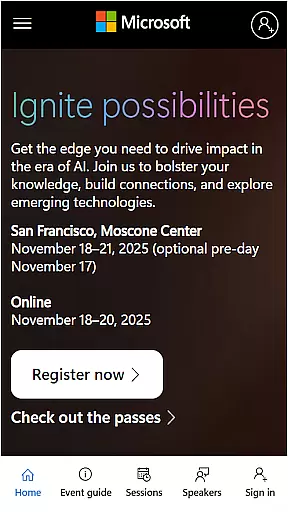
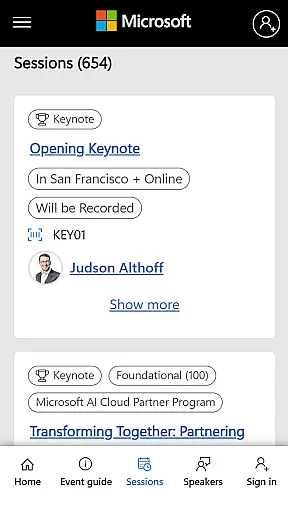
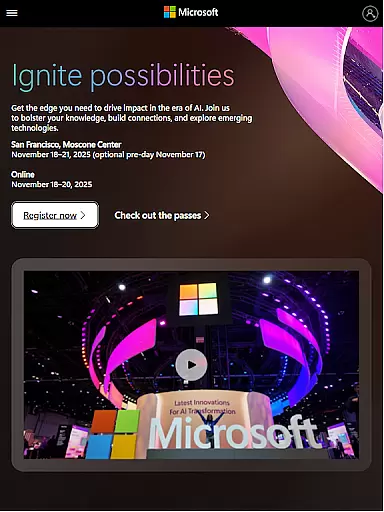
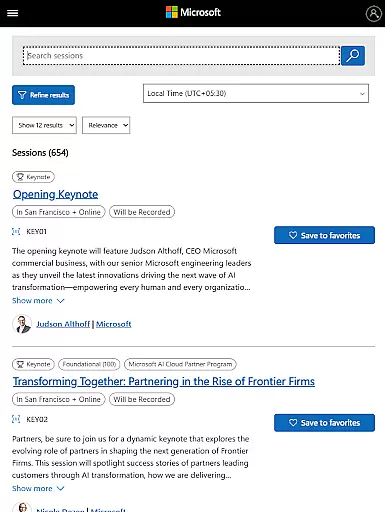
Microsoft Ignite is a premier annual event hosted by Microsoft, designed to showcase the latest advancements in technology. The app serves as an essential companion for tech enthusiasts, developers, and industry leaders attending the event. It provides comprehensive access to event schedules, speaker information, session details, and networking opportunities.
The app's core functionality includes real-time updates on sessions, personalized agenda planning, and seamless social engagement features. Users can explore new solutions, enhance their skills, and connect with the broader tech community through interactive tools. Whether you're attending in person or virtually, Microsoft Ignite ensures you stay informed and engaged throughout the event.
Microsoft Ignite offers a robust set of features tailored for event attendees. Key functionalities include a detailed event schedule with real-time updates, allowing users to stay current with session timings and venue changes. The app also provides comprehensive speaker profiles and session descriptions, enabling attendees to make informed decisions about which sessions to attend.
Another standout feature is the personalized agenda planner, which helps users organize their event experience by bookmarking sessions and setting reminders. Additionally, the app facilitates networking through integrated social media feeds and direct messaging capabilities. These features collectively enhance user engagement and ensure a seamless event experience, making it easier to connect with peers and industry experts.
Task creation and detail customization are essential features for any event management app, allowing users to tailor their schedules according to personal or professional interests. Microsoft Ignite offers a comprehensive suite of tools that enable attendees to create detailed tasks and reminders for sessions, keynotes, and networking opportunities.
The app provides an intuitive interface where users can easily add new tasks, set specific times for attending different sessions, and include additional information such as session locations and speaker details. This level of customization ensures that participants can optimize their event experience by focusing on the most relevant activities.
Moreover, the ability to customize task details extends to setting priorities and categorizing tasks based on themes or tracks, which helps in managing time effectively during the busy event days. Users can also attach notes and links to related resources, making it easier to prepare for sessions and follow up afterward.
By leveraging these robust task creation and customization capabilities, Microsoft Ignite not only enhances user engagement but also empowers attendees to make the most out of the event, ensuring they leave with valuable insights and connections.
Reminder settings play a crucial role in ensuring that attendees do not miss out on important sessions, meetings, or networking opportunities at large events like Microsoft Ignite. The app offers flexible reminder options that can be tailored to individual preferences, enhancing the overall event experience.
Users have the ability to set multiple reminders for each task or session they plan to attend. Whether it's a 10-minute alert before a keynote speech or a day-ahead notification for a workshop, the app caters to various scheduling needs. This flexibility allows attendees to manage their time efficiently and reduces the risk of overlooking critical engagements.
In addition to basic reminders, the app supports recurring notifications for ongoing sessions or daily summaries that keep users informed about upcoming highlights. These advanced settings ensure that participants remain engaged throughout the event duration without feeling overwhelmed by constant alerts.
Ultimately, the thoughtful design of reminder settings within Microsoft Ignite demonstrates a commitment to providing a seamless and organized event experience, enabling tech enthusiasts and professionals alike to stay focused on what truly mattersu2014learning, networking, and innovation.
User-friendly interface
Real-time updates
Personalized agenda
Networking opportunities
Comprehensive session info
Limited offline functionality
Occasional bugs
Heavy on resources
Steep learning curve
Requires constant updates

Watch live football matches and streaming events on our Arabic TV app!
 3.50
3.50
TV Garden is a video player to play your own TV streams from around the world!
4.1
Rocket Monkey - Space rocket launch schedule for launch sites around the world
4.20
Listen Full Quran MP3 Offline - Qibla Compass, Salah Timing & 99 Names of Allah
4.60
Instant photo sharing for every occasion
3.80
For weddings, parties & events
4.60
Birthday Greetings provides Birthday Card, Frames, Gifs & Father's day Wishes
4.80
Freebie Games for Epic Games, Steam, Amazon, Rockstar etc.
4.40
Find Live Event Ticket Deals to Sports, Concerts, Festivals, & Comedy For Less!
4.80
Clubs, Festivals, Discounted Tickets, Guest Lists & VIP Tables
4.90
Design Invitations & Cards for Any Occasion
4.80
Plan your wedding for free on the go: vendors, budget, website and checklists!
4.80
Connect with an ecosystem of 5M+ eventgoers and organizers.
4.50
The calendar app in this 2026 year see all dates.
4.20
Microsoft Build is an annual developer conference hosted by Microsoft
4.20
The official app for Sched events! View your event schedule here.
4.20
Buy tickets for any event!
3.90
The Official App
4.2
Buy event tickets easily with our user-friendly App. Stay updated on hot events
4.3


User Reviews