
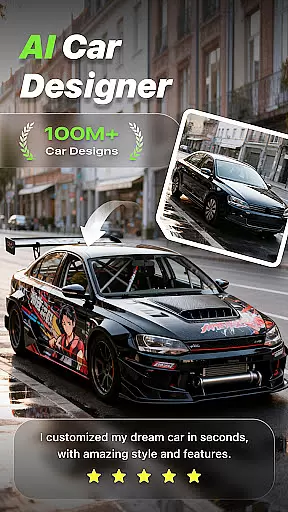
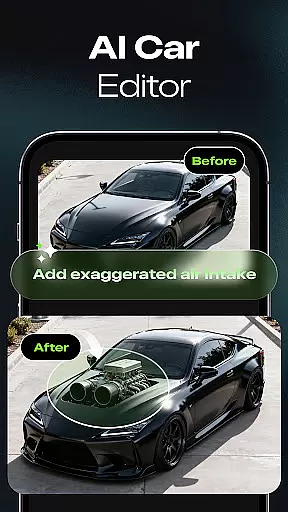
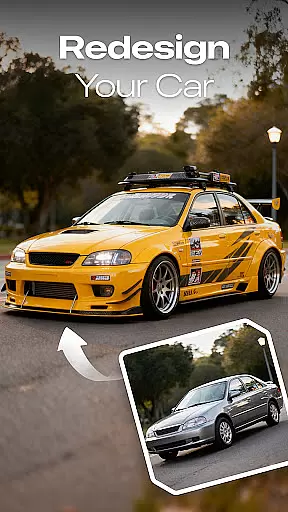
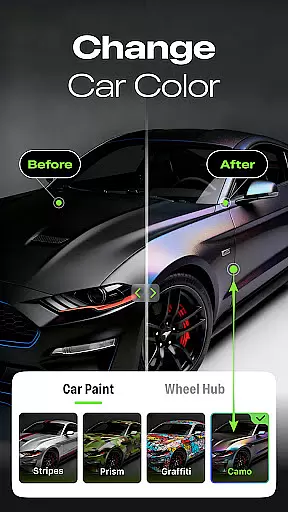
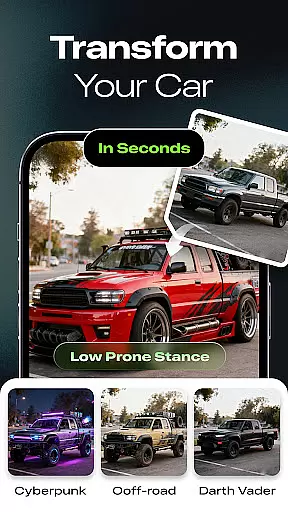
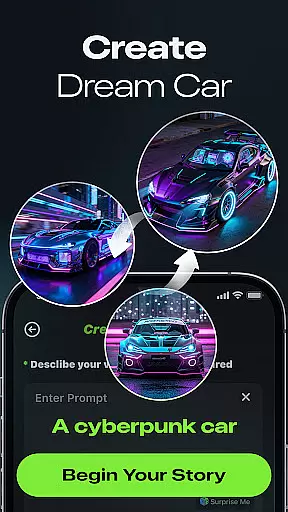
Car Editor & Al Car Designer is an innovative mobile application that allows users to transform their car customization ideas into visual designs using advanced AI technology. The app's core functionality lies in its powerful AI Car Design Generator, which can create stunning modification concepts based on uploaded car photos. Whether you're a car enthusiast looking to experiment with creative designs or a professional seeking inspiration for real-life modifications, this app provides the perfect platform.
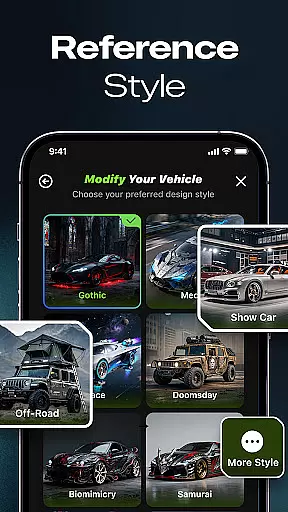
The application offers specialized tools such as Smart Detail Editing and One-Tap Style Transformation, enabling users to modify colors, lights, accessories, and textures with precision. It supports various styles including cyberpunk, racing, off-road, and minimalist themes, ensuring limitless creative exploration. With its user-friendly interface and highly realistic results, Car Editor & Al Car Designer bridges the gap between imagination and reality for automotive customization.
Car Editor & Al Car Designer stands out through its cutting-edge features tailored for both casual users and professionals. At the heart of the app is the AI Car Design Generator, which leverages artificial intelligence to produce detailed and realistic car modification concepts. Users can upload images of their vehicles, and the AI will generate multiple design variations ranging from sporty and futuristic to luxury and retro styles.
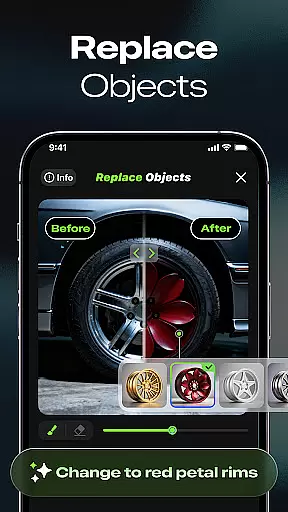
Another key feature is Smart Detail Editing, which allows users to make precise adjustments by simply tapping or marking specific areas. This tool enables seamless changes to elements like colors, lights, and accessories while maintaining a natural look. Additionally, the One-Tap Style Transformation function lets users apply predefined themes instantly, offering quick yet customizable results. These features collectively empower users to visualize their dream cars without requiring any prior design experience.
The app also emphasizes creative freedom by allowing users to save, compare, and share their favorite designs. Its subscription model unlocks benefits such as multi-image generation, unlimited design iterations, ad-free usage, and access to exclusive content like paid styles and video generation. Such comprehensive capabilities make Car Editor & Al Car Designer an indispensable tool for anyone passionate about automotive aesthetics.
Car Studio offers an innovative approach to accessing detailed vehicle information through its AI-powered platform. This feature allows users to upload a photo of their car and receive modification concepts that are not only visually appealing but also technically feasible. The app provides insights into various customization options, including sporty, futuristic, luxury, and retro styles.
The smart detail editing tool enables users to tap or mark any area of the car image to make instant changes. Whether it's altering colors, lights, accessories, or textures, the AI ensures that these modifications blend seamlessly with the original structure. This functionality is particularly useful for those planning real-life upgrades, as it gives a realistic preview of potential modifications.
With one-tap style transformation, users can explore different aesthetics such as cyberpunk, racing, off-road, or minimalist designs. This feature maintains the car's original structure while applying dramatic visual changes, offering a risk-free way to experiment with bold ideas. The ability to save, compare, and share favorite designs makes it an invaluable tool for both hobbyists and professional designers.
Ultimately, Car Studio bridges the gap between imagination and reality by providing highly realistic results without requiring any design skills. It serves as a virtual playground for car enthusiasts, modification shops, and designers to bring their dream cars to life, making it an essential app for anyone passionate about automotive customization.
One of the standout features of Car Studio is its commitment to price transparency, ensuring users fully understand the costs associated with using the app's advanced features. As a free user, you have the ability to generate one image per task, which is perfect for casual users who want to experiment with basic customizations without any financial commitment.
For enthusiasts seeking more extensive capabilities, Car Studio offers subscription plans that unlock significant advantages. Subscription benefits include multi-image generation, allowing users to initiate up to four screenshots at a time. This is particularly beneficial for professionals in the automotive industry who need to visualize multiple design concepts simultaneously.
In addition to multi-image generation, subscribers enjoy unlimited image generation, addressing the high operational costs of the AI model. This feature is crucial for users who require a large volume of designs, ensuring they can explore endless creative possibilities without worrying about additional charges. Furthermore, the subscription removes ads, enhancing the user experience by providing an uninterrupted workflow.
Other distinctive subscription benefits include access to paid styles and video generation features, adding even more value to the service. These premium offerings ensure that users receive comprehensive tools to fully realize their automotive visions while maintaining clear and upfront pricing structures.
User-friendly interface
Highly realistic outputs
Versatile style options
Smart editing tools
Inspiring creative freedom
Premium features locked
Subscription cost high
Limited free usage
Ads in free version
Dependent on AI accuracy

Taximeter; the professional's choice
 4.30
4.30
Attention! This is the theme for the Car Launcher app
4.3
Monitor specific TOYOTA parameters by adding this plugin to Torque Pro.
2.00
Ferrari inspired analog & digital watch face with quick access and premium style
4.3
Control maps, media and messaging, with the Google Assistant while you drive
4.10
AI Powered - Automotive Mechanic Assistant
4.30
Your go-to app for car, truck & SUV parts, DIY tools, and expert repair help.
4.70
Find Your Local Store or Shop Online for the Car, Truck, or SUV Parts You Need
4.70
A smarter way to park and reserve your spot ahead of time.
4.40
Lexus app currently supports 2010 or newer vehicles (2018 or newer for Hawaii).
4.80
Take Control of Your Car
4.80
Browse millions of cars, track vehicle listings or sell your car today
4.70
Instant diesel savings. No credit checks or fees. Nationwide growing network.
4.40
OBD2 car scanner and diagnostics: read Check Engine, DTC, economy....
4.30
Available in select states.
4.00
Discover new and used cars in Syria easily! Browse ads and connect with sellers.
3.70
The Smarter Way Forward
3.30
Earn and save with Fuel Rewards®
3.20
Theme for Car Launcher
4.0


User Reviews