
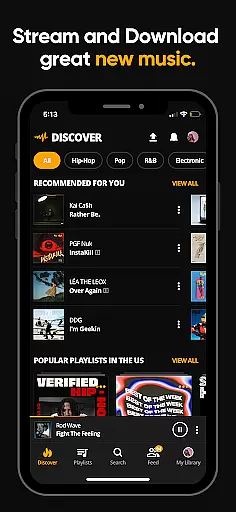
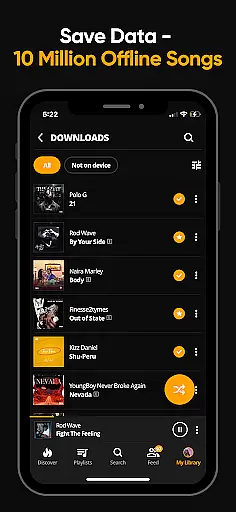
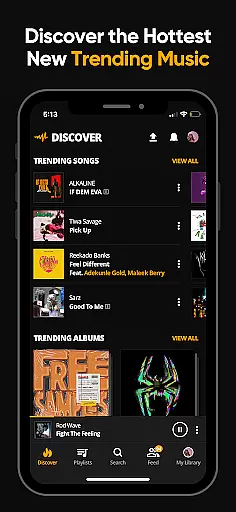

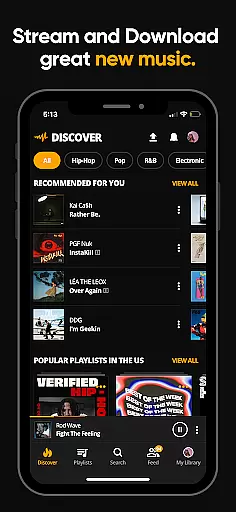
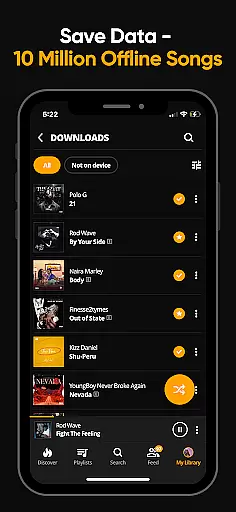
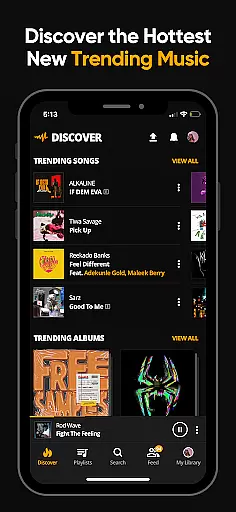

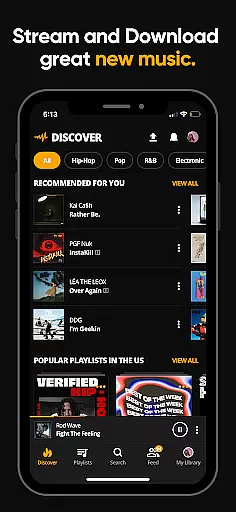
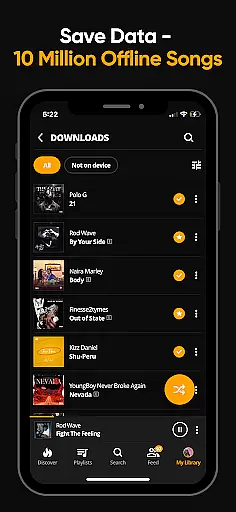
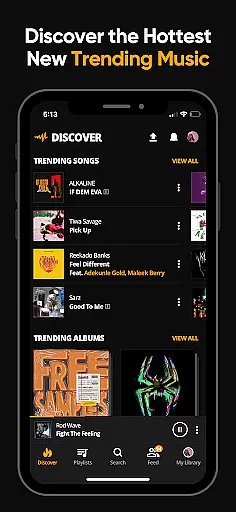

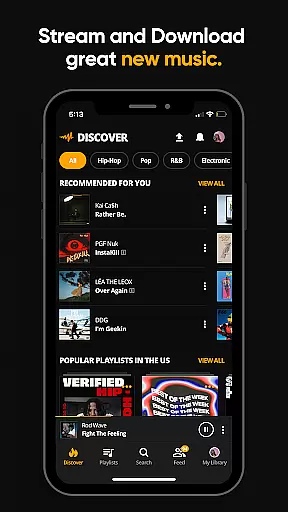
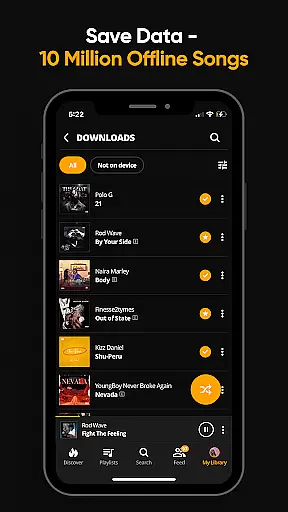
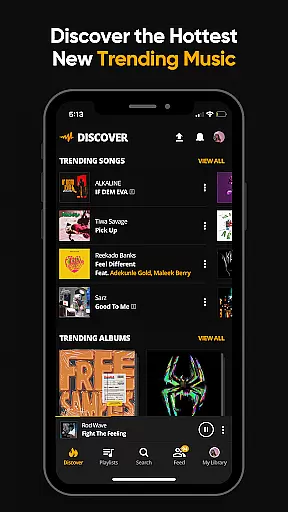
Audiomack is a premier music streaming and downloading app tailored for Android Wear users. It offers unlimited access to trending full tracks across genres like Hip-Hop, Rap, R&B, EDM, Afropop, and Reggae. The app stands out with its offline data-free listening feature, enabling users to download songs and albums without needing Wi-Fi. Additionally, Audiomack allows seamless integration with local music files in formats such as MP3, WAV, M4A, and AAC.
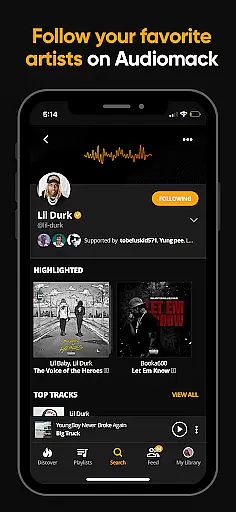
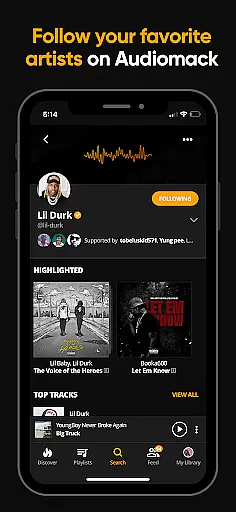
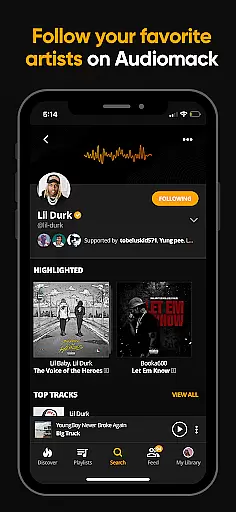
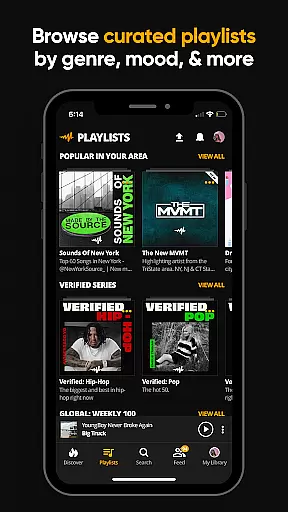
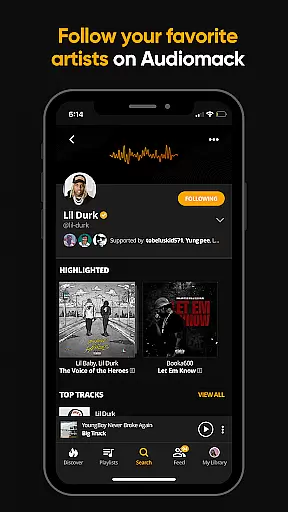
One of the key highlights of Audiomack is its expertly curated playlists and the ability to create unlimited custom playlists. Users can follow top artists including 21 Savage, Youngboy, and Kevin Gates, ensuring they stay updated with the latest releases. With compatibility across platforms like Wear OS and Android Auto, Audiomack provides a versatile and immersive music experience. For those seeking an uninterrupted experience, an ad-free subscription is available for $4.99 per month.
Audiomack boasts a rich array of features designed to enhance user experience on Android Wear. One standout feature is the unlimited streaming of full music tracks and mixtapes that are either new or trending. This ensures users are always ahead of the curve with the latest music trends. The app also supports offline downloads, allowing users to save songs and albums for data-free listening anytime, anywhere.
Another significant feature is the multi-tasking capability, which lets users listen to music while using other apps. Whether you're into Hip-Hop, Afrobeat, Electronic, Reggae, or Dancehall, Audiomack has got you covered. The app also includes a favorites function where users can save tracks, albums, and playlists, making it easy to manage and browse their collection. Moreover, Audiomack's local file player supports various formats like MP3, AAC, M4A, and WAV, providing flexibility for personal music libraries.
Companion app integration is essential for a seamless experience across multiple devices. Audiomack excels in this area by providing users with the ability to sync their music libraries and preferences between their smartphones and Wear OS devices. This ensures that whether you're on the go or using your smartwatch, your music playlists, downloads, and favorites are consistently up-to-date.
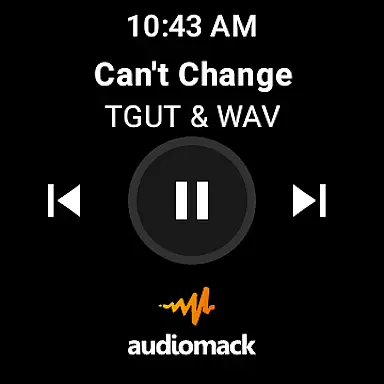
The Audiomack app allows users to manage their music directly from their wearable device, making it easy to control playback, browse playlists, and access trending tracks without needing to reach for their phone. This level of integration enhances user convenience and provides a fluid listening experience.
By supporting Android Wear, Audiomack ensures that listeners can enjoy their favorite tracks even when they're working out or in situations where carrying a phone might not be ideal. The ability to control music playback through voice commands or simple taps on the watch makes the overall experience more engaging and interactive.
Ensuring compatibility with Wear OS and other devices is crucial for delivering a versatile music streaming service. Audiomack's support for Wear OS guarantees that users can enjoy their music library on a variety of smartwatches, enhancing accessibility and convenience. This compatibility extends the app's functionality beyond smartphones, catering to tech-savvy users who value an integrated digital ecosystem.
Audiomack has optimized its Wear OS app to provide a smooth and responsive interface, allowing users to browse and play music effortlessly. The app supports various audio formats, ensuring that whether you're streaming new releases or playing local files, the experience remains high-quality and uninterrupted.
With Audiomack's Wear OS compatibility, users benefit from features like offline listening and playlist management directly from their smartwatch. This flexibility empowers users to personalize their listening habits according to their lifestyle, whether they're commuting, exercising, or relaxing at home.
User-friendly interface
Offline listening mode
Wide range of genres
Expertly curated playlists
Cross-platform compatibility
Limited free version
Ads in free tier
Subscription cost
Occasional bugs
High storage use

Walking app for weight loss: walk & step tracker, pedometer, indoor treadmill
 4.60
4.60
A customizable Christmas watch face for Wear OS with a countdown.
4.20
WTW M17 is a premium and luxurious hybrid watch face
4.70
Artistic Digital Watchface
4.3
3 Complications. All shadow on/off. 30 Themes color palette...
4.0
Authentic military-tactical design with ZULU time! Realistic and functional!
3.80
Kia Access makes getting your vehicle information easier than ever
4.60
Funny animated watch face for Thanksgiving
4.2
Real-time weather radar with temperatures, warnings, hurricanes, and widgets
4.80
Beautiful, colorful and practical watch face. For Wear OS devices.
5.00
Retro digital watch face with customizable colors and a unique lighting effect
4.60
Digital watch face with big numbers and many customization for Wear OS devices
4.40
A white realistic classic analog watch face with many customization options.
4.40
Locate your family members by GPS phone location tracker everywhere and anytime
4.30
Calming & relaxing sounds for sleeping and stress relief. Stay focused all day!
4.20
Snowflake Rose Gold Watch Face - Digital, modern, & sleek with GYRO effect.
4.10
The #1 source of faces for your smartwatch!
4.00
Christmas and New Year - Themed Watchface
4.4
Contemporary digital watch face with five complications
4.5


User Reviews