
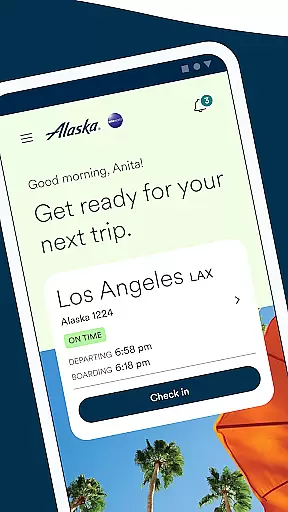

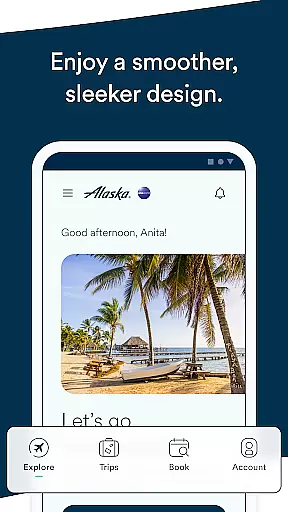
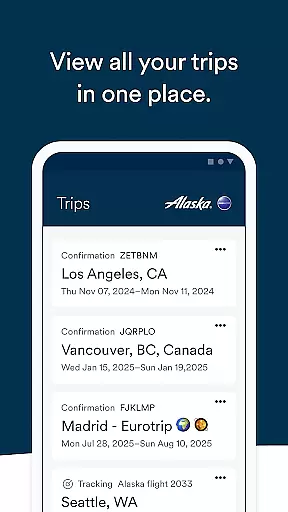
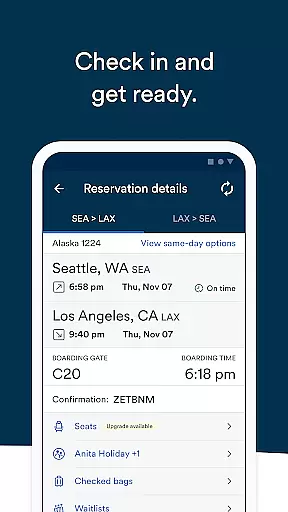
Alaska Airlines offers a comprehensive travel companion app designed to streamline every stage of your journey. With features ranging from booking and managing trips to airport navigation, the app ensures a hassle-free experience for travelers. Key functionalities include flight booking with discount codes or miles, easy access to Rewards accounts, pre-ordering meals, and adding important traveler details like Atmos Rewards or TSA PreCheck numbers.
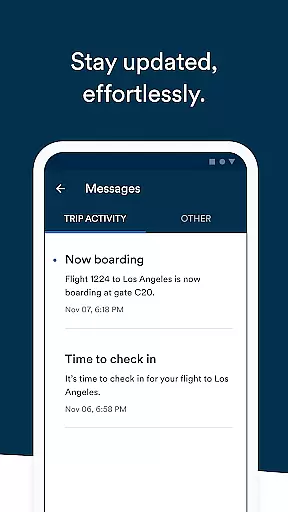
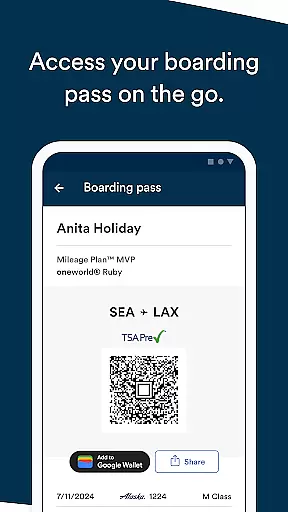
The app also provides essential tools for real-time updates through its Message Center, enabling users to stay informed about delays, gate changes, and more. Additional conveniences include seamless check-in up to 24 hours before departure, storing boarding passes in Apple Wallet, and sharing flight details with others. Whether you're tracking flights for loved ones or adjusting your itinerary, Alaska Airlines' app is an indispensable tool for modern air travel.
One of the standout features of the Alaska Airlines app is its robust booking system that allows users to book flights using percentage-off codes or accrued miles. The app integrates smoothly with the airline's Rewards program, offering quick access to trip itineraries, point balances, and status tracking towards Atmos Rewards benefits. Travelers can enhance their in-flight experience by pre-ordering food options such as the Fruit & Cheese plate available across various cabin classes.
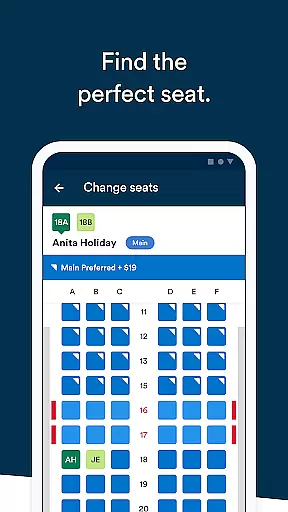
For frequent flyers, the app simplifies managing personal information like Atmos Reward numbers and TSA PreCheck details directly within flight bookings. Real-time notifications via the Message Center keep passengers updated on crucial flight information. Furthermore, flexible options for canceling or changing reservations, purchasing seat upgrades, and checking in digitally make this app a versatile travel assistant. Integration with Apple Wallet and iPhone calendars adds another layer of convenience for tech-savvy travelers.
Ensuring booking authenticity is crucial for a seamless travel experience. Alaska Airlines' mobile app provides reliable booking features that guarantee your reservations are secure and verified.
The app allows you to book flights using discount codes or accumulated miles, providing flexibility and assurance in your transactions. By signing into your Rewards account, you gain easy access to your upcoming trips, ensuring all bookings are authentic and up-to-date.
With the ability to cancel or change your flight directly through the app, tapping the three dots on the trip list, you maintain control over your plans without the worry of unauthorized changes. This functionality not only enhances booking security but also offers peace of mind knowing you can manage your itinerary with ease.
Price transparency is essential when planning your travels, and Alaska Airlines excels in this area by offering clear pricing information throughout their app.
Users can view their Rewards balance and track points towards Atmos Rewards status, ensuring they understand the value they receive with each booking. The option to purchase seat upgrades using Apple Pay or stored payment methods further simplifies the financial aspect of flying.
Additionally, the app provides detailed insights into available services, such as pre-ordering meals like the Fruit & Cheese plate, allowing passengers to make informed decisions about their onboard purchases. With no hidden fees and comprehensive details on costs associated with various services, travelers can budget effectively while enjoying a transparent pricing structure.
User-friendly interface
Comprehensive Rewards integration
Real-time flight updates
Seamless check-in process
Convenient sharing options
Limited payment methods
Occasional bugs reported
No offline functionality
Apple Pay required for upgrades
Complex menu navigation

INDOT Trafficwise is a traffic and traveler information mobile app.
 4.00
4.00
A packing list app that helps you remember what to pack for a trip.
3.10
Navigation on hikes is no longer a problem. Download the map, put notes and go!
4.60
CLEAR provides a safer, easier way through airports, stadiums, and beyond.
4.20
Bus tickets at unbeatable prices with routes across the US. All aboard FlixBus!
4.70
Tickets, hotels, wait times, maps, mobile ordering, Disney PhotoPass & more
4.50
Download now and start earning rewards on hotels, tours, and everything travel.
4.50
Find your perfect somewhere with last minute hotel & travel deals!
4.80
Travel and Book 8,000+ Hotels Worldwide with the Marriott Bonvoy™ app.
4.90
Replace your car trips with the world’s largest shared electric vehicle company.
4.90
Guest how you guest when you book one of our 6,800+ hotels and earn rewards.
4.90
Rent the perfect car for wherever you’re going
4.90
Manage your travel on Delta with access to boarding passes, flight info & more.
4.80
Save on gas and convenience with the earnify™ App
4.70
Frontier’s Android app makes travelling easier than ever before!
4.70
Get exclusive travel deals and enjoy the award-winning customer service!
4.60
Get the app that knows where you’re going - view your flight, check in & more
4.50
Link & locate for real-time child & family safety: GPS tracker for families
4.40
View US public land boundary maps on your device.
3.70


User Reviews