

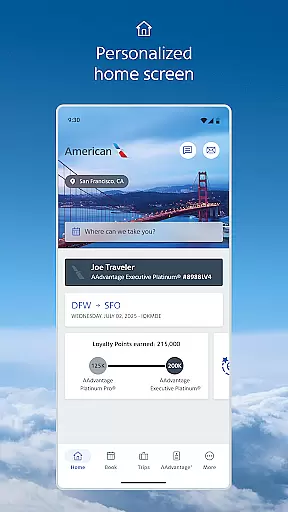
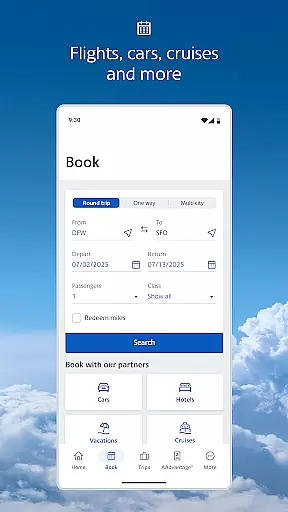
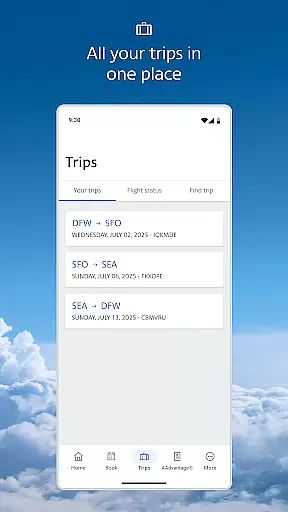
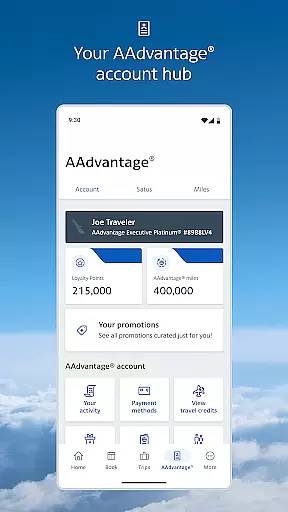
The American Airlines app is a comprehensive travel companion that provides essential information and tools to enhance your travel experience. With features like mobile boarding passes, real-time flight updates, and interactive terminal maps, the app ensures you have everything you need at your fingertips.
Whether you're checking in for a flight, selecting your seat, or tracking your baggage, this app streamlines the entire process. It also offers access to Admirals Club lounge locations and AAdvantage account details, making it an indispensable tool for frequent flyers.
This app is particularly useful for travelers who require quick access to their travel information and seek a seamless airport navigation experience. By integrating various travel tools into one platform, the American Airlines app significantly reduces travel stress and enhances convenience.
The American Airlines app boasts a variety of features designed to make your travel experience smoother and more enjoyable. The dynamic home screen adapts to your travel journey, providing relevant tools and information precisely when needed.
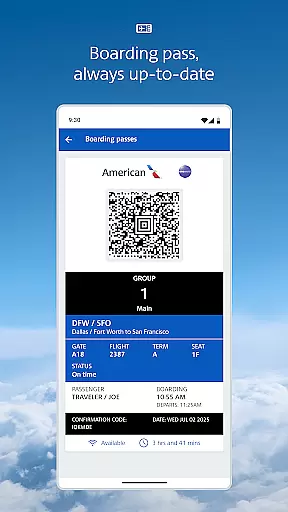
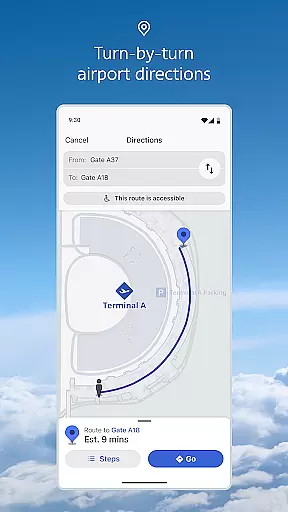
One standout feature is the mobile boarding pass, which eliminates the need for printing and updates automatically. Additionally, the interactive terminal maps help you navigate airports effortlessly, while real-time flight updates keep you informed about any changes to your schedule.
Other notable features include the ability to track your baggage, select or change your seat, and access Wi-Fi on flights. These functionalities collectively ensure that you are well-prepared and informed throughout your journey.
Booking authenticity is a crucial aspect of any travel application, ensuring that all reservations and flight details are accurate and reliable. The American Airlines app excels in this area by providing users with real-time updates and notifications regarding their flights. This feature ensures that passengers are always informed about any changes to their itinerary, gate assignments, or boarding times.
The app retrieves your reservation details and allows American Airlines to send notifications directly to your mobile device. This seamless integration provides peace of mind, knowing that the information you receive is both timely and accurate. Additionally, the mobile boarding pass feature eliminates the need for printing and is updated automatically, reflecting any changes to your flight status.
For travelers, this means a stress-free experience as they can rely on the app to provide authentic and up-to-date booking information. Whether it's receiving alerts about flight delays or accessing your boarding pass, the American Airlines app ensures that every step of your journey is transparent and trustworthy.
Price transparency in the travel industry is vital for customers to make informed decisions without hidden costs. The American Airlines app addresses this by offering clear insights into various fees and upgrade options. Users can easily request and purchase upgrades within the app, viewing their position on the upgrade standby list as their departure time approaches.
Moreover, the app provides detailed AAdvantage account information, allowing members to track their miles and rewards clearly. This level of transparency extends to seat selection and baggage tracking, where costs, if any, are communicated upfront. By presenting all potential expenses clearly, passengers can budget effectively for their trips.
Ultimately, price transparency enhances user trust and satisfaction. With the American Airlines app, passengers can manage their travel expenses confidently, knowing exactly what they are paying for and when. This straightforward approach not only simplifies the booking process but also enriches the overall travel experience.
User-friendly interface
Comprehensive travel tools
Real-time updates
Interactive maps
Convenient mobile boarding
Limited offline functionality
Occasional bugs
Requires multiple permissions
Heavy on battery
Some features are subscription-based

Apply for an electronic travel authorisation (ETA) to come to the UK.
 3.20
3.20
View delays, closures, and weather-related conditions on Missouri state roads.
3.30
OFFLINE detailed information about the Florida National and State Parks
4.0
A packing list app that helps you remember what to pack for a trip.
3.10
Maps Speedometer shows your current speed in any app
3.60
The #1 Parent App in Brevard County
4.4
MyTSA gives you 24/7 access to info that passengers frequently request from TSA.
4.10
Bus tickets at unbeatable prices with routes across the US. All aboard FlixBus!
4.70
Offline WiFi Hotspot Finder, eSIM, Caller ID, Dialer, Home Screen Launcher & VPN
4.20
Get faster fuel rewards, exclusive offers, and helpful tools!
4.70
Save on gas and convenience with the earnify™ App
4.70
Frontier’s Android app makes travelling easier than ever before!
4.70
Navigation on hikes is no longer a problem. Download the map, put notes and go!
4.60
Easily rent a car at over 9,500 locations with the Enterprise car rental app.
4.60
The mobile panorama panel. Works offline - worldwide!
4.40
Now you can book homes, experiences, and services—all in our redesigned app.
4.40
A tool for outdoor activities.
4.30
CLEAR provides a safer, easier way through airports, stadiums, and beyond.
4.20
Get Moving Made Easier® with the official U-Haul® Moving & Storage app.
3.40


User Reviews