
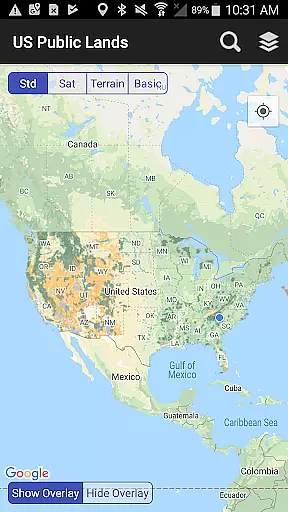
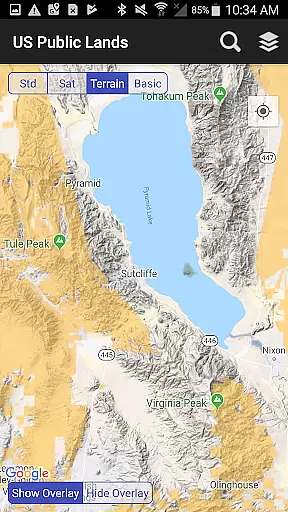
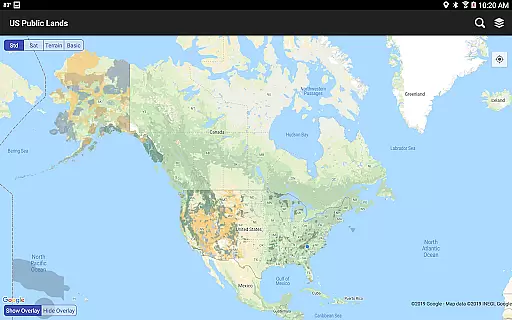
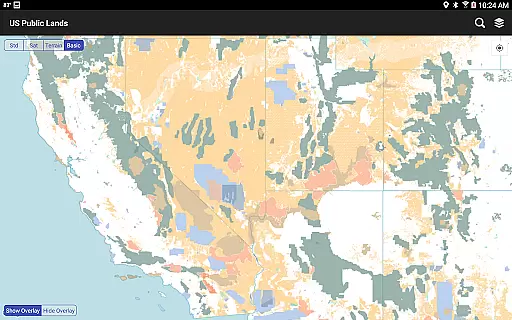
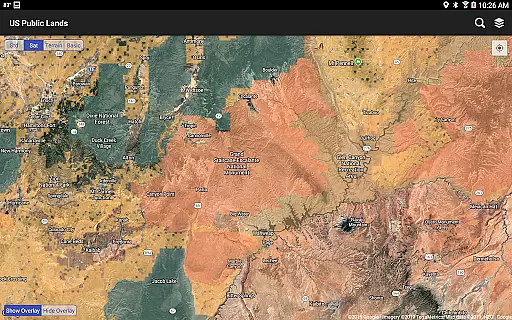
US Public Lands is a comprehensive mapping application that provides users with detailed information about federal land ownership across the United States. With nearly 650 million acres of public land under federal management, this app serves as an essential tool for outdoor enthusiasts, researchers, and travelers.
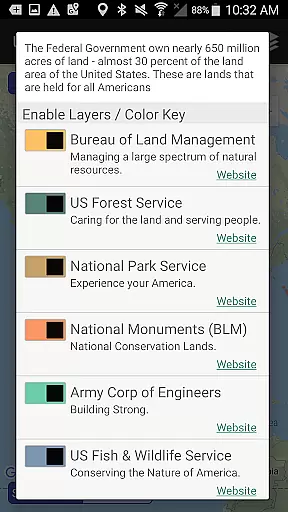
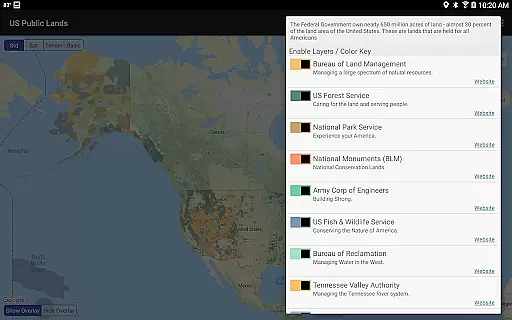
The app features individually selectable layers for major federal agencies including BLM, US Forest Service, and National Park Service. These layers are stored directly on the device, enabling full offline functionality. Users can create custom maps by selecting specific agency layers and accessing important land use information through direct links to each agency's website.
This application proves particularly valuable for dispersed camping planning, land use research, and navigation in remote areas. The built-in GPS functionality helps users determine their current location relative to public land boundaries, while the search tool enables quick location finding when online.
One of the most significant advantages of US Public Lands is its comprehensive layer system. The application includes beautifully colored, individually selectable layers for all major federal land management agencies. These layers are stored locally on the device, ensuring reliable access even without internet connectivity.
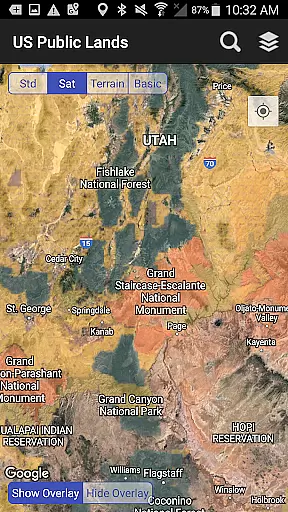
The app incorporates several practical tools for outdoor navigation. The 'Locate Me' feature uses device GPS to pinpoint your current position relative to public land boundaries. The layer toggle system allows users to customize their map view quickly, while the satellite view option helps identify potential dispersed camping locations and access points.
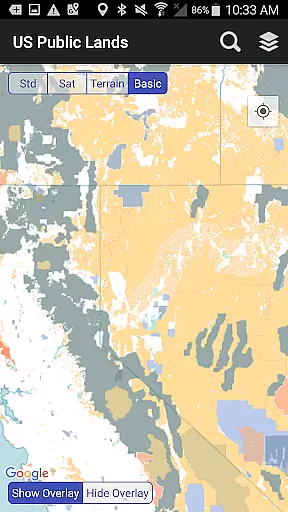
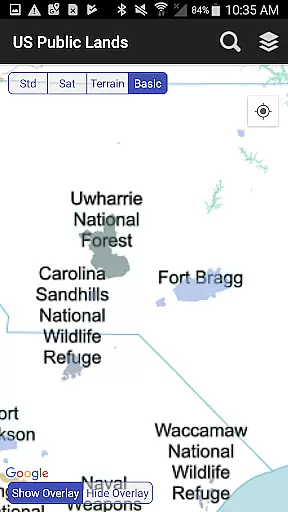
Additional features include a basic base map stored locally on the device, agency-specific website links for detailed land use regulations, and a search function that works with internet connectivity. The ability to quickly switch between different map views enhances the user's ability to analyze terrain and plan adventures effectively.
When it comes to exploring public lands across the United States, having accurate and reliable information is crucial for a seamless experience. The US Public Lands app ensures booking authenticity by providing users with verified data sourced directly from the Protected Area Database (PAD-US) of the U.S. Geological Survey.
This app offers on-device layers that are individually selectable and beautifully colored, representing properties administered by various federal agencies such as the Bureau of Land Management (BLM), US Forest Service (FS), and National Park Service (NPS). These layers allow users to create custom maps tailored to their specific needs, ensuring they have authentic and trustworthy information at their fingertips.
By integrating links to each agency's website within the app, users can further research land use rules, permits, fees, and activities allowed. This feature enhances the authenticity of the user's planning process, allowing them to make informed decisions about their travel and exploration plans.
The ability to access this information offline means that even without an internet connection, users can trust the authenticity of the data they're using to plan their trips. This reliability empowers travelers to explore confidently, knowing they have a dependable tool to guide them through the vast expanses of America's public lands.
Understanding the costs associated with visiting public lands is essential for travelers seeking to manage their expenses effectively. The US Public Lands app promotes price transparency by offering clear information on the fees and permits required for different types of public land usage.
Through the app's detailed layers, users can identify which agency owns and operates the land they intend to visit. Each layer is color-coded and corresponds to toggles that provide quick access to agency websites. This direct link to official sources ensures that users receive accurate and up-to-date details regarding any potential costs involved in accessing these lands.
In addition to displaying land boundaries and ownership, the app includes a built-in search tool that locates cities, states, zip codes, addresses, and points of interestu2014features that help in planning visits more economically. By enabling users to scout out trails, roads, and dispersed camping locations via satellite view, the app aids in finding cost-effective travel options.
While the US Public Lands app itself is free to use and all map layers are stored on the device, it encourages users to consult local field offices or administration websites for the most precise fee structures. This approach ensures that users are well-informed about any expenses they might incur, promoting a transparent and budget-conscious travel experience.
Comprehensive federal land coverage
Full offline functionality
Customizable agency layers
Reliable GPS positioning
Detailed land use information
Occasional data inaccuracies
Varied resolution quality
No specific campsite database
Requires manual updates
Dependent on external data sources

Book rooms at any of 4.2M properties worldwide. Find flight deals every day!
 4.60
4.60
Maps Speedometer shows your current speed in any app
3.60
Navigation on hikes is no longer a problem. Download the map, put notes and go!
4.60
GPS Live Satellite Earth to find route navigation and current location map
4.00
Real-time flight tracking with live maps and flight status updates.
3.70
Tickets, hotels, wait times, maps, mobile ordering, Disney PhotoPass & more
4.50
With the Spirit Airlines app, easily manage all your trips in one place.
4.70
Replace your car trips with the world’s largest shared electric vehicle company.
4.90
Flight booking, hotel booking & more - all in one place with the Southwest App!
4.50
All-in-one delivery and taxi app. Ride, food, & grocery delivery app.
4.80
View current Montana road conditions, cameras, plows, and timelapse videos.
4.70
Easily rent a car at over 9,500 locations with the Enterprise car rental app.
4.60
Link & locate for real-time child & family safety: GPS tracker for families
4.40
CLEAR provides a safer, easier way through airports, stadiums, and beyond.
4.20
Offline WiFi Hotspot Finder, eSIM, Caller ID, Dialer, Home Screen Launcher & VPN
4.20
Get real-time traffic, directions, search and find places
4.10
Listen live to pilots and air traffic controllers around the world
3.80
Examine the planet
3.80
The official app of Allegiant Travel & Allegiant Airlines
3.30


User Reviews