
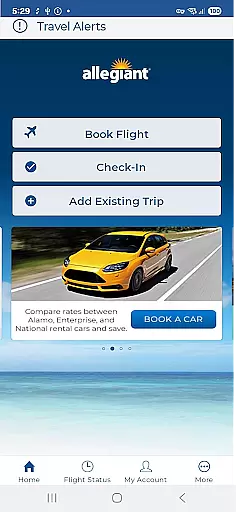
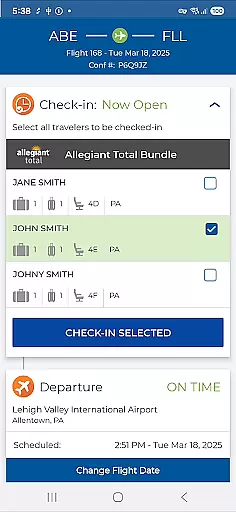
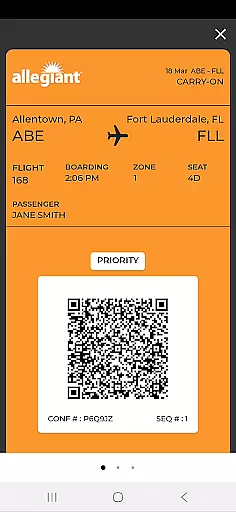
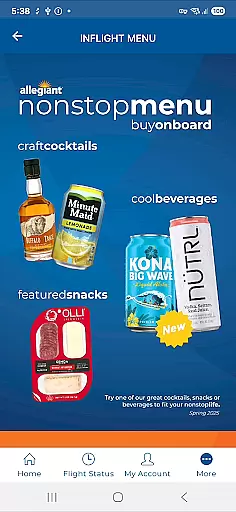
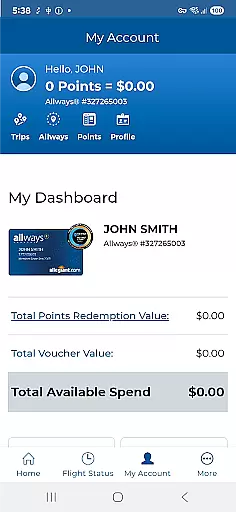
Allegiant is a comprehensive travel application designed specifically for Allegiant Airlines passengers. The app allows users to manage their entire travel journey, from booking flights to receiving real-time flight updates. With its intuitive timeline-based card system, travelers can easily track each phase of their trip, including check-in details, boarding passes, and departure information.
In addition to core travel management features, the app offers various self-service options that enhance the overall travel experience. Users can access upcoming trips, purchase additional services like seat selection and baggage, and provide feedback on their travel experience. This makes the Allegiant app an essential tool for modern travelers who value convenience and efficiency in managing their travel plans.
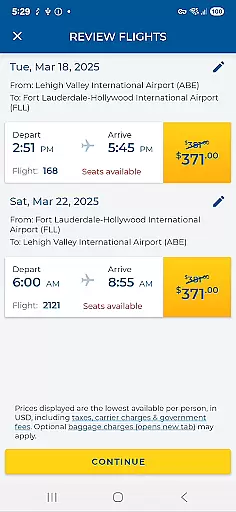
The Allegiant app stands out with its innovative card-based timeline feature, which presents each phase of the traveler's journey in an easy-to-follow format. This functionality allows users to seamlessly manage their trips by tapping on specific cards to access check-in details, boarding passes, and flight status updates. The app also supports direct flight booking, making it a one-stop solution for all travel needs.
Another key feature is the integration with My Allegiant accounts, where users can automatically download their trips and receive important notifications about flight statuses. The app provides multiple self-service options such as seat selection, baggage purchase, and priority boarding upgrades. These features not only improve user convenience but also help save time at the airport by eliminating the need for printed documents.
Booking authenticity is a crucial aspect of any travel application, ensuring that all reservations made through the platform are legitimate and confirmed. The Allegiant app provides passengers with a reliable booking system that allows them to reserve flights and manage their trips seamlessly.
Through the app, users can book their flights and automatically download their trip details onto their mobile phones when logged into their My Allegiant account. This feature not only enhances convenience but also guarantees that all bookings are authentic and directly linked to the user's account.
The app further assures booking authenticity by providing important flight status notifications and enabling passengers to follow their trip on a card-by-card basis. Each phase in the trip is represented as a card in a timeline, allowing users to manage their journey, check-in for flights, and access boarding passes with ease.
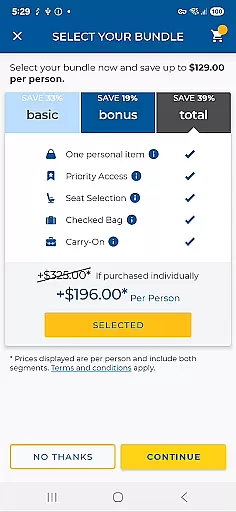
Price transparency in a travel app refers to the clear display of costs associated with bookings, ensuring customers are fully aware of what they are paying for without hidden fees. Allegiant app excels in this area by offering upfront pricing for flights and additional services.
Users of the Allegiant app can view and add seats, purchase bags, and upgrade to Priority Boarding directly within the app. These transactions are conducted with full disclosure of fees, empowering travelers to make informed decisions about their purchases.
Moreover, the app's ability to save passengers money by utilizing self-service functions and avoiding printing costs contributes to overall price transparency. By providing various options to manage trips and services digitally, Allegiant ensures that passengers have control over their expenses while enjoying a seamless travel experience.
User-friendly interface
Comprehensive travel management
Real-time flight updates
Self-service options
Integrated booking system
Limited to Allegiant Airlines
Occasional bugs reported
Notifications may delay
No offline functionality
Additional fees for services

Book rooms at any of 4.2M properties worldwide. Find flight deals every day!
 4.60
4.60
Plan where to stand and shave minutes off your trip!
4.80
Learn about one of the most famous Victorian cemeteries in the world
2.80
A tool for outdoor activities.
4.30
CLEAR provides a safer, easier way through airports, stadiums, and beyond.
4.20
NEW! Vacation with Ease.
4.60
Guest how you guest when you book one of our 6,800+ hotels and earn rewards.
4.90
Stay at Motel 6 for less - book fast, save more with MY6 app!
4.70
Maximize your cruise vacation with the Royal Caribbean app
4.70
The United app puts valuable travel information in the palm of your hand.
4.70
Bus tickets at unbeatable prices with routes across the US. All aboard FlixBus!
4.70
Get all MTA services, Subway, Bus, LIRR, Metro-North and More all in one place.
4.60
Get exclusive travel deals and enjoy the award-winning customer service!
4.60
Take your pick from over 5 million accommodation deals from major booking sites.
4.40
Now you can book homes, experiences, and services—all in our redesigned app.
4.40
The Official Freedom Trail Foundation app.
4.30
Navigate your world faster and easier with voice navigation & street view map
4.20
Every Diners, Drive-in & Dives location in one place! Your guide to Flavortown!
3.00
OFFLINE detailed information about the Florida National and State Parks
4.2


User Reviews