
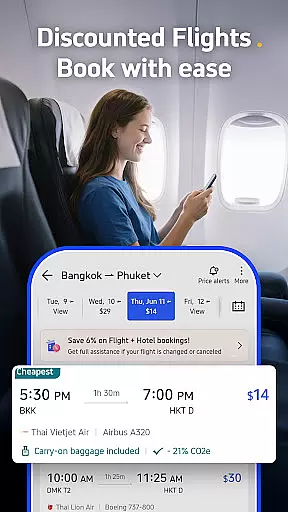
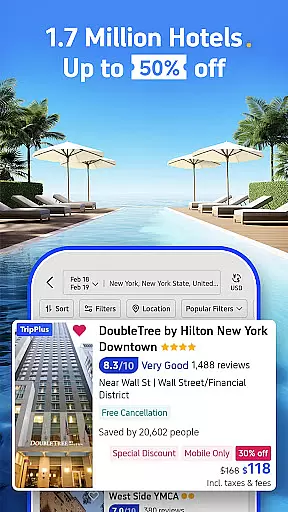
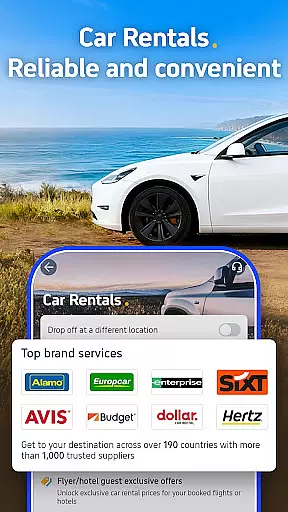
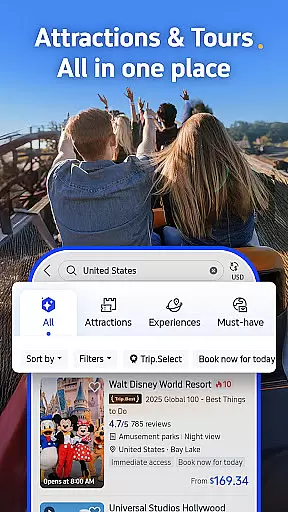

Trip.com is a comprehensive travel application designed to simplify your travel planning process. With an extensive selection of flight routes, hotel options, car rentals, and tour tickets, this app serves as your one-stop solution for all travel needs. Whether you require e-sims or travel insurance, Trip.com ensures you are well-prepared for your journey.
Rated 'Excellent' on Trustpilot, Trip.com has earned the trust of countless users who have experienced seamless booking and customer support. The app offers exclusive deals, membership rewards, and flexible payment methods, making it a preferred choice for travelers worldwide.
From flights with flexible cancellation policies to train tickets with split ticketing features, Trip.com provides innovative solutions to enhance your travel experience. Users can also benefit from price alerts, ensuring they book flights at the most economical rates. With 24/7 customer support and partnerships with leading travel brands, Trip.com guarantees reliability and convenience.
Trip.com stands out with its diverse range of features tailored to meet every traveler's needs. The app offers thousands of flight routes with live status updates and exclusive discounts available only through the app. Users can take advantage of flexible cancellation options and price alerts that notify them when flights reach their lowest prices.
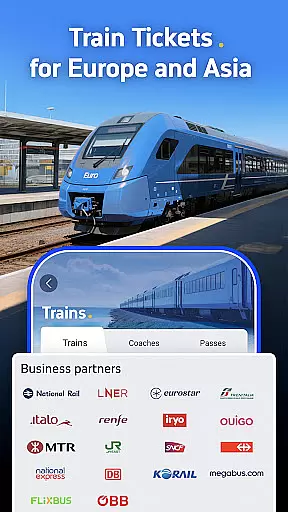
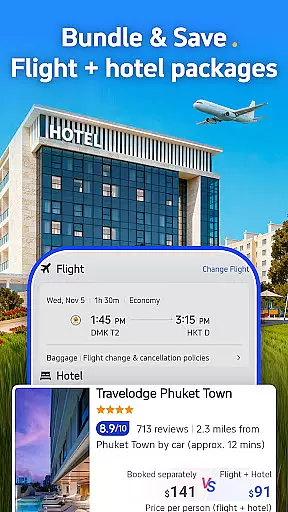
For hotel bookings, Trip.com provides a best-price guarantee and significant discounts when combined with flight purchases. The app's partnership with major hotel chains ensures a wide selection of accommodations. Additionally, the split ticketing feature for train bookings helps users save money on rail travel across the UK and Europe.
Beyond transportation and lodging, Trip.com allows users to book guided tours, attraction tickets, car rentals, and essential travel services like e-sims and insurance. With multiple payment options including credit cards, PayPal, Google Pay, and Apple Pay, users can choose their preferred method without any hassle. This versatility makes Trip.com an indispensable tool for modern travelers.
Booking authenticity is a cornerstone of Trip.com's service offering, ensuring that every reservation made through the app is legitimate and secure. This feature is crucial for travelers who need assurance that their bookings will be honored without issues.
Trip.com achieves booking authenticity by partnering directly with trusted travel brands such as British Airways, Hilton, and Network Rail. These partnerships ensure that users have access to genuine flight routes, hotel stays, and train tickets. Additionally, the platform offers price match guarantees for hotels, further solidifying the authenticity of its listings.
Users benefit significantly from this commitment to authenticity. Not only can they book with confidence knowing their reservations are secure, but they also enjoy added perks like flexible cancellation options for flights and exclusive app-only discounts. This level of trust enhances the overall travel planning experience, making it more reliable and stress-free.
The value of booking authenticity extends beyond mere transaction security; it fosters a sense of reliability and peace of mind for travelers. With 24/7 customer support and assurances like finding a new hotel if check-in issues arise, Trip.com ensures that users can embark on their journeys with complete confidence in their arrangements.
Price transparency is a vital aspect of the travel booking process, allowing users to make informed decisions about their purchases. For travelers using Trip.com, understanding the full cost of their bookings upfront is essential to avoid unexpected expenses.
Trip.com excels in providing price transparency across its various services. Whether booking flights, hotels, or train tickets, users can view detailed breakdowns of costs, including any applicable fees or taxes. The app also highlights exclusive discounts and app-only deals, enabling users to take advantage of the best available prices.
This transparency benefits users by empowering them to budget effectively for their trips. Features like price alerts notify users when flights reach their lowest rates, while split ticketing options for train travel help reduce costs further. Additionally, Trip.com's multiple payment options, including credit cards, PayPal, and digital wallets, ensure that users can choose their preferred method without hidden charges.
By prioritizing price transparency, Trip.com not only builds trust with its users but also enhances their ability to plan affordable and enjoyable travel experiences. This approach underscores the platform's dedication to delivering value and clarity in every transaction, reinforcing its position as a leading travel app.
User-friendly interface
Extensive travel options
Exclusive app discounts
24/7 customer support
Flexible cancellation policies
Occasional app glitches
Limited offline functionality
Complex navigation for new users
High service fees for certain bookings
Inconsistent pricing alerts

Iowa 511 is the Iowa Department of Transportation's traveler information app.
 3.80
3.80
The #1 Parent App in Brevard County
4.4
Find the best prices, pay for the cheapest gas, and save on every fill up
3.30
All-in-one delivery and taxi app. Ride, food, & grocery delivery app.
4.80
Streamline your U.S. entry
4.90
Travel light with our easy-to-use mobile app, the perfect flying companion.
4.40
Booking your bus tickets has never been easier
4.70
Rent the perfect car for wherever you’re going
4.90
Get the app that knows where you’re going - view your flight, check in & more
4.50
Save on gas and convenience with the earnify™ App
4.70
Meet Allyz®, your ultimate travel companion
4.70
Bus tickets at unbeatable prices with routes across the US. All aboard FlixBus!
4.70
NEW! Vacation with Ease.
4.60
Earn hotel and travel rewards, find hotel offers, and access your Digital Key.
4.50
Now you can book homes, experiences, and services—all in our redesigned app.
4.40
Offline WiFi Hotspot Finder, eSIM, Caller ID, Dialer, Home Screen Launcher & VPN
4.20
Mix of explore game, travel mapping & tracking to memorize everywhere you go
3.60
A packing list app that helps you remember what to pack for a trip.
3.10
OFFLINE detailed information about the Florida National and State Parks
4.4


User Reviews