
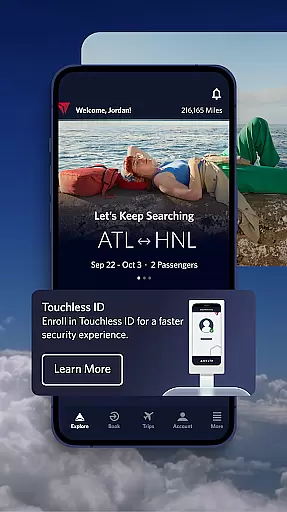

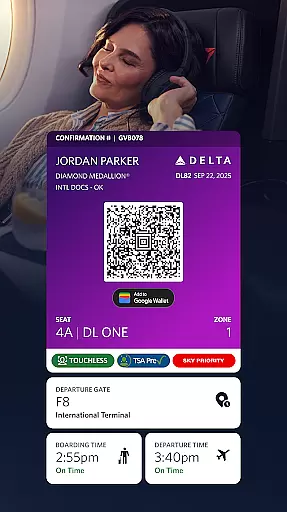
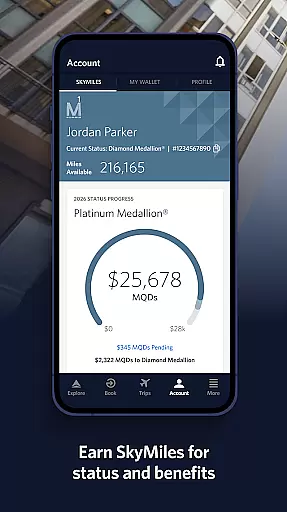
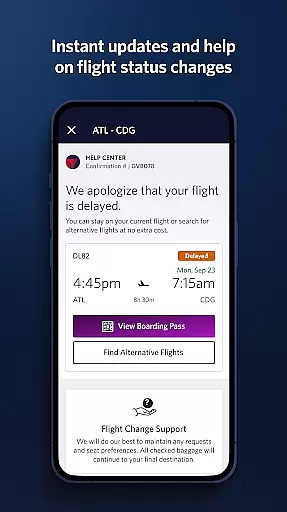
Fly Delta is a comprehensive travel app designed to simplify every aspect of your journey. As Delta's award-winning Android application, it offers seamless flight booking, management, and tracking capabilities. The app serves as your personal travel assistant, providing essential tools for planning trips, navigating airports, and managing post-flight activities.
Key features include domestic and international flight booking, real-time upgrade tracking using SkyMiles®, and convenient airport navigation through digital maps. Whether you're checking in for your flight, monitoring gate changes, or tracking your luggage, Fly Delta keeps you informed and in control throughout your travel experience.
The app particularly shines during airport visits, where its digital boarding pass, passport scanning, and seat management functions help streamline the check-in process. Frequent travelers will appreciate the ability to monitor upgrade lists, reserve preferred seating, and access essential flight information even without internet connectivity.
Fly Delta distinguishes itself through its robust set of features tailored for modern travelers. The app's comprehensive booking system allows users to shop and secure flights while managing travel preferences and payment methods efficiently. Its innovative Live Chat functionality connects passengers with customer service agents for real-time assistance.
Airport navigation becomes effortless with dedicated features like Airport Maps and the "Today" dashboard, which consolidates all necessary travel information for the day. The app's notification system ensures you stay updated with flight status changes and gate assignments while providing tools to manage upgrades and standby lists.
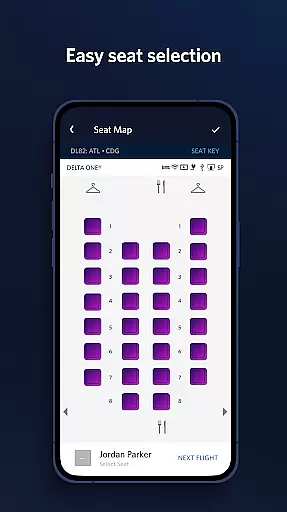
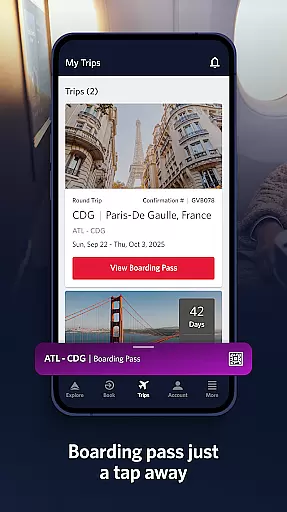
Post-booking features enhance the travel experience through mobile boarding passes, offline access capabilities, and real-time baggage tracking. Additional conveniences include seat change options, Delta Sky Club® information access, and the ability to purchase trip extras such as Wi-Fi passes or mileage boosters directly through the app.
Booking authenticity is a crucial aspect of any travel application, ensuring that all reservations and transactions are legitimate and verifiable. The Fly Delta app excels in this area by providing users with reliable booking processes.
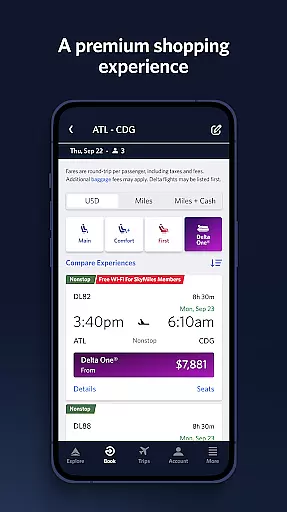
Through the Fly Delta app, travelers can shop and book both domestic and international flights with confidence. Each reservation is directly integrated into Delta's system, offering real-time confirmation and updates. This seamless integration ensures that every booking is accurate and trustworthy.
Moreover, the app allows passengers to manage their travel preferences and payment methods securely. By saving these details within their profiles, users can make future bookings effortlessly while maintaining a high level of security. In case assistance is needed, the app features Live Chat support to connect users with agents promptly.
The assurance provided by the Fly Delta app's robust booking system enhances user trust and satisfaction. Travelers can focus on planning their trips without worrying about the legitimacy of their reservations, making the entire travel experience smoother and more enjoyable.
Price transparency in travel applications refers to the clear display of costs associated with bookings, ensuring users understand all fees involved before confirming their purchases. The Fly Delta app prioritizes this feature to provide a hassle-free booking experience.
When using Fly Delta, customers can view detailed pricing information for each flight option available. This includes base fares as well as additional charges such as taxes and service fees. Such clarity helps users make informed decisions based on comprehensive cost breakdowns.
In addition to displaying prices, the app also offers opportunities to enhance travel experiences through various upgrades. Users can track and pay for upgrades like extra legroom or priority boarding using SkyMilesu00ae, knowing exactly what they are paying for at each step.
By maintaining price transparency, the Fly Delta app builds trust with its users. They can book flights confidently, aware of all costs upfront, which ultimately leads to greater customer satisfaction and loyalty towards Delta Airlines.
User-friendly interface
Comprehensive flight management
Real-time updates
Offline boarding pass access
Live chat support
Limited third-party integration
Occasional bugs reported
Some features require membership
Heavy data usage
Complex first-time setup

View delays, closures, and weather-related conditions on Missouri state roads.
 3.30
3.30
INDOT Trafficwise is a traffic and traveler information mobile app.
4.00
Plan where to stand and shave minutes off your trip!
4.80
Take your pick from over 5 million accommodation deals from major booking sites.
4.40
Book neighborhood dog boarding, dog walking, pet sitting, and doggy day care.
4.60
With the Spirit Airlines app, easily manage all your trips in one place.
4.70
Get exclusive travel deals and enjoy the award-winning customer service!
4.60
Amplify Your Experience
3.00
The best way to book travel
4.60
Rent the perfect car for wherever you’re going
4.90
Find the perfect vacation rental. Search from over 2 million properties.
4.80
Book flight, car or packages. Instant access to hotel discounts & travel deals
4.80
Stay at Motel 6 for less - book fast, save more with MY6 app!
4.70
Book rooms at any of 4.2M properties worldwide. Find flight deals every day!
4.60
Navigation on hikes is no longer a problem. Download the map, put notes and go!
4.60
Explore our parks like never before with the completely reimagined Six Flags app
4.30
GPS Live Satellite Earth to find route navigation and current location map
4.00
Maps Speedometer shows your current speed in any app
3.60
Every Diners, Drive-in & Dives location in one place! Your guide to Flavortown!
3.00


User Reviews