
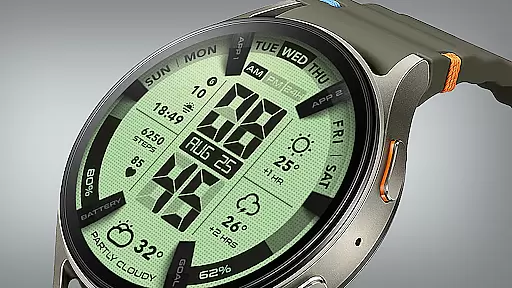
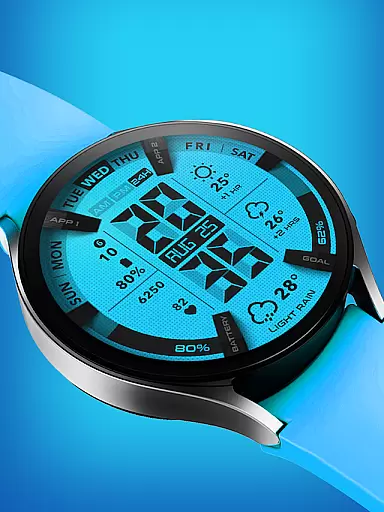
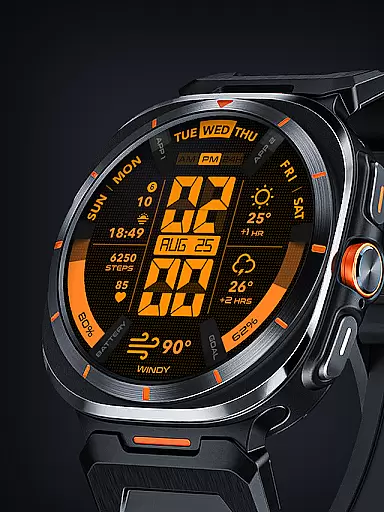
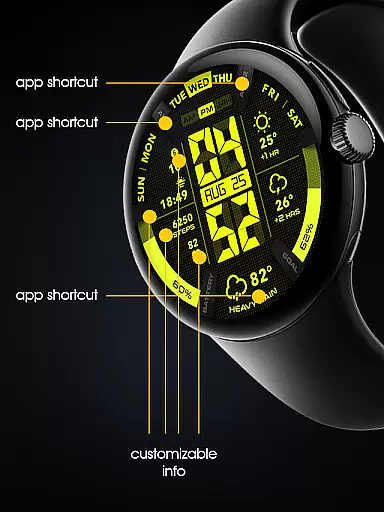

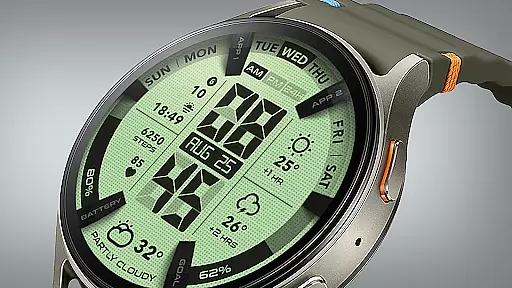
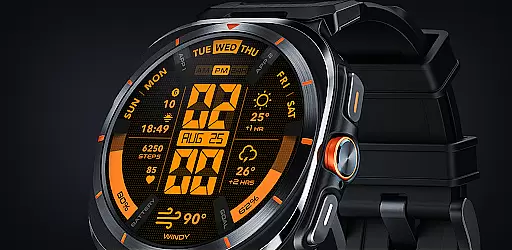
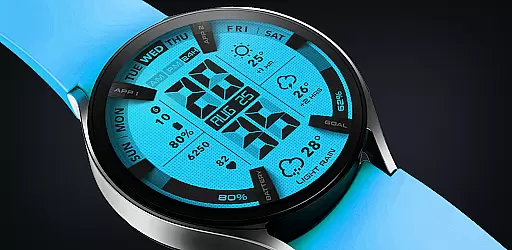
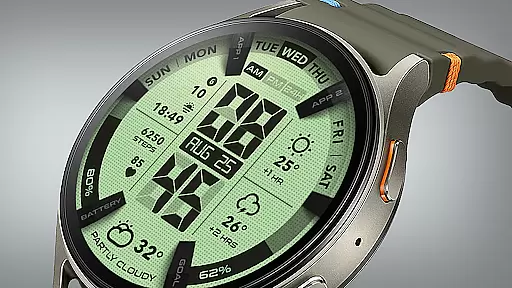
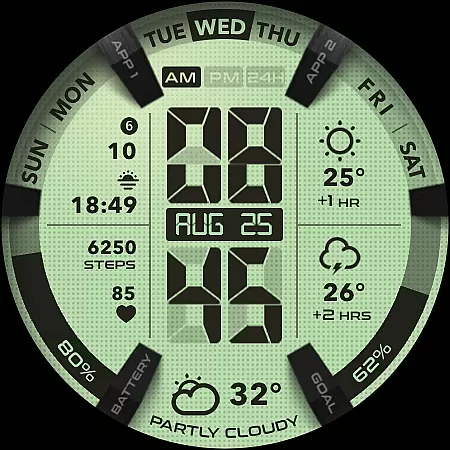
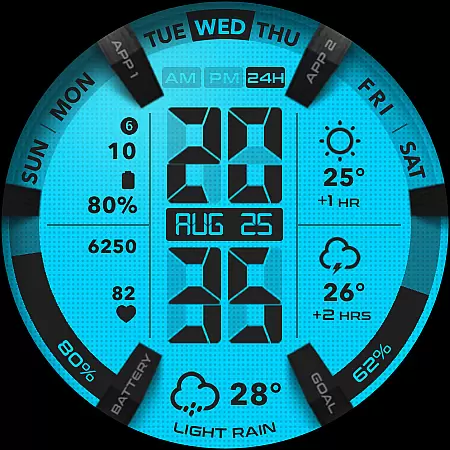
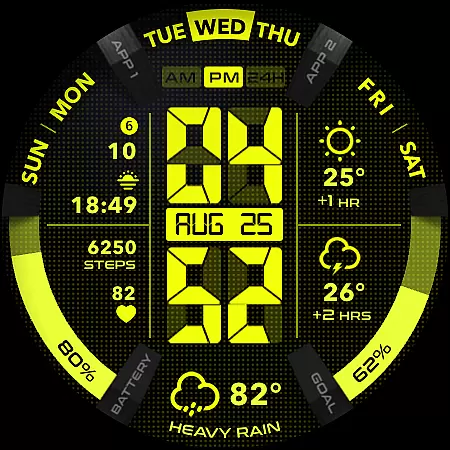
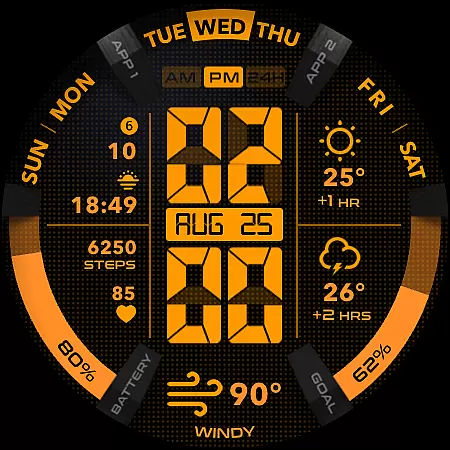
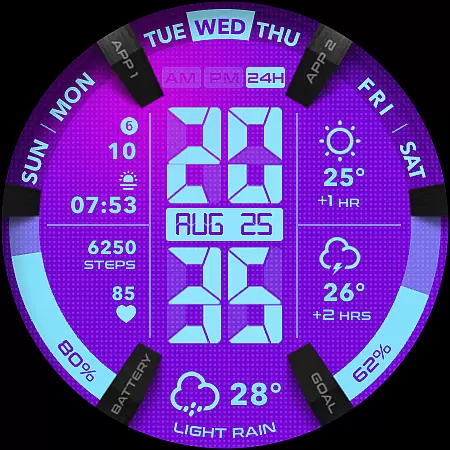
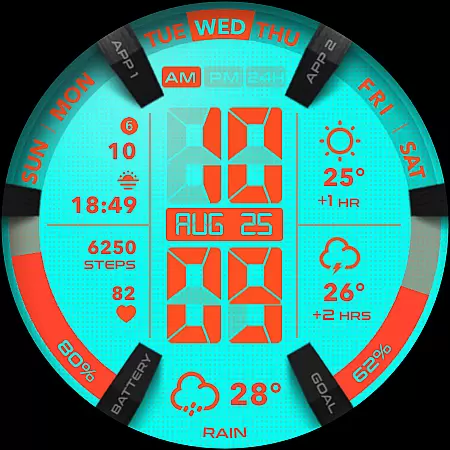
UsA LCD Weather Anim is a digital watch face designed for Wear OS devices, offering users an animated weather display with hourly forecasts. This lifestyle application stands out with its customizable color options and unique design elements.
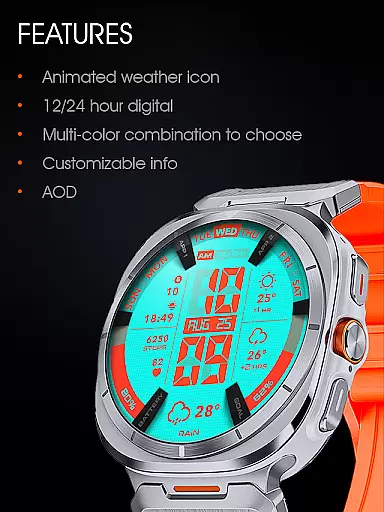
The watch face features a 12/24 hour digital clock, animated weather animations, and a two-hour forecast. Users can personalize the appearance through various color styles and complications. The inclusion of a step goal gauge, battery gauge, and specially designed Always On Display (AOD) makes it both functional and visually appealing.
Ideal for tech-savvy individuals who value both aesthetics and utility in their wearable technology, this app transforms a simple timepiece into a personalized smartwatch companion that provides essential information at a glance.
UsA LCD Weather Anim offers a comprehensive set of features that enhance the Wear OS experience. The app supports Wear OS API 34+ (Wear OS 5) and later, ensuring compatibility with the latest smartwatch models.
Key functionalities include a digital clock with 12/24 hour format options, animated weather displays with hourly forecasts, and customizable color schemes. The app also provides practical tools such as a step goal gauge, battery gauge, and customizable complications. Its specially designed Always On Display (AOD) feature allows for low-power ambient mode viewing.
These features collectively create a versatile and personalized user experience, allowing wearers to tailor their smartwatch interface to their specific preferences while receiving important information through engaging visual elements.
UsA LCD Weather Anim offers a comprehensive lifestyle experience by integrating essential daily features into a wearable device. The app provides not only timekeeping but also animated weather updates and hourly forecasts, making it a versatile companion for various lifestyle needs.
The inclusion of customizable color styles and specialized Always On Display (AOD) options allows users to tailor the watch face to their personal preferences. This level of customization ensures that the app can adapt to different user lifestyles, whether for professional settings or casual use.
Additional functionalities such as step goal gauges, battery indicators, and customizable complications further enhance its utility. These features collectively contribute to a holistic lifestyle management tool, suitable for health-conscious individuals and tech enthusiasts alike.
The app's content is carefully designed to ensure accuracy and reliability, particularly in its weather animations and forecasts. By providing real-time weather updates and predictions for the upcoming hours, UsA LCD Weather Anim establishes itself as a credible source of information for users.
Developed with attention to detail, the app supports Wear OS API 34+ (Wear OS 5) and later, ensuring compatibility and optimal performance on modern devices. This commitment to using up-to-date technology reinforces the authenticity of the content delivered to users.
Furthermore, the app encourages community engagement through its Telegram group, offering live support and discussion. This direct line to the developers and other users not only enhances content credibility but also fosters a sense of trust and reliability among its user base.
Customizable color styles
Animated weather display
Always On Display feature
Step goal and battery gauges
Compatible with Wear OS 5+
Battery consumption may increase
Limited to Wear OS devices
Requires Google account purchase
Installation process may vary
Some features need phone sync

A daily quote for success
 4.2
4.2
Bring the warm colors of fall directly to your wrist with Autumn Leaves!
4.2
Use your device sensors to detect energy and convert it into spoken words.
4.10
The cutest Autumn watchface featuring the adorable Mr. Squirrel
4.4
The Miracle Box includes methods used by Steve Huff of Huff Paranormal.
3.20
The App can control Roborock vacuum cleaners from anywhere with rich features.
4.60
Your store’s deals, where you are.
4.80
No more juggling multiple apps, now you can control everything in one place!
4.60
Just play, earn rewards, fetch gift cards, and turn gaming into real payouts!
4.80
My Diary - Daily Journal with lock: Diary journal app and secret diary with lock
4.80
Play. Earn. Repeat. Get rewarded for playing mobile games. Welcome to Mobius!
4.80
Digital smart watch face made for Wear OS.
4.70
Colorful selection floral watch face with gyro for Wear OS
4.60
The go to app for taking unlimited notes!
4.50
Material You inspired colors with BIG and Bold looks for Wear OS watches.
4.20
Smart controls for your Ember Smart Mugs
4.10
What is my face shape? Find out your face shape from picture, see fitting frames
3.90
Easily manage your child's playtime, spending messaging and more.
3.50
An Eerie Musical Trigger Toy for Spirits to Play with!
3.50


User Reviews