
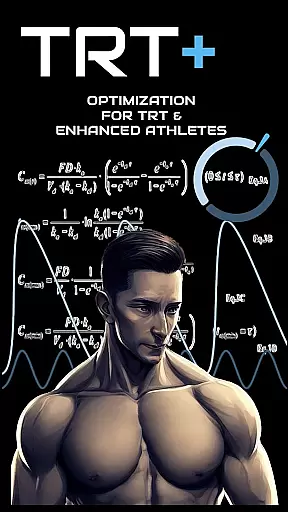
TRT Plus is a comprehensive health and fitness application specifically designed for individuals undergoing Testosterone Replacement Therapy (TRT) and those pursuing peak physical conditioning. The app offers an all-in-one solution to manage every aspect of your TRT journey, from tracking protocols and analyzing bloodwork to optimizing medication schedules and managing inventory. With advanced tools like pharmacokinetic modeling, compound half-life charting, and dynamic inventory tracking, TRT Plus ensures you stay organized and informed throughout your treatment phases.
Beyond basic tracking, TRT Plus provides specialized features such as enhanced bloodwork analysis with optimization-focused reference ranges, personalized health insights, and integration with pathology partners for detailed biomarker reporting. Whether you're monitoring daily injections or planning for long-term health goals, this app delivers actionable data tailored to your needs. Its user-friendly interface and robust functionality make it an invaluable tool for anyone committed to maximizing their TRT outcomes while maintaining optimal health.
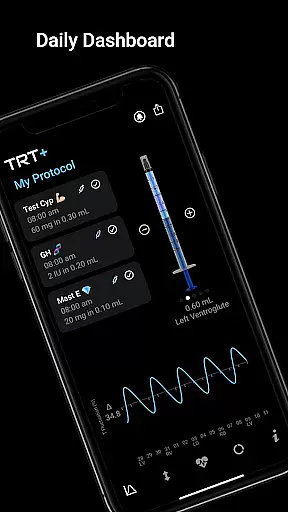
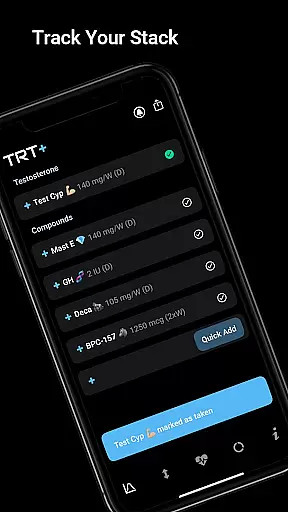
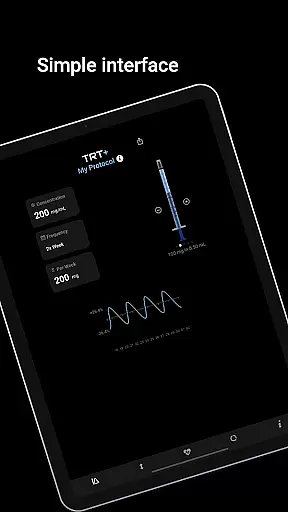
TRT Plus stands out with its extensive suite of specialized features tailored for TRT and enhanced athletes. One of the core functionalities is the protocol tracker, which includes a daily dashboard for scheduling and visual syringe tools that simplify injection management. Users can choose from over 80 pre-configured compounds, ranging from classic TRT medications to cutting-edge peptides, with one-tap setup options. Advanced pharmacokinetic modeling allows users to visualize compound behavior over time, ensuring precise dosing and timing.
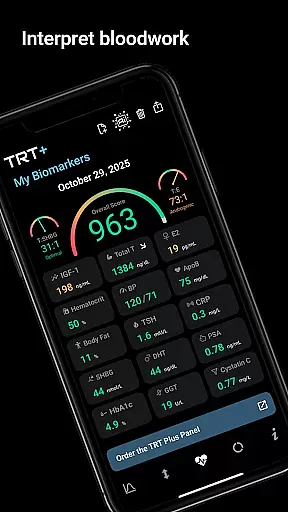
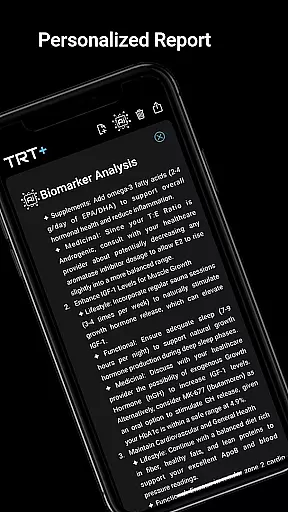
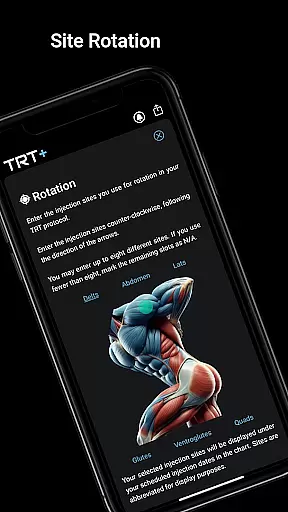
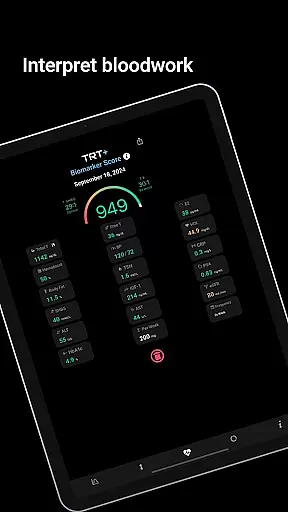
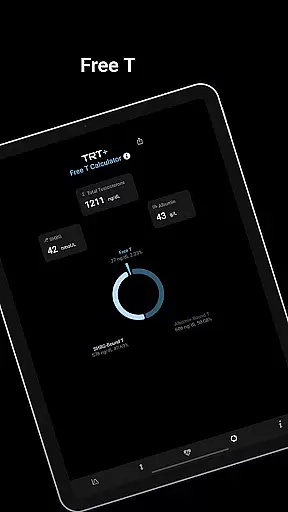
In addition to medication management, TRT Plus offers sophisticated bloodwork analysis tools. The app supports automated bloodwork scanning and provides detailed reports using athlete-specific reference ranges. These reports include red, amber, and green indicators for key biomarkers, helping users understand their hormonal balance and muscle-building potential. Integration with pathology partners further enhances accuracy by offering access to specialized markers beyond standard panels. With features like inventory tracking, rotation planning, and personalized recommendations, TRT Plus empowers users to take full control of their health and performance optimization.
Personalized planning in TRT Plus is a cornerstone feature designed to optimize the user's testosterone replacement therapy and overall athletic performance. This functionality leverages advanced pharmacokinetic modeling to tailor each user's protocol, ensuring that compound behavior is accurately predicted over time.
The app offers an extensive library of over 80 pre-configured compounds, allowing users to incorporate classic to cutting-edge substances into their regimen with ease. Each addition is guided by personalized needs, ensuring that whether you're focusing on TRT or peak conditioning, your plan is specifically dialed in.
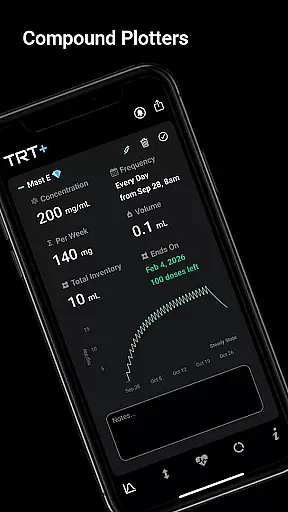
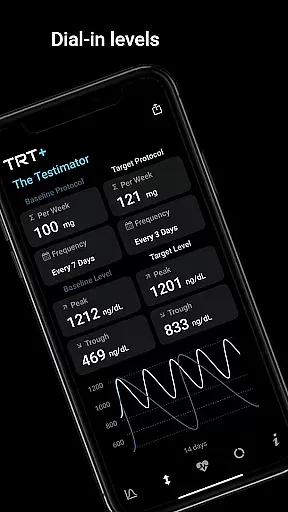
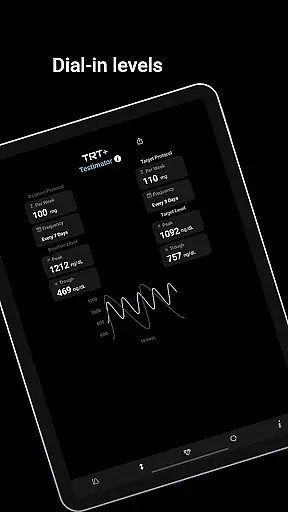
Users benefit from sophisticated tracking tools like the Compound Half-Life Charting and T Level Fluctuation analysis, which provide insights into peak levels, clearance patterns, and oscillation between peak and trough. These tools empower athletes to fine-tune dosages and timings for maximum efficacy.
Ultimately, personalized planning in TRT Plus equips users with the ability to manage ancillary compounds, schedule medications, and track supplements alongside their primary protocols. This ensures a comprehensive approach to health optimization, enhancing both immediate performance and long-term well-being.
Progress visualization in TRT Plus transforms complex data into clear, actionable insights, helping users maintain motivation and achieve their optimization goals. By converting intricate biomarker analyses and pharmacokinetic data into visual formats, the app makes it easier for users to understand their progress at a glance.
The Visual Syringe feature provides a daily dashboard where users can view their injection schedule with checkboxes to track completion. This tool simplifies the management of todayu2019s injections and supports quick stacking, making daily routines more efficient and less error-prone.
TRT Plus also includes dynamic charts such as the Compound Half-Life Charting and T Level Fluctuation graphs. These visual aids display crucial information like peak levels, steady-state timing, and clearance patterns, enabling users to see how their body responds to different compounds over time.
With its detailed bloodwork reports and personalized recommendations, TRT Plus ensures users have a clear picture of their muscle-building potential, hormonal balance, and responder type. This empowers users to make informed decisions about their protocols, ultimately leading to better health outcomes and optimized performance.
Comprehensive TRT Tools
Advanced Pharmacokinetics
Personalized Bloodwork Analysis
User-Friendly Interface
No Subscription Required
Complex for Beginners
Limited Free Features
Region-Specific Integrations
Premium Price Point
Requires Regular Input

Home workouts for fitness & fast bodybuilding at home - no equipment needed.
 4.90
4.90
Create powerful subliminal audio with custom affirmations and background music.
4.00
sobriety counter app to help and motivate people to stop drinking alcohol.
4.90
50 HD sounds to help you relax during the day and sleep great at night!
4.40
Measure real-time wrist & ambient temperature with your Galaxy Watch (Wear OS)
3.20
Medbridge GO gets you moving - get back to doing what you love, faster!
4.90
Track heart rate & HRV in 30s! Get live health insights and anomaly alerts
4.40
Make sense of your health data.
3.80
Drink water reminder app. Track water intake. Smart simple hydration tracker.
4.70
Protect your healthy sleep
4.80
The Official Blood Type Diet® App - know your categorized foods anytime.
4.50
For Absolute Novices to Strength Training. Simple. Effective.
4.40
Your portable blood pressure tracker. Record, monitor, and analyze BP anytime.
4.30
Walk, track, and burn calories with step counter & GPS walking tracker
4.20
Monitor, analyze, track, and convert blood sugar & help you control diabetes.
4.10
Understand your body’s most meaningful messages and transform your health.
3.90
Enjoy the Gluten Free living with the best app. SCAN the barcodes & SEARCH.
3.60
Live Heart Rate Pro - Real Time Heart & Workout Data For Wear OS & Bluetooth BLE
3.20
Text notifications, button control, heart monitor & more for your Amazfit.
2.40


User Reviews