
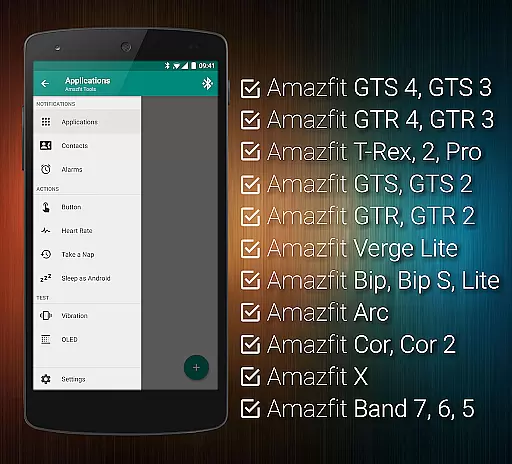
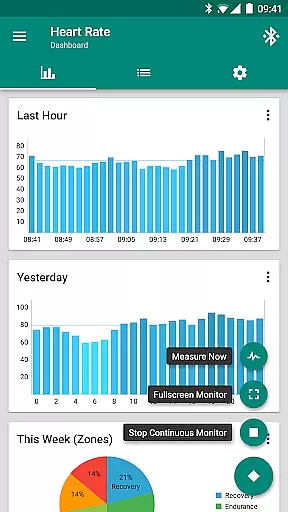
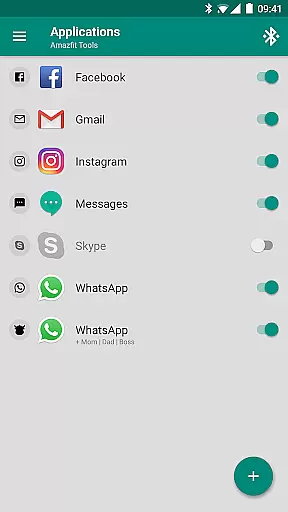
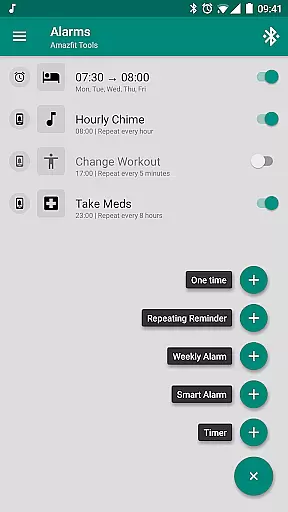
Tools & Amazfit is a comprehensive health and fitness application designed to maximize the potential of your Amazfit smart bracelet. This app offers advanced customization options for notifications, including calls, apps, and even personalized vibration patterns. With features like power nap mode, continuous heart rate monitoring, and integration with Sleep as Android, it caters to users seeking both wellness and connectivity.
The app supports a wide range of Amazfit devices and works seamlessly with Android versions from 4.3 to 13+. Whether you want to fine-tune notification settings or export/import configurations, Tools & Amazfit provides the tools necessary for a tailored experience. Its robust feature set makes it ideal for those who wish to extend their smart bracelet's capabilities beyond standard functionalities.
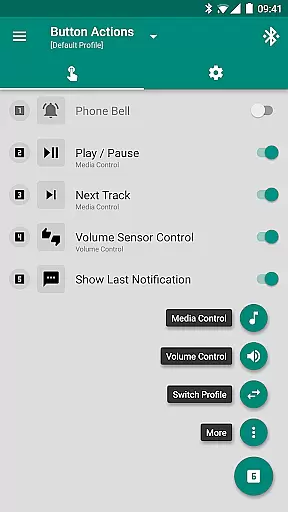
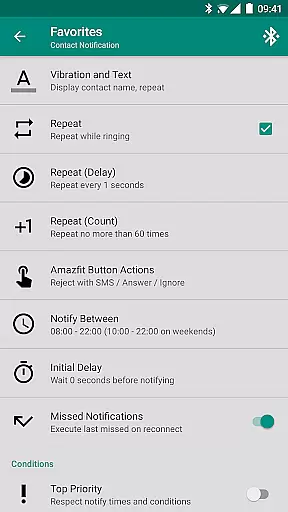
Tools & Amazfit stands out with its extensive feature set that enhances your Amazfit device's functionality. The app allows full display text support, showing caller names and detailed notifications directly on your smart bracelet. It also includes button and sensor control options, enabling actions through button presses or hand movements.
One of the key highlights is the ability to create custom button control profiles, offering a virtual menu for personalized actions such as music control and volume adjustments. Additionally, the app provides advanced health tracking features like continuous heart rate monitoring and idle alerts, ensuring you stay active and informed about your wellness metrics throughout the day.
Personalized planning in health and fitness applications refers to the ability to create tailored workout and wellness routines based on individual user data. This feature is crucial as it adapts the fitness experience to match personal goals, preferences, and progress.
Tools & Amazfit offers personalized planning through advanced features like continuous heart rate monitoring, sleep tracking integration, and custom repeating notifications for reminders. These tools analyze your physical activity and health metrics to suggest optimal times for exercise, rest, and recovery.
Users benefit from this feature by receiving customized recommendations that align with their unique fitness journey. Whether aiming for weight loss, muscle gain, or general health maintenance, the app provides actionable insights to help achieve desired outcomes efficiently.
The true value of personalized planning lies in its adaptability. As users engage with Tools & Amazfit, the algorithms learn and refine suggestions, ensuring ongoing relevance and effectiveness. This dynamic approach fosters long-term engagement and success in personal health management.
Progress visualization is a critical component of any health and fitness app, offering users a clear representation of their achievements and milestones. Visual feedback helps maintain motivation and allows users to track improvements over time effectively.
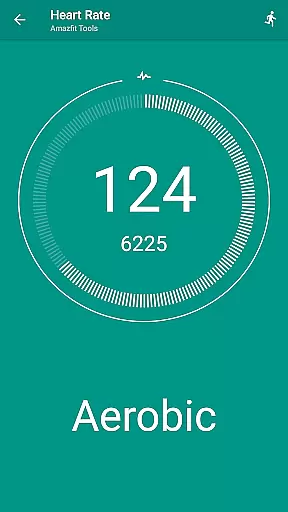
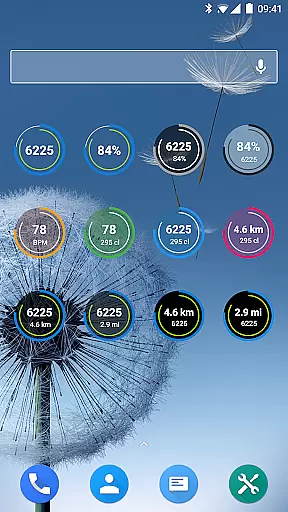
With Tools & Amazfit, progress visualization is executed through fully customizable widgets and configurable heart rate dashboard charts. Users can monitor daily fitness goal progress, bracelet battery status, current heart rate, and more directly from their smart bracelet's display.
This functionality empowers users by providing at-a-glance insights into their fitness journey. The ability to see real-time statistics and historical trends enables informed decisions about workout intensity, duration, and frequency, leading to better overall results.
Moreover, Tools & Amazfit enhances progress visualization with features like notification content filters and multiple notifications. By highlighting key achievements and sending motivational alerts, the app keeps users engaged and committed to their health objectives, ultimately fostering a sustainable fitness routine.
User-friendly interface
Extensive customization options
Advanced health tracking
Wide device compatibility
Regular feature updates
Premium features require payment
Occasional bugs reported
Complex for beginners
Limited iOS support
High battery consumption

“Overcoming pain based on EMDR” helps you to alleviate chronic pain and stress.
 4.10
4.10
Home workouts for fitness & fast bodybuilding at home - no equipment needed.
4.90
App to stop smoking slowly or now with a motivational badges and helpful tips
4.80
Period Tracker, the easiest way to track your periods!
4.50
50 HD sounds to help you relax during the day and sleep great at night!
4.40
Grow with self-tests and personal routine.
4.30
Your portable blood pressure tracker. Record, monitor, and analyze BP anytime.
4.30
The most accurate heart rate app to monitor and track your heart rate & pulse.
4.40
Dexcom G7 Continuous Glucose Monitoring
3.70
Medbridge GO gets you moving - get back to doing what you love, faster!
4.90
The simplest way to track your 21 Day Program containers, exercises, and water.
4.50
FODMAP, Gluten, Allergy, Vegan
4.50
Download MadMuscles to start your positive body transformation!
4.30
Monitor, analyze, track, and convert blood sugar & help you control diabetes.
4.10
Create powerful subliminal audio with custom affirmations and background music.
4.00
Pupillary distance PD with camera quick and easy, checking glasses frames on you
3.70
3D Body Measurement System
3.60
Insanity blocks of intense physical activity, short breaks of 30 seconds.
4.3
Optimization for TRT & Enhanced Athletes
4.3


User Reviews