
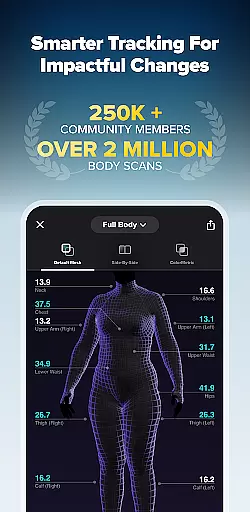
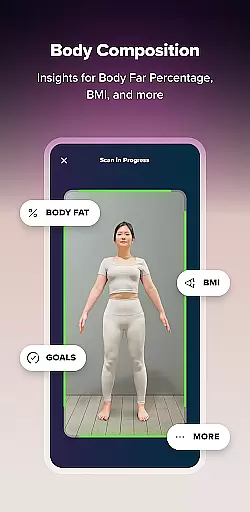
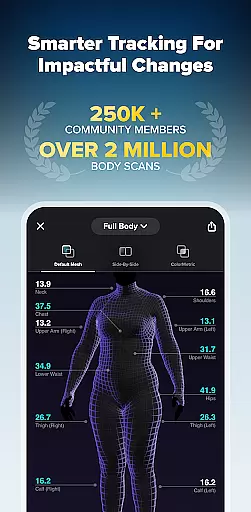
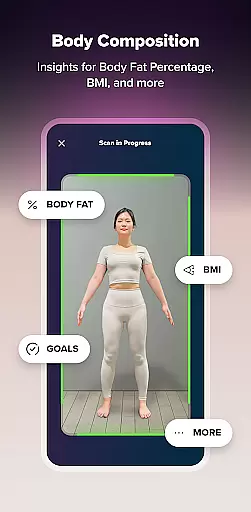
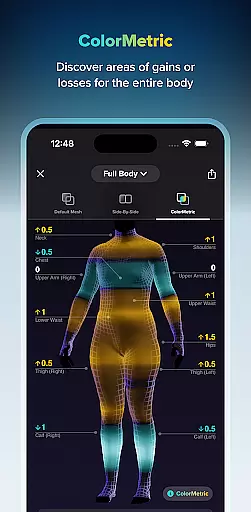
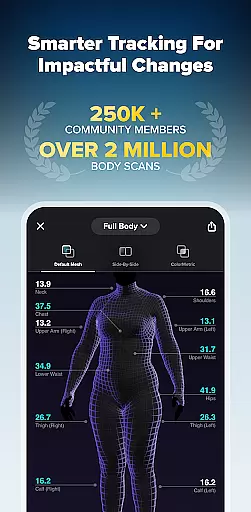
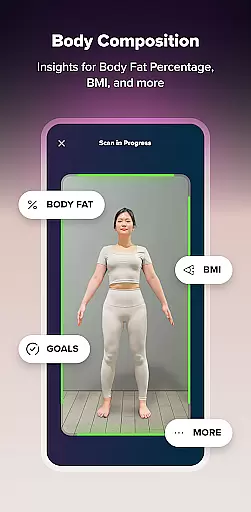
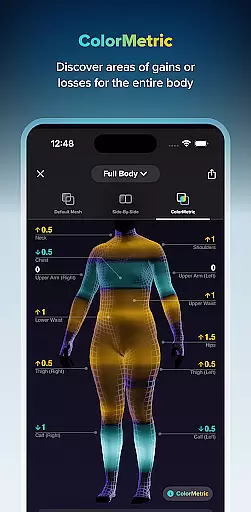
ZOZOFIT is a comprehensive fitness tracking app that combines precise 3D body scanning with AI-powered nutrition monitoring. The app provides users with detailed body measurements, body fat percentage calculations, and visual progress tracking tools like ColorMetric and Goal Setting. Designed for health-conscious individuals, ZOZOFIT transforms the way you approach fitness by offering accurate data beyond just weight.
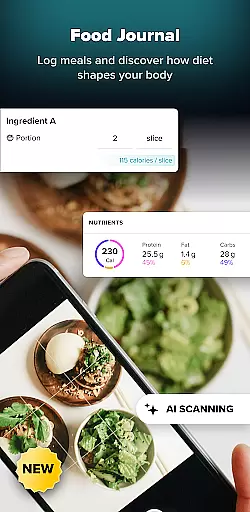
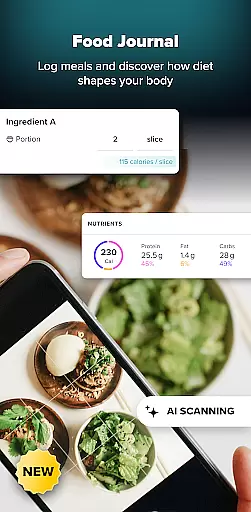
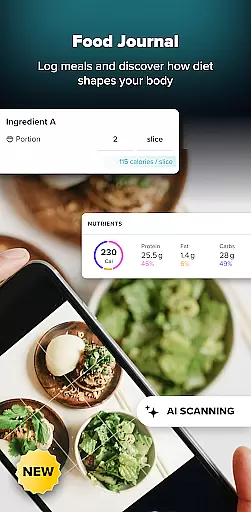
Available on select Android devices, this app allows users to set specific fitness goals, simulate future progress, and track dietary habits through its new Food Journal feature. Whether you're monitoring your body transformation or logging daily meals, ZOZOFIT keeps you accountable and motivated throughout your personal fitness journey.
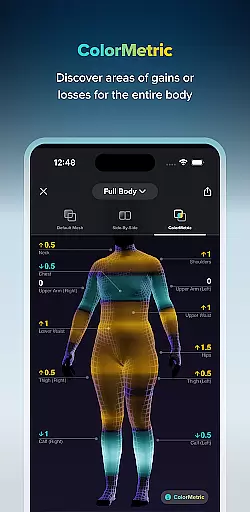
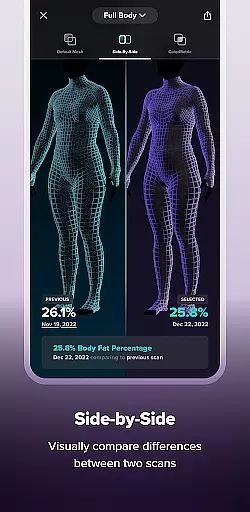
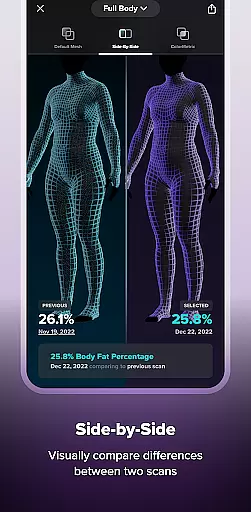
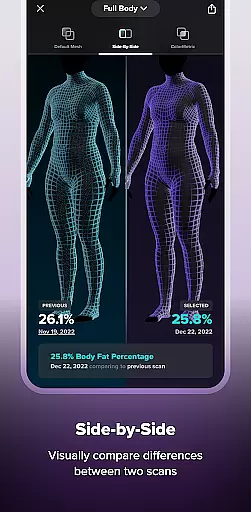
ZOZOFIT stands out with its innovative features tailored for impactful fitness tracking. The app's 3D body scanning technology captures precise measurements of 12 key body areas in under two minutes, providing users with an intuitive full-body view through the 3D Mesh feature. Its Side-by-Side comparison tool lets users visually evaluate their progress over time, while the ColorMetric system uses color gradients to highlight changes in body composition.
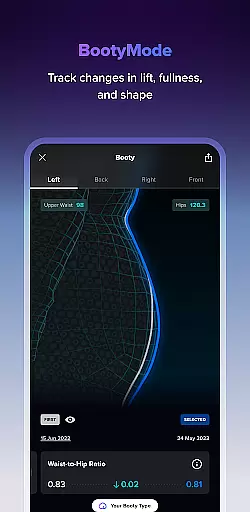
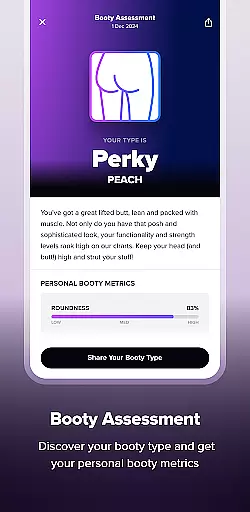
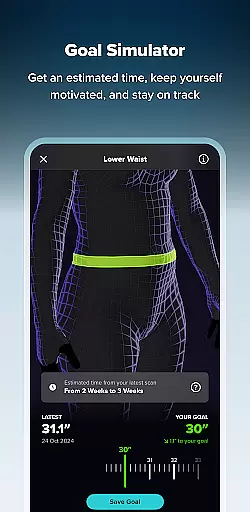
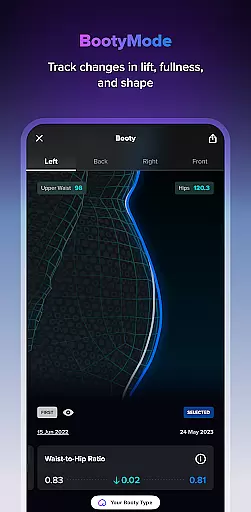
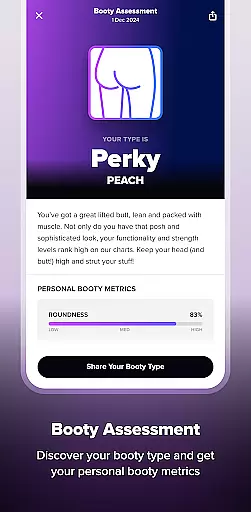
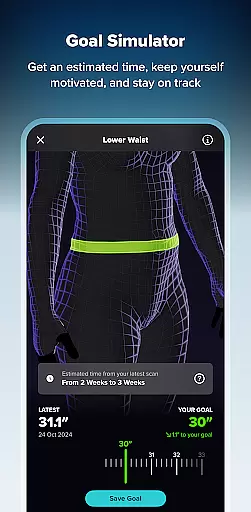
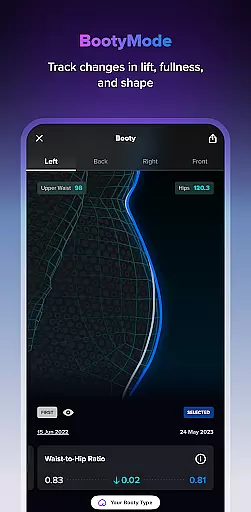
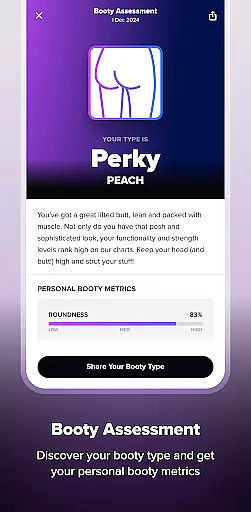
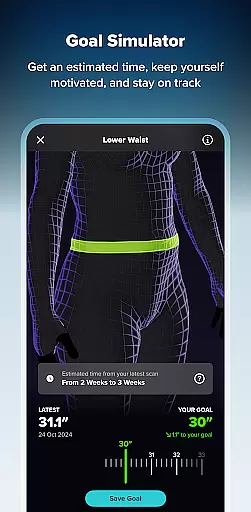
Additional highlights include the Goal Setting and Goal Simulator tools, which help users establish measurable objectives and visualize potential outcomes. The app also introduces Booty Mode, a specialized feature for tracking glute progress, and the AI-powered Food Journal, which simplifies meal logging with photo-based tracking. These features collectively empower users to take control of their fitness journey with actionable insights and easy-to-use tools.
Personalized planning in fitness applications refers to the ability to create tailored workout and nutrition plans based on individual user data. ZOZOFIT takes this a step further by integrating precise body measurements with AI-powered nutrition tracking. The app's 3D body scanning feature provides detailed metrics for twelve key body areas, allowing users to set specific goals for each.
The Goal Setting and Goal Simulator features offer an interactive way to establish and visualize personal targets. Users can adjust parameters to see potential changes in their body composition, which enhances motivation and goal attainment. This level of customization ensures that each fitness journey is as unique as the individual pursuing it.
With the integration of the Food Journal, ZOZOFIT enables users to effortlessly log meals using AI technology. By simply taking a photo of their plate or scanning a nutrition label, users receive accurate macronutrient information. This helps maintain dietary objectives and supports personalized health planning through informed decision-making.
Progress visualization is crucial for maintaining motivation and ensuring adherence to fitness goals. ZOZOFIT excels in this area by offering advanced visual tools like the 3D Mesh and ColorMetric views. These features allow users to observe their body transformation from multiple perspectives, providing a comprehensive understanding of their progress.
The Side-by-Side comparison tool lets users juxtapose two different body scans, making it easier to notice subtle changes over time. Meanwhile, the ColorMetric system uses a color gradient to represent measurement differences across the body. Amber indicates growth, teal signifies reduction, and clear means no significant change, offering an intuitive way to track physical developments.
Additionally, Booty Mode offers a specialized view to monitor changes in lift, fullness, and shape of the buttocks region. This targeted approach to tracking specific body areas ensures users remain engaged and encouraged throughout their fitness journey. Such detailed and varied visualization tools make ZOZOFIT a leader in progress monitoring within the Health & Fitness category.
Precise body scanning
AI-powered nutrition tracking
Comprehensive measurement data
Visual progress tools
User-friendly interface
Limited device compatibility
Premium feature costs
Requires consistent usage
Dependent on proper scanning
Learning curve for new users

A simple way to calculate peptide doses and also to convert different units.
 4.2
4.2
The Official Blood Type Diet® App - know your categorized foods anytime.
4.50
The OFFICIAL Couch to 5K® running training app! A 9 week walk-run workout plan.
4.50
Relax. Sleep Better. Feel Better.
4.50
Wall Pilates at home & Pilates workout for beginners for core and weight loss.
4.80
Monitor, analyze, track, and convert blood sugar & help you control diabetes.
4.10
Walk, track, and burn calories with step counter & GPS walking tracker
4.20
Your Health Assistant
3.90
Lazy home workouts with your virtual fitness coach for weight loss.
4.30
Home workouts for fitness & fast bodybuilding at home - no equipment needed.
4.90
Protect your healthy sleep
4.80
a fun app full of surprises :)
4.70
Get lasting results with Chair Yoga, Wall Pilates, and Walking workouts!
4.60
Personal Measurements - Track your gains!
4.50
See what's really going on inside your head! Real time EEG graphs from your Muse
4.40
This is an application that serves as a companion app for smart watch.
4.20
SportWerks - Workout Tracker for Wear OS Watches
3.90
Track sleep cycle, relax with white noise, sleep sounds & smart alarm clock
3.80
FitCloudPro takes care of your health every minute.
3.70


User Reviews