
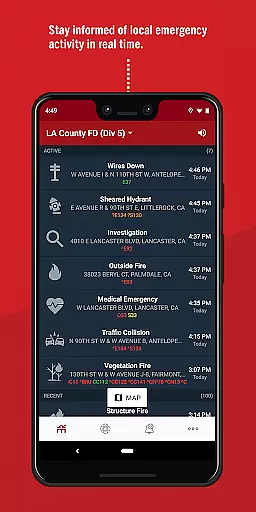
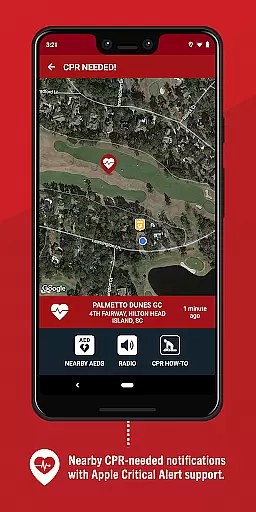
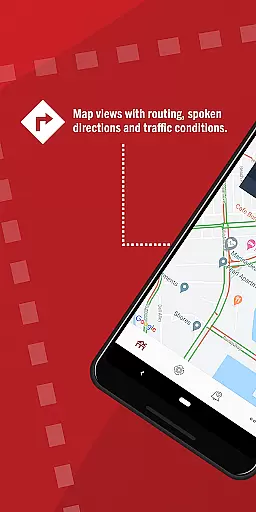
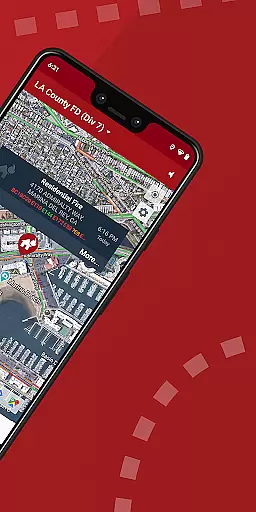
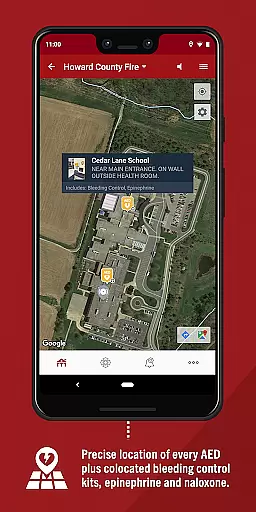
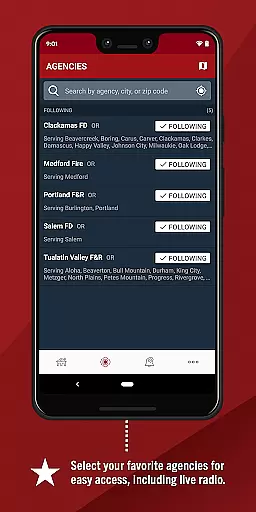
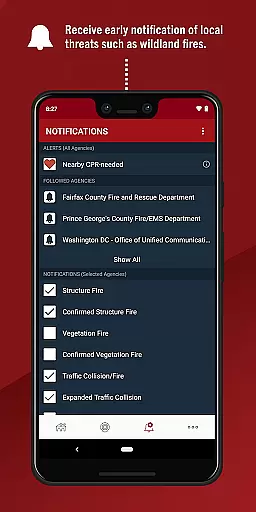
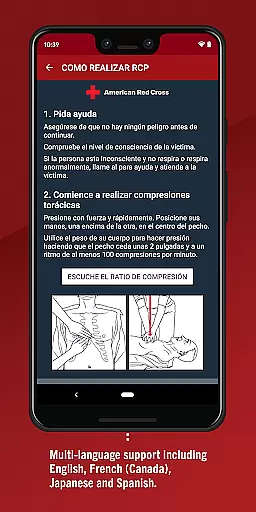
PulsePoint Respond is a revolutionary medical app that connects to 911 services, alerting users of local emergencies where their help might be needed. The app's primary function is to notify qualified individuals when CPR is required nearby, enabling them to potentially save lives in their community. This real-time notification system is crucial for cardiac arrest situations where immediate action is vital.
In addition to emergency alerts, PulsePoint offers features such as live dispatch radio monitoring and notifications about significant events like fires or utility emergencies. These functions provide users with critical information that could impact their safety and that of their families. By expanding the reach of emergency response beyond traditional first responders, PulsePoint creates a more resilient and informed community.
The app's key feature is its ability to send instant notifications when someone nearby requires CPR. This functionality is supported by a sophisticated geolocation system that ensures alerts are relevant to the user's current position. Users can also choose to receive informational notifications about various threats in their area, enhancing personal and family safety.
PulsePoint Respond stands out due to its integration with local emergency services, providing unprecedented access to live dispatch information. The app's monitoring capabilities allow users to listen to emergency radio traffic in most connected communities. Furthermore, its comprehensive coverage spans thousands of cities, making it a valuable tool for both medical professionals and trained civilians who want to make a difference in emergency situations.
In the realm of emergency response and public safety, the credibility of medical content is paramount. PulsePoint Respond exemplifies this by providing verified alerts for CPR-needed situations in your vicinity. The app's connection to 911 ensures that all notifications are authentic and timely.
Each alert delivered through PulsePoint is vetted by emergency services, ensuring accuracy and reliability. This process involves expert review from medical professionals who understand the urgency and critical nature of cardiac arrest scenarios. Users can be confident that when they receive a notification, it is both genuine and urgent.
The value of PulsePoint lies in its ability to mobilize trained individuals quickly. By receiving real-time, credible information, users can act swiftly and potentially save lives. This immediacy bridges the gap between the onset of cardiac arrest and the arrival of professional medical help.
PulsePoint Respond enhances teleconsultation quality by integrating live dispatch radio traffic. This feature allows users to listen in on emergency communications, providing context and clarity to unfolding situations. Such integration ensures that users are not only informed but also engaged with local emergency activities.
The app goes beyond basic notifications by offering detailed insights into emergencies. Users can choose to be alerted about significant events like wildland fires or flooding, which may affect their community. These informational alerts add depth to the teleconsultation experience, keeping users well-informed.
By tapping into live dispatch feeds, PulsePoint fosters a proactive community. This approach encourages an informed citizenry ready to assist in emergencies. The result is a robust support network that complements traditional emergency services, enhancing overall community resilience.
Life-saving notifications
Real-time emergency updates
Community engagement
Live dispatch monitoring
Wide city coverage
Requires CPR training
Location always needed
Varied city support
Can cause anxiety
Battery consumption

Want to make it easier to manage your health? We’re with you, wherever you are.
 4.70
4.70
The Omada app enhances your program experience and helps you stay engaged.
4.50
A rapid reference for prehospital providers caring for pediatric patients.
4.0
Search by insurance, see real-time openings & verified reviews, get care fast.
4.80
Assess and treat left neglect more effectively in stroke and brain injury rehab.
4.30
Over 1,200 review questions and 5 exams—pass the NREMT with EMT Review Plus!
4.10
PPP provides quick offline access to over 350 field treatment protocols.
4.60
X-Vein: Advanced vein detection for medical practice
3.10
Find and Price Care
4.60
myVCA is your tailor-made guide to raising a healthy and happy pet.
4.90
Elegant, easy-to-use period tracker for fertility, PMS symptoms, and more
4.90
Be more confident prescribing homeopathy at home for your family.
4.80
Your donation experience just got smoother; Donor Hub is your go-to place.
4.70
Perform pure-tone audiometry and a speech intelligibility test on your phone.
4.50
Secure video appointments
4.50
One app to unlock your health
4.30
700 questions, 2 full exams, Predictive Scoring—your key to NREMT success!
3.90
Continuous Glucose Monitoring
3.40
The world's best selling 3D Human Anatomy app with groundbreaking 3D technology
2.00


User Reviews