
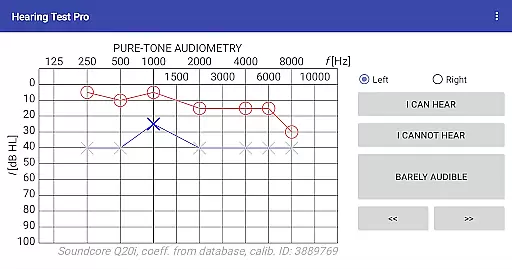
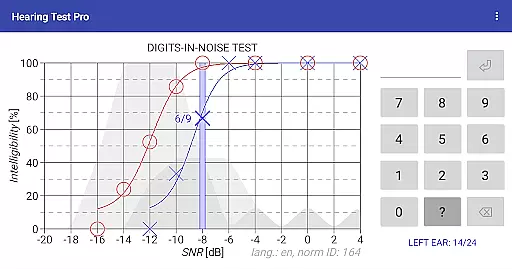
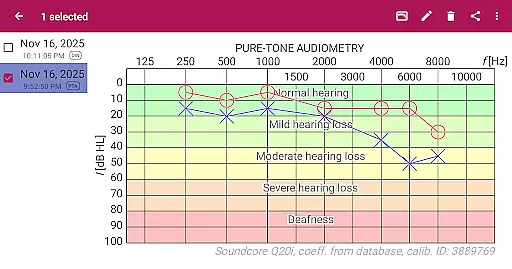
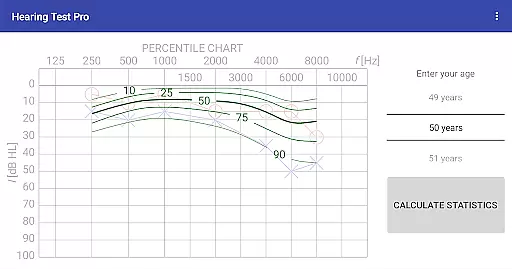
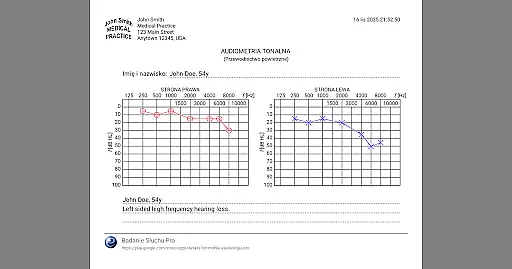
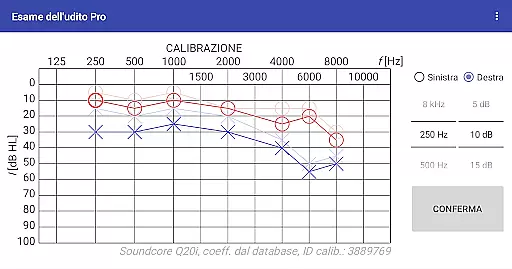
Hearing Test Pro is a comprehensive mobile solution designed for users to assess and monitor their hearing capabilities. The app provides two primary testing methods: pure-tone audiometry and the digits-in-noise test (digit triplet test), which evaluate both the degree of hearing loss and speech intelligibility. By determining the quietest sound a user can hear across different frequencies, the app establishes personalized hearing thresholds. Additionally, it includes advanced features such as high-frequency audiometry, classification of hearing loss, and comparison with age-related norms, making it suitable for both personal use and professional assessment.
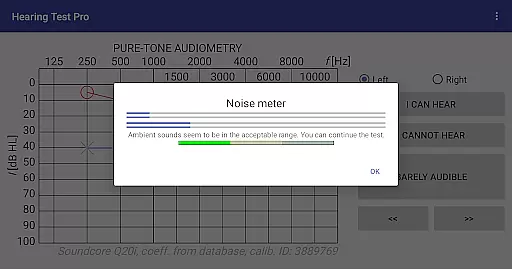
Designed for medical professionals and individuals alike, Hearing Test Pro offers tools like a noise meter for measuring background noise, device calibration options, and the ability to print test results directly from the app. Its Pro version further enhances functionality by providing offline access to test results, cloud synchronization, and manual stimulus control during tests. This makes the app an invaluable tool for tracking hearing health over time and ensuring accurate, reliable results in various testing environments.
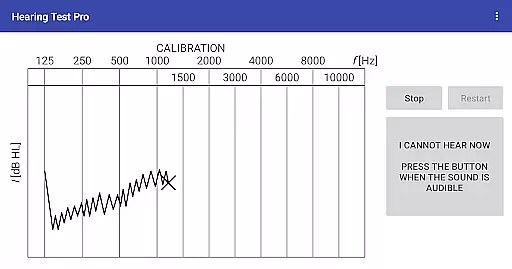
Hearing Test Pro stands out with its diverse range of specialized features tailored for thorough hearing evaluation. The app's pure-tone audiometry function allows users to measure their hearing thresholds using bundled headphones and predefined calibration coefficients, ensuring accuracy and reliability. For those requiring more flexibility, the app also supports device calibration, accommodating various headphone types and custom setups. The digits-in-noise test evaluates speech intelligibility by having users recognize spoken digits amidst background noise, offering insights into real-world hearing challenges.
Additional functionalities include high-frequency audiometry for detecting early signs of hearing damage, classification of hearing loss based on test outcomes, and comparisons with age-related norms to contextualize results. Users can enhance their experience by adding notes to test records, adjusting calibration coefficients, and verifying these adjustments for precision. The Pro version unlocks advanced features such as local database storage for offline result access, seamless synchronization across devices via the cloud, and manual stimulus control during audiometry tests, empowering users with greater flexibility and data management options.
In the realm of medical applications, content credibility is paramount. Hearing Test Pro establishes its authority by offering scientifically-validated hearing assessments. The pure-tone audiometry and digits-in-noise tests are grounded in audiological practices, ensuring that users receive professional-grade evaluations.
The app's reliance on predefined calibration coefficients from a database for pure-tone audiometry underlines its commitment to accuracy. Furthermore, features like classification of hearing loss and comparison with age-related norms are indicative of a deep integration of audiological expertise. This positions Hearing Test Pro not just as a tool, but as an extension of clinical precision tailored for personal use.
Users benefit from the high-frequency audiometry and the ability to adjust calibration based on clinical audiometer results. These functionalities are crucial for those requiring detailed analysis beyond standard tests. By enabling verification of calibration coefficients, the app ensures ongoing reliability, reflecting a dedication to both initial assessment and continuous accuracy.
While Hearing Test Pro does not facilitate teleconsultations directly, it enhances the quality of potential virtual healthcare interactions through precise diagnostics. The app equips users with comprehensive test results, which can be shared with healthcare providers during teleconsultations, thus supporting informed discussions about hearing health.
The Pro version's local database and synchronization features ensure that users' data is accessible wherever they are. This seamless access is vital for maintaining continuity of care in telemedicine contexts. Whether consulting remotely or switching between devices, individuals can present consistent and up-to-date information to their audiologists.
Additional functionalities such as manual stimulus control in pure-tone audiometry empower users to conduct more personalized tests. Such granular control over testing conditions means that when users do engage in teleconsultations, they bring highly specific insights into their auditory capabilities. This level of detail enriches remote consultations, bridging gaps between self-assessment and professional diagnosis.
Comprehensive hearing tests
Accurate calibration options
Offline result storage
Cloud synchronization
Manual stimulus control
Premium features locked
Complex for beginners
Limited free version
Requires calibration
High cost for Pro

MySafeRide simplifies booking and managing rides for health plan members.
 3.50
3.50
Behavioral Health Portal
4.70
Explore human anatomy with this rich learning experience.
4.00
Leafly is a weed app for finding dispensaries, cannabis strains, & more.
4.70
Master AEMT with 1,400+ study items, TEIs, practice tests, and scoring.
4.10
MHealth is the mobile version of MEDITECH’s Patient and Consumer Health Portal.
3.10
Your donation experience just got smoother; Donor Hub is your go-to place.
4.70
PPP provides quick offline access to over 350 field treatment protocols.
4.60
Online Doctors & Condition Management
4.40
A comprehensive 3D atlas of the human body
4.80
Save up to 80% on your pharmacy prescriptions & medications with free Rx coupons
4.70
The NightOwl Companion app allows you to interact with the NightOwl sensor.
4.70
World's largest contact lens store
4.60
Take on apraxia and aphasia with a powerful video-driven speech therapy app.
4.60
Check and Track your Blood Pressure & Heart Rate.
4.50
Radiographic Positioning Guide for Medical Imaging Professionals and Students
4.50
Download OctaApp for easy access to your plasma donation info
4.40
Control your hearing aids discreetly with the touch of a finger
4.30
A fantastic 3d reference that includes over 300 structures and a quiz function.
3.00


User Reviews