
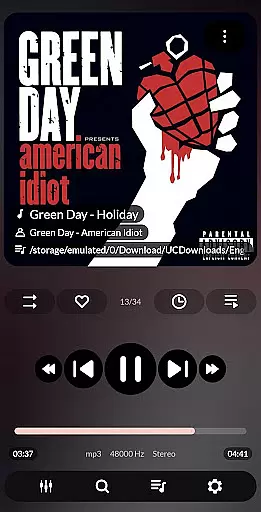
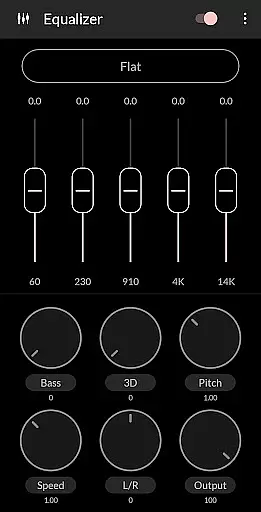
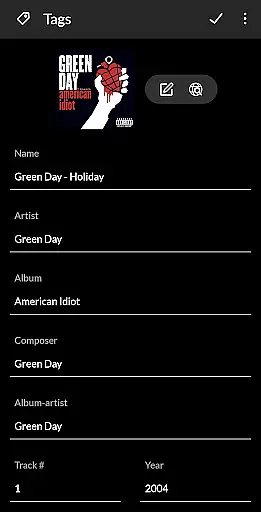


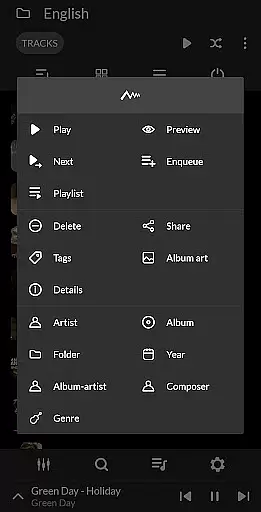
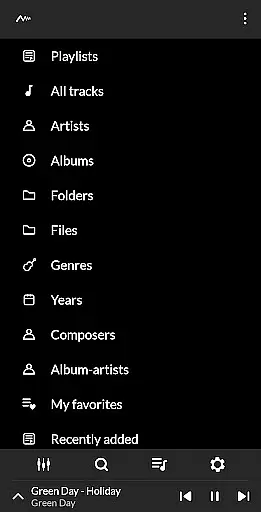
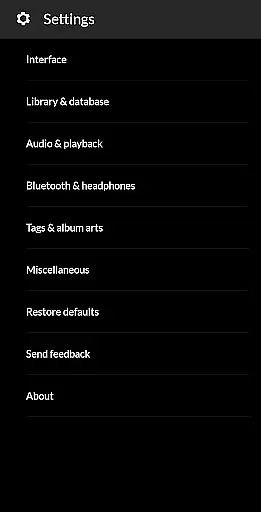
PowerAudio Plus Music Player is a feature-rich audio player designed to deliver an exceptional music experience. With its intuitive interface and superior audio quality, the app allows users to browse songs by albums, artists, or playlists. A dedicated tab for favorite tracks makes it easy to access your most-played music, while advanced playback controls like repeat, shuffle, and a powerful equalizer with BassBoost and Virtualizer enhance your listening sessions.
The app supports all major audio formats including MP3, WAV, AAC, and more. It also includes practical features such as creating custom playlists, setting phone ringtones, and sharing media files. Whether you're at home or on the go, PowerAudio Plus ensures seamless playback even when your device is locked or headphones are disconnected. Its comprehensive functionality makes it ideal for both casual listeners and audiophiles alike.
PowerAudio Plus Music Player stands out with its extensive range of features tailored for music enthusiasts. The app's powerful equalizer offers multiple presets along with customizable options, allowing users to fine-tune their sound experience. Advanced functionalities like multi-select, custom queues, and sorting songs by name, date, or date added provide flexibility in managing large music libraries.
Additional highlights include automatic headphone detection that pauses playback upon disconnection, a sleep timer for uninterrupted rest, and detailed codec information displaying bitrate, sample frequency, and channels. Users can also delete unwanted songs or playlists directly from the app. These robust capabilities ensure a personalized and hassle-free music experience, making PowerAudio Plus a top choice for discerning listeners.
PowerAudio Plus Music Player offers an extensive music library that supports all major audio formats including mp3, m4a, wav, aac, amr, and ogg. This ensures that users can enjoy a wide variety of music without compatibility issues.
The application allows users to browse songs by albums, artists, or playlists, making it easy to organize and find music according to personal preferences. With the ability to create custom playlists, users have complete control over their listening experience.
While PowerAudio provides rich features for music playback and organization, it emphasizes the importance of copyright authenticity. Users are encouraged to manage only legally acquired music files, ensuring a responsible music consumption habit.
One of the standout features of PowerAudio Plus Music Player is its superior audio quality. The player includes a powerful equalizer with BassBoost and Virtualizer, allowing users to customize their sound experience with various presets or create their own custom settings.
Users can enhance their listening sessions by adjusting codec details such as bitrate, sample frequency, and channels. This level of detail caters to audiophiles who demand the best in audio performance.
In addition to customizable audio settings, PowerAudio supports high-quality playback for all supported formats. This ensures that listeners enjoy crisp, clear sound regardless of the audio file type, providing an immersive experience every time they use the app.
User-friendly interface
High-quality audio output
Customizable equalizer
Supports various formats
Comprehensive playlist management
Requires multiple permissions
No built-in lyrics support
Limited visual themes
Occasional ads in free version
Large app size

Over 100 million tracks available for high quality streaming and download
 4.60
4.60
Control your MIDI USB or Bluetooth devices in app and avoid some trampling
3.30
Time Trainer: accurate metronome w tools to help you develop your internal time!
4.20
JBL PartyBox APP works with 110/310/710/120/320/520/Encore/Encore 2/Encore Ess 2
4.80
Powerful beat maker & DJ mixer to remix tracks, make music, & perform DJ mix
3.70
The ultimate media player for Android devices
3.90
Versatile MP3 recorder with auto-backup to Dropbox and Google Drive
4.10
Master Salsa Rhythm quickly and with a lot of fun!
4.30
MilkDrop for Android TV
3.00
Tune in to the greatest hits on UK Radio | The home of Capital, Smooth & Heart.
4.90
Make songs with AI! Any genre, custom lyric, song generator for music creation!
4.80
A complete sound package for the sound engineer or enthusiast
4.60
Guzheng Master supports many playing techniques as an acoustic Guzheng
4.50
DJ Music Mixer Pro is a real DJ controllers and DJ Music Studio to remix DJ.
4.40
Equalizer, Bass Booster and Volume Booster (Eq & Bass) improve sound quality
4.30
VB-AUDIO Software / VBAN-Receptor allows listening to any VBAN Streams
4.10
Turn your Android phone into a professional audio analyser with up to 120 bands.
4.00
Turn your phone into a musical instrument from the future!
3.90
Simply convert wav to mp3. Clear. Reliable. Safe.
4.0


User Reviews