










Pinardin is a comprehensive parental control application designed to help parents ensure their children's safety in the digital world. The app offers real-time location tracking, digital habit monitoring, and various security features such as Live Monitoring, App Block, and Sensitive Content Detection. With Pinardin, parents can foster healthy phone usage habits while maintaining peace of mind about their child's online activities.
The app provides powerful tools like remote camera access, one-way audio monitoring, and automated screenshots that allow parents to stay connected with their child's environment. It also includes screen time management features, social media monitoring, and website blocking to create a safe digital space for children. Pinardin stands out by promoting family bonds and understanding rather than secretive spying.
Parents can activate Pinardin easily by installing it on their device and linking it with their child's device through a simple pairing process. The app assures privacy and security, complying with GDPR policies and ensuring data protection. Pinardin is more than just an app; it's a partner in safeguarding your family's digital life, promoting responsible usage, and balancing screen time with real-world interactions.
Pinardin boasts an array of features tailored for parental control and child safety. One of its standout capabilities is Live Location Tracking, which uses high-precision GPS to monitor the child's whereabouts and provide instant alerts through customizable geo-fencing. This feature acts as a 24/7 bodyguard, ensuring the child's safety at all times.
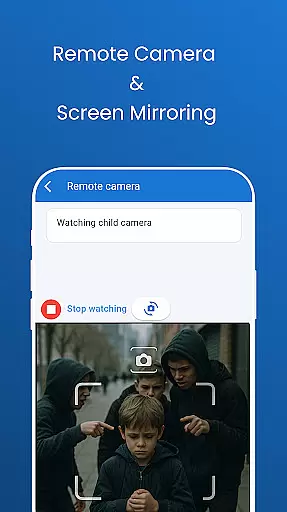
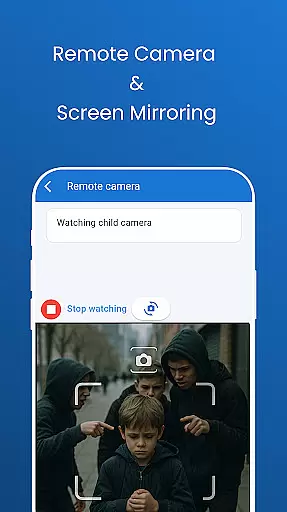
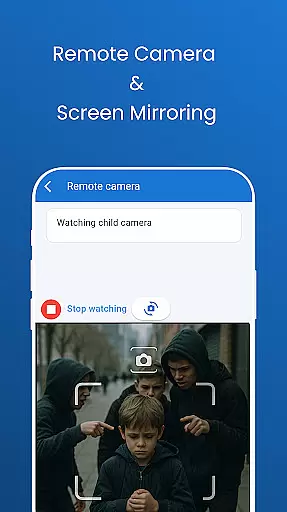
In addition to location tracking, Pinardin offers Remote Camera & One-Way Audio functionalities, allowing parents to see and hear what's happening around their child in real time. Automated Screenshots enable parents to view their child's phone screen live, helping them guide healthy digital habits and spot any unsafe apps or behaviors. Social Media Monitoring across platforms like TikTok, YouTube, and WhatsApp ensures that children are protected from sensitive content.
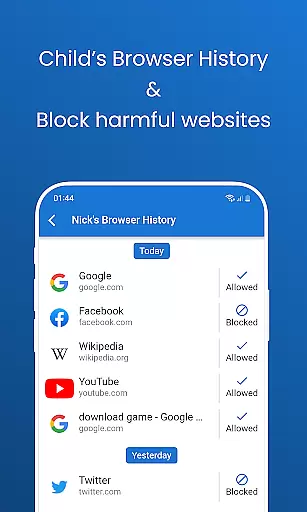
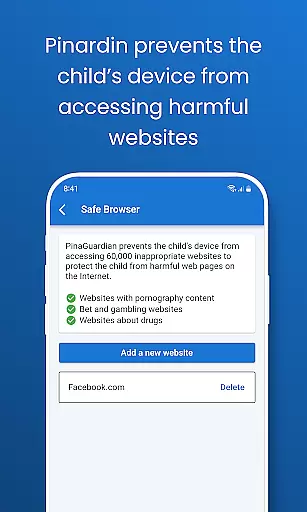
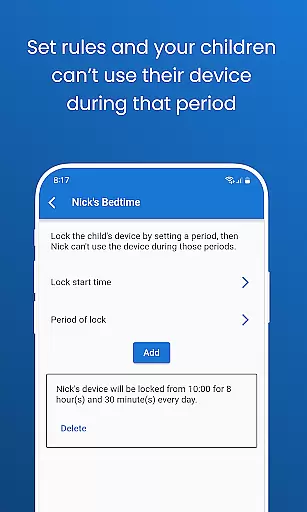
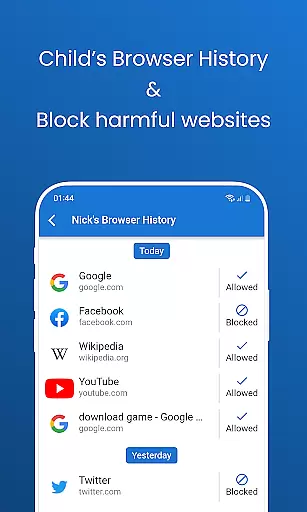
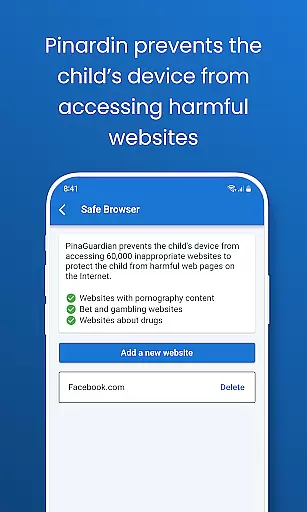
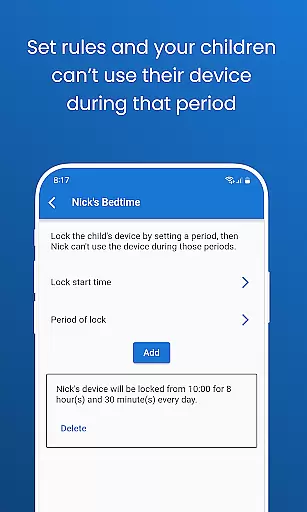
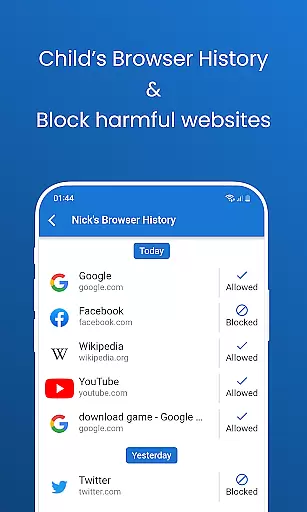
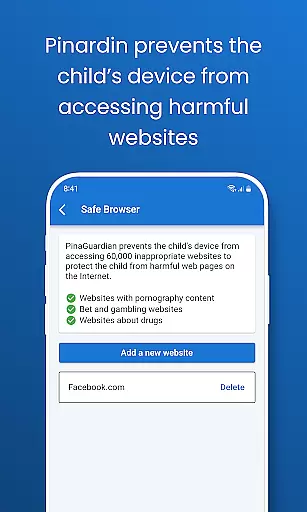
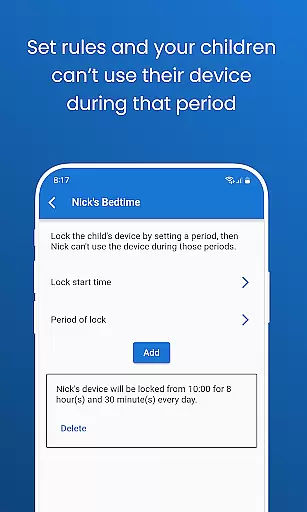
Screen Time Limits and Bedtime Mode assist in managing the child's device usage, reducing distractions during school hours, and encouraging restful sleep. The Website Blocker feature allows parents to customize safe browsing modes and block inappropriate websites. Pinardin's approach is unique because it emphasizes open communication and consent, making it a tool for strengthening family bonds rather than fostering distrust.
Pinardin offers a comprehensive suite of parental control features that are designed and validated by child safety experts. The app's functionalities, including Live Monitoring, App Block, and Sensitive Content Detection, are crafted based on professional guidelines to ensure maximum protection for children.
The credibility of Pinardin's content is reinforced through its adherence to privacy standards and regulatory compliance. By prioritizing the child's knowledge and consent during installation, the app maintains transparency and trust within the family unit. This approach not only safeguards the child's digital experience but also fosters an environment of open communication between parents and children.
Parents can be confident in Pinardin's ability to detect and mitigate online risks effectively. With real-time alerts, social media monitoring, and website blocking features, the app provides peace of mind while promoting healthy digital habits. These tools are continuously reviewed and updated by experts to address emerging online threats and ensure ongoing protection.
Pinardin excels in providing accurate growth tracking for children's digital habits. Through features like Automated Screenshots and App Notification Sync, parents gain valuable insights into their child's online activities, enabling them to guide healthier usage patterns effectively.
The app's Live Location Tracking and geo-fencing capabilities offer precise monitoring of a child's physical whereabouts. This ensures parents can keep track of their children's location with high precision, delivering timely alerts when necessary. Such accuracy empowers parents to respond promptly to any unusual movements or potential dangers.
Additionally, Pinardin supports developmental growth by allowing parents to set Screen Time Limits and activate Bedtime Mode. These features help regulate device usage, ensuring children maintain a balanced lifestyle. By promoting structured routines and reducing screen time distractions, Pinardin aids in nurturing both digital and personal growth responsibly.
Real-time location tracking
Comprehensive social media monitoring
Remote camera and audio access
Automated screenshot functionality
Privacy-focused design
Premium features require subscription
Dependent on child's device compatibility
Initial setup can be complex
Limited without child's consent
Monitoring may feel intrusive to some

Comprehensive Parental Control & Child Safety — Hear & Protect Your Child World
 4.30
4.30
AI Motion Video Maker & Ideas
4.0
Educational resource for parents to inspire creativity in their children.
4.00
Track Pregnancy, Baby Feeding, Sleep, Diaper Changes, Postpartum Health & More!
4.80
Learn according to the age of your child and consult with other moms.
4.20
Lullabies, Night Light & Age-based Routines to help your baby fall asleep
4.2
Track pregnancy health and wellness with pregnant tracker from healthcare advice
4.3
Screen Time, App and Web Block & Monitoring, Location Tracker
3.60
All-In-One Pregnancy Tracker, Your Baby's Milestones, Growth Stages & Parenting.
4.90
Introduce real food to baby with First Foods® Database, baby led weaning BLW
4.80
Fun Ideas for Parents
4.70
Block apps, set screen time limits, and customize usage schedules
4.50
Babysitting video camera - Turn your two phones or tablets into a single nanny.
4.40
FamilyMode helps you manage your family’s digital lives—at home or on the go.
4.30
Fake call application designed for parents and adults to discipline their children through the children's police.
4.20
Pregnancy and baby formula tips for moms, plus Enfamil coupons & cash back
4.10
Affirmations | Stories | Bible
4.10
Little loved one's monitoring, Sleep tracking and Parenting content.
3.80
The Baby’s Bounty App is your hub to register for our diaper banks in Nevada
3.70


User Reviews