
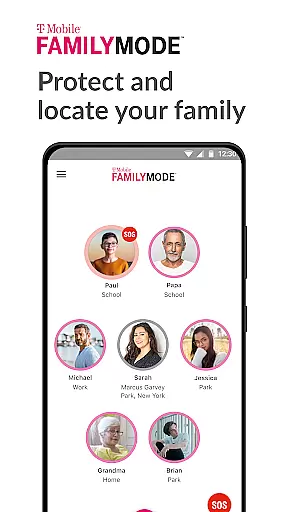
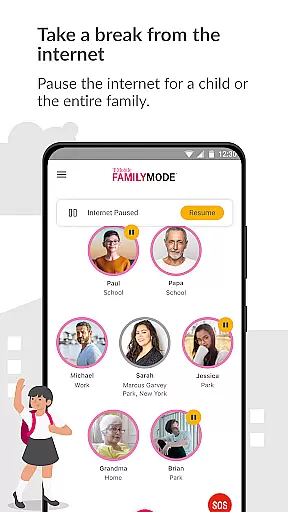
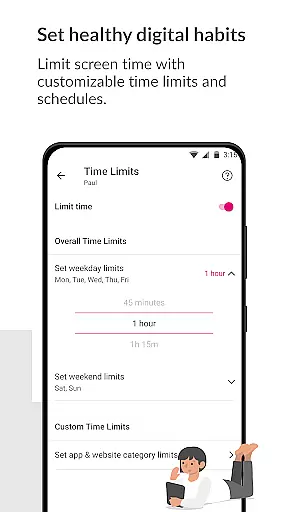
T-Mobile FamilyMode is a comprehensive family safety app designed to help parents manage their children's digital habits while ensuring their safety. The app allows real-time location tracking of family members, helping you stay connected and informed about your loved ones' whereabouts. With features like Internet access control, content filtering, and screen time management, FamilyMode makes digital parenting more manageable.
One of the standout capabilities is its ability to set healthy digital habits by allowing parents to establish time limits, pause Internet access during important family moments, or reward good behavior with extra screen time. Additionally, new features such as device locating, SOS alerts, and easy location sharing enhance family safety and communication. Whether it's for monitoring online activity or ensuring physical safety, T-Mobile FamilyMode provides essential tools that adapt to modern family needs.
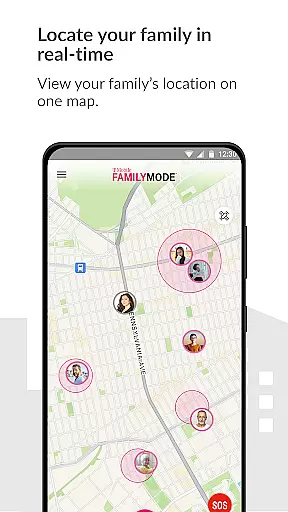
T-Mobile FamilyMode offers an array of innovative features tailored for today's digital families. One of its primary functions is real-time location tracking, which lets you see where your family members are at any given moment. This feature also includes the ability to trace the path they took to reach their current location, providing additional peace of mind.
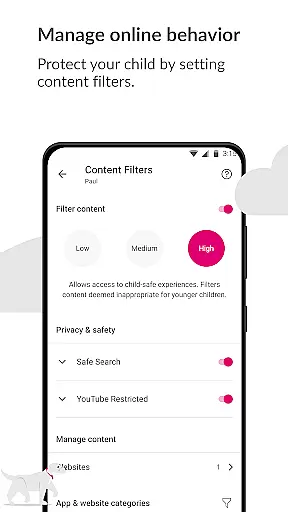
Beyond location services, FamilyMode excels in digital habit management. Parents can set specific time limits on internet usage, pause connectivity during family time, and even reward positive behavior with increased screen time. The app also uses Google Accessibility Services API to enable robust parental controls, including pre-set and custom content filters that ensure children only access age-appropriate material online. These features collectively create a safer and more balanced digital environment for kids.
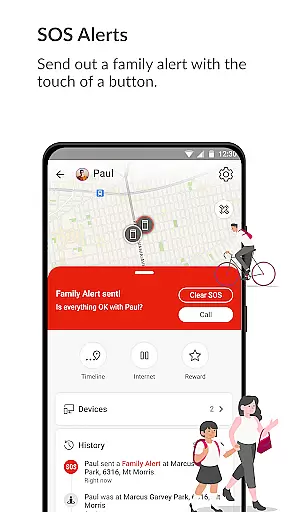
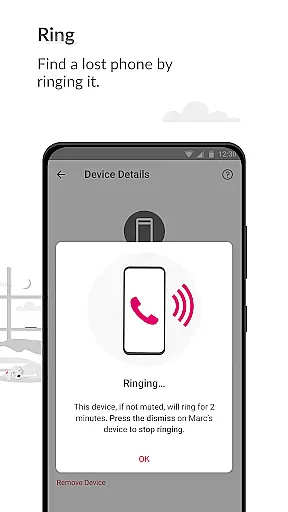
Additional functionalities include the ability to ring a lost device, send out SOS alerts with a single touch, and easily check in with family members by sharing your location instantly. Each feature is designed to provide practical solutions to common parental concerns, making T-Mobile FamilyMode an indispensable tool for modern parenting.
When it comes to parenting apps, the credibility of content and expert validation are paramount. T-Mobile FamilyMode takes these aspects seriously by providing features that are designed with both parental control and child safety in mind. The app allows parents to set healthy digital habits through time limits and content filters, which are crucial for shaping a child's online experience.
The app's use of Google Accessibility Services API ensures that the parental controls set up on childrenu2019s phones are not only effective but also secure. This API is leveraged solely for enabling blocking of user-defined unwanted or dangerous content, thus maintaining a high standard of safety without compromising privacy. By allowing parents to customize filters, FamilyMode supports age-appropriate online content, reinforcing its commitment to expert-reviewed and reliable parental oversight.
Moreover, T-Mobile FamilyMode keeps families connected through real-time location tracking and SOS alerts. These features have been thoughtfully integrated to provide peace of mind to parents who need to stay informed about their children's whereabouts. With functionalities such as checking in with a touch of a button and sending out emergency alerts, FamilyMode demonstrates an understanding of modern family dynamics and the importance of verified, actionable information.
Growth tracking accuracy is essential for any parenting tool aiming to support the development of children in a digital age. T-Mobile FamilyMode offers precise monitoring tools that allow parents to track their children's online habits and physical whereabouts accurately. This dual approach helps ensure that kids are not only safe on the internet but also when they're out and about.
FamilyMode provides real-time location services that give parents accurate data on where their children are at any given moment. This feature uses advanced GPS technology to deliver reliable location information, helping parents verify the safety of their kids' environment. Additionally, the path history function allows caregivers to see the routes taken by their children, adding another layer of security and insight into daily movements.
Beyond physical location tracking, T-Mobile FamilyMode also enables parents to monitor and manage screen time effectively. By setting time limits and pausing internet access during specific hours, like dinner time, parents can encourage healthier digital habits. These capabilities contribute to a comprehensive growth tracking system that empowers parents to guide their children's development with confidence and precision.
Real-time location tracking
Customizable content filters
Easy-to-use interface
Comprehensive parental controls
Innovative SOS alert system
Limited to T-Mobile users
Dependent on Google API
Requires constant updates
Some features need premium subscription
Occasional connectivity issues

Discover fun videos, kids songs, bedtime stories and games
 3.60
3.60
Track Pregnancy, Baby Feeding, Sleep, Diaper Changes, Postpartum Health & More!
4.80
Family GPS locator app — child location tracker. GPS kids tracker, family safety
4.70
Real-time family location with consent, check-ins & SOS—private by default.
4.40
A simple way to track your baby’s breastfeeding, diaper changes, sleep patterns.
4.90
Kids story books for children. Baby reading books with audio for pre-k toddlers
4.70
Join over 1MM parents & professionals who've used OFW to navigate co-parenting
4.40
It is a screen time management tool for games and mobile applications
4.50
Lullabies, Night Light & Age-based Routines to help your baby fall asleep
4.4
FamilyAlbum helps you share, save, and remember your child's special moments.
4.80
GPS tracker app: Simple GPS phone tracker for fast family location tracking
4.60
Track your pregnancy & your baby's growth in 3D. Get support from our community
4.60
All-in-one pregnancy app, contraction timer, kick counter & due date calculator
4.40
Parental control: child monitoring app, screen time control, GPS child tracker
4.40
Protect kids online safety through GPS tracking,screen time control,app blocking
4.20
Pregnancy and baby formula tips for moms, plus Enfamil coupons & cash back
4.10
Monitor screen time and build healthy habits with Family Safety
3.90
SemLog aims to raise awareness among families and their children
3.40
Play activities, milestones, expert-led classes, baby tracker, and more!
3.00


User Reviews