
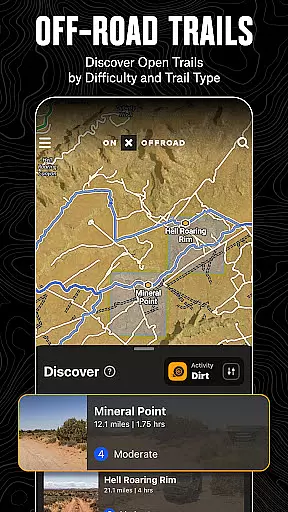
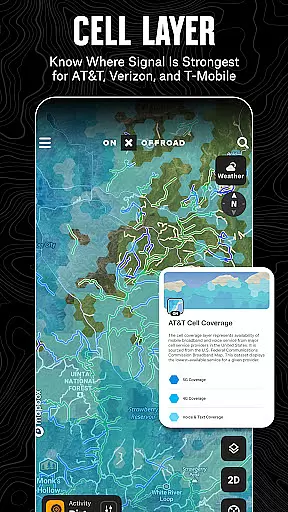
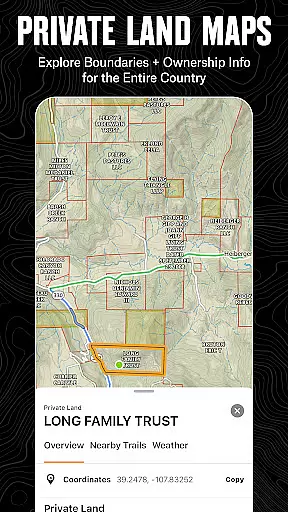
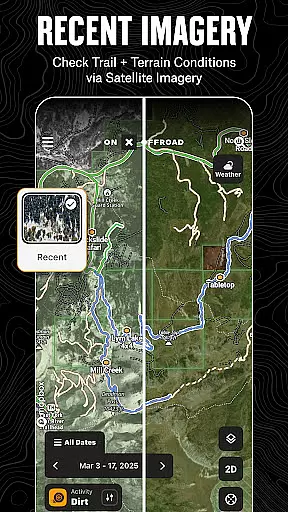
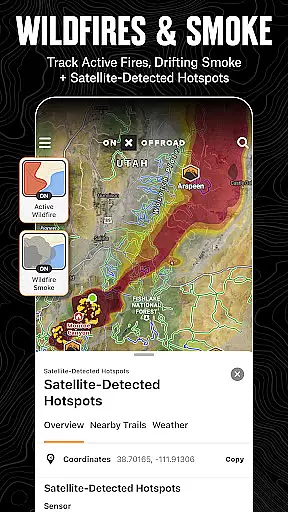
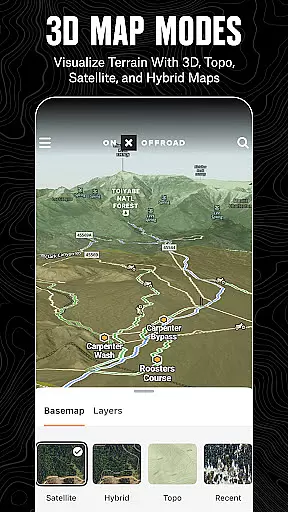
onX Offroad is a premier off-road navigation app designed for outdoor enthusiasts. With 3D trail maps, GPS mapping, and compass navigation, it helps users discover trails tailored to their preferred activities such as 4x4, SxS, dirt bikes, and more. The app provides detailed land ownership information, wildfire activity tracking, and cell coverage layers for major carriers like AT&T, Verizon, and T-Mobile.
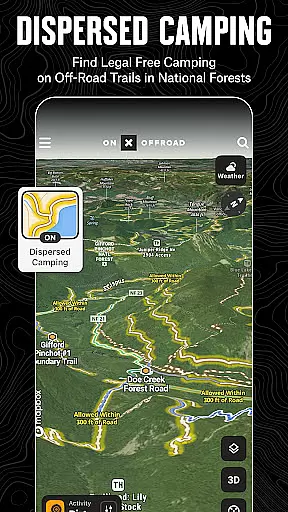
One standout feature is the Motorized Dispersed Camping Layer, which identifies legal, free camping areas in National Forests using verified USFS data. Whether you're planning your next adventure or navigating remote terrains, onX Offroad ensures you stay informed and safe with tools like offline maps, turn-by-turn navigation, and Android Auto integration.
With its comprehensive property line data and interactive map layers, onX Offroad is an essential tool for off-roading, overlanding, and exploring the outdoors. It bridges the gap between preparation and execution, empowering users to venture confidently into the wilderness while ensuring they can always find their way back.
onX Offroad offers a robust set of features that cater to off-road adventurers. Its OHV Trails & Map Layers allow users to filter trails by vehicle type, toggle weather and land boundary layers, and monitor wildfires with real-time data from NIFC and NOAA. This ensures users are well-prepared for changing conditions on the trail.
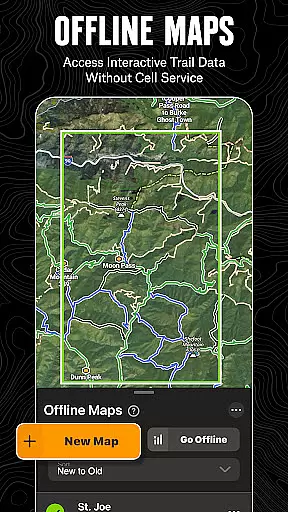
The Offline Navigation & Route Builder functionality lets users save maps for use without cell service, view trail difficulty ratings, and receive voice-guided turn-by-turn directions. Integration with Android Auto enhances convenience, while the route builder snaps routes automatically to roads and trails, streamlining trip planning.
Additional highlights include the Trip Tracker & Recreation Points system, which allows users to mark waypoints, track trips, and share them with friends. Nationwide property lines provide access to public and private land details, making it easier to navigate vast terrains safely. These features collectively make onX Offroad a versatile and indispensable tool for outdoor exploration.
Map accuracy is essential for reliable navigation, especially in off-road environments where precision can make a significant difference. onX Offroad excels in this area by providing users with detailed 3D trail maps, topographic maps, and satellite imagery. These mapping features ensure that adventurers can trust the app to deliver precise location data, even in remote areas.
The application leverages verified data sources such as the USDA Forest Service and Bureau of Land Management to provide accurate property lines, public land information, and trail details. This meticulous attention to detail ensures that users have access to the most up-to-date and reliable geographic information available, enhancing both safety and exploration efficiency.
By integrating real-time layers for cell coverage, active wildfires, and weather conditions, onX Offroad further refines its map accuracy. Users can anticipate environmental challenges and make informed decisions based on current situational data. This comprehensive approach to mapping empowers off-road enthusiasts to venture confidently into unfamiliar territories.
Effective route planning is crucial for successful off-road adventures, and onX Offroad offers an array of tools designed to optimize this process. The app's Route Builder feature allows users to create custom routes that automatically snap to existing roads and trails, ensuring efficient and safe travel paths across diverse terrains.
With turn-by-turn navigation and voice commands, onX Offroad simplifies complex journeys by providing clear directions from start to finish. The integration with Android Auto enhances this experience, allowing drivers to focus on the trail while receiving essential guidance through their vehicle's interface.
Additionally, the app provides valuable information about trail conditions, difficulty ratings, and open/close dates, enabling users to plan their trips according to their skill level and preferences. By saving offline maps with interactive land and trail data, onX Offroad ensures that adventurers can rely on their pre-planned routes even without cellular service, making every journey smoother and more enjoyable.
Comprehensive trail filters
Offline map support
Real-time wildfire tracking
Accurate property line data
User-friendly interface
Premium membership required
Limited free trial duration
Occasional GPS inaccuracies
High data usage in online mode
Steep learning curve for beginners

Compass is an accurate compass and a great tool for any outdoor activities
 4.2
4.2
Offline maps & GPS for hiking, travel, fieldwork & outdoor adventures
4.70
This app is military GPS coordinate systems helper. (MGRS, UTM & DMS Maps)
4.80
Track accurate speed & distance with GPS Speedometer. Check speed limit & time.
4.50
Parcel map, property lines, owner, acres, land use, zoning and more from Regrid.
4.60
Maps, Driving Directions & GPS navigation using directions app & GPS App
4.30
Explore Live Earth Map with 3D World Map & locate cites, mountains real time.
3.80
Navigate MTA, NJ Transit, MBTA, SEPTA, BART, MARTA, CTA & 900+ cities
4.60
Rideshare, taxi cabs, and more for your airport travels and everyday trips.
4.50
Order a cab online. An affordable taxi ride and driver in no time. What a bolt!
4.80
GPS Speedometer & Odometer: Track car, bike, truck speed & distance in real-time
4.70
Ride or drive at YOUR price
4.70
Navigate with your watch and keep the phone in your pocket!
4.60
Affordable rides and food delivery with incredible discounts in just one app.
4.50
Neshan: map & navigation app with 20M+ monthly active users
4.50
Find routes fast with GPS Maps, GPS Navigation & driving directions.
4.10
Gas Station & Fuel Rewards Points
3.70
Explore offline maps with radar, satellite view, and real-time alerts.
3.60
Play in the outdoors with Android as your Handheld GPS and offline topo maps!
3.50


User Reviews