
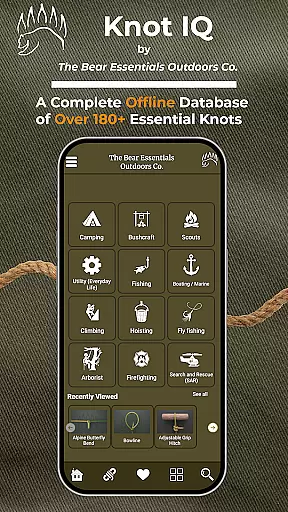
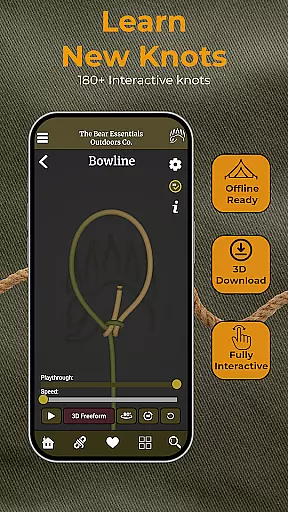
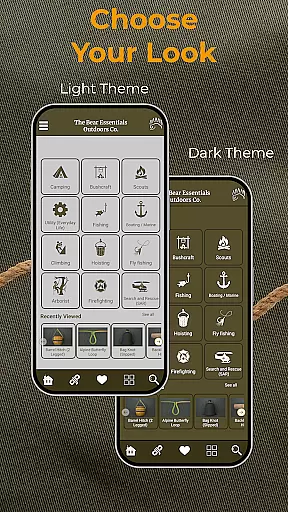
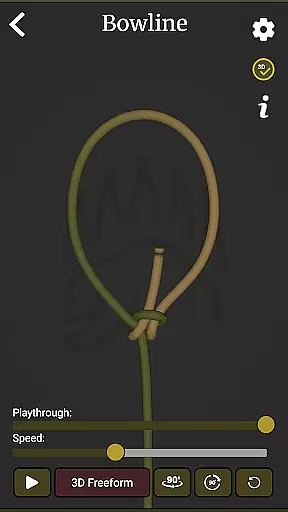
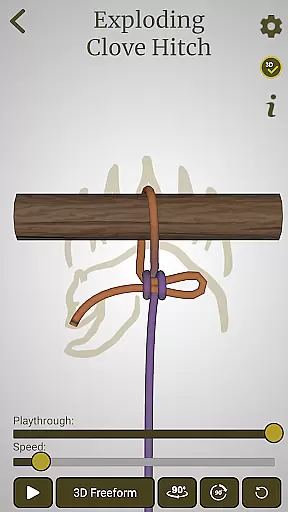
Knot IQ is an innovative knot-tying guide app designed for offline use, making it a reliable companion for outdoor enthusiasts and professionals alike. With 185+ knots in its library, the app offers step-by-step 3D animations that provide clear visual guidance for each knot. Users can explore detailed comparisons between similar knots and learn about real-world applications across various categories such as climbing, camping, fishing, and rescue operations.
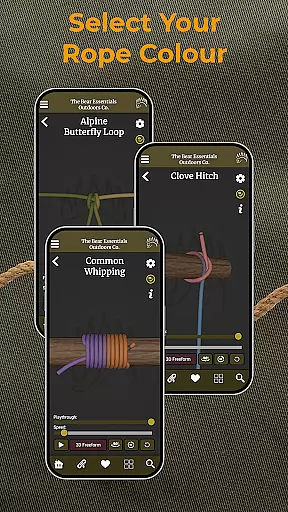
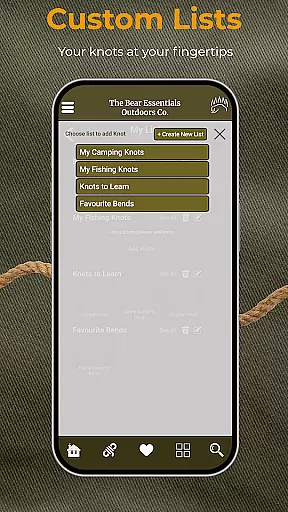
The app's comprehensive features include customizable knot lists, left-handed mode, and quick search functionality. Its interactive design allows users to change rope colors according to their preferences and download full 3D animations for offline access. Whether you're a beginner learning basic knots or an expert seeking advanced techniques, Knot IQ provides practical knowledge that can be applied in diverse scenarios like securing loads, setting up shelters, or performing rescues.
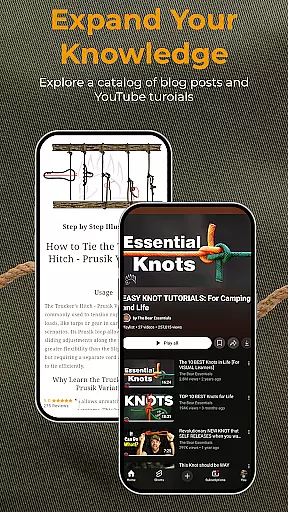
By combining expert instructions with engaging video tutorials from The Bear Essentials, this app bridges the gap between theoretical learning and hands-on practice. It caters to a wide audience including campers, climbers, anglers, scouts, and DIY enthusiasts, ensuring everyone can master essential knot-tying skills regardless of their experience level.
Knot IQ stands out with its rich feature set tailored for both novice and experienced users. The app's interactive 3D animations provide a unique learning experience by breaking down complex knot-tying processes into easy-to-follow steps. These animations are complemented by expert-led video tutorials that demonstrate real-world applications, helping users understand how to apply different knots in practical situations.
One of the key strengths of Knot IQ is its comprehensive knot library, which covers 185+ knots across multiple categories and types. Users can quickly find the right knot for any scenario using the app's advanced search and filter system. The pros and cons comparison feature enables informed decision-making by highlighting the strengths and limitations of similar knots side by side.
The app's customization options enhance user experience through features like favorite knot saving, custom list creation, and rope color adjustment. Its offline functionality ensures accessibility even in remote locations, while the left-handed mode demonstrates the developer's attention to detail in catering to all users' needs. These thoughtful design elements make Knot IQ a versatile tool for anyone looking to improve their knot-tying skills.
When it comes to digital resources like e-books, the size of the library and the authenticity of copyrights are crucial factors for users seeking both variety and legitimacy. Knot IQ offers an extensive collection of knot-tying references with over 185 knots available, ensuring that users have access to a wide range of content.
The app's commitment to copyright authenticity is evident in its expert instructions and real-world applications provided for each knot. Users can trust that the information they're accessing is legitimate and has been properly authorized for distribution, which is essential for educational material.
By providing such a comprehensive library, Knot IQ not only caters to diverse knot-tying needs but also supports various categories including climbing, fishing, and boating. This diversity enriches the user experience by covering all bases from practical everyday uses to specialized activities.
Moreover, as new updates roll out, users who have lifetime access will benefit from an ever-growing repository of knowledge, making their investment in the app increasingly valuable over time.
Format compatibility is a key aspect of any digital application, especially when it comes to accessing content across different devices and platforms. Knot IQ ensures that its interactive 3D animations and detailed knot guides are accessible in a format that suits various user preferences and technical setups.
One of the standout features of Knot IQ is its offline functionality, allowing users to download manual 3D knot guides. This means whether you prefer stop-motion or full 3D visuals, you can choose a format that works best for your device storage and performance capabilities.
In addition to visual formats, the app provides customizable options such as rope color changes and left-handed mode, which enhance accessibility for users with specific needs or preferences. These features ensure that regardless of how you learn best, Knot IQ can adapt to your style.
With quick search and filter functions, users can easily navigate through the comprehensive knot library without being hindered by format restrictions. This seamless integration of content delivery ensures that every user can efficiently find and utilize the information they need.
User-friendly interface
Comprehensive knot library
Offline functionality
Interactive 3D animations
Expert video tutorials
Limited initial content
Early testing stage
Some features may evolve
Requires storage space
Premium lifetime access cost

“There was one last piece of cake. My little sister said ‘Me too!’”
 4.00
4.00
Plan of Life that Saint Josemaría recommended
4.80
This is the pro version King James bible Offline that we have
4.70
A wonderful reader for good time spend.
4.20
Find, discuss, and organize your world of books and shows.
4.60
“It is fun to have fun, but you have to know how!”
4.40
Watch real short episodes in just minutes— addictive, you won't be able to stop!
4.70
Fast loot guide for ARC Raiders. Simple tips, stats, maps, and item details.
4.5
A Comprehensive Restoration of Sacred Scripture
4.50
King James Bible read offline, AI Priest, Bible Quiz, Guiding Prayers & Plans
4.80
Universal Zoom, learn about sizes & distances of the universe and microcosmos
4.80
A lightweight reader for comics and mangas files (.cbr, .cbz, .cbt, .pdf, ...)
4.80
Translate into 100+ languages with the world’s most accurate AI translator.
4.70
8 Dr. Seuss short stories in 1 app!
4.70
Read unlimited novels, audiobooks, stories & Unlock ebooks, fanfiction and more!
4.70
Learn Electricians' Handbook PRO complete guide beginners to advance.
4.40
Essential Technical Rescue Field Operations Guide 6, the Industry Standard Guide
4.20
Unlock more features in Lithium and show your support. Expand for details.
4.00
The Psalms for singing
4.0


User Reviews