
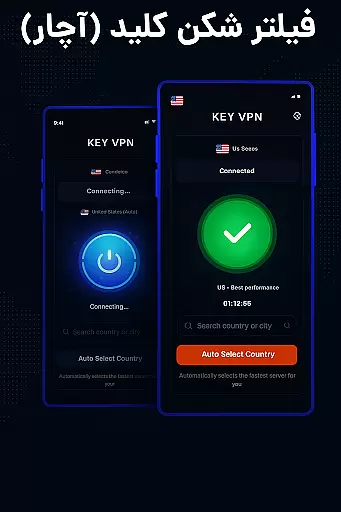
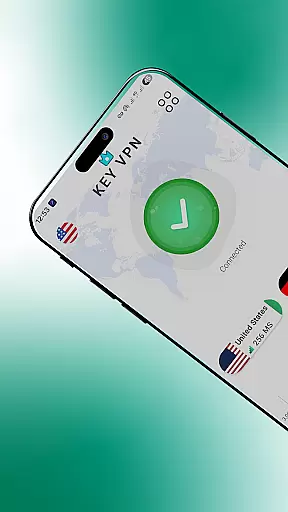

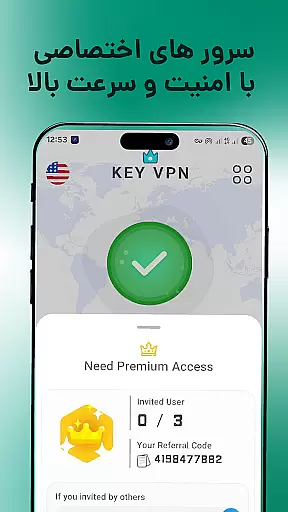
Key VPN is a fast and secure virtual private network (VPN) application designed to provide users with high-speed connections, particularly optimized for USA servers. The app allows users to unblock restricted sites, protect their privacy on WiFi hotspots, and browse the internet anonymously. With its user-friendly interface, Key VPN enables one-tap connection to proxy servers, ensuring stable and reliable performance across multiple devices.
The application supports various network types including WiFi, LTE, and 3G, making it versatile for different usage scenarios. By encrypting data through OpenVPN protocols (UDP/TCP), Key VPN ensures that users' online activities remain private and secure. Whether you need to bypass geo-restrictions or simply want to safeguard your personal information while browsing, Key VPN offers a comprehensive solution tailored to meet these needs.
Key VPN stands out due to its impressive speed and ease of use. Users can connect successfully with high VPN speeds, experiencing seamless access to blocked content and websites. The app's one-tap connection feature simplifies the process of establishing a secure connection to proxy servers, eliminating the need for complex configurations.
Stability is another key aspect of Key VPN, thanks to its extensive network of cloud proxy servers. These servers ensure better connectivity and service quality, even during peak usage times. Additionally, the app employs advanced encryption methods using OpenVPN protocols, which not only protect user data but also maintain the integrity of online communications. With support for multiple mobile data carriers and automatic activation upon device boot, Key VPN provides a robust and flexible tool for enhancing online security and freedom.
Real-time messaging speed and reliability are crucial for maintaining seamless communication in any application. Key VPN ensures that your messages are delivered instantly and reliably, regardless of your network conditions.
This application leverages high-speed USA VPN connections to unblock sites and provide a secure environment for private communication. With its fast connection capabilities, users can enjoy uninterrupted messaging without delays.
The stability of Key VPN's numerous proxy servers guarantees optimal performance, ensuring that your real-time messaging needs are met consistently. This infrastructure supports a stable and fast connection, even under varying network conditions.
Media sharing support is essential for users who need to send and receive various types of files quickly and securely. Key VPN facilitates media sharing by providing a secure and private browsing experience.
With the ability to encrypt data using OpenVPN protocols, this app ensures that your shared media is protected from unauthorized access. Whether you're connected via WiFi, LTE, or 3G, your media files remain safe and confidential.
Additionally, the ease of connecting to a Secure VPN proxy server with just one tap makes media sharing not only secure but also convenient. Enjoy private browsing and better net service while sharing your media files with confidence.
Fast connection speeds
Easy one-tap setup
Strong encryption protocols
Wide server availability
Automatic startup option
Limited free version features
Occasional connection drops
Ads in free version
No live chat support
Basic UI design

Call Forwarding is easy and simple application to use.
 3.80
3.80
Block spam calls & scam - no more annoying calls with the call blocker function
4.30
Official NDI app: turn your phone into a professional live-streaming IP camera.
3.20
This app enables the phone to receive and send FT8 traffic!
3.80
Federated instant messaging for your mobile device (Jabber, XMPP, Snikket)
4.10
An app dedicated solely to marriage, not dating, and supported by a rigorous verification mechanism to ensure seriousness.
4.5
Measure BHP, Torque & 0-60 Clear car OBD faults View engine data in Google Earth
4.00
A browser that does more than load page, like keeping your privacy safe.
4.70
Fast internet with AI, Adblock & VPN. Browse on a safe, incognito web browser.
4.70
Messenger for SMS - texting message app, faster, simpler & safer, for you.
4.70
Say “hello” to privacy.
4.60
A web browser that respects your privacy.
4.30
Use this SMS app standalone or as a TREK: Total Interface companion.
4.30
SMS Messenger is a lightning-fast messaging app.
4.20
A softphone with crystal clear SIP Calling & Reliable VoIP dialer
4.00
Message and video call your family and friends in HD!
3.80
Manage and Fund Calling Accounts and Schedule and Join Video Sessions
3.60
Weargram is an unofficial Telegram Client for Wear OS.
3.50
Chat on the Jabber network (XMPP protocol); support for SMS and other gateways
2.10


User Reviews