
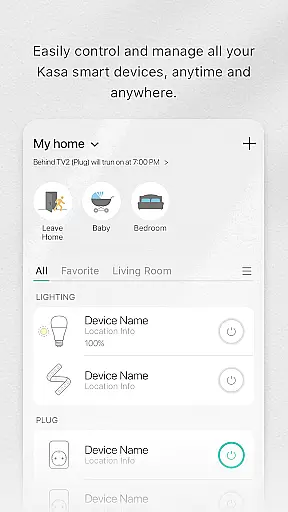
Kasa Smart is a comprehensive home automation application that allows users to remotely manage their TP-LINK smart devices. The app supports a wide range of products including smart plugs, switches, power strips, bulbs, cameras, routers, and range extenders. With Kasa Smart, you can control your home appliances from anywhere in the world.
The app's core functionality includes scheduling device operations, setting up Away Mode for enhanced security, and real-time monitoring of connected devices. Whether you want to automate lighting, secure your home with smart cameras, or manage energy usage through smart plugs, Kasa Smart provides an intuitive interface to handle all these tasks efficiently.
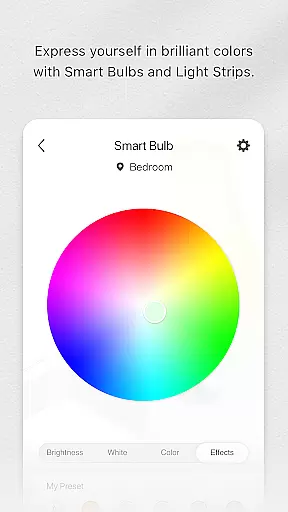
One practical use case is automating your home's lighting system. By scheduling your smart bulbs to turn on at sunset and off at bedtime, you can ensure your home is always well-lit when needed without manual intervention. This not only enhances convenience but also contributes to energy savings, making Kasa Smart a valuable tool for modern homeowners.
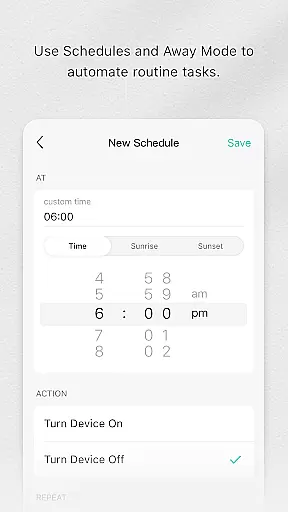
Kasa Smart stands out with its extensive compatibility across various TP-LINK smart home devices. The app offers advanced scheduling features, allowing users to program their devices to operate at specific times or under certain conditions. For instance, you can set your smart plug to turn on a coffee maker every morning at 7 AM or configure your smart bulb to simulate occupancy when you're away.
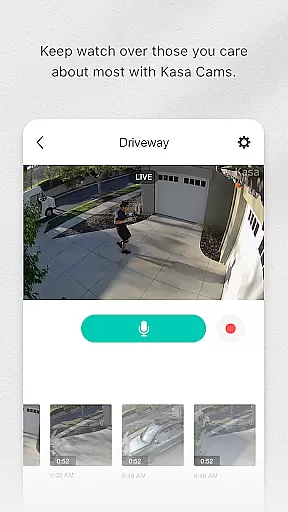
Another notable feature is the Away Mode, which automatically turns devices on and off at random intervals to give the appearance of an occupied home. This serves as an effective deterrent against potential intruders. Additionally, the app provides real-time notifications and alerts for connected cameras, ensuring you're always aware of activity around your property.
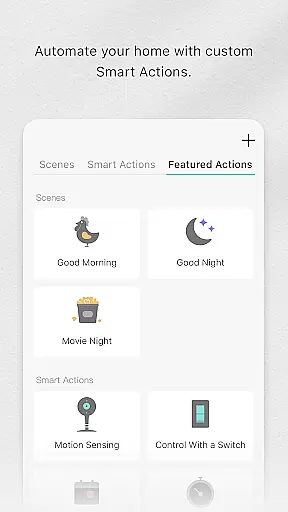
The user interface is designed for simplicity and ease of use, enabling even those new to smart home technology to quickly grasp its functionalities. With support for grouping devices and creating custom scenes, Kasa Smart empowers users to create personalized automation routines that suit their lifestyle, enhancing both convenience and security within the home environment.
Kasa Smart by TP-LINK offers a comprehensive range of smart home devices that cater to various lifestyle needs. The app supports an extensive lineup including smart plugs, switches, power strips, bulbs, IP cameras, routers, and range extenders.
With this diverse selection, users can automate and control multiple aspects of their home environment. Whether it's managing lighting, securing the premises with cameras, or optimizing network coverage, Kasa Smart ensures all essential areas are covered.
The ability to schedule appliances and set them to Away Mode adds an extra layer of convenience and security. This feature-rich platform allows users to tailor their smart home experience according to their unique daily routines and preferences.
All content within the Kasa Smart app is developed and verified by TP-LINK, a trusted leader in networking products. Each supported device undergoes rigorous testing to ensure compatibility and reliability, providing users with peace of mind.
Expert engineers design these smart home solutions using advanced technologies, ensuring top-notch performance. The app's descriptions and usage guidelines are crafted based on professional insights, guaranteeing accurate information for end-users.
Moreover, regular updates enhance functionality and address any potential issues, maintaining high standards of authenticity and credibility. Users can rely on Kasa Smart to deliver consistent quality and trustworthy data for their smart home management needs.
User-friendly interface
Wide device compatibility
Advanced scheduling options
Effective security features
Real-time notifications
Limited third-party integration
Occasional connectivity issues
No voice assistant support
Basic scene customization
Subscription fees for premium features

Big bold digital watch face with 30 colors, 6 complications and AOD.
 4.4
4.4
Big bold weather watch face with dynamic backgrounds and 3 complications
4.0
Spiritus Ghost Box is an Audio and Visual ITC tool for paranormal research.
4.00
Unique Dual Colors with 6 Custom Complications for Wear OS watches!
3.40
This minimalist yet classic board design brings a futuristic twist to your wrist
4.20
SmartHQ: Your Connected Home Command Center
4.10
Simple, stylish & fresh watch face. Customize colors, gradients & complications.
4.70
Subwoofer school’s in session! You’ve now enrolled into KICKER U.
3.80
No more juggling multiple apps, now you can control everything in one place!
4.60
Discover the "To Be a Christian" App: Your Guide to Deepening Faith!
5.00
Good magnifier app to see tiny things bigger and more clearly!
4.80
Pay your rent, submit work orders and much more with the RentCafe Resident App.
4.70
Make money, get paid cash rewards & gift cards for every survey. Earn today!
4.60
Earn points with every purchase with Moe Rewards.
4.20
Easily manage your child's playtime, spending messaging and more.
3.50
Healthy eating timer app to track meal pace, improve habits, and eat slowly.
4.3
Cute animated Thanksgiving watchface for your WearOS smartwatch
4.4
Big bold hybrid watch face with 30 colors, 5 fonts & 5 complications.
4.0
A uniquely designed isometric digital watch face made for Wear OS
4.5


User Reviews