
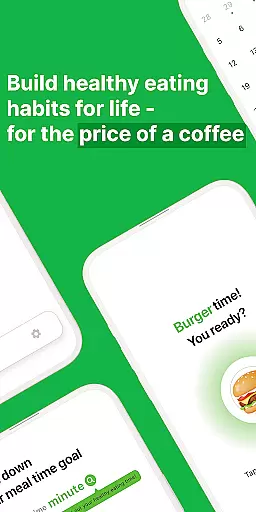
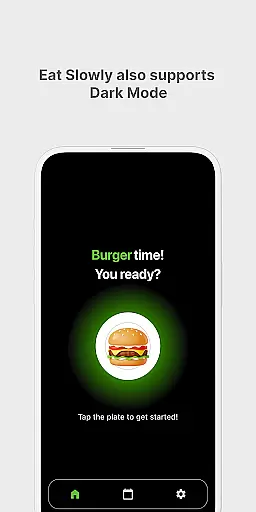
Eat Slowly is a lifestyle app designed to help users develop healthier eating habits by tracking and managing their meal times. The app functions as more than just a timer, offering features like goal setting for meal durations, a minimalistic calendar view of past meals, and a home screen widget for quick access. With support for both dark and light modes, it provides a comfortable user experience at any time of day. By promoting mindful eating practices, Eat Slowly enables users to take control of their dietary pace and improve overall wellness.
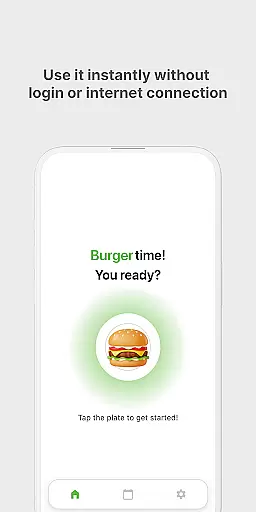
The app requires no login or internet connection, making it accessible anytime, anywhere. Users can set personalized meal-time goals and track their progress effortlessly through an intuitive interface. Its simplicity and effectiveness make it a sustainable tool for those looking to enhance their eating habits without the need for complex setups or constant connectivity.
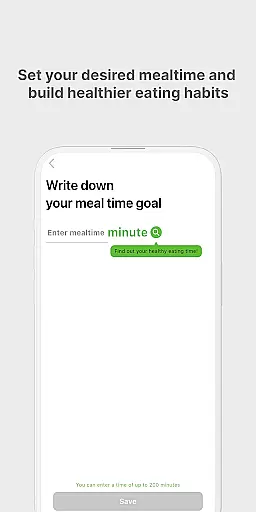
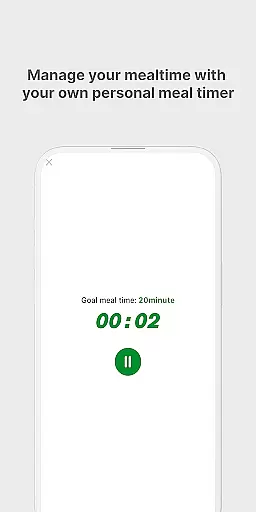
Eat Slowly stands out with its practical and user-friendly features tailored to improving eating behaviors. One of its core functionalities is the ability to set meal-time goals, allowing users to define target durations for their meals. This feature encourages mindful eating by helping individuals slow down and savor their food, which can lead to better digestion and reduced bloating.
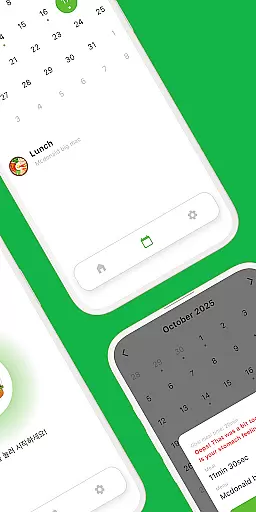
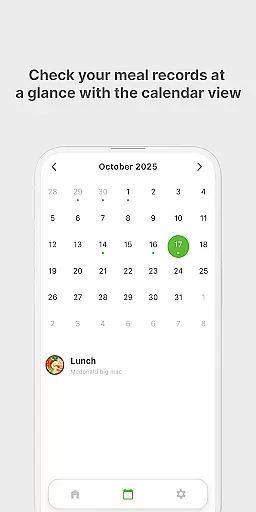
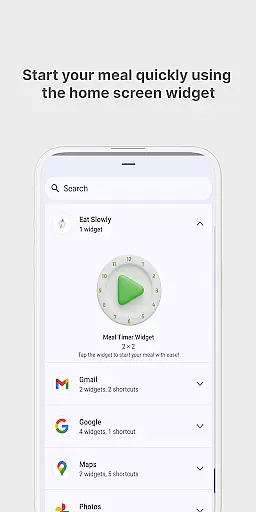
In addition to goal setting, the app offers a clean, minimal calendar that lets users view their meal history at a glance. This record-keeping functionality provides valuable insights into eating patterns over time. For added convenience, the app includes a quick-access meal timer widget on the home screen, enabling users to start timing their meals instantly. With support for both dark and light modes, Eat Slowly ensures a visually comfortable experience regardless of the time of day.
Eat Slowly - Build Habits offers a comprehensive approach to improving eating habits, covering various aspects of mindful eating. This app goes beyond being just a timer by allowing users to set meal-time goals and track their progress.
With features like a quick meal timer widget, dark and light mode support, and the ability to view meal history through a minimal calendar, it ensures that users have all the tools they need for a healthier lifestyle. The app is designed to be used without an internet connection or login, making it accessible anytime, anywhere.
By focusing on simple, effective, and sustainable methods, Eat Slowly provides users with the means to make every meal healthier. Its broad feature set ensures that different elements of mealtime are covered, promoting overall wellness.
The content within Eat Slowly is crafted to ensure authenticity and credibility, aiming to deliver genuine value to its users. By encouraging mindful eating habits, the app incorporates expert-recommended practices such as setting target meal durations and tracking eating pace.
Users can trust the reliability of the app's features, which include viewing meal history and using a meal timer without needing an internet connection. This self-contained approach guarantees that the guidance provided remains consistent and uninterrupted.
Although the app does not explicitly mention partnerships with nutrition experts, its design reflects evidence-based strategies for habit formation. With contact information available for further inquiries, Eat Slowly demonstrates a commitment to user support and content validity.
User-friendly interface
No internet required
Customizable meal goals
Quick-access home screen widget
Dark mode support
No cloud backup
Limited advanced features
Data lost on uninstall
No social sharing
Basic design only

Chat, meet genuine singles in your area. Real connections start with being real.
 4.30
4.30
This app is intended to support professional EMDR therapy.
4.50
Discover the "To Be a Christian" App: Your Guide to Deepening Faith!
5.00
A uniquely designed isometric digital watch face made for Wear OS
4.0
Paranormal Spirit Bell Trigger Device
4.30
Connect to your Shark ROBOT™ from anywhere using the SharkClean™ App.
3.60
See wait times and check into a hair salon ahead of time with Online Check-In.
4.80
Your home in your hand
3.80
Earn money for every survey and game you play, and get real rewards every time
4.50
Get the news, events and savings that matter to you with AARP Now.
4.80
Have your Tehillim with you at all times
4.70
Colorful minimal digital watch face for Wear OS
4.60
Redecor your home with Home AI interior design, room planner and home designer.
4.50
This is a simple and highly functional alarm clock "Smart Alarm" paid version.
4.20
SmartHQ: Your Connected Home Command Center
4.10
The Miracle Box includes methods used by Steve Huff of Huff Paranormal.
3.20
Immerse yourself in the serenity of lavender fields and white butterflies
4.3
Bring the warm colors of fall directly to your wrist with Autumn Leaves!
4.3
Customize your Wear OS watch with festive Christmas figures and colors!
4.3


User Reviews