
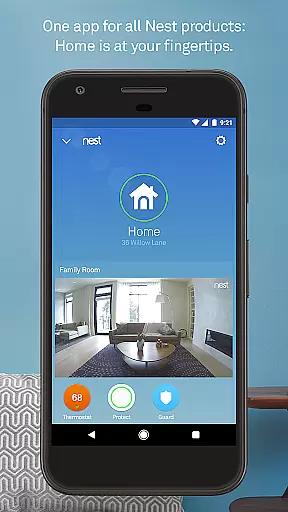
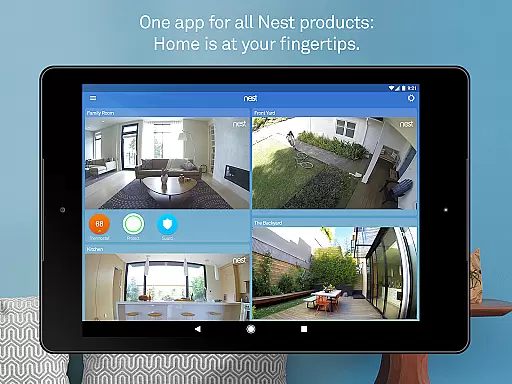
Nest is a comprehensive smart home application that allows users to control and monitor various connected devices from a single interface. The app serves as the central hub for managing Nest thermostats, security systems, smoke detectors, and cameras. With its intuitive design, users can easily adjust their home's temperature, receive security alerts, and view live camera feeds directly on their mobile devices.
One of the standout features of the Nest app is its ability to learn user preferences and automate routine tasks. For instance, it can automatically adjust the thermostat based on your daily schedule or send reminders if you forget to arm your security system. This level of automation not only enhances convenience but also helps in reducing energy consumption, making it an eco-friendly choice for modern homeowners.
The app is particularly useful for those who want to maintain a secure and comfortable home environment while being away. Whether you're at work or on vacation, Nest provides real-time notifications and remote control capabilities, ensuring peace of mind. Its seamless integration with Android devices further enhances accessibility, allowing users to stay connected with their home from virtually anywhere.
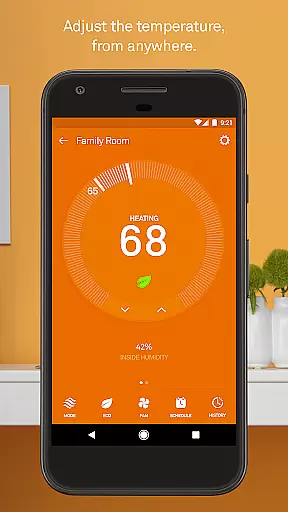
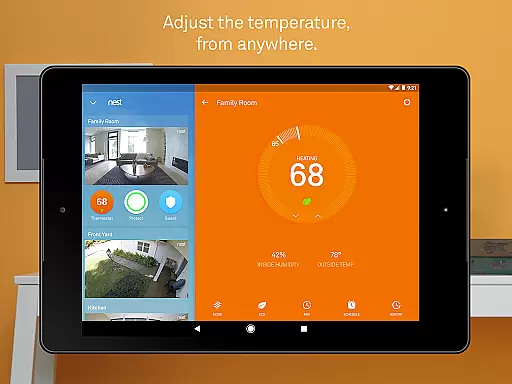
The Nest app offers a wide array of features designed to enhance home security, comfort, and energy efficiency. One of its core functionalities is the ability to control Nest thermostats remotely. Users can adjust their home's temperature settings directly from their smartphone, view energy usage reports, and even receive alerts about extreme weather conditions that might affect indoor climate control.
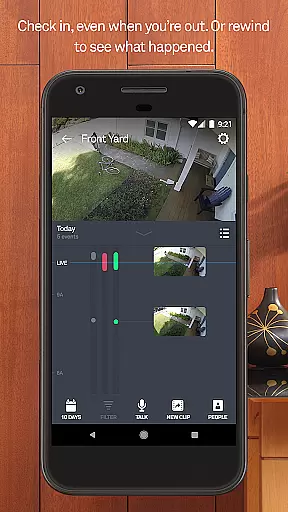
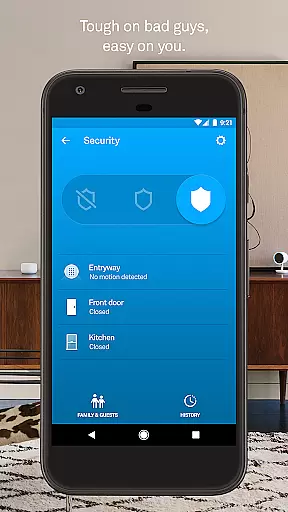
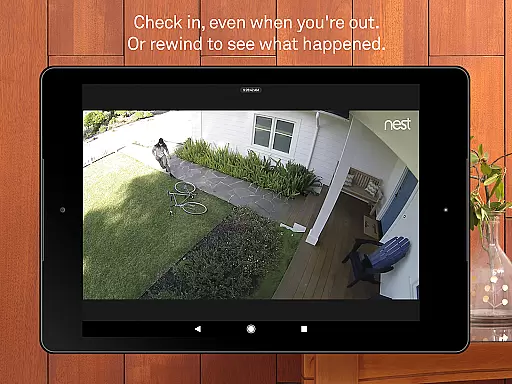
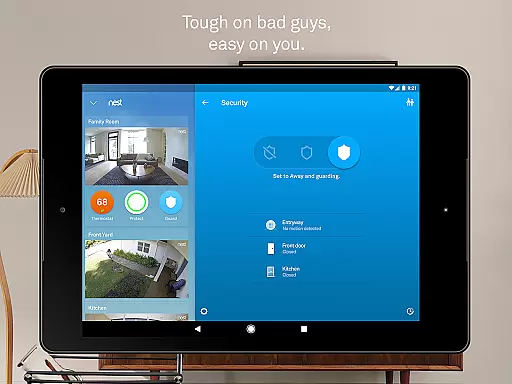
In addition to thermostat management, the app provides robust security features through its integration with Nest Secure alarm systems and Nest Cam. Users can arm or disarm their security system remotely, receive instant alerts about suspicious activities, and access live video feeds from their cameras. The app also supports two-way communication, enabling users to speak with visitors through compatible devices like Nest Hello doorbell.
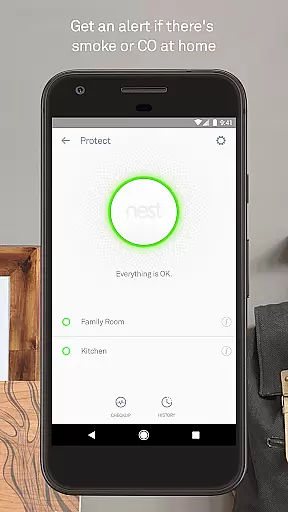
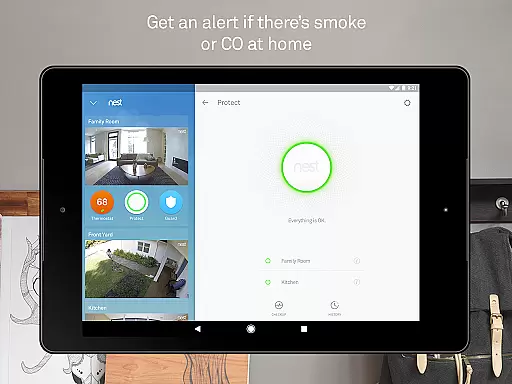
Another notable feature is the app's ability to monitor and manage Nest Protect smoke and carbon monoxide detectors. It sends immediate notifications when potential hazards are detected and allows users to perform safety checks remotely. Furthermore, the integration with Nest x Yale Locks adds an extra layer of security by enabling keyless entry and automatic locking features. These comprehensive capabilities make Nest a versatile tool for creating a smarter, safer home environment.
The Nest app offers comprehensive coverage of essential lifestyle categories, making it an all-in-one solution for smart home management. With features spanning climate control, security systems, smoke and carbon monoxide monitoring, and indoor-outdoor cameras, the app ensures that users can manage various aspects of their home environment with ease.
Each category within the app is meticulously designed to provide practical functionalities. For instance, the Nest Learning Thermostat allows users to adjust temperatures remotely, while the Nest Secure alarm system enables remote arming and disarming. These features are complemented by real-time alerts and notifications, ensuring users stay informed about their home's status at all times.
Moreover, the app includes specialized features such as person alerts from Nest Cam IQ and familiar face alerts, enhancing home security. The inclusion of Nest Hello provides 24/7 video streaming and package detection capabilities, further broadening the scope of lifestyle management. This extensive coverage empowers users to maintain a safe, comfortable, and energy-efficient home effortlessly.
Content authenticity is a cornerstone of the Nest app's value proposition. Every feature, from temperature adjustments to security alerts, is backed by Google's commitment to accuracy and reliability. The app leverages advanced sensors, algorithms, and machine learning to deliver precise and trustworthy information to users.
Expert credibility is evident in the app's design and functionality. Developed by Google Nest, the app benefits from years of research and innovation in smart home technology. Features like the Nest Learning Thermostat and Nest Protect have been crafted with input from industry experts to ensure they meet the highest standards of performance and safety.
Furthermore, the app undergoes rigorous testing and validation processes to guarantee that all content and functionalities are credible and effective. Whether it's receiving extreme temperature alerts or viewing detailed safety histories, users can trust that the information provided by the Nest app is both accurate and reliable, enhancing their overall smart home experience.
User-friendly interface
Comprehensive device integration
Advanced automation features
Real-time notifications
Energy-saving capabilities
Subscription fees for advanced features
Limited third-party device support
Occasional connectivity issues
Higher initial investment
Privacy concerns with constant monitoring

Unique informative Dial with Live Moon Phase at a glance!
 3.60
3.60
Turn your watch into a key fob for your Tesla
2.90
Stay connected with your loved ones & vehicles | Share live GPS location updates
4.60
BILT interactive 3D instructions help you get the job done right
3.50
A watch face with transparency and fluid visuals inspired by liquid glass design
4.0
Smart home security protection
3.20
Colorful selection floral watch face with gyro for Wear OS
4.60
Simple, stylish & fresh watch face. Customize colors, gradients & complications.
4.70
DailyGift can help you record your habits and get rewards along the way!
4.60
A unique and customizable watch face which rotates its layout every minute.
4.80
Pay your rent, submit work orders and much more with the RentCafe Resident App.
4.70
The go to app for taking unlimited notes!
4.50
A smart Siddur with halachic times
4.50
Paranormal Spirit Bell Trigger Device
4.30
Communicate with your vehicles and Powerwalls anytime, anywhere
3.60
Discover how to help puppies stay calm around noise with this helpful app.
4.1
Duo Watch Face (animated)
4.1
Cute animated Thanksgiving watchface for your WearOS smartwatch
4.2
A uniquely designed isometric digital watch face made for Wear OS
4.5


User Reviews