
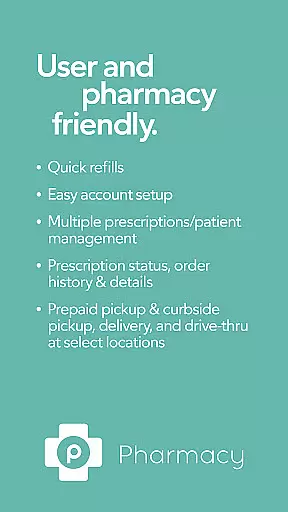
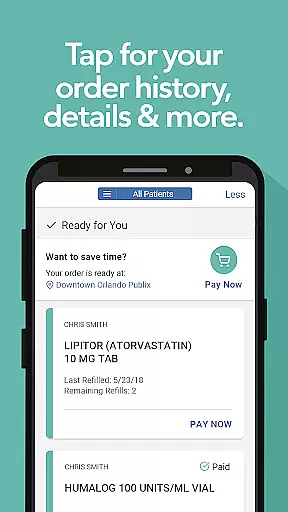
Publix Pharmacy is a comprehensive medication management app designed to simplify the prescription process. The app offers quick refills through bottle scanning, easy account setup, and supports multiple prescriptions for different patients. Users can conveniently track prescription status, view order history, and access detailed information about their medications.
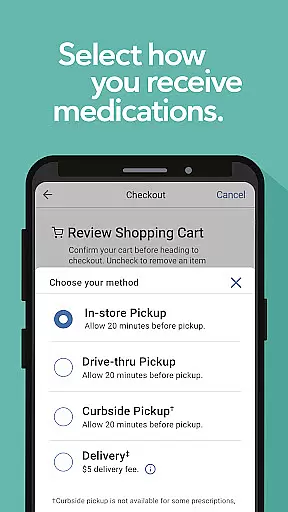
The app provides flexible pickup options including prepaid pickup, curbside service, and drive-thru at select locations. Whether you need to transfer existing prescriptions or manage family members' medications, Publix Pharmacy streamlines these processes. With features like automatic prescription updates from doctors and customizable notifications, this app ensures users stay informed and organized in managing their healthcare needs.
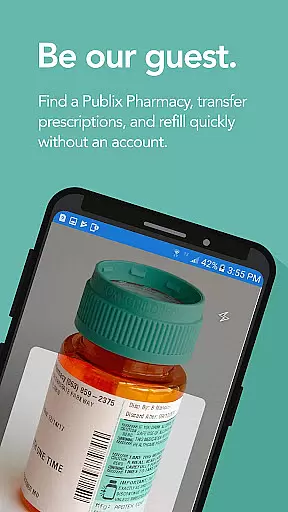
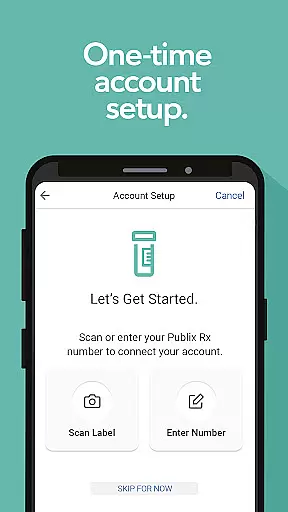
Publix Pharmacy stands out with its innovative time-saving features. The Quick Refill function allows users to scan prescription bottles using their phone camera, instantly initiating refill requests. For first-time users, the One-Time Easy Account Setup makes getting started hassle-free by scanning a recent prescription bottle or entering label details.
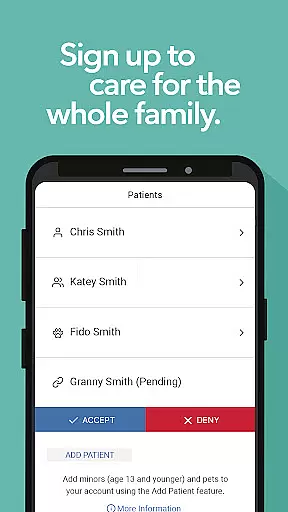
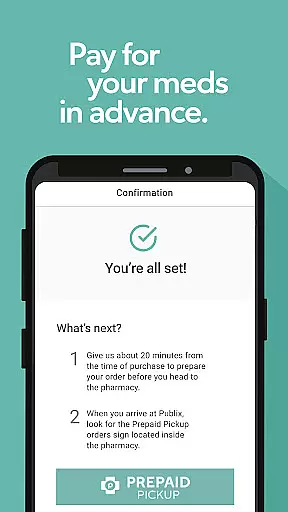
Advanced account management enables users to handle multiple prescriptions across different family members, including minors and pets. The app's notification system keeps users updated on prescription statuses, while the prepaid pickup option allows for seamless transactions. These features collectively create a user-friendly experience that enhances medication adherence and simplifies pharmacy interactions.
In the realm of digital health services, the credibility of medical content is paramount. Publix Pharmacy app ensures that all information provided is thoroughly vetted by healthcare professionals. This guarantees users receive guidance and details that align with medical standards and practices.
The app's features are designed based on expert reviews to ensure safety and efficacy. For instance, prescription management tools undergo rigorous testing to confirm they meet industry benchmarks. This meticulous approach provides peace of mind for users relying on these functionalities for their healthcare needs.
Furthermore, the app facilitates communication between patients and pharmacists. This interaction allows for real-time clarification and advice from medical experts. Such a feature not only enhances user experience but also reinforces the reliability of the medical content available within the app.
Teleconsultation has become an essential component of modern healthcare delivery, and the Publix Pharmacy app excels in this area. By integrating high-quality teleconsultation services, the app bridges the gap between patients and healthcare providers. Users can expect clear, uninterrupted communication with licensed professionals.
The app offers various ways to connect with medical experts, including audio and video calls. These options ensure that consultations are as thorough and personal as in-person visits. The availability of such features significantly improves the accessibility and convenience of obtaining professional medical advice.
Additionally, the app supports secure messaging for follow-up questions or sharing updates about oneu2019s condition. This comprehensive approach to teleconsultation enhances patient care by providing multiple channels for effective communication. As a result, users can manage their health more efficiently and with greater confidence.
User-friendly interface
Quick prescription refills
Multiple patient management
Flexible pickup options
Automatic prescription updates
Limited to Publix pharmacies
No pill reminders
Account setup required
Location restrictions apply
Customer support hours limited

Adaptive-learning flashcards and quizzes for the Top 250 Drugs
 4.60
4.60
Download the PulsePoint app and use your CPR skills to save a life!
4.60
Conveniently receive lab results, schedule lab appointment and pay your bills
3.70
MHealth is the mobile version of MEDITECH’s Patient and Consumer Health Portal.
3.10
Use the phone microphone or headset mic as sound amplifier for louder hearing.
4.30
Good for You. Great for Life.
4.00
Voice pitch monitor for speech therapy, LSVT, Parkinson's, singing & trans
4.30
X-Vein: Advanced vein detection for medical practice
3.10
Anthem/Wellpoint and other health insurance plans
4.60
Easy telehealth appointments + urgent care
4.70
Take on apraxia and aphasia with a powerful video-driven speech therapy app.
4.60
The Omada app enhances your program experience and helps you stay engaged.
4.50
Radiographic Positioning Guide for Medical Imaging Professionals and Students
4.50
The official DSM-5-TR® app
4.50
Assess and treat left neglect more effectively in stroke and brain injury rehab.
4.30
Your pocket guide to following The Monash University Low FODMAP diet.
4.20
Master AEMT with 1,400+ study items, TEIs, practice tests, and scoring.
4.10
Easy access to benefits and rewards
3.70
ECG modules improve rhythm ID. ACLS is a simulator for cardiac arrest scenarios.
4.1


User Reviews