

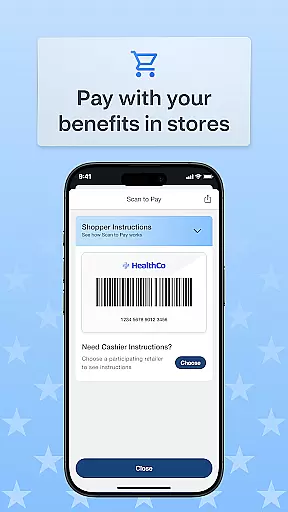
OTC Health Solutions is a specialized mobile application designed to help users easily access and manage their Over-the-Counter (OTC) health benefits from anywhere. The app provides secure and straightforward access to both health and OTC benefits, which can be utilized at nearby CVS stores or through online shopping. With real-time updates on fund balances and activity, users are empowered to take full control of their benefits.
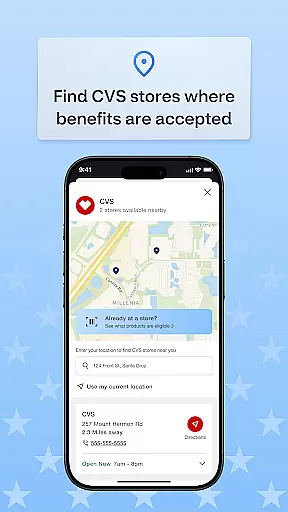
In addition to managing funds, the app allows users to view detailed transaction histories, track order statuses, and locate nearby CVS stores where they can use their benefits in-store. For added convenience, users can also shop online with multiple delivery options, including home delivery. This makes it an ideal tool for individuals who want to efficiently manage their healthcare spending while enjoying flexible shopping options.
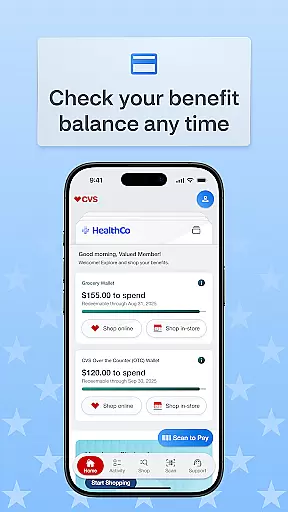
One of the standout features of OTC Health Solutions is its ability to provide real-time balance updates on funds and activities, ensuring that users always have accurate information about their available benefits. This feature eliminates guesswork and helps users make informed decisions when purchasing health-related products.
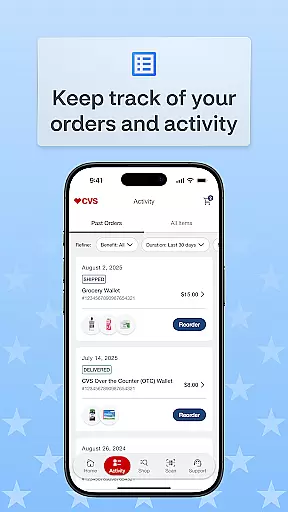
The app also offers comprehensive transaction tracking, allowing users to review past purchases and monitor current order statuses. Additionally, it includes a store locator function that makes it easy to find nearby CVS locations where benefits can be used in-store. With support for various shopping methods—such as in-store purchases, online orders, and home delivery—OTC Health Solutions caters to different user preferences, providing a seamless and personalized shopping experience.
Personalized planning in the OTC Health Solutions app empowers users to tailor their health and over-the-counter benefits according to their specific needs. This feature allows individuals to manage their benefits effectively, ensuring they get the most out of their healthcare plans.
The app provides real-time balance updates on funds and activity, enabling users to make informed decisions about their purchases. With instant access to this information, users can strategize how and when to utilize their benefits optimally.
Furthermore, the ability to view transaction history and track order status adds another layer of personalization. Users can monitor past transactions, understand spending patterns, and adjust future purchases accordingly.
This personalized approach not only simplifies benefit management but also enhances overall user satisfaction by providing a clear overview of one's health expenditures and available resources.
Progress visualization within the OTC Health Solutions app offers an intuitive way for users to see their healthcare journey unfold visually. By presenting data such as fund balances, recent transactions, and order statuses through easy-to-understand graphics, it becomes simpler for users to grasp where they stand with their benefits.
This visual representation helps users quickly identify trends or changes in their usage patterns without having to sift through detailed lists or reports manually. It transforms complex financial information into digestible insights at a glance.
Moreover, progress visualization aids in setting goals related to managing health expenses more efficiently. Seeing tangible results motivates users towards better financial planning regarding their healthcare needs.
Ultimately, this feature enhances engagement by making it easier than ever before for individuals to stay informed about their benefit utilization while encouraging proactive management of their well-being finances.
User-friendly interface
Real-time balance updates
Secure transaction history
Multiple shopping options
Convenient CVS integration
Limited to CVS stores
No direct prescription support
Potential technical issues
Occasional update delays
Specific to OTC benefits

Relax to calm sounds, white noise, music, guided meditation and bedtime stories
 4.40
4.40
Easy reconstitution calc for mixing peptides and creating protocols
4.70
Optimization for TRT & Enhanced Athletes
4.4
Using Recognise™ has been shown to reduce pain and improve performance
4.1
Find Paid Clinical Trials In Your Area
3.70
You deserve easy access to important insurance information. Download for FREE.
4.70
Pilates, Calisthenics, Yoga
4.50
Download MadMuscles to start your positive body transformation!
4.30
Looking to take control of your health? Our psychology-based programs can help.
4.10
App to stop smoking slowly or now with a motivational badges and helpful tips
4.80
The simplest way to track your 21 Day Program containers, exercises, and water.
4.50
Chair Workout: Women's Edition for safe, flexible, and personalized fitness.
4.40
Blood Pressure Log, HRV & Heartbeat Tracker. Pulse Checker.
4.40
Pack of 66 calming lullabies for smooth fall asleep and relaxation
4.10
Pupillary distance PD with camera quick and easy, checking glasses frames on you
3.70
GloryFit is a companion app for the smart bracelet.
3.60
Use your watch as a bike computer, heart rate monitor and cycling power meter
2.50
The Wear OS BeechBand app is designed to alleviate anxiety and other conditions
4.2
Using Recognise™ has been shown to reduce pain, and improve performance.
4.5


User Reviews