
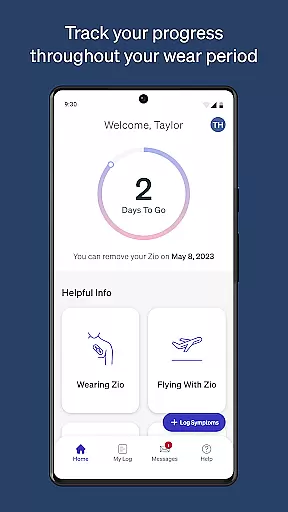
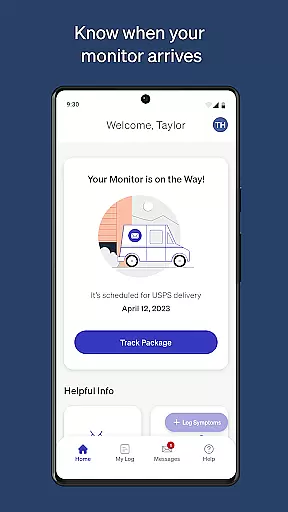
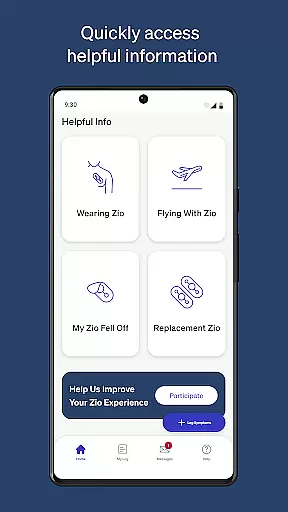
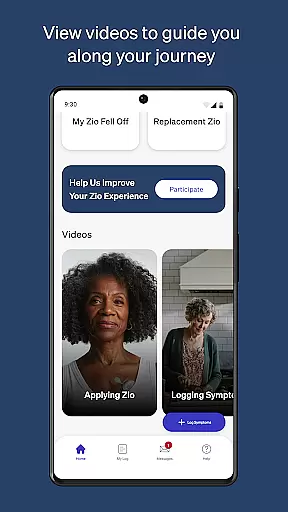
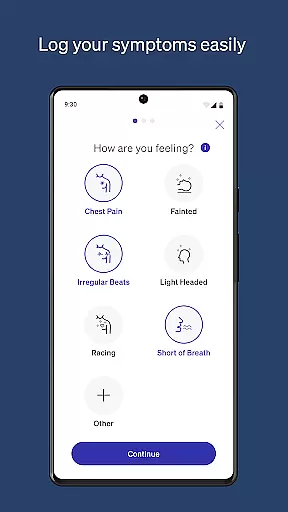
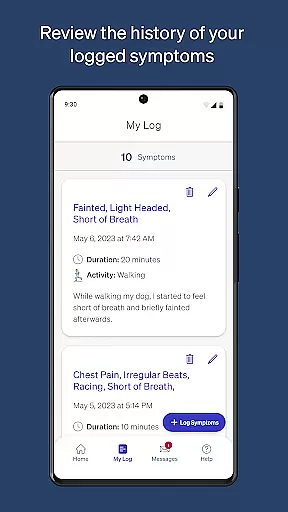
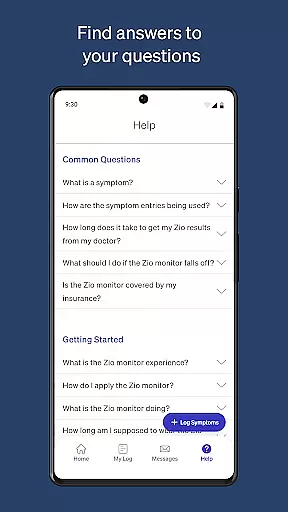
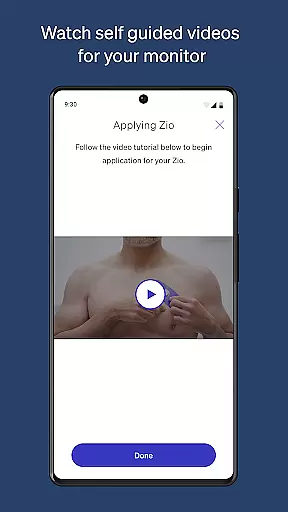
MyZio is a specialized medical application designed to complement the Zio ECG monitor, providing users with comprehensive tracking and management tools. The app enables patients to monitor their heart health by tracking the shipping status of their Zio ECG monitor, logging symptoms, and accessing educational resources. With its user-friendly interface, MyZio ensures that patients can seamlessly interact with their monitoring process while receiving support through instructional videos.
One of the standout features of MyZio is its ability to integrate symptom tracking with real-time monitoring data, empowering users to better understand their cardiac health. Whether you're at home or on the go, this app provides critical information and tools to help manage your heart condition effectively. Its accessibility makes it an essential tool for anyone using the Zio ECG system.
MyZio offers a robust set of features tailored specifically for users of the Zio ECG monitor. Patients can create a MyZio account at any time, allowing them to track the shipping status of their device effortlessly. Once the monitor arrives, users can register it directly through the app and begin logging symptoms immediately. This seamless registration process ensures minimal disruption in monitoring.
In addition to symptom tracking, MyZio provides access to a wealth of informational resources about the Zio service. Instructional videos guide users through every step of their monitoring journey, from initial setup to daily use. These resources are particularly valuable for first-time users who may need extra assistance understanding their device. By combining practical tools with educational content, MyZio enhances the overall patient experience.
In the realm of mobile health applications, the credibility of medical content is paramount. MyZiou00ae ensures that all information provided within the app undergoes rigorous expert review. This process guarantees that users receive accurate and reliable guidance concerning their Ziou00ae ECG monitor usage.
The app offers instructional videos and detailed descriptions about the Zio service, each verified by healthcare professionals. Such an approach not only educates users effectively but also instills confidence in managing their cardiac health monitoring process.
By prioritizing content accuracy and validation by experts, MyZiou00ae establishes itself as a trustworthy tool for individuals relying on continuous heart monitoring solutions.
MyZiou00ae enhances teleconsultation experiences by integrating features that facilitate seamless communication between patients and healthcare providers. Through this app, users can track their monitoru2019s shipping status and register their Zio ECG monitor effortlessly, ensuring timely consultations.
Moreover, the ability to log symptoms directly within the application enables healthcare providers to access up-to-date patient data during teleconsultations. This functionality supports more informed discussions and personalized care recommendations based on real-time health insights.
Overall, MyZiou00ae sets a high standard for teleconsultation quality by combining user-friendly interfaces with robust data management capabilities, ultimately improving patient outcomes through enhanced remote care coordination.
User-friendly interface
Comprehensive symptom tracking
Real-time shipping updates
Educational video library
Seamless device integration
Limited to Zio ECG users
Feature availability varies by region
No offline functionality
Requires account creation
Dependent on monitor compatibility

The NightOwl Companion app allows you to interact with the NightOwl sensor.
 4.70
4.70
We’ve made it easy for Oscar members to get care on the go.
4.30
Secure video visits with your VA care team from anywhere
4.50
Live vet support by text/video
4.80
Crush your paramedic exam with NREMT-style tests, ECGs, and top-tier prep!
3.90
Manage your prescriptions and pharmacy care anytime, anywhere.
4.80
X-Vein: Advanced vein detection for medical practice
3.10
ASCCP Management Guidelines- There’s an app for that!
4.60
Donating plasma just got easier with the BioLife Plasma Services mobile app.
3.90
Pelvic Floor Muscle Exercises
4.80
Your donation experience just got smoother; Donor Hub is your go-to place.
4.70
Save up to 80% on your pharmacy prescriptions & medications with free Rx coupons
4.70
Enjoy 200%+ volume booster with bass booster, equalizer and headphone supported.
4.60
Check and Track your Blood Pressure & Heart Rate.
4.50
Modivcare members can book and manage trips.
4.50
Perform pure-tone audiometry and a speech intelligibility test on your phone.
4.50
Radiographic Positioning Guide for Medical Imaging Professionals and Students
4.50
Secure video appointments
4.50
Over 1,200 review questions and 5 exams—pass the NREMT with EMT Review Plus!
4.10


User Reviews