
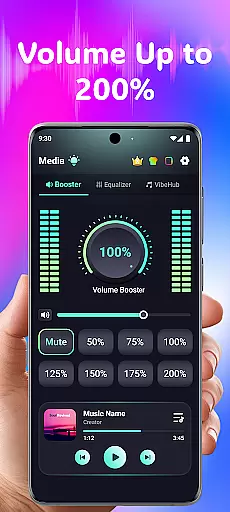
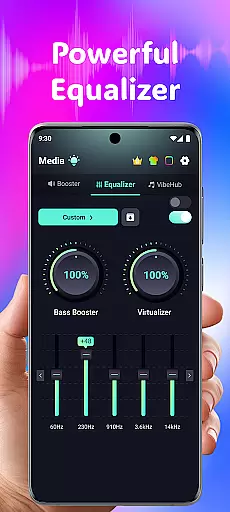
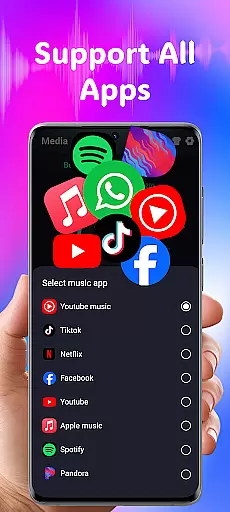
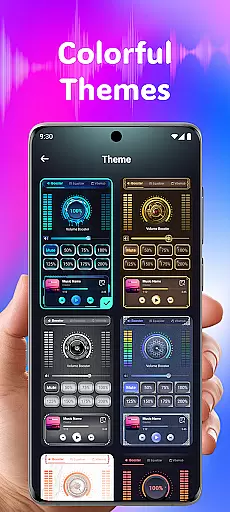
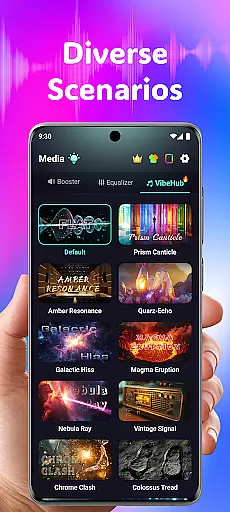
Volume Booster Bass Booster EQ is a specialized audio enhancement application designed for medical-grade hearing support and superior sound amplification. This innovative app addresses common audio challenges by providing users with powerful tools to amplify sound, reduce background noise, and customize listening experiences across various scenarios.
The core functionality revolves around its ability to boost phone volume up to 200%, making it ideal for individuals with hearing difficulties or those who frequently engage in outdoor activities. The app's advanced equalizer allows precise control over different frequency ranges, while its dedicated hearing mode offers independent left and right ear adjustments. These features make it particularly valuable for medical professionals seeking assistive listening solutions for patients.
Whether you're trying to hear important dialogue in noisy environments or need enhanced audio clarity for professional purposes, Volume Booster Bass Booster EQ delivers a comprehensive solution that adapts to diverse user needs.
This medical audio application stands out through its sophisticated feature set designed to address various hearing and sound amplification needs. The app's primary advantage lies in its powerful volume boost capability, which can amplify media volume up to 200% while maintaining sound quality integrity.
A key differentiator is the advanced equalizer system, featuring a robust 5-band equalizer (60Hz to 14kHz) that allows precise control over bass, treble, and mid-range frequencies. The inclusion of AI-powered noise reduction technology effectively filters out unwanted background sounds, making it particularly useful in clinical settings or crowded environments where clear audio is crucial.
What sets this application apart from similar tools is its specialized hearing mode, offering independent left and right ear control with real-time visual feedback. This feature, combined with advanced frequency amplification across six distinct sound ranges, provides unparalleled customization options for users with specific hearing requirements, making it a valuable tool in both medical and personal contexts.
In the realm of medical applications, content credibility is paramount. Volume Booster Bass Booster EQ addresses this by integrating advanced audio features that are not only innovative but also grounded in sound science. The app's equalizer settings and amplification controls are designed based on audiological research, ensuring that users receive a medically sound experience.
The app includes an Advanced Hearing Mode with independent left and right ear adjustments, which reflects a deep understanding of hearing health. This feature allows for personalized sound calibration, catering to individual auditory needs. Such customization is typically endorsed by hearing specialists, making it a reliable tool for those requiring tailored audio solutions.
Furthermore, the inclusion of real-time noise reduction powered by AI demonstrates the app's commitment to enhancing auditory clarity. By filtering out unwanted background sounds, the app ensures that users can focus on important audio cues, whether in conversations or media consumption. This functionality aligns with recommendations from audiologists for improving listening experiences in noisy environments.
While Volume Booster Bass Booster EQ is primarily an audio enhancement tool, its features indirectly support teleconsultation quality. Clear audio is crucial during virtual medical consultations, and the app's ability to amplify sound and reduce background noise ensures that communication between healthcare providers and patients remains uninterrupted and clear.
The app's 5-band equalizer allows users to fine-tune audio frequencies, which can be particularly beneficial during teleconsultations where precise sound transmission is necessary. Whether it's a low-frequency voice or high-pitched medical device alerts, the equalizer ensures all sounds are transmitted accurately, enhancing the overall quality of remote consultations.
Additionally, the app's user-friendly interface makes it accessible for individuals of all ages and technical backgrounds. This ease of use is critical during telemedicine sessions, where quick adjustments may be needed to maintain optimal sound levels. With intuitive controls and seamless integration across devices, Volume Booster Bass Booster EQ provides a reliable audio foundation for effective teleconsultations.
Powerful 200% volume boost
Advanced medical-grade equalizer
AI-driven noise reduction
Independent ear adjustment
Wide device compatibility
Potential hearing risks
Device compatibility issues
Battery consumption concerns
Learning curve for settings
Limited free features

Beat alcohol and drug addiction with a revolutionary treatment program in an app
 4.50
4.50
World's largest contact lens store
4.60
Perform pure-tone audiometry and a speech intelligibility test on your phone.
4.50
The official DSM-5-TR® app
4.50
Save up to 80% on your pharmacy prescriptions & medications with free Rx coupons
4.70
A rapid reference for healthcare professionals caring for pediatric patients.
4.30
Secure video appointments
4.50
Continuous Glucose Monitoring
3.40
Tap & save. Coupons that fit in your pocket. Find low prices on prescriptions.
4.80
A comprehensive medical disease app.
5.00
Pelvic Floor Muscle Exercises
4.80
Easy telehealth appointments + urgent care
4.70
Secure video visits with your VA care team from anywhere
4.50
Radiographic Positioning Guide for Medical Imaging Professionals and Students
4.50
We’ve made it easy for Oscar members to get care on the go.
4.30
Patient Health Portal
4.20
The Client Portal app empowers you to manage care from one secure place
4.10
Donating plasma just got easier with the BioLife Plasma Services mobile app.
3.90
OKN Strips, OptoDrum, OKN
4.0


User Reviews