
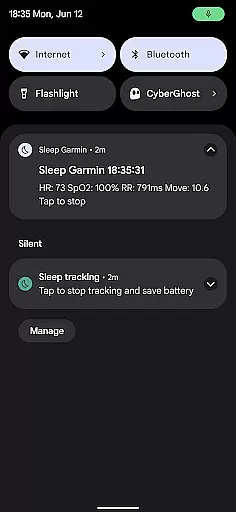
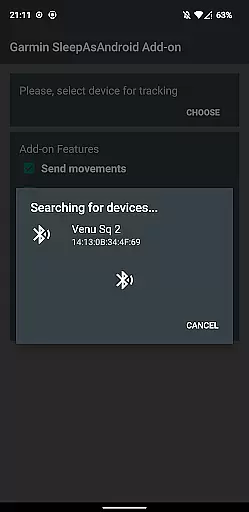
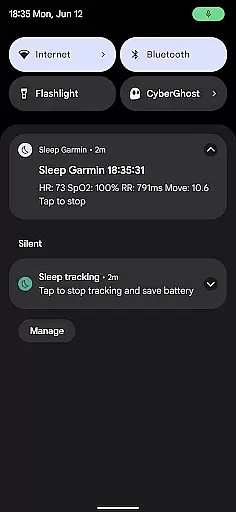
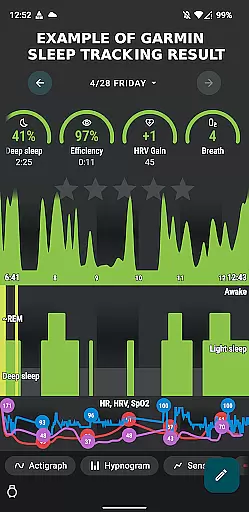
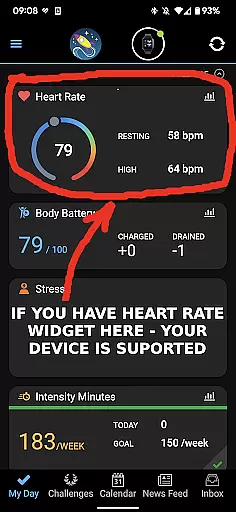
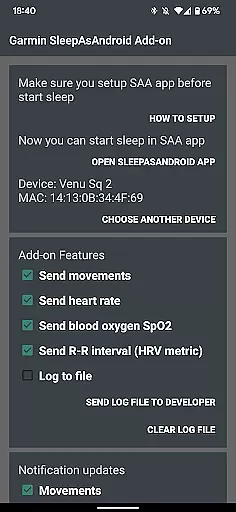
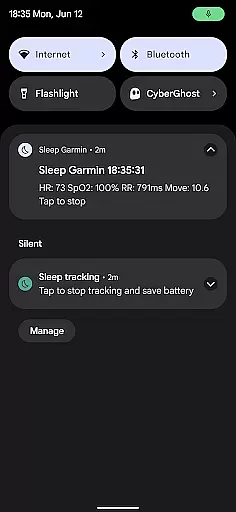
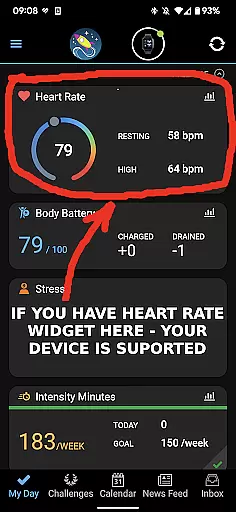
Garmin Sleep Advanced is a specialized health and fitness application designed to enhance sleep tracking by utilizing real-time data from Garmin wearables. The app integrates seamlessly with Sleep as Android, providing advanced metrics like HRV, SpO2, heart rate, and motion data. Compatible with all Garmin devices that support Bluetooth streaming, this app eliminates the need for ConnectIQ support, making it versatile for a wide range of users.
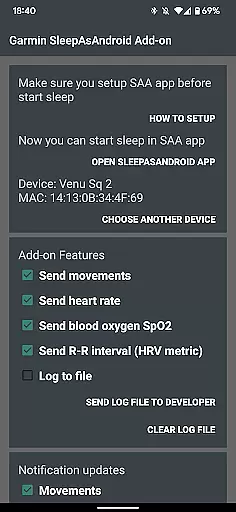
One standout feature is its ability to track detailed sleep-related metrics such as blood oxygen saturation (SpO2), R-R intervals (HRV), heart rate, and movements during sleep. These insights allow users to better understand their sleep patterns and overall wellness. Whether you're an athlete optimizing recovery or someone focused on improving sleep quality, Garmin Sleep Advanced offers valuable data to support your goals.
The app's compatibility with Garmin Connect ensures a smooth user experience, while its integration with Sleep as Android provides a comprehensive sleep analysis platform. By leveraging these technologies, Garmin Sleep Advanced delivers actionable insights that can help users improve their sleep hygiene and overall health.
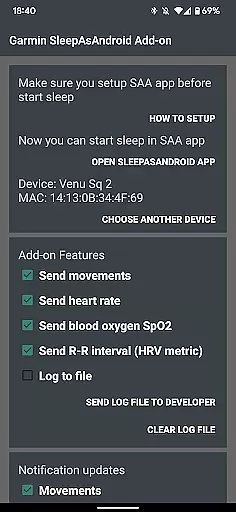
Garmin Sleep Advanced stands out with its robust feature set tailored for health-conscious individuals. The app measures critical sleep metrics including movements, heart rate, blood oxygen saturation (SpO2), and R-R intervals (HRV). These features provide a holistic view of sleep quality, empowering users to make informed decisions about their wellness routines.
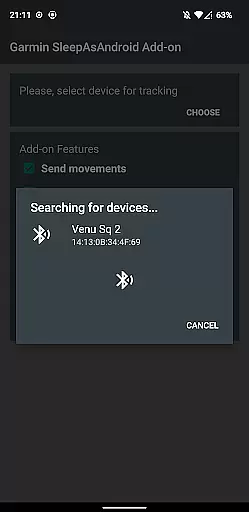
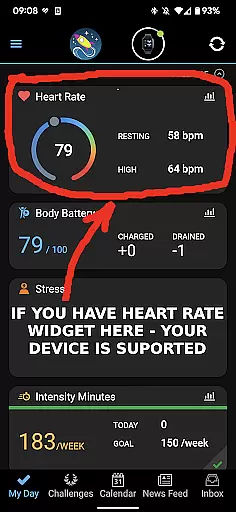
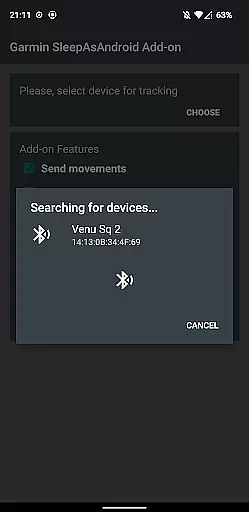
A key highlight is the app's compatibility with all Garmin wearables that support Bluetooth streaming. This ensures that users with various Garmin devices can take advantage of the app's capabilities without requiring ConnectIQ support. Additionally, the app integrates seamlessly with Sleep as Android, allowing users to consolidate their sleep data into one platform for easier analysis.
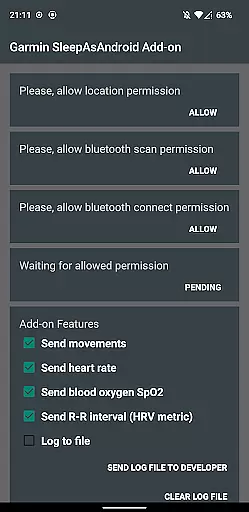
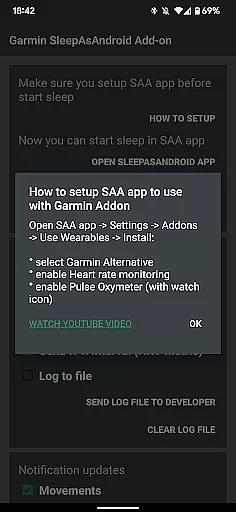
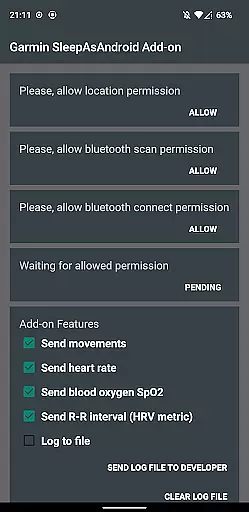
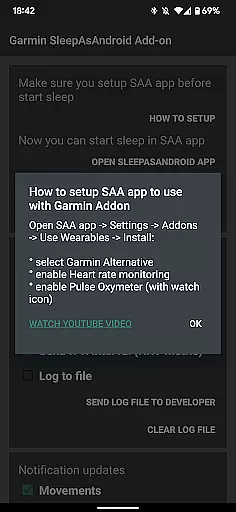
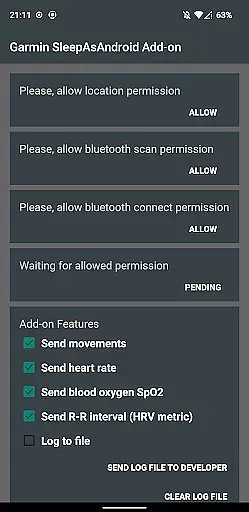
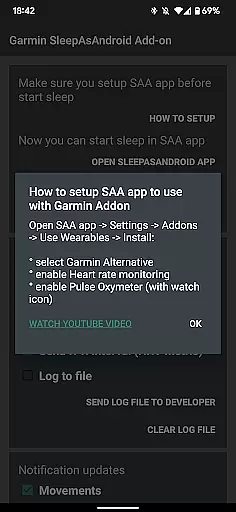
Another notable feature is the app's permission-based setup process, which ensures secure and accurate data collection. Users must connect their Garmin device with Garmin Connect, install Sleep as Android, and enable specific permissions like heart rate monitoring and pulse oximetry. This structured approach guarantees reliable data transmission and enhances the accuracy of sleep tracking results.
Personalized planning in Garmin Sleep Advanced involves tailoring sleep tracking and wellness data to individual user profiles. This feature leverages real-time metrics such as HRV, SpO2, heart rate, and motion data to offer a customized approach to understanding sleep patterns.
The app integrates seamlessly with compatible Garmin wearables, ensuring that each user's physiological data is accurately captured and analyzed. By doing so, it provides insights into sleep quality and overall wellness, which are specific to the user's lifestyle and physical condition.
Users benefit from actionable feedback based on their personalized data. The application of this information can lead to improved sleep hygiene and better health outcomes, as individuals are empowered to make informed decisions about their rest and recovery needs.
This level of personalization sets Garmin Sleep Advanced apart by delivering a targeted experience that evolves with the useru2019s changing health and activity levels.
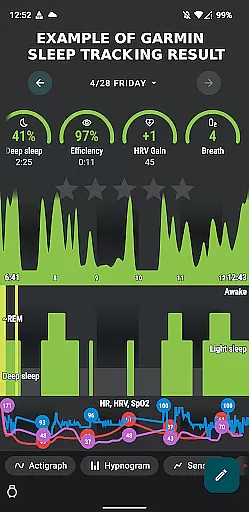
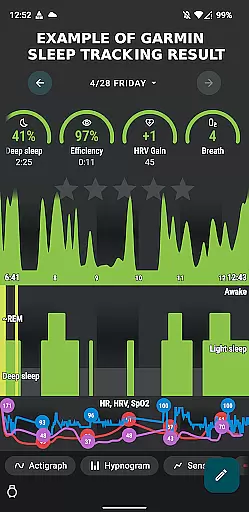
Progress visualization within Garmin Sleep Advanced allows users to see their sleep and wellness improvements over time. The app translates complex data points like HRV, SpO2, and heart rate into easy-to-understand graphs and charts, providing a clear picture of sleep trends and patterns.
By presenting historical data in a visually appealing way, users can track their progress and notice changes in their sleep quality or physiological metrics. This visual representation is crucial for recognizing long-term health trends and making necessary adjustments to daily routines or sleep habits.
The ability to visualize progress serves as a motivational tool, encouraging users to maintain healthy behaviors or make positive changes where needed. It also aids in identifying potential issues that may require attention, such as consistently low SpO2 levels during sleep.
Garmin Sleep Advanced stands out by offering robust visualization tools that not only display data but also help users understand their sleep and wellness journey, fostering a proactive approach to personal health management.
Real-time data tracking
Wide device compatibility
Comprehensive sleep metrics
Easy integration with Sleep as Android
User-friendly setup process
No medical use certification
Limited to Garmin devices
Dependent on third-party apps
Requires multiple permissions
Potential battery drain on wearables

Your plan in your pocket 24/7
 3.00
3.00
SportWerks - Workout Tracker for Wear OS Watches
3.90
The app helps you address digestive symptoms based on the Fast Tract Diet.
3.50
A simple way to calculate peptide doses and also to convert different units.
4.5
Load the bar with this barbell & plate calculator. It's leg day, not brain day!
4.70
Get lasting results with Chair Yoga, Wall Pilates, and Walking workouts!
4.60
Track heart rate & HRV in 30s! Get live health insights and anomaly alerts
4.40
Download MadMuscles to start your positive body transformation!
4.30
Your Health Assistant
3.90
Wall Pilates at home & Pilates workout for beginners for core and weight loss.
4.80
Easy reconstitution calc for mixing peptides and creating protocols
4.70
Personal Measurements - Track your gains!
4.50
The Official Blood Type Diet® App - know your categorized foods anytime.
4.50
Grow with self-tests and personal routine.
4.30
This is an application that serves as a companion app for smart watch.
4.20
Create powerful subliminal audio with custom affirmations and background music.
4.00
Understand your body’s most meaningful messages and transform your health.
3.90
Enjoy the Gluten Free living with the best app. SCAN the barcodes & SEARCH.
3.60
Using Recognise™ has been shown to reduce pain and improve performance
4.4


User Reviews