
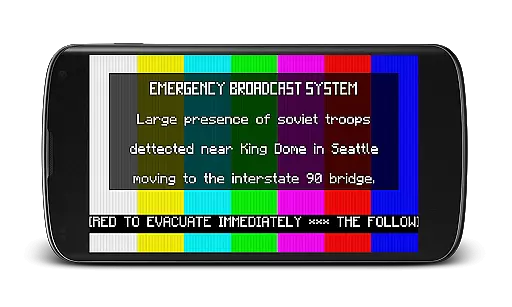
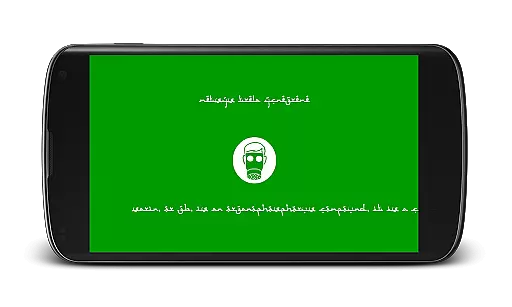
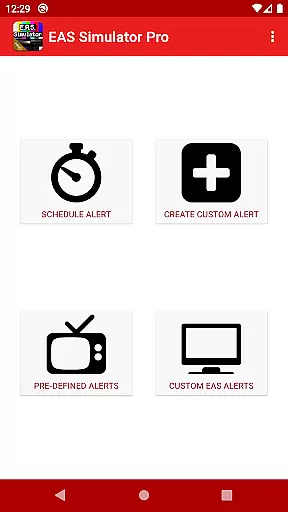
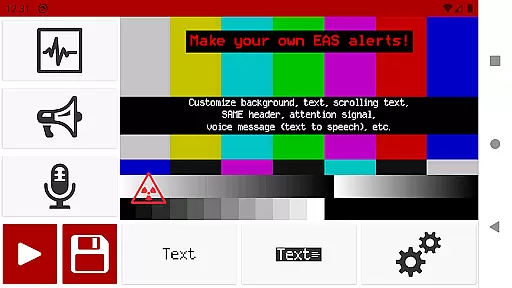
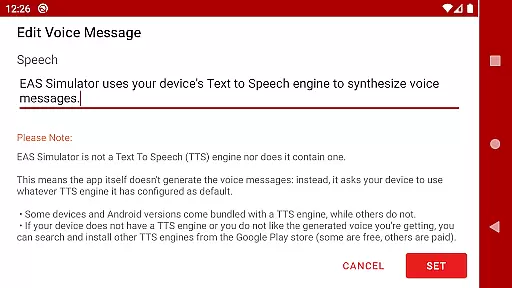
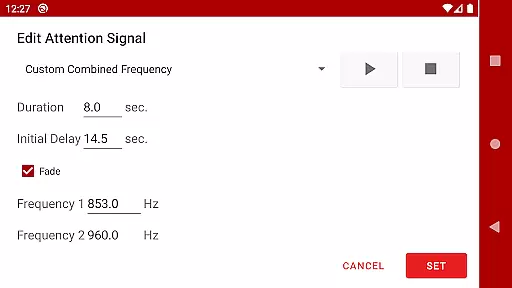
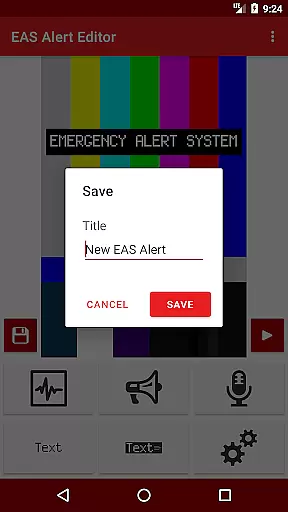
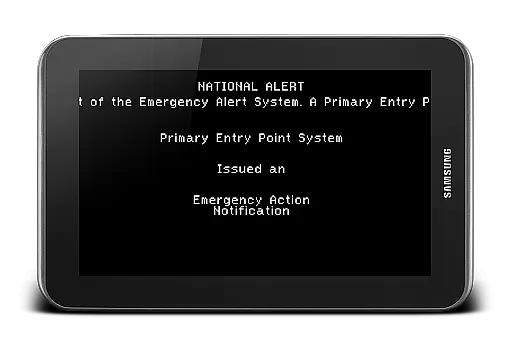
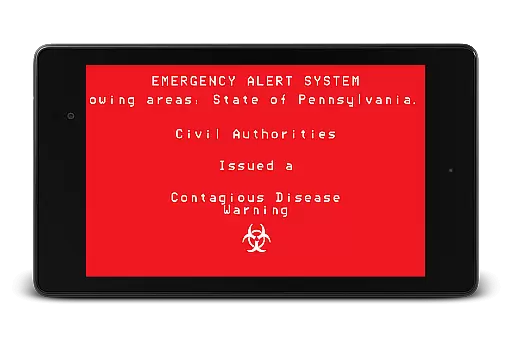
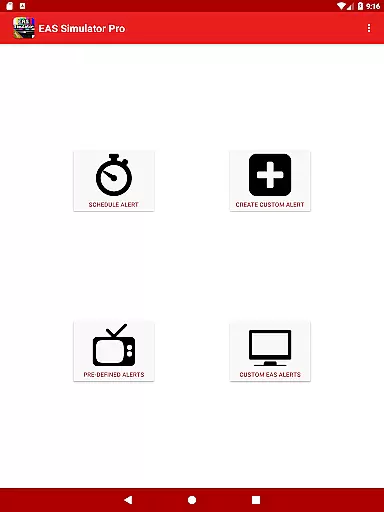
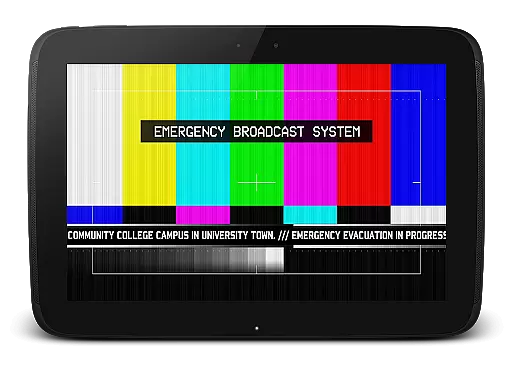
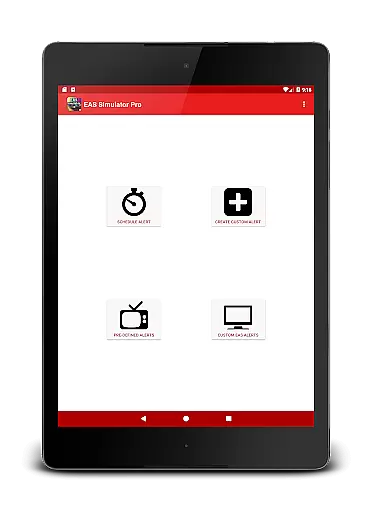
EAS Simulator Pro is an innovative entertainment app that allows users to create and experience realistic Emergency Alert System (EAS) messages on their Android devices. The app offers a comprehensive EAS alert editor, enabling users to design custom alerts with various visual and audio elements. These include SAME headers, attention signals, scrolling texts, and voice messages generated through the device's Text to Speech engine.
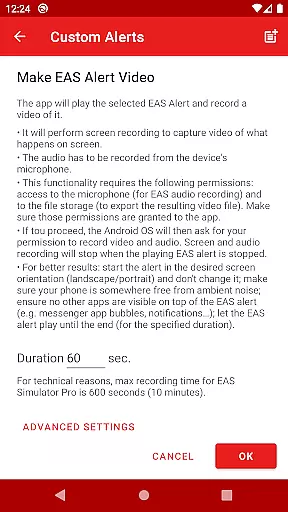
What sets this app apart is its ability to convert these alerts into video format using screen recording and microphone audio. Users can schedule alerts to play at specific times, even when the device is locked, making it perfect for drills or creative role-playing scenarios. The app comes pre-loaded with both real-life disaster alerts and thrilling fictional emergency situations, providing diverse simulation options for users.
This application particularly appeals to those interested in emergency preparedness training or enthusiasts of post-apocalyptic themes found in video games and movies. Its professional-grade features and attention to detail make it a valuable tool for both educational purposes and entertainment, offering a unique way to explore emergency response scenarios in a controlled environment.
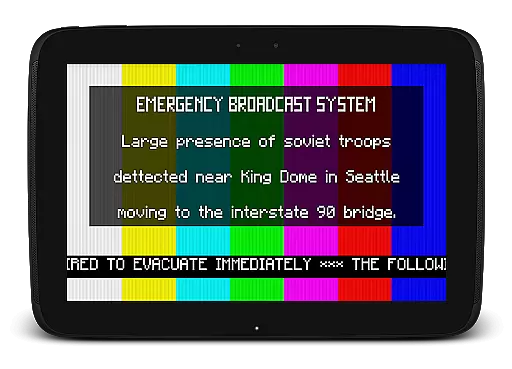
The app boasts an array of sophisticated features designed to create authentic EAS experiences. At its core is the full-featured alert editor that provides unlimited access to all customization options. Users can manipulate various elements such as background styles (including TV-style color bars and intermission screens), text display options (static, blinking, or scrolling), and audio components like attention signals and end-of-message sounds.
One of the standout capabilities is the video conversion feature, which records both the visual alert and accompanying audio. The scheduling system demonstrates particular ingenuity, allowing alerts to trigger automatically at designated times. This function proves especially useful for organized drills or surprise simulations. The app maintains compatibility with external TTS engines, giving users flexibility in choosing different voice options for their alerts.
Additional practical features include file-based import/export functionality for sharing alerts between devices, and a robust library of pre-defined scenarios ranging from historical natural disasters to fictional apocalyptic events. The developer has also addressed potential compatibility issues by implementing solutions for known OS restrictions and providing clear guidance on necessary permissions and system requirements.
EAS Simulator Pro stands out in the Entertainment category by offering a diverse range of content that keeps users engaged. The app provides an extensive selection of pre-defined alerts, covering real-life natural disasters like flash floods and tornadoes, as well as thrilling fictional scenarios such as zombie pandemics and nuclear attacks. This variety ensures that users can simulate different emergency situations, keeping the experience fresh and intriguing.
In addition to the pre-set alerts, EAS Simulator Pro allows users to create and save their own custom alerts without limitations. With features like scrolling texts, SAME headers, and attention signals, users can design realistic Emergency Alert System messages. The ability to schedule alerts for specific times adds another layer of engagement, making it ideal for drills or role-playing activities.
The app also supports exporting and importing alerts as files, enabling users to share their creations with others who have the app. This functionality not only enhances user interaction but also fosters a community where users can exchange unique and creative alert designs. By continuously updating its content and providing tools for customization, EAS Simulator Pro ensures that users always have new and exciting experiences.
User engagement is a critical factor for apps in the Entertainment category, and EAS Simulator Pro excels in this area by offering features that encourage prolonged usage. One of the standout functionalities is the ability to convert EAS alerts into videos using screen recording and microphone audio. This feature allows users to create content that can be shared on various platforms, increasing the time spent within the app as users experiment with different combinations of visuals and sounds.
Another aspect that contributes to user retention is the scheduling feature, which lets users set alerts to play at specific times, even if the device is locked. This ensures that users remain engaged over extended periods, returning to the app to set up new alerts or check previously scheduled ones. The realistic playback of EAS alerts, complete with voice messages generated by the device's Text to Speech engine, further enhances the immersive experience.
Moreover, the app addresses potential issues proactively, such as fixing crashes experienced by Android 10 users and optimizing scheduled alerts for better performance. These efforts demonstrate the developer's commitment to maintaining a high-quality user experience, which is crucial for retaining users in the competitive entertainment market. By focusing on these engagement strategies, EAS Simulator Pro successfully keeps users coming back for more.
User-friendly interface
Highly customizable alerts
Realistic simulation effects
Video export capability
Extensive scenario library
Requires TTS engine
OS compatibility issues
Permissions needed
Paid version only
Complex for beginners

Binge-worthy short dramas on DramaRush—engaging stories that fit your day.
 3.90
3.90
Play games. Earn real rewards. Cash out in 3hours via PayPal or gift cards.
4.40
Stream over 80 hours of exclusive mashups and remixes by DJ Rehab.
4.2
Earn gift cards for playing games. Become a real game tester!
4.40
Series,Películas y Telenovelas
4.50
Browse popular images and videos from Reddit on Android TV!
3.90
Explore the unknown!
3.00
Connect. Discover. Control.
3.60
Play casual games to get gift cards and money. More playing, more earning.
4.70
The OFFICIAL PeeWee Purpdrank Soundboard!
4.80
Classic dynamic pixel art from Mark Ferrari.
4.70
Fun brain twisting challenge with trending Whirlpool Filter.
4.70
Triple A is a highly complex, kinetic, and interactive visualizer.
4.50
Everything FOX in one place. Watch FOX News, NFL, MLB, TV shows and more.
4.50
* Multiple Matches * Intuitive UI * Scoring Made Easy!
4.40
Browser for Chromecast to stream webvideos, online movies, IPTV & HD livestreams
4.40
Experience the video editing experience brought by our intuitive interface
4.10
With the credits you earn play more games
2.90
Simulation of Dashboard / Touch Screen for Tesla. (Works without actual Tesla).
4.1


User Reviews