
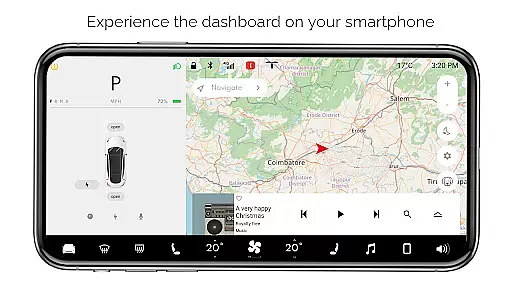
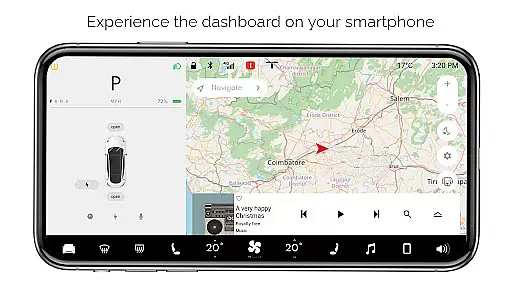
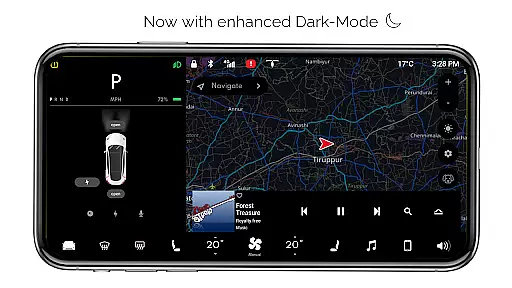
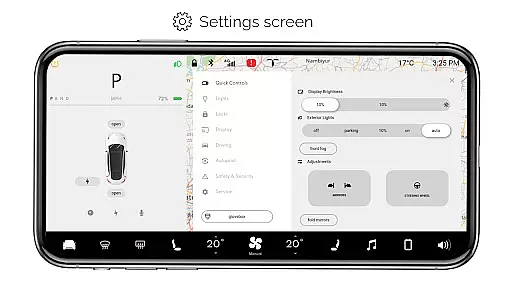
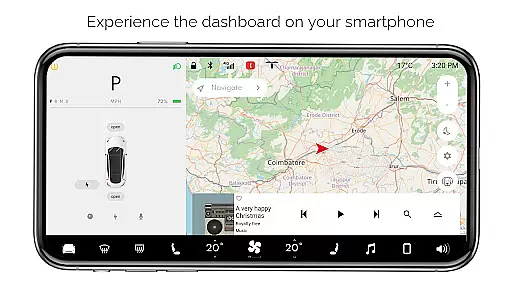
For Tesla is a premium simulator app that recreates the native dashboard experience of a Tesla vehicle on your smartphone. Designed exclusively for Tesla enthusiasts, it offers an interactive touchscreen interface that mirrors the car's system.
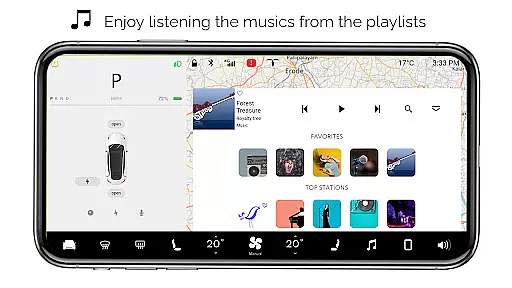
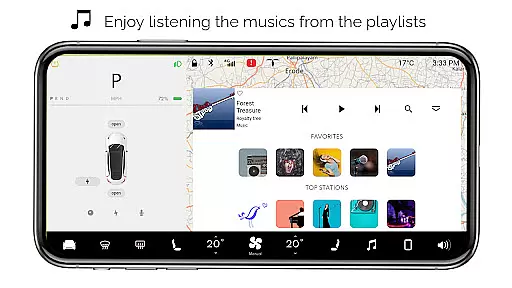
The app provides a comprehensive simulation of various dashboard features without requiring an actual Tesla vehicle. Users can explore functionalities like interactive maps, headlight controls, temperature adjustments, and battery monitoring. It also includes entertainment features such as a music player with playlists and specialized modes like Dog Mode.
This application serves as an excellent tool for Tesla fans who want to familiarize themselves with the vehicle's interface or simply enjoy a Tesla-like experience on their mobile devices.
For Tesla boasts an impressive array of simulated features inspired by the actual Tesla dashboard. The app includes interactive maps that allow users to track their live location, providing a realistic navigation experience.
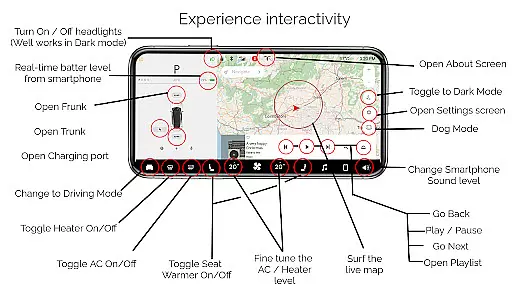
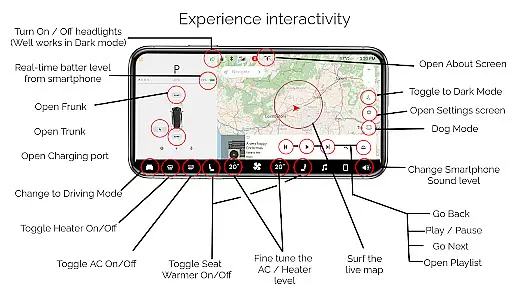
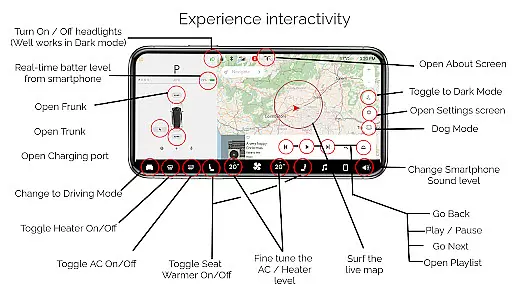
One of the standout features is the ability to control virtual headlights, adjust cabin temperature, and monitor battery levels. Users can also simulate opening and closing the trunk, frunk, and charging port, as well as engage driving mode to preview the vehicle's driving screen.
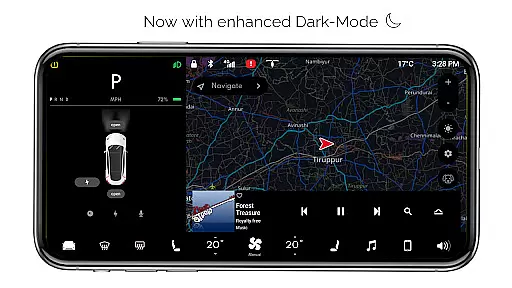
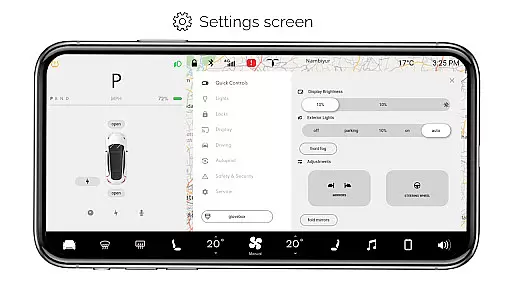
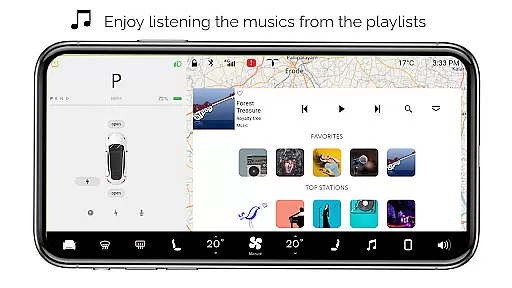
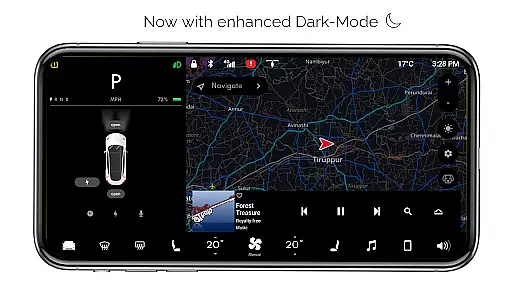
Additional features include a fully functional settings menu, dark mode, dog mode, and an about screen displaying model information. The interactive music player supports playlists, offering an immersive entertainment experience.
Content variety and freshness are crucial for maintaining user engagement in entertainment applications. For Tesla, this app offers a rich simulation of the Tesla dashboard experience with numerous interactive features.
The app includes an array of functionalities such as Interactive Maps, real-time battery level monitoring, and various vehicle controls like turning headlights ON/OFF and opening/closing the trunk, frunk, and charging port. These simulated features provide users with a diverse set of activities to explore, keeping the experience fresh and engaging.
Additionally, the inclusion of Driving mode, Dark Mode, Dog Mode, and an Interactive Music player ensures that users have access to a broad spectrum of scenarios and settings akin to those found in an actual Tesla vehicle. This diversity not only enhances user satisfaction but also encourages prolonged interaction with the app.
By regularly updating these features and potentially adding new ones, the app can maintain its appeal and ensure that users continue to find value and enjoyment in their simulated Tesla experience.
User engagement duration and retention are key metrics for evaluating the success of any entertainment app. The For Tesla app captivates users by offering a realistic simulation of the Tesla dashboard, encouraging longer usage sessions.
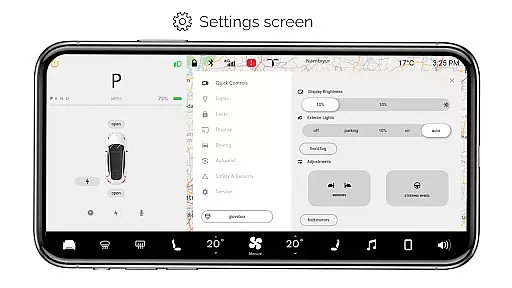
With its comprehensive suite of interactive features, including fine-tuning temperature settings, accessing the Settings Screen, and using the Interactive Music player with playlists, the app provides numerous touchpoints for user interaction. These elements collectively contribute to increased session lengths as users explore different aspects of the virtual Tesla environment.
Moreover, the app's attention to detail, such as the accurate replication of the native user experience and the provision of features like Dog Mode and About Screen, fosters a deeper connection with users. This authenticity helps in retaining users who are fans of Tesla, as they can immerse themselves in a familiar yet novel digital space.
By continuously refining these features and ensuring smooth performance, the app can enhance user retention, making it a go-to choice for Tesla enthusiasts looking to engage with a high-quality simulation on their smartphones.
User-friendly interface
Comprehensive feature set
Realistic simulation
Regular updates
Entertainment value
Limited real-world functionality
Some features non-operational
Not officially endorsed
Device compatibility issues
Ads in free version

Unofficial Game Companion App” “Guides • Builds • Tips • Progression
 4.2
4.2
A wonderful collection of the most beautiful sounds of animals and birds
4.2
Fun brain twisting challenge with trending Whirlpool Filter.
4.70
Music visualizer and party effects for Hue
3.90
5 funny and lovely ponies waiting for you to style them!
4.80
Premium version to enjoy your favorite anime
4.60
Catch the latest episodes of The Voice or live stream NFL games with The NBC App
4.20
Watch New Episodes & Live TV
3.80
Scary prank camera & on face app: Shoot videos, selfies with spiders & scorpions
4.60
Hand-drawn, cartoon OC creator - original character creator
4.70
Stream Movies & TV Series: Original Shows, Family Movies & New Releases Weekly
4.60
Create, chat & bond with AI souls who truly listen.
4.50
Everything FOX in one place. Watch FOX News, NFL, MLB, TV shows and more.
4.50
Play games. Earn real rewards. Cash out in 3hours via PayPal or gift cards.
4.40
Create melty bead designs by numbers, photos or your imagination
4.40
Create and play realistic-looking mock Emergency Alert System messages.
4.30
Ultimate VR movie player for android mobile videos
4.3
Disney Stickers: Zootopia 2
4.2
Stream over 80 hours of exclusive mashups and remixes by DJ Rehab.
4.4


User Reviews