
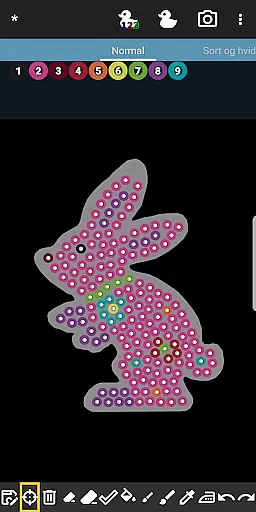
BeadStudio is a versatile digital platform that allows users to create intricate fuse or melty bead designs and art. It caters to a wide audience, from children to professional artists, providing tools for crafting detailed patterns before they are transferred to real pegboards and made permanent through ironing. The app's mobility enables creativity on-the-go, whether you're at home, in a car, or on a bus.
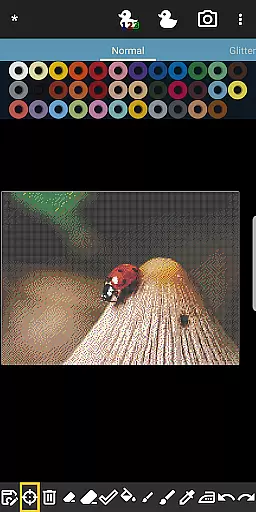
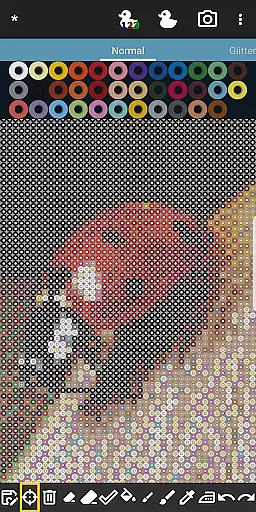
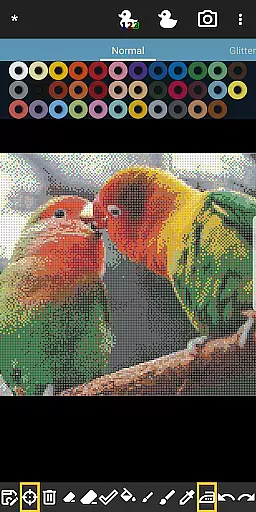
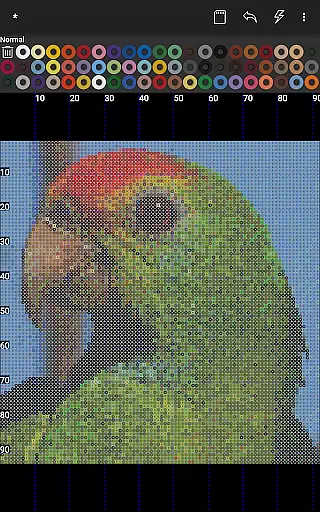
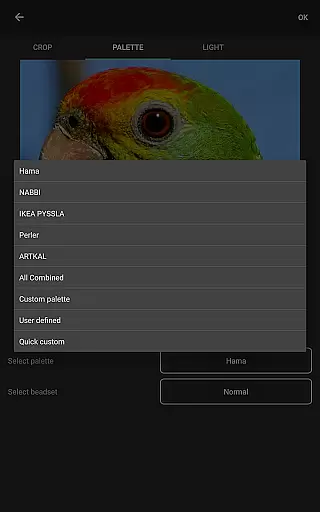
One of the standout features of BeadStudio is its photo to bead conversion tool, which transforms any image into a design using specific brands and colors of beads available to the user. With support for major fuse bead brands like Hama Beads, Perler Beads, Artkal Beads, Nabbi Beads, and Pyssla Beads, it offers flexibility in creating everything from freehand artworks to photorealistic designs. Users can mix different types of beads in one custom palette, ensuring that perfect shade is always at hand.
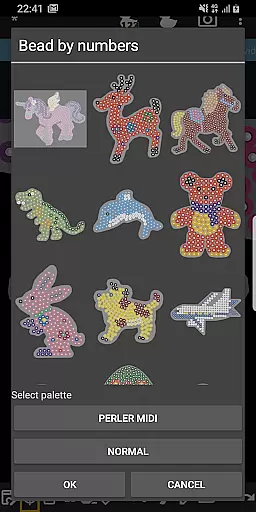
The app also includes an entertaining feature called Bead By Numbers, akin to Paint By Numbers, which helps improve motor skills in kids while offering a meditative activity for adults. With readymade templates and figures, BeadStudio makes designing accessible and enjoyable for all ages, stimulating creativity and serving as a source of relaxation.
BeadStudio stands out with its comprehensive set of features tailored for fuse bead enthusiasts. The built-in photo to bead conversion tool is a game-changer, allowing users to transform personal photos into bead designs using their preferred brand and color palette. This feature supports customization down to the brand and exact shades, making it possible to replicate images with astonishing accuracy.
In addition to the conversion tool, BeadStudio provides a variety of templates, shapes, and figures such as unicorns, bunnies, and dinosaurs, catering to diverse creative preferences. The ability to mix beads from different brands into one palette adds another layer of versatility. Mistakes are easily corrected with undo/redo functions and an eraser tool, streamlining the design process.
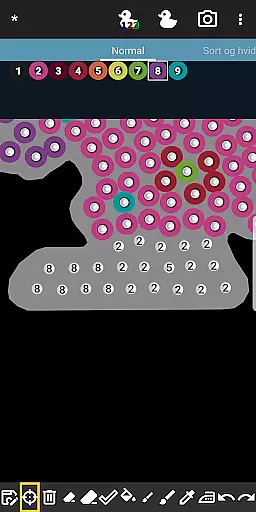
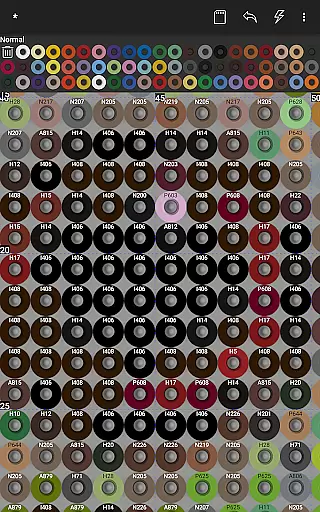
For those seeking a guided experience, the Bead By Numbers feature offers pre-numbered pegs corresponding to specific beads, simplifying complex patterns. Users can control various aspects of image conversion, including dithering, coloring, and lighting, ensuring each project meets their exact specifications. These capabilities make BeadStudio not just a design tool but a complete creative suite for fuse bead projects.
BeadStudio stands out in the Entertainment category by offering a vast array of content that caters to different age groups and skill levels. From simple designs for kids to photorealistic artworks for adults, the app provides an extensive selection of creative possibilities.
The application supports all major brands of fuse beads, including Hama Beads, Perler Beads, Artkal Beads, Nabbi Beads, and Pyssla Beads. This versatility allows users to experiment with various types of beads within a single project, enhancing their design options significantly.
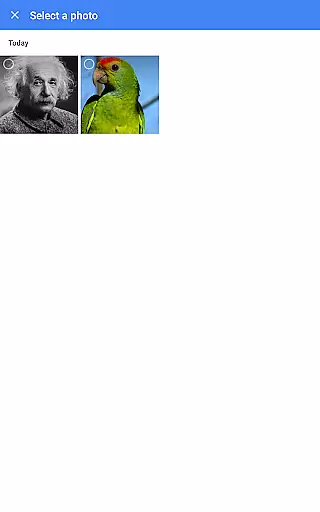
One of the key features is the built-in photo to bead conversion tool, which transforms personal photos into bead designs using specific brand colors. Users can create unique patterns from family portraits, pet pictures, or scenic landscapes, ensuring that the content remains fresh and personalized.
Additionally, BeadStudio includes entertaining and meditative activities like Bead By Numbers, akin to Paint By Numbers. This feature offers ready-to-use templates of figures, shapes, and animals, stimulating creativity while improving motor skillsu2014especially beneficial for younger users.
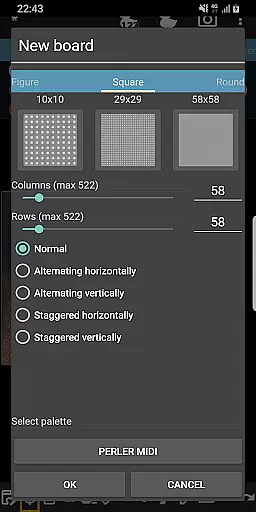
User engagement in BeadStudio is fostered through its intuitive interface and diverse functionalities that keep users coming back. The ease of creating new designs on standard rectangular boards or choosing from pre-made templates ensures that both beginners and experienced artists find value in the app.
The ability to mix different types of beads in one custom palette encourages prolonged interaction as users strive to perfect their palettes. Mistakes are part of the creative process, and tools like undo/redo and eraser make it easy to correct errors without frustration, thus extending user sessions.
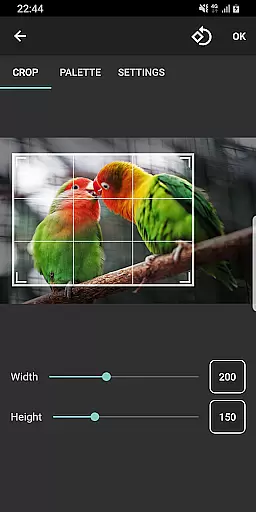
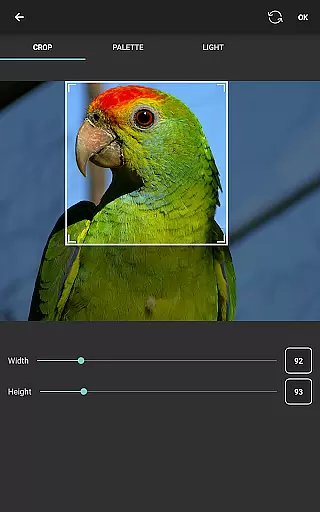
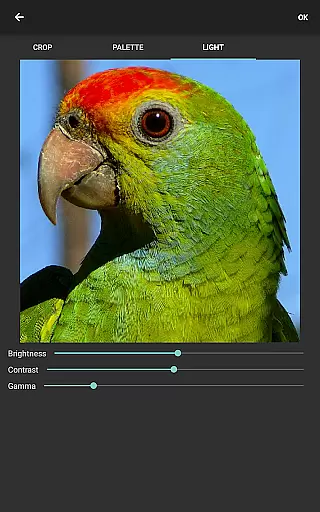
Generating boards from photos adds another layer of engagement. Users can control many aspects of the image before conversion, such as dithering, coloring, and lighting. The crop tool helps select specific areas of the photo, maintaining aspect ratios and allowing zoom adjustments, making the experience interactive and engaging.
Moreover, BeadStudio's support for crafting various projectsu2014from Christmas ornaments to jewelryu2014ensures long-term retention. These practical applications inspire users to continue exploring new ideas, keeping them invested in the platform over time.
User-friendly interface
Extensive customization options
Supports multiple fuse bead brands
Innovative photo to bead conversion
Accessible to all age groups
Requires internet connection
Limited offline functionality
External storage permissions needed
Some advanced features may overwhelm beginners
Premium features come at an additional cost

Pathfinder 2e initiative tracker with bestiary, HP, reaction, conditions, etc
 4.80
4.80
Browser for Chromecast to stream webvideos, online movies, IPTV & HD livestreams
4.40
SpiritWave is paranormal ITC application.
5.00
Catalog & tracker of your DVD, Blu-ray & Digital Movie and TV Collection Library
4.80
Your choice of 350+ networks plus movies and full TV series on-demand.
3.70
The Xbox app keeps you connected to your gaming community.
4.50
Unleash Your AI Imagination
4.60
Stream live TV shows, sports, news, movies & more - all without cable.
3.00
Everything FOX in one place. Watch FOX News, NFL, MLB, TV shows and more.
4.50
Fun brain twisting challenge with trending Whirlpool Filter.
4.70
Watch Reels, Drama Shorts & TV Series Anytime. Download DramaWave Now!
4.70
Watch short films, dramas, reels, series and movies anytime on Micro Drama.
4.60
* Multiple Matches * Intuitive UI * Scoring Made Easy!
4.40
Rain and lightning effects for your Philips Hue lights
4.30
Catch the latest episodes of The Voice or live stream NFL games with The NBC App
4.20
Necrophone is spirit box ghost hunting app made for spirit communication.
3.70
Stream videos to VIDAA & VEWD TVs from Hisense, Sharp, Skyworth, Vestel & TiVo
3.00
Music visualizer and party effects for your Nanoleaf devices
4.4
Collaboration with popular VTubers
4.1


User Reviews