

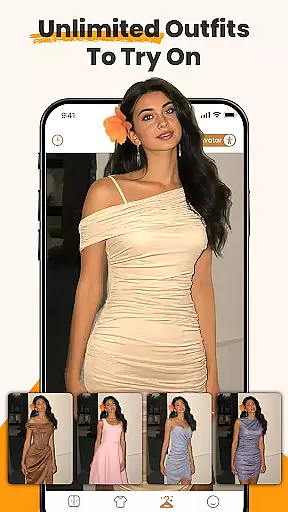
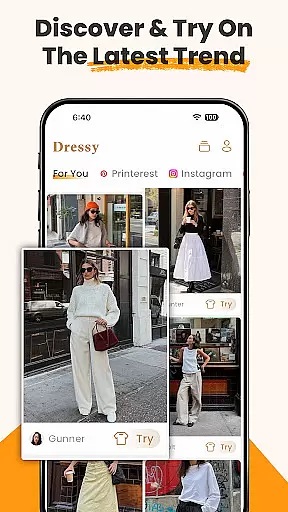
DLOOK, previously known as Dressy, represents a breakthrough in virtual fashion technology within the beauty category. This AI-powered application enables users to digitally try on clothing items, effectively eliminating the uncertainty of online shopping. By uploading personal photos, users can preview how different outfits would look on them, making it an invaluable tool for both personal styling and professional fashion consulting.
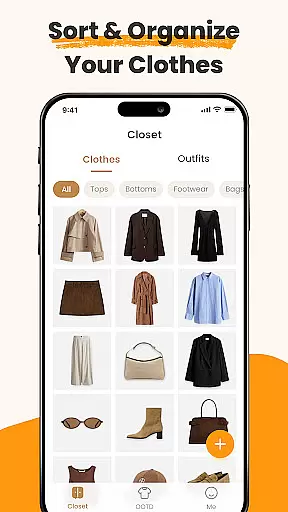
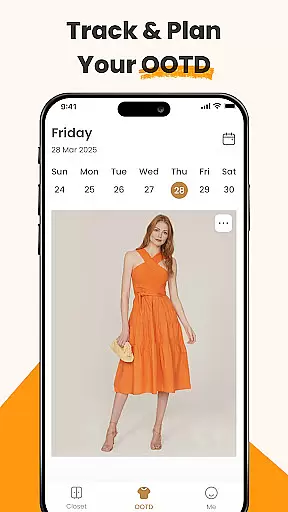
The app's core functionality extends beyond simple virtual try-ons. It incorporates a sophisticated digital wardrobe system that automatically organizes uploaded clothing items with smart tags. Users can create and save outfit combinations, receive personalized color recommendations, and maintain a visual record of their daily attire. These features particularly appeal to fashion-conscious individuals seeking to optimize their wardrobe choices and streamline their dressing routine.
While primarily targeting Android users, DLOOK demonstrates significant potential in revolutionizing how people interact with fashion digitally. Its ability to transform personal photos into interactive styling sessions makes it especially valuable for those looking to enhance their personal style while minimizing unnecessary purchases.
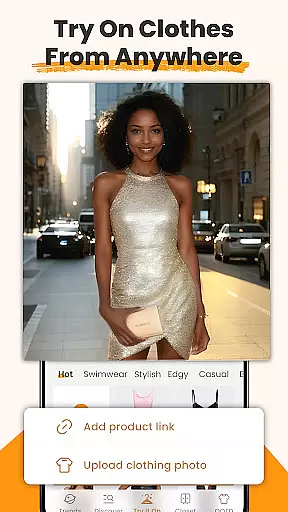
DLOOK offers a comprehensive suite of beauty and fashion tools centered around its AI clothes changer technology. This innovative feature allows users to virtually try on clothing items from various sources, including online stores and personal photos. The app employs advanced image processing to remove backgrounds and tag garments, creating a seamless digital wardrobe experience.
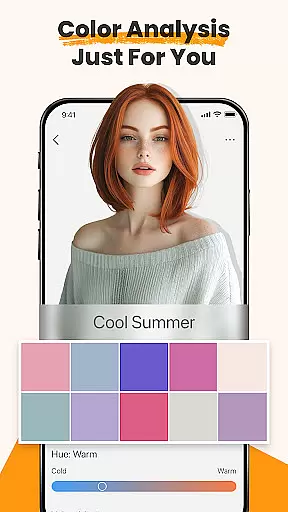
One standout capability is the color analysis tool, which suggests shades that complement users' skin tones. This personalized approach extends to the smart outfit maker, where users can mix and match pieces to visualize complete looks. The app maintains a historical record of daily outfits, enabling users to track their style evolution over time.
These features collectively help users make informed fashion decisions, optimize their existing wardrobes, and experiment with new styles without physical try-ons. The integration of AI technology ensures that recommendations become more accurate with continued use, while the digital closet functionality promotes better organization and utilization of personal clothing collections.
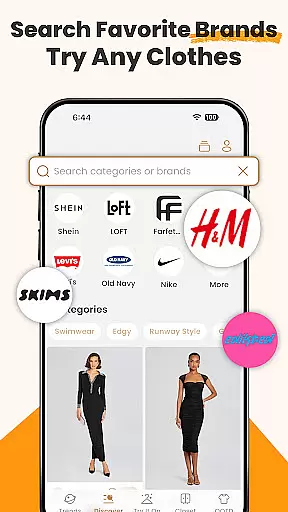
When it comes to beauty and fashion apps, having a comprehensive product database is crucial for user satisfaction. DLOOK offers an extensive collection of clothing items from various brands, styles, and price ranges. This vast database allows users to virtually try on millions of outfits using the app's AI clothes changer feature.
The app doesn't just stop at quantity; it also ensures quality by providing detailed information about each item. Users can access specifics such as fabric type, color options, sizing details, and even care instructions. Such depth in the product database empowers users to make informed decisions without any guesswork or uncertainty.
Moreover, DLOOK's AI technology enables users to upload photos of clothes they find online, instantly integrating these items into their digital wardrobe. This seamless integration enriches the user experience by allowing them to experiment with new looks effortlessly. By leveraging this deep product database, users save both time and money while discovering outfits that truly match their personal style.
Personalization is at the heart of DLOOKu2019s virtual try-on experience. The app uses advanced AI algorithms to tailor outfit recommendations based on individual preferences and past behavior within the app. This personalized approach ensures that every suggested look aligns closely with the user's unique taste and lifestyle needs.
Beyond suggesting outfits, DLOOK provides precise color analysis through its AI clothes changer. Users can discover which shades best complement their skin tone and visualize different hair colorsu2014all within a single interactive session. This level of customization helps users feel confident about their choices before making any purchases.
In addition to personalized styling tips, DLOOK allows users to create and manage a digital closet tailored specifically to them. With smart tags automatically identifying each uploaded garment, organizing oneu2019s wardrobe has never been easier. This high degree of personalization precision not only enhances convenience but also fosters creativity, enabling users to craft dream looks effortlessly.
AI-powered try-on
Digital wardrobe
Color analysis
Style tracking
Outfit planning
Limited to Android
Needs internet
Premium features
Learning curve
Occasional bugs

Make beautiful Hairstyles for girls with your own hands in little bit of time
 4.00
4.00
Enhance your selfies with face beauty makeup tool and an easy background remover
4.70
Face Makeup Camera: Photo makeup app and perfect Lipstick app, beauty lip filler
4.70
Beauty camera to take nature selfie with photo filter. Photo makeup face editor.
4.50
The mirror app you were looking for, simple and easy to use. Try Mirror now.
4.60
Try on different hairstyles and hair colors, glasses and jackets | Cartoon face
4.10
The all new Cosmo Prof app offers exclusive pro products, deals, and training.
4.00
Beauty Mirror - True mirror app with light, shaving mirror, makeup mirror app
4.50
HD Camera, Selfie Camera, Camera filters, is a fully featured 4K camera
4.60
Unleash your (Pro)tential with the hottest hair, nails and beauty brands!
4.60
Top brand haircare & fragrance
4.60
Beauty Camera - Selfie Camera with sweet selfie, makeup, filter, sticker, editor
4.50
Professional HD Camera App: Capture Bright HD Selfie & Record Stunning Moments
4.40
Download Today
4.40
True mirror app with zoom, LED light, for makeup & shaving anywhere!
4.20
Seasonal color palette, my personal color, hair color changer, makeup, wardrobe
4.20
Try On Style with AI: Virtual Dressing Room & Personal Fashion Stylist App
4.00
Intelligent Beauty calculator tool! Face scale and face symmetry in one app!
3.80
Edit Your Photos and Videos with Beauty Filters & Get Makeup Artist Tutorials
3.60


User Reviews