

Beauty Camera Selfie Makeup is a comprehensive photo editing application designed to enhance your selfies and videos with professional-level tools. The app offers an array of features including makeup filters, virtual face makeup, and hair color changer options that allow users to experiment with different looks effortlessly. With advanced AI technology, the app provides seamless editing experiences such as object removal, background replacement, and artistic blur effects.
The app stands out through its user-friendly interface and innovative beauty tools tailored for both casual users and beauty enthusiasts. Whether you want to perfect your makeup, try new hairstyles, or create stunning photo collages, Beauty Camera Selfie Makeup brings powerful editing capabilities right to your fingertips. Its intuitive design ensures that users can easily navigate through various features while enjoying high-quality results.
Ideal for social media enthusiasts and content creators, this app helps users transform their images into creative expressions of their personal style. From applying flawless beauty filters to crafting customized photo collages, Beauty Camera Selfie Makeup empowers users to shine in every picture they take. The app's versatility makes it suitable for anyone looking to elevate their photography game without needing professional skills.
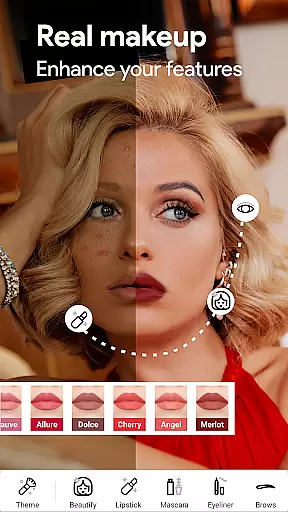
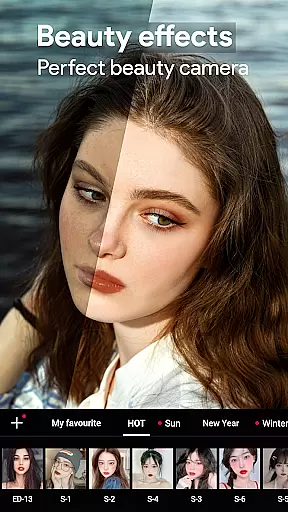
Beauty Camera Selfie Makeup boasts a rich set of features designed to cater to diverse photo editing needs. One standout feature is the Enhanced Makeup Camera, which allows users to instantly beautify their selfies by smoothing skin, removing blemishes, and applying attractive beauty filters. This tool ensures that users can achieve a polished look effortlessly, making it perfect for enhancing everyday photos or preparing images for social media.
In addition to photo editing, the app includes a Beauty Video Camera with real-time filters and effects. Users can record videos with captivating beauty enhancements applied directly during recording, ensuring consistent quality across all visual content. Another remarkable feature is the Virtual Face Makeup editor, which lets users experiment with different lip colors, blushes, and eye makeup styles virtually before committing to any changes in real life.
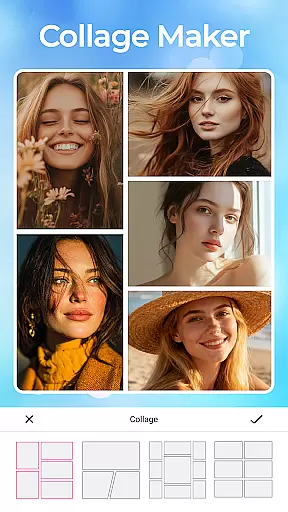
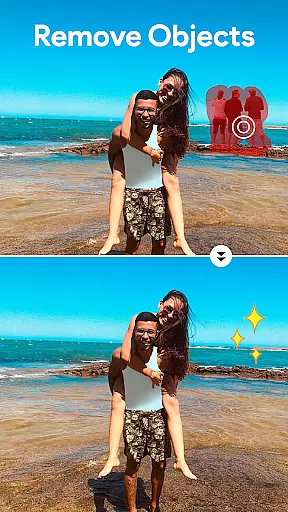
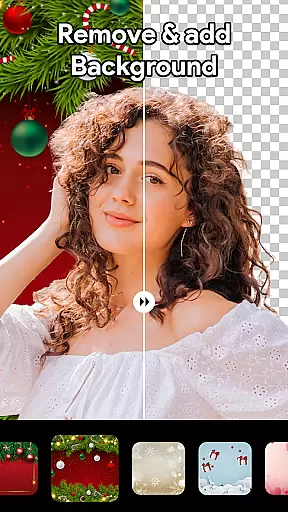
The app also incorporates advanced AI-driven tools like the Object Remover and Background Remover, enabling users to clean up unwanted elements from photos or replace backgrounds entirely. These features are complemented by a High-Quality Photo Collage Maker that allows users to combine multiple images into creative layouts. Together, these functionalities provide a complete suite of editing options that cater to both novice editors and experienced photographers seeking professional-grade results on mobile devices.
Beauty Camera Selfie Makeup offers an extensive product database that caters to a wide array of beauty needs. The app includes detailed information on various makeup products, hairstyles, and hair colors, allowing users to virtually try before they buy. This comprehensive database is designed to provide users with the most realistic and diverse beauty simulations possible.
The level of detail in each product entry ensures that users can make informed decisions about their beauty choices. Each item within the database comes with high-resolution images and descriptions, enabling users to understand how different products will look and feel on them. This attention to detail helps bridge the gap between digital experimentation and real-world application.
Users benefit from this depth by having access to a vast selection of beauty options tailored to their preferences. Whether it's testing out a bold new lip color or experimenting with a trendy hairstyle, the app's detailed product information empowers users to confidently explore and select looks that suit their personal style.
Personalization is at the heart of Beauty Camera Selfie Makeup, offering precise customization options that adapt to individual user preferences. The app employs advanced algorithms to analyze facial features and recommend personalized beauty solutions, ensuring that every user receives recommendations uniquely suited to their appearance and style.
This precision in personalization extends to virtual makeup applications, where the app accurately maps facial contours and applies makeup effects that look natural and seamless. Users can fine-tune these recommendations to match their desired intensity and style, creating bespoke looks that enhance their natural beauty without appearing overdone.
By leveraging cutting-edge technology, Beauty Camera Selfie Makeup delivers a highly personalized experience that evolves with user interactions. As users engage more with the app, it learns from their choices and refines its suggestions, resulting in increasingly accurate and satisfying beauty transformations tailored specifically for each individual.
User-friendly interface
Wide range of beauty filters
Advanced AI editing tools
Versatile collage maker
Real-time video effects
Premium features require subscription
Some tools may overwhelm beginners
Occasional ads in free version
Limited free trial period
High storage usage

Beauty camera for perfect selfie with makeup, sticker and filter
 4.50
4.50
Professional HD Camera App: Capture Bright HD Selfie & Record Stunning Moments
4.40
Intelligent Beauty calculator tool! Face scale and face symmetry in one app!
3.80
Seasonal color palettes for shopping clothes and makeup products with confidence
4.20
Transform your sweet selfies with Selfie Beauty Camera Filters And Effects!
4.60
Try interesting trending filters allows you switch to a cute girl
4.70
HD Camera, Selfie Camera, Camera filters, is a fully featured 4K camera
4.60
This barber game allows you to create and design hair styles on diverse people
3.80
Unleash your (Pro)tential with the hottest hair, nails and beauty brands!
4.60
Mirror app that shows your image with photo editor, zoom and light!
4.70
Beauty Camera - Selfie Camera with beauty editing tool, makeup, filter, sticker
4.60
The mirror app you were looking for, simple and easy to use. Try Mirror now.
4.60
Top brand haircare & fragrance
4.60
Beauty camera to take nature selfie with photo filter. Photo makeup face editor.
4.50
Beauty Camera - Selfie Camera with sweet selfie, makeup, filter, sticker, editor
4.50
This application is for the Luvme Hair official website: shop.luvmehair.com .
4.30
Try on different hairstyles and hair colors, glasses and jackets | Cartoon face
4.10
Create, design and dress up your own beautiful characters in cute fashion styles
3.50
Beauty/age defining ai coach guides you through the exercises in daily routine.
3.30


User Reviews