
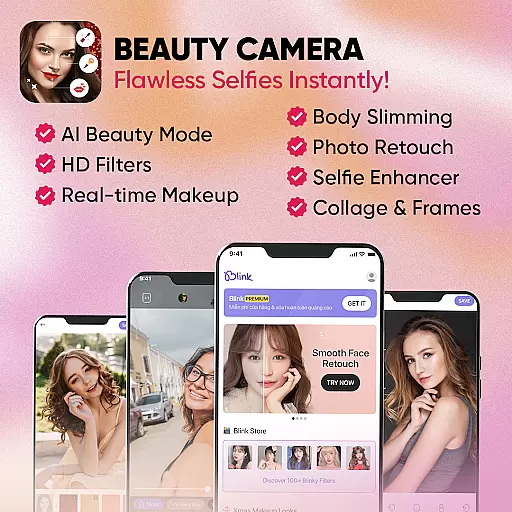
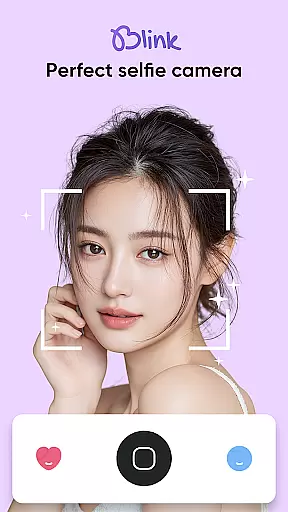
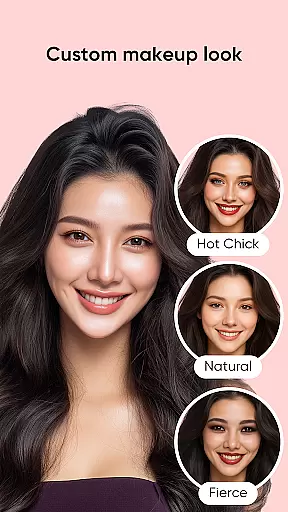
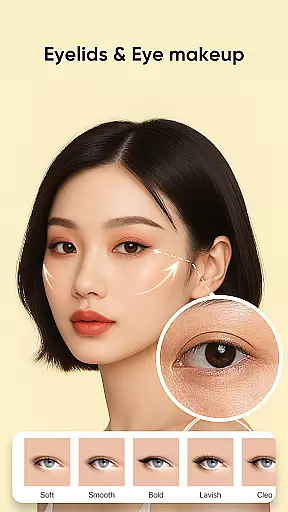
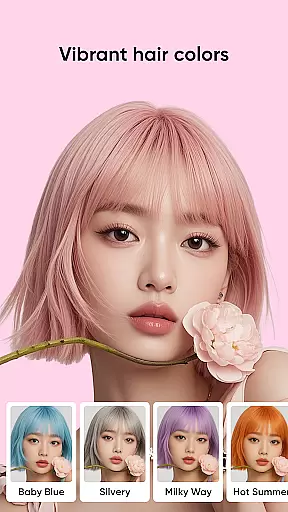
Blink Beauty Cam is a feature-rich photo editing application designed specifically for beauty enthusiasts who want to capture and enhance their selfies with professional-grade tools. The app offers an all-in-one solution for taking beautiful photos, applying makeup filters, and retouching facial features. With its advanced AI-powered capabilities, users can achieve flawless skin, experiment with various makeup styles, and even change hair color without the need for physical alterations.
One of the standout features of Blink Beauty Cam is its ability to provide live makeup effects while taking photos, allowing users to see the results instantly. Whether you're aiming for a natural look or experimenting with bold styles, this app caters to all preferences. It also includes specialized tools like face reshaping, blemish removal, teeth whitening, and eye enhancement, making it a versatile choice for anyone looking to elevate their selfie game. Perfect for social media enthusiasts and photography lovers alike, Blink Beauty Cam ensures your photos stand out with minimal effort.
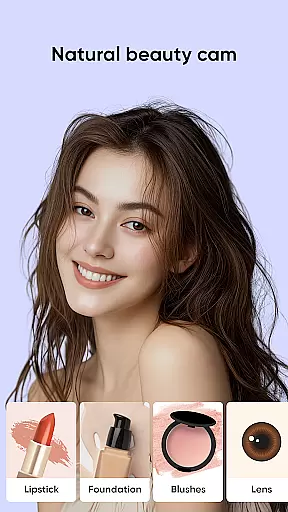
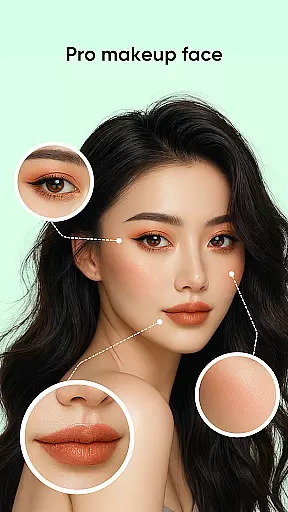
Blink Beauty Cam stands out with its extensive range of professional photo editing tools tailored for beauty enhancement. The app provides over 50 makeup styles that range from subtle and natural to bold and trendy themes such as Christmas, Halloween, and other festive occasions. Users can customize every aspect of their facial features, including eyes, lips, eyebrows, and blush, ensuring a personalized touch to every photo. Additionally, the app's AI-driven technology allows users to try out hot trend hair colors virtually, helping them choose the best look before committing to real-life changes.
Another key highlight is the detailed face retouching functionality, which lets users refine facial contours, correct imperfections, and apply skin-smoothing effects. The app also supports practical utilities like photo cropping in various ratios (16:9, 3:4, 1:1), flash mode, and touch capture for seamless usability. With over 100 unique filters available in the Blink Store, users can explore creative themes such as nature, personality, and anniversaries to add artistic flair to their images. These robust features make Blink Beauty Cam an indispensable tool for creating stunning, picture-perfect moments.
When it comes to beauty applications like Blink Beauty Cam, the depth of the product database plays a crucial role in providing users with comprehensive makeup solutions. This app offers an extensive range of features that cover various aspects of digital makeup and photo editing.
Blink Beauty Cam includes over 50 different makeup styles, ranging from gentle everyday looks to more personalized and trendy themes such as Christmas or Halloween filters. Users can experiment with a multitude of options for facial retouching, including detailed edits for eyes, lips, eyebrows, and blush, ensuring that every feature of the face can be enhanced according to individual preferences.
The value proposition for users is immense, as they have at their disposal professional-grade tools that allow them to change hair color using AI technology, apply skin smoothing effects, whiten teeth, and remove blemishes. These capabilities ensure that users can achieve high-quality results without needing any physical makeup products.
By offering such an in-depth suite of customization options, Blink Beauty Cam empowers its users to express themselves fully through their selfies, making it an indispensable tool for anyone looking to enhance their digital presence with beautifully edited photos.
Personalization precision in beauty apps refers to how accurately and specifically users can tailor beauty enhancements to their unique features and preferences. Blink Beauty Cam excels in this area by providing highly customizable and adaptive beauty filters.
The application allows users to fine-tune each aspect of their appearance with specialized tools for facial contouring, eye enhancement, lip coloring, and more. With live makeup features, users can see real-time changes applied to their face through the selfie camera, allowing for immediate feedback and adjustments.
This level of personalization ensures that users are not limited to generic filters but can create looks that complement their individual facial structures and personal style. The ability to craft bespoke makeup styles, adjust facial contours, and experiment with trending hair colors means that every user's experience is tailored specifically to them.
Ultimately, the precision offered by Blink Beauty Cam translates into higher user satisfaction, as individuals can achieve their desired aesthetic outcomes with remarkable accuracy, enhancing both their natural beauty and creative expression.
User-friendly interface
Wide variety of filters
Real-time makeup preview
Advanced skin retouching
Customizable beauty options
Some features require payment
Occasional ads may appear
High storage usage
Learning curve for beginners
Limited offline functionality

Professional HD Camera App: Capture Bright HD Selfie & Record Stunning Moments
 4.40
4.40
Enjoy convenience wherever you are with the Tune Up, The Manly Salon app.
3.20
Selfiechat Filters for amazing photos with Funny face filters
4.60
All-in-one solution for independent beauty pros to manage & grow their business
4.30
Download Today
4.40
Beauty Camera - Selfie Camera with sweet selfie, makeup, filter, sticker, editor
4.50
Book beauty salon, hair or health and wellness experiences in an instant
4.90
Seasonal color palette, my personal color, hair color changer, makeup, wardrobe
4.20
DSLR Hd camera capture high quality 4k hd picture with filters and blur editor
4.50
Blushify is a beauty camera for makeup, face editing, and glowing selfies!
4.70
Enhance your selfies with face beauty makeup tool and an easy background remover
4.70
Try interesting trending filters allows you switch to a cute girl
4.70
Manage your daily skin care beauty regimen & track your skin's progress.
4.70
Wacky mirror filter, waves effect & wavy effect to make your own funny videos.
4.60
Unleash your (Pro)tential with the hottest hair, nails and beauty brands!
4.60
Beauty Mirror - True mirror app with light, shaving mirror, makeup mirror app
4.50
Crown Heart Emoji Photo Editor has given you the chance to look cute girl
4.40
This application is for the Luvme Hair official website: shop.luvmehair.com .
4.30
Glow up with science: cosmetics, ingredients scanner, tracking & face analysis
4.10


User Reviews