
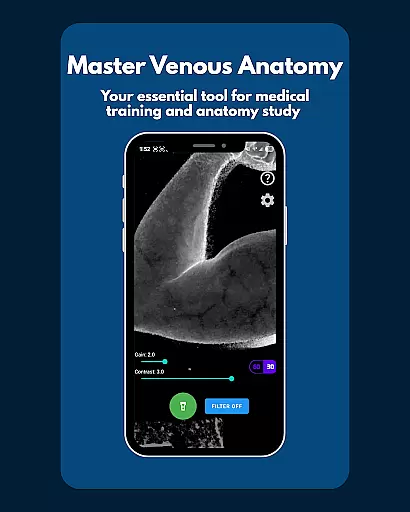
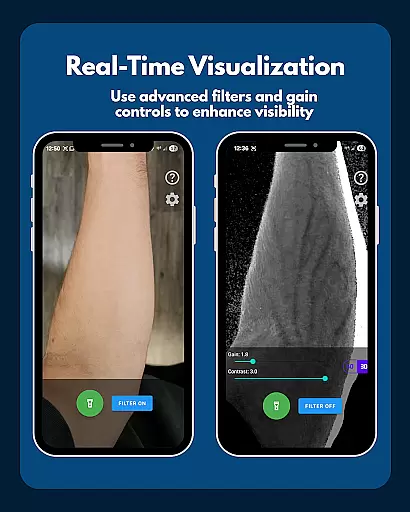
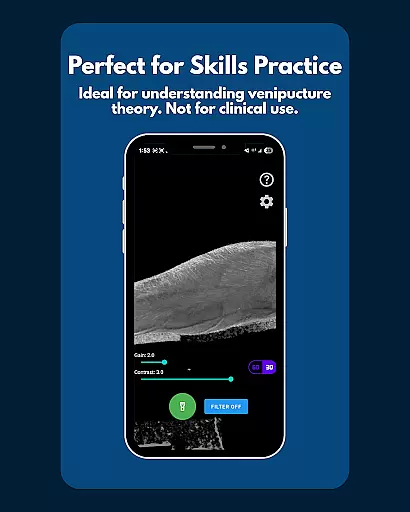
VeinFinder is an innovative educational tool designed to assist medical students and educators in mastering venous anatomy. This app utilizes advanced GPU-accelerated image processing to enhance vein visibility directly through your device's camera, eliminating the need for additional hardware. With its practical application, VeinFinder bridges the gap between theoretical knowledge and hands-on understanding, making it indispensable for exam preparation and classroom instruction.
The app offers precise control over gain and contrast settings, ensuring optimal vein visualization across different skin tones and lighting environments. Its integrated flashlight feature guarantees consistent performance even in low-light conditions. Whether you're studying anatomy, practicing venipuncture techniques, or teaching a class, VeinFinder provides a private and secure way to visualize veins, as all image processing occurs locally on your device.
VeinFinder stands out with its array of specialized features tailored for medical education. The app's instant comparison function allows users to toggle between enhanced and raw camera views, facilitating a deeper understanding of venous structures. This feature is particularly beneficial for students preparing for exams and professionals refining their skills.
Precision is key in medical training, and VeinFinder delivers with adjustable gain and contrast settings. These controls enable users to fine-tune the visibility of veins, accommodating various skin tones and environmental conditions. Additionally, the app's built-in flashlight ensures reliable performance in any setting, from brightly lit classrooms to dimly lit clinical environments.
Privacy and security are paramount, and VeinFinder excels in these areas by processing all images locally on the device. This approach guarantees that sensitive data never leaves the user's phone, providing peace of mind for both students and educators. While VeinFinder is optimized for Samsung devices, it remains compatible with most Android models, ensuring broad accessibility for the medical education community.
VeinFinder stands out in the realm of educational tools by offering highly accurate and authoritative content for students and educators focused on anatomy. The app leverages advanced GPU-accelerated image processing to enhance the visibility of veins, providing a reliable resource for learning venous anatomy.
The precision of VeinFinder's vein visualization is achieved through fine-tuned gain and contrast controls, which are essential for optimizing visibility across diverse skin tones and lighting conditions. This ensures that users receive an accurate representation of venous structures, crucial for studying anatomy and physiology exams or understanding venipuncture techniques.
Moreover, VeinFinder is designed with privacy and safety in mind. All image processing occurs locally on the device, reinforcing its commitment to data security and user privacy. This approach not only enhances trust but also aligns with educational standards that prioritize accuracy and ethical considerations in learning materials.
While VeinFinder focuses primarily on vein visualization, it indirectly supports personalized learning paths by catering to individual needs within medical education. Users can adjust settings such as gain and contrast to suit their specific study requirements, allowing for a tailored learning experience based on personal progress and comprehension levels.
The app's adaptability extends to its use in various educational contexts. Whether preparing for exams, improving IV access theory, or serving as a visual aid in classroom instruction, VeinFinder provides flexibility that accommodates different learning styles and objectives. This customization empowers learners to focus on areas where they need the most practice or deeper understanding.
Furthermore, VeinFinder's optimization for different devices and ongoing updates ensure that all users, regardless of their equipment, have access to high-quality educational content. This inclusivity fosters an environment where personalized learning paths are not only possible but are effectively supported by technology designed to enhance practical knowledge in anatomy.
Enhances learning experience
Easy-to-use interface
Private and secure
Compatible with many devices
Regular updates improve functionality
Performance varies by device
Not suitable for clinical use
Limited to educational purposes
Dependent on lighting conditions
Refund policy has time limit

Learn math, step-by-step
 4.30
4.30
AI Language tutor: Speak fluently with Lucy’s personalized coaching
4.70
Hebrew Vocab
4.90
Deal Craps (Practice Craps Payouts)
3.80
Stack the Countries makes learning world geography fun!
4.50
An aviator’s preparation, study and test tool for FAA Knowledge Exams.
4.30
A realistic sky map to observe stars, planets, satellites and constellations!
4.80
The best way to study for your amateur radio license exam.
4.90
Educational Activities for 2-8
3.70
Short Lessons for Better Finances, Health, Skills, Jobs & Relationships.
4.80
Stargazing Guide App. Stars and constellations map. Solar system planets finder.
4.60
Turn scrolling hours into improving your knowledge, communication, intelligence
4.50
THE ESTABLISHED "GO TO" ARMY BOARD PREPARATION APP!
4.30
The FE Clock is a way to track sun & moon around the circle of the earth.
4.30
Learn to make peaceful contact with extraterrestrial civilizations
4.10
Break Language Barriers with AI—Learn Language Anytime, Anywhere!
4.00
Explore numbers the Starfall way!
4.00
Explore the City of the Sun in Augmented Reality
3.70
Hasbro’s classic CANDY LAND game is now a gorgeous interactive storybook app.
2.30


User Reviews