
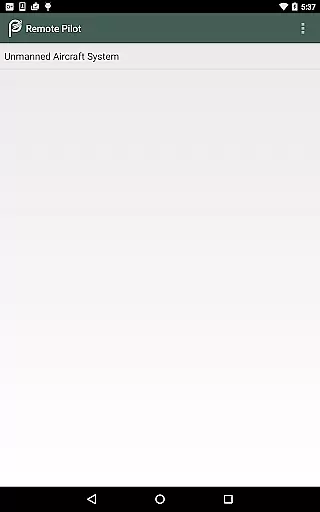
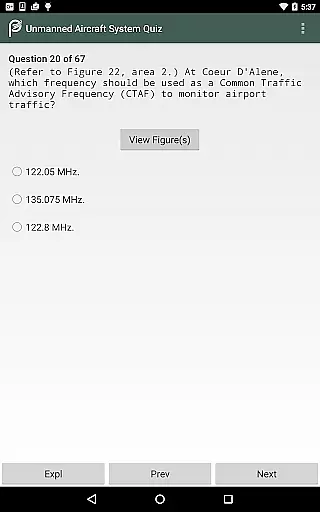
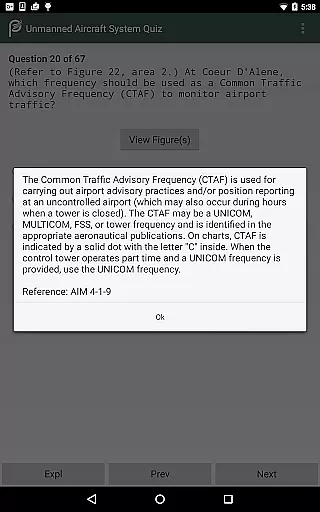
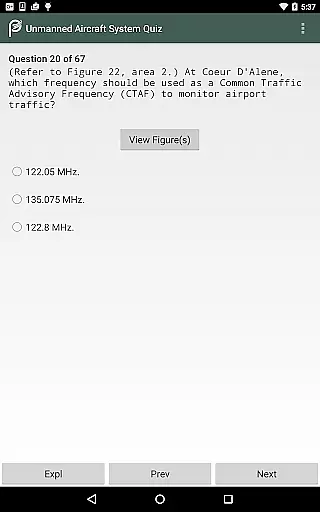
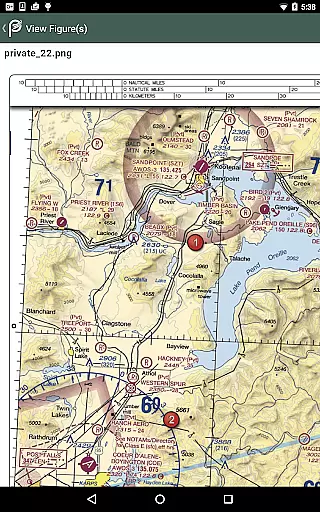
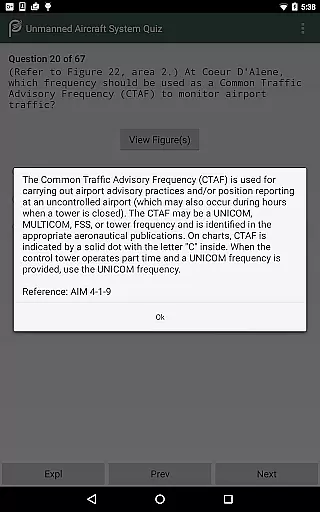
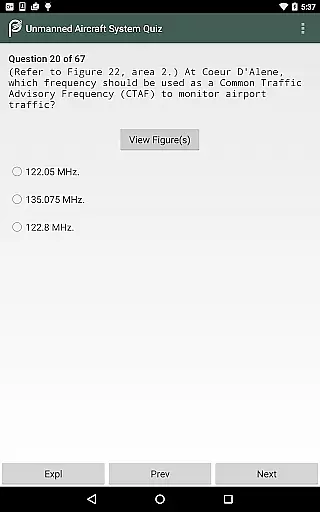
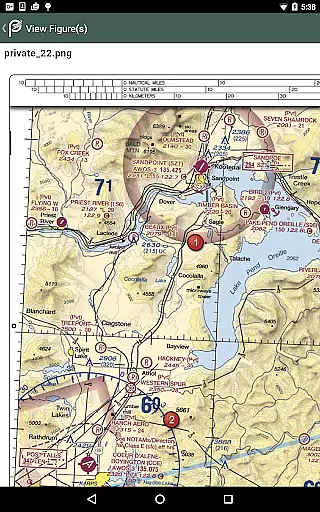
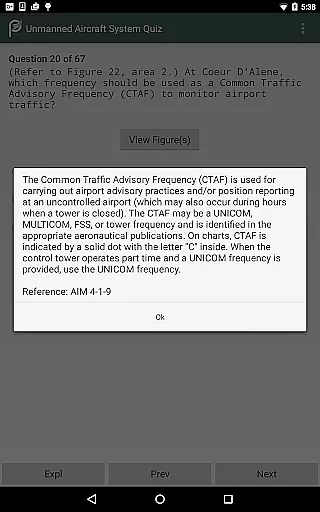
Prepware Remote Pilot is a comprehensive educational app designed specifically for drone operators and pilots preparing for the FAA Knowledge Exam. This app provides nearly 300 sample questions with detailed answers and explanations, allowing users to study by subject or take practice tests that simulate the actual exam. Compatible with both Android phones and tablets, it offers a mobile solution for efficient learning and test preparation.
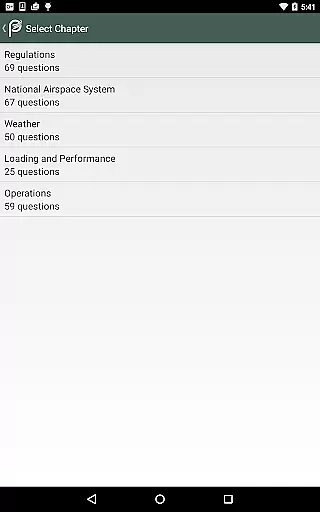
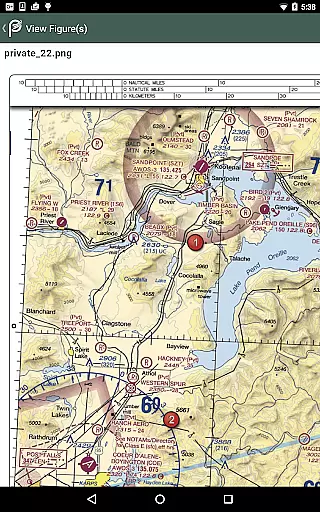
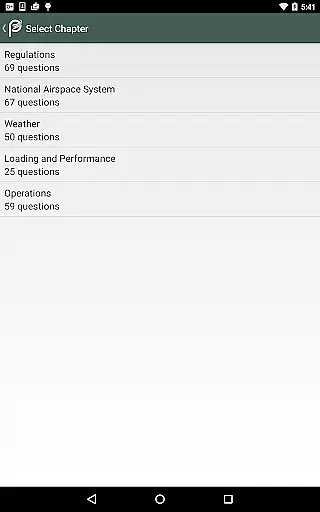
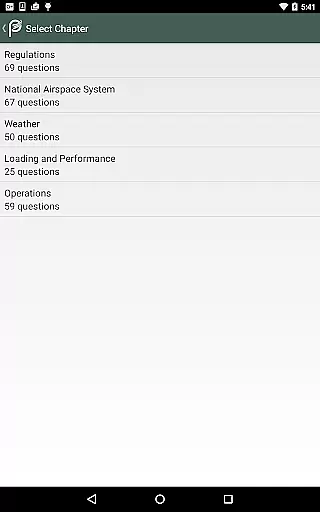
The app's content is expertly organized into chapters covering essential subjects such as Regulations, National Airspace System, Weather, Loading and Performance, and Operations. Each question includes instructional text, illustrations, answer stems, correct answers, explanations, and references for further study. This structured approach promotes better understanding and aids in knowledge retention, making it an ideal tool for anyone seeking a Remote Pilot Certificate.
Whether you're a commercial drone operator, an unmanned aircraft system (UAS) training program participant, or an existing pilot looking to expand your knowledge, Prepware Remote Pilot serves as a key resource for successful test-taking and safe small UAS operations.
One of the standout features of Prepware Remote Pilot is its offline functionality. Users can access all materials without an internet connection, as the app fully installs on their device. This ensures uninterrupted study sessions regardless of location or connectivity issues.
The app also includes nearly 300 practice questions complete with thorough explanations for both correct and incorrect answers. These questions are brought to you by Aviation Supplies & Academics (ASA), a trusted name in aviation training and publishing. The inclusion of instructional text, illustrations, and references further enhances the learning experience, providing users with a deeper understanding of each topic.
Additionally, Prepware Remote Pilot supports various learning styles by offering topical study options and true-to-form practice tests. This dual approach allows users to focus on specific subjects while also simulating real exam conditions, ensuring they are well-prepared for their FAA Knowledge Exam.
In the realm of aviation education, the precision and reliability of study materials are paramount. Prepware Remote Pilot ensures content accuracy by providing nearly 300 sample questions with detailed explanations, all vetted by experts in the field. This meticulous approach guarantees that learners receive authoritative information essential for passing the FAA Knowledge Exam.
The app's instructional texts and illustrations are crafted based on the latest aviation regulations and standards. By organizing test material into chapters focused on specific subjects such as Regulations, National Airspace System, Weather, Loading and Performance, and Operations, it promotes a deeper understanding and aids recall. This structured learning path is designed to equip users with comprehensive knowledge required for safe small UAS operations.
Furthermore, each multiple-choice question includes answer stems, correct answers, and references for further study. This feature not only helps in understanding the rationale behind each answer but also directs users to additional resources for extended learning. The emphasis on thorough explanations for both correct and incorrect answers enhances the educational value, ensuring a robust preparation experience.
Adapting to individual learning needs is crucial for effective education. Prepware Remote Pilot offers personalized learning paths by allowing users to study by subject or take true-to-form practice tests. This flexibility enables learners to focus on areas where they need the most improvement, thereby optimizing their study time and enhancing retention.
The app supports various learning styles through its diverse features. Users can delve into instructional texts and illustrations, engage with multiple-choice questions, and review graded tests. These options cater to different preferences, whether someone learns best through visual aids, interactive questioning, or practical testing scenarios.
Additionally, the ability to study offline ensures uninterrupted learning, accommodating busy schedules and varying routines. With no internet connection required, users can access the full range of materials anytime, anywhere. This convenience, combined with the appu2019s comprehensive content, empowers drone operators and aspiring pilots to tailor their learning journey effectively, ultimately leading to successful test-taking and safe unmanned aircraft operations.
Comprehensive question bank
Detailed explanations provided
Trusted aviation training source
Offline functionality available
User-friendly interface design
Limited to FAA exams only
No iOS version currently available
Occasional updates required
Some features may require purchase
Interface could be more modern

Pass your FAA written with flying colors - Study Buddy can help.
 4.30
4.30
Experience the sky, planet earth and the solar system like never before
4.90
Explore the City of the Sun in Augmented Reality
3.70
Stack the States makes learning about the 50 states fun!
4.70
Learn to pass DMV permit tests. Driver license practice test 2025.
4.60
Your Arts+Culture Guide
4.00
Educational Activities for 2-8
3.70
Plant identifier: Identify plants, trees, weeds, flowers. Disease diagnosis.
4.30
Fun, personalized math learning games that adapt to your child’s needs.
4.40
Hebrew Vocab
4.90
Learn Japanese in an immersive educational game set in Japan!
4.90
Guitar chord finder, analyzer, smartly visualized theory, progressions, quizzes.
4.70
Engage in learning science and math with the award-winning PhET simulations!
4.70
Monkey Preschool Lunchbox: 7 exciting educational games for your preschooler.
4.30
The "Go To" app for Airmen studying for promotion to SSgt and TSgt
4.30
FAR/AIM, FAR for Flight Crew and FAR for Aviation Maintenance Technicians
3.80
An aviator’s preparation, study and test tool for FAA Knowledge Exams.
3.80
MONOPOLY JUNIOR brings Hasbro's classic the board game to life.
3.00
Pickleball guide complete with illustrated Pickleball drills and helpful info
4.1


User Reviews