
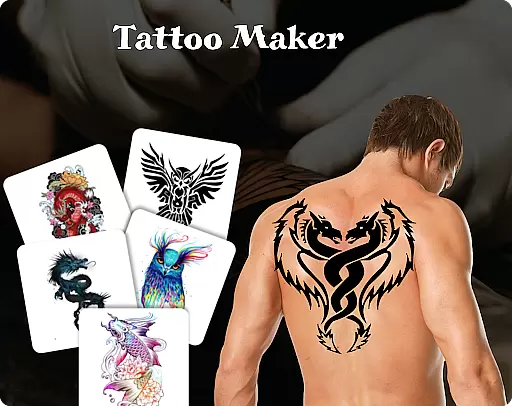
Tattoo Maker: Design & Art is a creative app that allows users to design custom tattoos and preview them on their body. With a vast art library, it offers numerous tattoo designs ranging from small to intricate patterns.
The app provides professional art tools including various brushes, sizes, and vibrant colors. Users can add text with cool fonts and colors, adjusting it to fit their tattoo design perfectly. The realistic AR tattoo view lets users upload a photo to see how the tattoo would look on their body.
Perfect for both tattoo enthusiasts and artists, this app helps in creating stunning tattoos and exploring design inspirations. Whether you're a beginner or a pro, Tattoo Maker caters to all skill levels, making tattoo design fun and accessible.
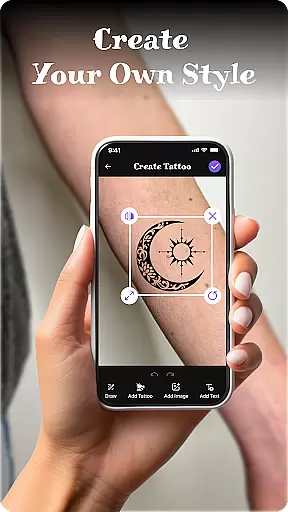
Tattoo Maker stands out with its comprehensive set of features tailored for tattoo design. One of the main highlights is the custom tattoo design tool, which allows users to craft unique tattoos by flipping, rotating, and fitting their designs precisely.
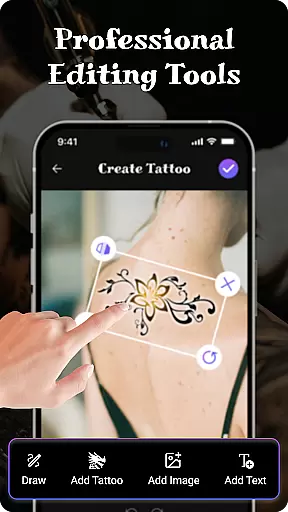
The app includes pro art tools such as different brushes, sizes, and vibrant colors, enabling detailed and colorful creations. Additionally, the feature to add text with various fonts and colors ensures that users can personalize their tattoos further.
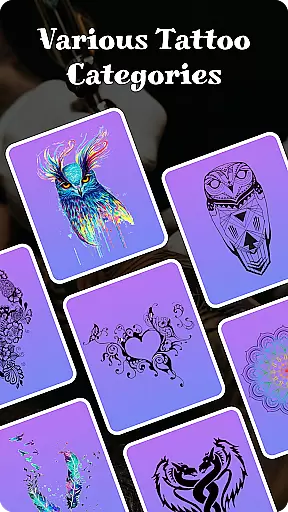
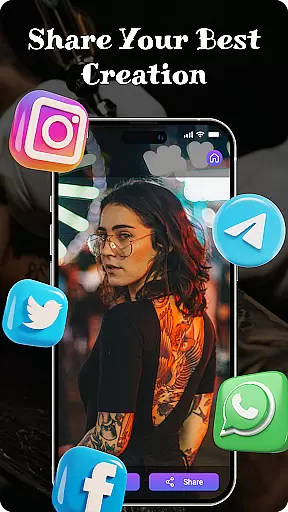
Another significant feature is the Tattoo Art Library, offering a wide range of design inspirations. Coupled with the AR tattoo preview, users can visualize their designs realistically on their bodies, scaling and rotating for the best appearance. Easy sharing options make it convenient to share your art with friends.
When it comes to designing tattoos, having access to a comprehensive product database is essential. Tattoo Maker: Design & Art offers an extensive collection of tattoo designs and art resources that cater to users of all skill levels. This vast library includes everything from small, simple designs to intricate masterpieces, ensuring that users can find inspiration for any project they have in mind.
The app's product database doesn't just stop at design templates. It also features a wide array of customization options, including various brushes, sizes, and vibrant colors. These tools allow users to modify existing designs or create something entirely new from scratch. The ability to add text with cool fonts and colors further enhances the creative possibilities, making sure that each tattoo is truly unique.
For users who want to preview their creations realistically, the app provides an AR feature that lets them upload a photo and see how the tattoo would look on their body. This functionality not only helps in scaling and rotating the design for the best appearance but also adds a layer of authenticity to the design process. By offering such detailed and practical tools, Tattoo Maker ensures that its users can fully realize their artistic visions.
Personalization is at the heart of Tattoo Maker: Design & Art, allowing users to craft custom tattoos that reflect their individuality. With advanced personalization features, the app enables users to flip, rotate, and adjust their designs to fit perfectly on the desired area. This level of control ensures that every tattoo created is tailored specifically to the user's preferences and needs.
Beyond basic design adjustments, the app offers pro art tools that enhance the personalization experience. Users can draw with different brush sizes and vibrant colors, giving their tattoos a professional touch. The inclusion of text insertion with customizable fonts and colors means that even the smallest details can be personalized, ensuring that no two tattoos are alike.
Moreover, the app's easy sharing feature allows users to quickly share their personalized creations with friends, gathering feedback and admiration. This social aspect of personalization not only boosts user engagement but also fosters a community of like-minded individuals passionate about tattoo art. By focusing on precise personalization, Tattoo Maker empowers users to express themselves through unique and meaningful designs.
User-friendly interface
Vibrant color options
Extensive art library
Realistic AR preview
Easy sharing capabilities
Limited free features
In-app purchases required
Occasional bugs
High system requirements
Learning curve for beginners

Photo enhancer 360, image enhancement, restore old photos, colorize photo ai
 4.70
4.70
Winter picture editor: Christmas stickers, frames for photos & Christmas cards.
4.40
Enhance your selfies with face beauty makeup tool and an easy background remover
4.70
Get Smart About Your Skin with Fully Personalized Beauty Tech!
4.80
Edit Your Photos and Videos with Beauty Filters & Get Makeup Artist Tutorials
3.60
For businesses, Booksy Biz allows you to manage your schedule & more on the go.
4.60
The ultimate beauty membership
4.70
Monthly Perfume Subscription
4.70
Beauty for every eye, lip & face. Earn rewards, play games, connect with others.
4.30
Book your appointments
4.90
Book beauty salon, hair or health and wellness experiences in an instant
4.90
Use your phone as a makeup mirror, shaving mirror. Magnifying mirror with light!
4.80
Unique selfie filter camera! Upload live sticker & face filter every week!
4.70
Wacky mirror filter, waves effect & wavy effect to make your own funny videos.
4.60
Top brand haircare & fragrance
4.60
Beauty camera to take nature selfie with photo filter. Photo makeup face editor.
4.50
Your on-demand aesthetician
4.40
Make beautiful Hairstyles for girls with your own hands in little bit of time
4.00
Enjoy convenience wherever you are with the Tune Up, The Manly Salon app.
3.20


User Reviews