
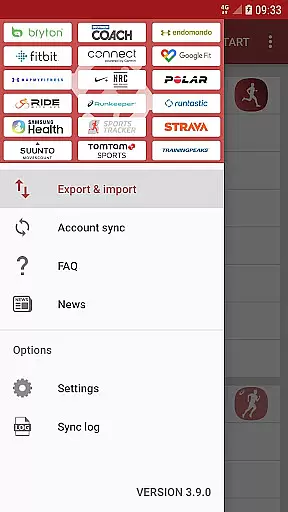
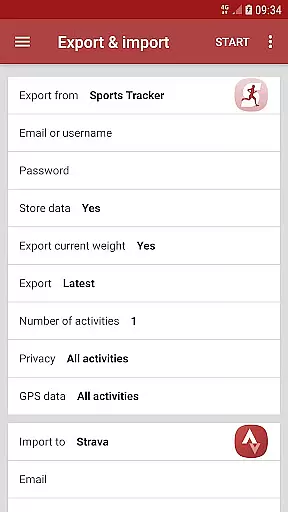
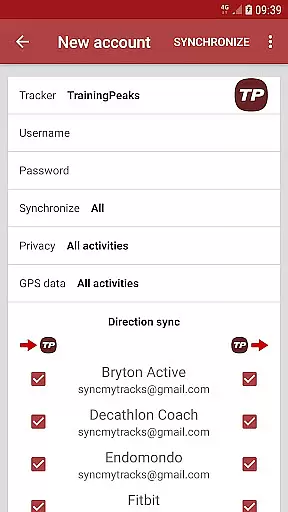
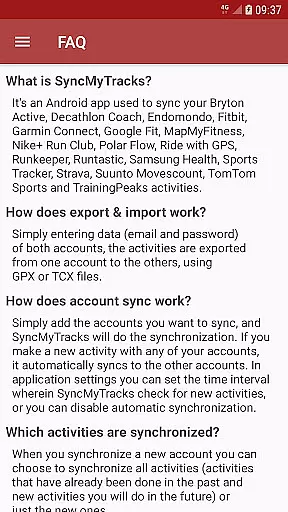
SyncMyTracks is a specialized Android application designed for users who want to maintain their fitness activity data across multiple sports tracking platforms. The app supports synchronization between the most popular fitness services, allowing users to seamlessly transfer activities without losing valuable workout information. With SyncMyTracks, you can export and import activities using GPX or TCX files by simply entering account credentials.
The app ensures that all synchronized data remains secure and unaltered. It syncs essential activity metrics such as time, duration, distance, pace, and map details, along with advanced metrics like heart rate, cadence, power, and temperature when supported. Whether you're switching apps or managing multiple accounts, SyncMyTracks provides a reliable solution to keep your fitness journey intact.
This tool is particularly useful for athletes and fitness enthusiasts who use more than one tracking service. By automating the synchronization process, SyncMyTracks saves time and effort while preventing activity duplication. Its paid version offers additional benefits like unlimited activity exports and an ad-free experience, making it a versatile choice for dedicated users.
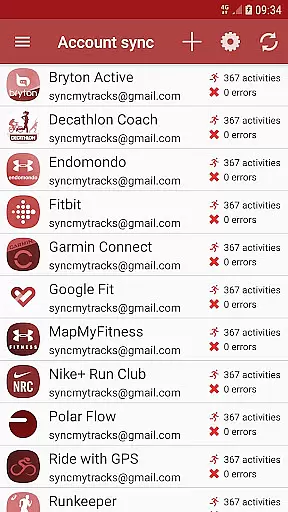
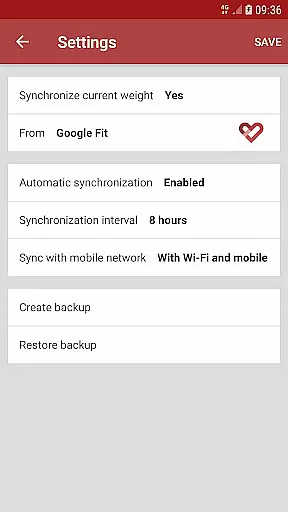
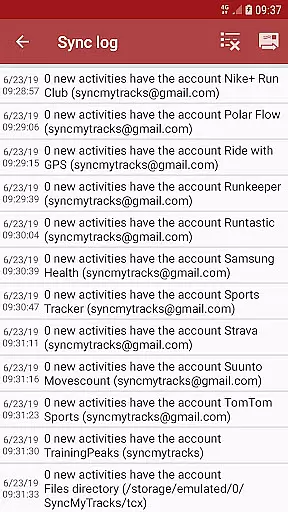
SyncMyTracks stands out with its robust feature set tailored for fitness data management. One of its key capabilities is automatic account synchronization, which allows users to link multiple accounts and ensure that any new activity recorded on one platform is instantly mirrored on others. This feature operates based on user-defined intervals, giving users control over how frequently the app checks for updates.
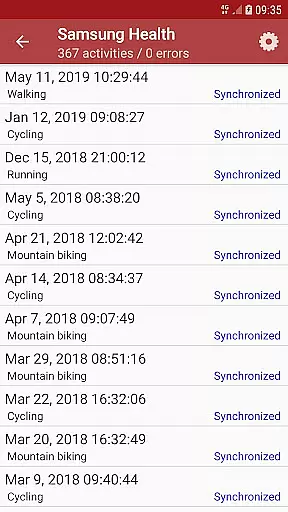
Data integrity is another hallmark of SyncMyTracks. The app meticulously synchronizes detailed activity information, including GPS paths, timestamps, and performance metrics. Advanced parameters such as heart rate, cadence, and power are also transferred when compatible, ensuring no critical data is lost during the process. Furthermore, SyncMyTracks employs encryption to store login credentials locally on the device, prioritizing user security.
For those seeking flexibility, SyncMyTracks offers both free and paid versions. While the free version allows basic export/import functionality for up to 40 recent activities, upgrading to the paid version unlocks unlimited synchronization and removes ads. These features collectively make SyncMyTracks a comprehensive solution for anyone looking to streamline their fitness tracking workflow.
SyncMyTracks offers personalized planning by allowing users to synchronize their fitness activities across multiple platforms. This ensures that no matter which service you primarily use, your data is consistently updated and available everywhere.
The app supports a wide range of popular sports tracking services, giving users the flexibility to choose which platforms they want to sync. By entering simple account details like email and password, SyncMyTracks facilitates the seamless transfer of activities using standardized GPX or TCX files.
Users can decide whether to sync all past activities or only new ones moving forward, providing tailored options based on individual needs. This feature helps maintain an accurate and comprehensive record of your fitness journey without manual intervention.
With SyncMyTracks, you gain access to detailed activity metrics such as time, duration, distance, pace, and even advanced data like heart rate and cadence if supported by the services involved. This level of detail empowers users to make informed decisions about their training plans.
One of the standout features of SyncMyTracks is its ability to provide clear progress visualization through synchronized activity data. Users can see their performance metrics over time, helping them understand trends and make necessary adjustments to their routines.
The application ensures that all critical information including maps, heart rates, cadences, and other relevant stats are accurately transferred between accounts. This comprehensive approach allows for a holistic view of one's fitness progress.
SyncMyTracks prevents duplication of activities by considering the start times, ensuring that visualizations remain clean and precise. This attention to detail enhances user trust in the accuracy of their progress reports.
Additionally, with customizable settings for automatic synchronization intervals, users have control over how frequently updates occur. This flexibility ensures that progress charts and graphs always reflect the most current data, aiding in effective long-term planning and motivation.
User-friendly interface
Secure data encryption
Automatic synchronization
Supports multiple platforms
Detailed activity metrics
Limited free version
No social logins
Requires manual setup
Paid version needed for full features
Occasional sync delays

Insanity blocks of intense physical activity, short breaks of 30 seconds.
 4.0
4.0
Easy reconstitution calc for mixing peptides and creating protocols
4.70
Using Recognise™ has been shown to reduce pain and improve performance.
4.4
Histamine intolerance, low FODMAP diet and irritable bowel syndrome (IBS)
4.00
Using Recognise™ has been shown to reduce pain, and improve performance.
4.5
Relax. Sleep Better. Feel Better.
4.50
Raccoon AI Calorie Counter. Intermittent Fasting & Timer. Macro, Carb, Protein
4.50
Fast Body building & Weight Loss. Home Workouts with Daily Coach, No Equipment.
4.30
GloryFit is a companion app for the smart bracelet.
3.60
Medbridge GO gets you moving - get back to doing what you love, faster!
4.90
Power-lifting, weightlifting and Wendler 531 app to track your workout program.
4.90
Load the bar with this barbell & plate calculator. It's leg day, not brain day!
4.70
Build Healthy Habits!
4.60
Period Tracker, the easiest way to track your periods!
4.50
Pack of 66 calming lullabies for smooth fall asleep and relaxation
4.10
Get alert about getting out of desired heart rate zone.
4.10
Your Health Assistant
3.90
Transform your body and soul with DBFFitness, with a 40-day fitness journey.
4.2
Using Recognise™ has been shown to reduce pain and improve performance
4.4


User Reviews