
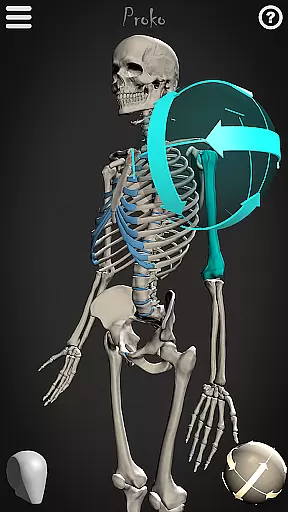
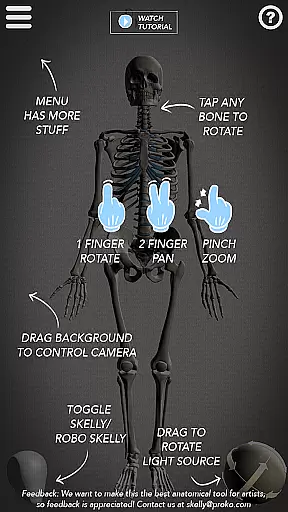
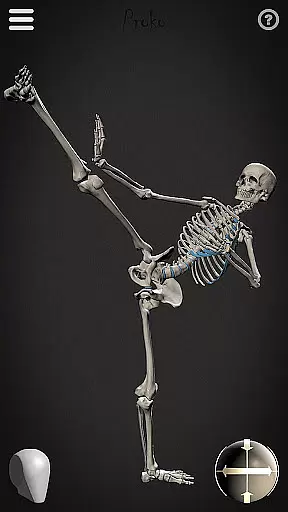
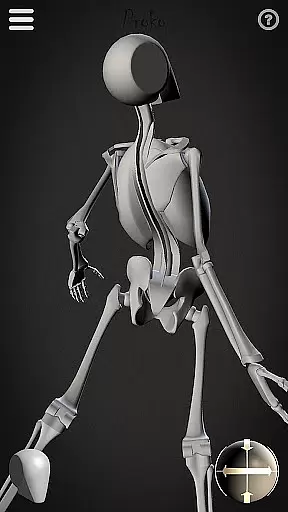
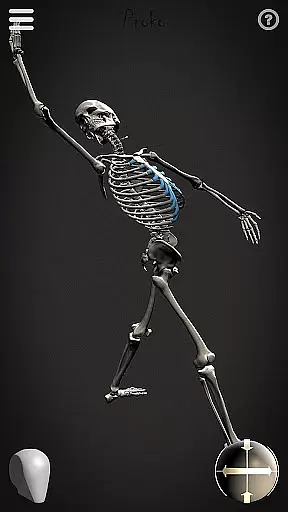
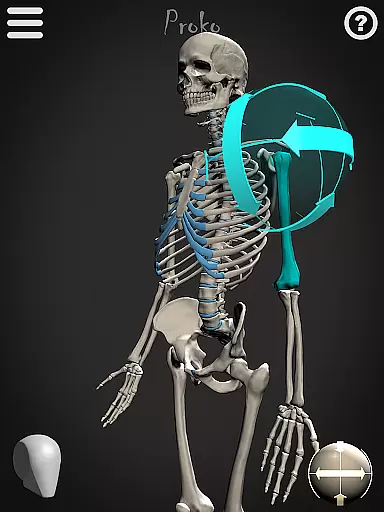
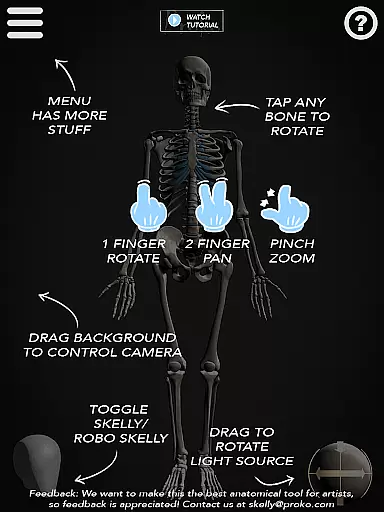
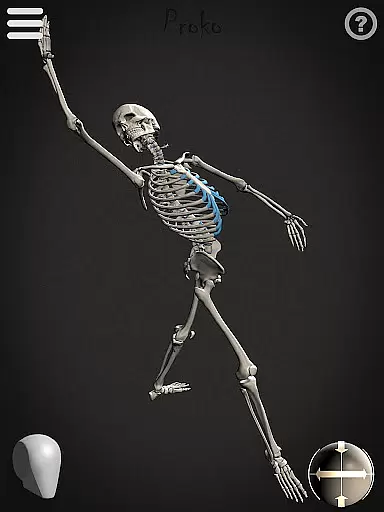
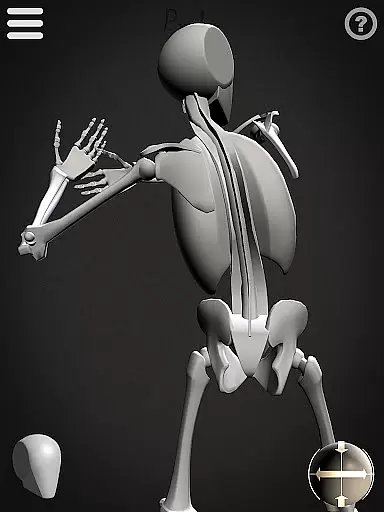

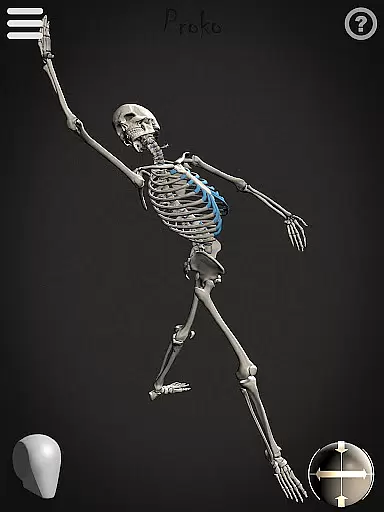
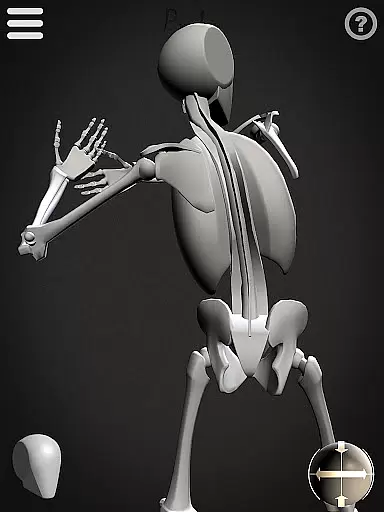
Skelly is an innovative educational app designed specifically for artists and art students who want to master human anatomy. This fully poseable, anatomically correct reference skeleton serves as a portable artistic tool that can be accessed anytime, anywhere. The app includes two distinct skeleton models - the detailed anatomical version and the simplified 'Robo-Skelly' - both based on professional anatomical standards, including proportions from Dr. Paul Richer's teachings and Andrew Loomis's head construction method.
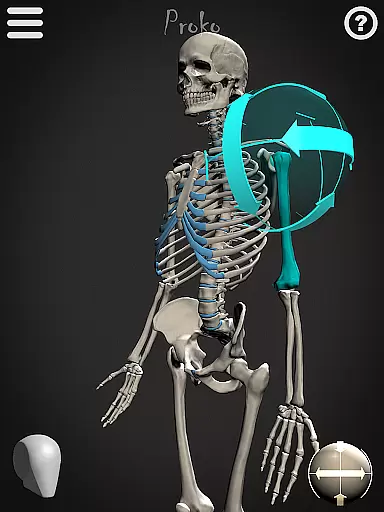
The app's primary function is to provide artists with a reliable reference tool for creating anatomically accurate artwork across various mediums, from traditional drawing and painting to digital animation and storyboarding. Users can manipulate the skeleton into any pose imaginable, adjust camera angles, modify lighting conditions, and choose between light or dark backgrounds. These features make Skelly particularly valuable for artists working in environments where live models aren't available or practical.
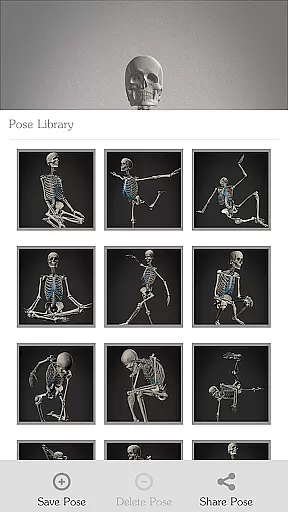
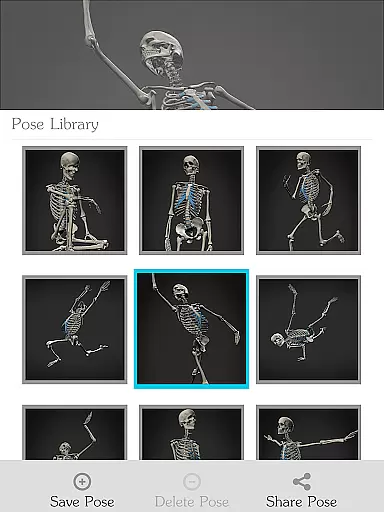
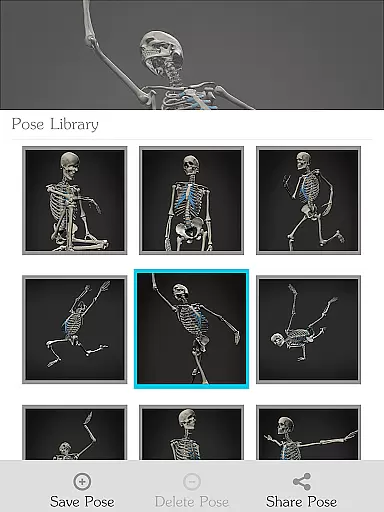
What sets Skelly apart is its ability to eliminate the need for searching online references or hiring live models, while maintaining professional-grade accuracy. The built-in Pose Library allows users to save custom poses and access pre-made positions, making it an indispensable tool for both quick sketching sessions and extended artistic projects.
Skelly distinguishes itself through several remarkable features that cater specifically to artists' needs. The app's core functionality revolves around its two skeleton models: the anatomically precise skeleton and the simplified 'Robo-Skelly,' both designed with professional accuracy while remaining approachable for students. The skeleton's proportions adhere strictly to established anatomical standards, ensuring that every pose maintains realistic dimensions and relationships between body parts.
One of Skelly's most powerful capabilities is its fully poseable nature combined with advanced viewing options. Artists can manipulate every joint and bone while simultaneously adjusting the virtual camera position and lighting direction. This flexibility allows for studying anatomy from any angle under different lighting conditions - crucial for mastering three-dimensional form representation. The Pose Library feature adds another layer of convenience by enabling users to save frequently used positions and quickly recall them during drawing sessions.
Additional thoughtful features include the ability to switch between light and dark backgrounds, perfect for artists working with different mediums, and a one-touch reset to neutral 'Anatomical Pose.' The app's design emphasizes both functionality and accessibility, making complex anatomical study more approachable without compromising professional standards. These features collectively create a comprehensive learning and reference tool that adapts to various artistic workflows and skill levels.
In the realm of art education, having access to accurate and authoritative content is crucial for artists looking to refine their skills. Skelly offers an anatomically correct skeleton model that serves as a reliable reference tool. This digital skeleton is crafted with precision, reflecting human anatomy in a way that aligns with academic teachings.
Artists using Skelly can explore the intricacies of skeletal structures based on established anatomical standards. The inclusion of proportions influenced by Dr. Paul Richer's teachings ensures that users are learning from a well-respected source within the field of anatomy. Furthermore, the compatibility with Andrew Loomisu2019s 'Loomis Head' methodology provides an additional layer of educational value.
The app not only aids in understanding complex anatomical relationships but also allows for practical application through posing capabilities. Users can manipulate Skelly to simulate various poses, which is essential for mastering figure drawing from multiple angles without ethical concerns or logistical challenges.
Skelly empowers artists to embark on personalized learning journeys tailored to their individual needs and skill levels. With features like the Pose Library, learners can select from pre-made poses or save their custom configurations, allowing them to focus on specific areas they wish to improve. This flexibility supports self-paced learning and encourages experimentation with different artistic techniques.
The ability to adjust lighting and choose between light or dark backgrounds further enhances this personalization process. Artists can simulate diverse studio environments, preparing themselves for real-world scenarios while honing their craft at their own pace. Such customization options ensure that each user's experience with Skelly is unique and aligned with their personal growth objectives.
Moreover, Skellyu2019s fully poseable nature means that artists aren't constrained by static models; instead, they have dynamic tools at their disposal. Whether one aims to emulate classical works reminiscent of Michelangelo or modern styles akin to Miyazaki, Skelly adapts to support these varied aspirations, making it an invaluable asset for anyone serious about advancing their artistic abilities.
User-friendly interface
Accurate anatomy
Custom pose saving
Adjustable lighting
Offline functionality
Limited device support
No muscular system
Premium pricing
Steep learning curve
Occasional glitches

Ignite curiosity, spark learning: All babybus videos &games
 4.30
4.30
An animated storybook app to help ease your child through toilet training.
3.70
A magical world of fun, building, and learning with Mickey Mouse and more!
4.20
Break Language Barriers with AI—Learn Language Anytime, Anywhere!
4.00
The Only Official DVSA Theory Test Kit App
4.50
The official CCM Glossary app, including 700+ terms and definitions.
2.90
Hasbro’s classic CANDY LAND game is now a gorgeous interactive storybook app.
2.30
An aviator’s preparation, study and test tool for FAA Knowledge Exams.
4.00
The "Go To" app for Airmen studying for promotion to SSgt and TSgt
4.30
AI Language tutor: Speak fluently with Lucy’s personalized coaching
4.70
Perform physics experiments with your phone. (by the RWTH Aachen University)
4.70
A fast and fun way to learn guitar - works with any guitar.
4.60
Turn scrolling hours into improving your knowledge, communication, intelligence
4.50
Stack the Countries makes learning world geography fun!
4.50
Pass your FAA written with flying colors - Study Buddy can help.
4.30
Designed for Calculator 84 users
4.20
Quiz App to help case managers studying for CCMC Certification, 200+ Questions
3.40
Master the NRP with 700+ questions, rationales, and updated NREMT scenarios.
3.00
Your best partner for learning Japanese words. Based on a best-selling textbook.
2.80


User Reviews