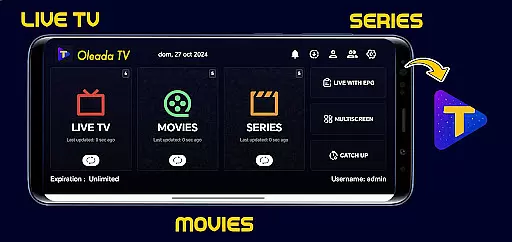
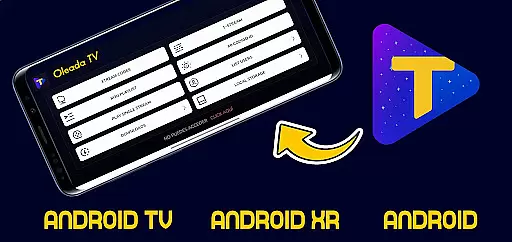
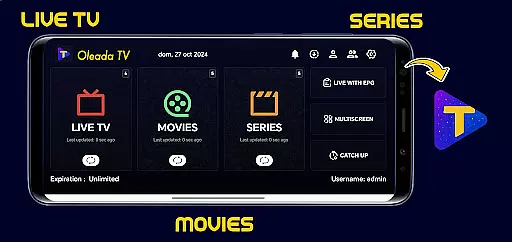
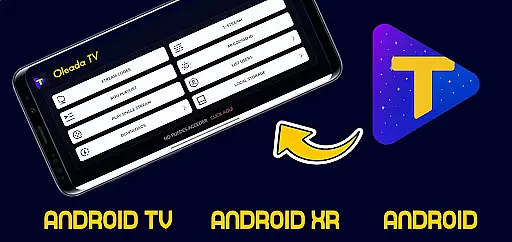
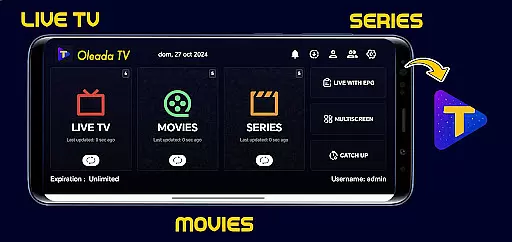
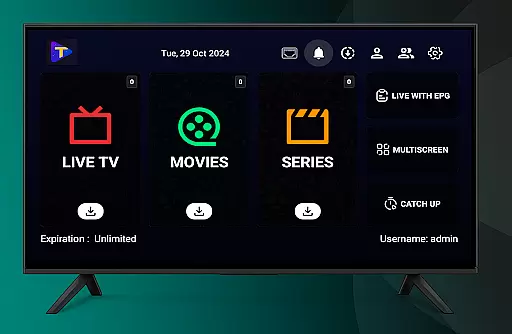
Oleada TV is an innovative IPTV player designed to provide users with a neutral multimedia playback experience. The application allows users to upload and play their own content, serving as a blank canvas for personal media libraries. It does not come preloaded with any movies or series, ensuring complete user control over the content they choose to load and play.
With its strict focus on legality and user responsibility, Oleada TV ensures that all played content is independently sourced and authorized by the user. This makes it an ideal tool for individuals who want to manage and enjoy their personal collections of legal audiovisual materials without any third-party interference.
Oleada TV stands out through its minimalist design and strict adherence to legal compliance. As a neutral multimedia player, it refrains from hosting, storing, or distributing any copyrighted material. Instead, it empowers users to take full responsibility for the content they load, offering a secure environment for playing back personal files and links.
The app's core feature lies in its ability to provide a seamless playback experience while maintaining a clear stance on user accountability. By focusing solely on technical playback capabilities, Oleada TV ensures that users can enjoy high-quality streaming of their authorized content without unnecessary distractions or legal risks.
In the realm of digital entertainment, content variety and freshness are pivotal for user engagement. Oleada TV positions itself as a versatile IPTV player that doesn't come preloaded with movies or series, offering a unique approach to content consumption.
Instead of providing a fixed library, it empowers users to upload and manage their own content, ensuring that the media available is always fresh and tailored to personal preferences. This method allows for an ever-evolving selection that can be updated at any time, keeping the viewing experience relevant and engaging.
The application's neutrality as a multimedia player means it supports a wide range of file types and links, making it compatible with diverse content sources. Users have the freedom to explore various media formats, from standard videos to specialized IPTV streams, enhancing the diversity of their entertainment options.
By focusing on user-driven content, Oleada TV ensures that each individual's feed remains unique and up-to-date, fostering a personalized and dynamic viewing environment that adapts to the latest trends and personal interests.
User engagement duration and retention are critical metrics in evaluating the success of entertainment platforms. Oleada TV, by allowing users to independently load their desired content, creates a personalized environment that encourages longer viewing sessions.
The responsibility placed on users to curate their own content library fosters a deeper connection with the platform. As individuals invest time in selecting and uploading media, they are more likely to spend extended periods interacting with the application, thus increasing overall engagement duration.
Moreover, the flexibility to update content at will ensures that users remain committed to the platform over time. Unlike static services, Oleada TV's model supports continuous renewal of the content offering, which helps maintain user interest and reduces churn rates.
This approach not only enhances user satisfaction by catering to specific tastes but also promotes higher retention rates as viewers continue to discover new ways to utilize the platform for their evolving entertainment needs.
User-controlled content
Legal compliance ensured
Neutral multimedia player
High-quality playback
Secure environment
No preloaded content
Limited to user uploads
No built-in library
Requires manual input
Strict usage policy

Classic dynamic pixel art from Mark Ferrari.
 4.70
4.70
SpiritWave is paranormal ITC application.
5.00
Real ghost box scanner with echo, reverb, EMF, & multi-stream channels.
3.80
Watch everything you want.
2.90
Unleash Your AI Imagination
4.60
Alice Box is an Instrumental Trans Communication app.
3.80
Raise Christmas Magic with daily missions, magical scanners, and kindness.
4.5
Create your Songs. Cover Maker with any Voice, Song Generator
3.30
Watch TV shows, movies, and stream Live TV channels without a subscription!
3.80
Stream Live TV, News & Documentaries. Watch Full Seasons with PBS Passport.
4.80
Premium version to enjoy your favorite anime
4.60
Series,Películas y Telenovelas
4.50
Heroclix search units with multi filter , team builder, collection manager.
4.40
Create and play realistic-looking mock Emergency Alert System messages.
4.30
Himnario LLDM - Fast and Easy to read , updated Hymnal 2019 Edition Official
4.20
Browse popular images and videos from Reddit on Android TV!
3.90
Necrophone is spirit box ghost hunting app made for spirit communication.
3.70
Stream videos to VIDAA & VEWD TVs from Hisense, Sharp, Skyworth, Vestel & TiVo
3.00
Christmas Globe: Transform your Wear OS device into a festive timekeeper!
4.1


User Reviews