
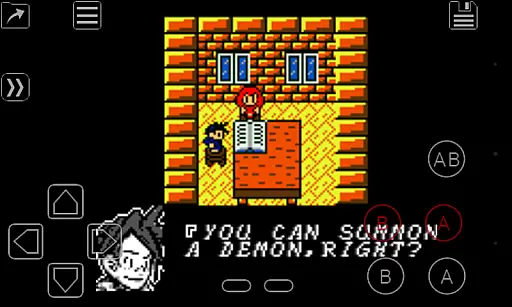
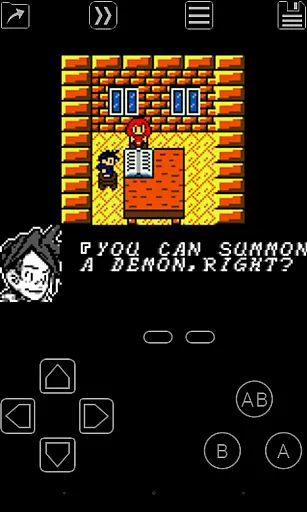
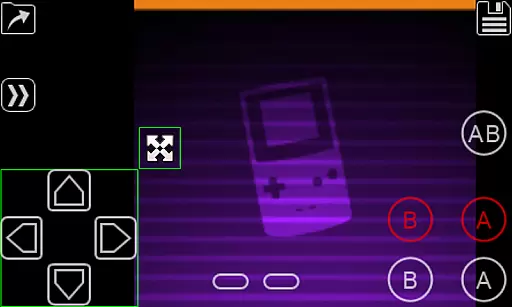
My OldBoy! is a top-tier emulator designed for Game Boy and Game Boy Color enthusiasts, enabling seamless gameplay on Android devices. The app supports a wide range of hardware, from low-end phones to modern tablets, ensuring an authentic experience with precise emulation of the original hardware.
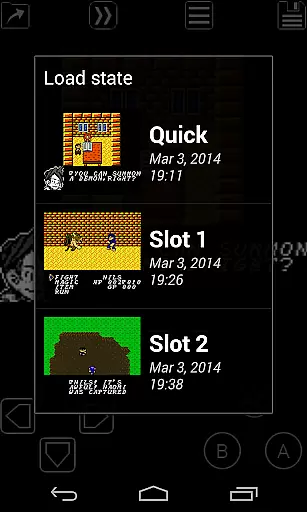
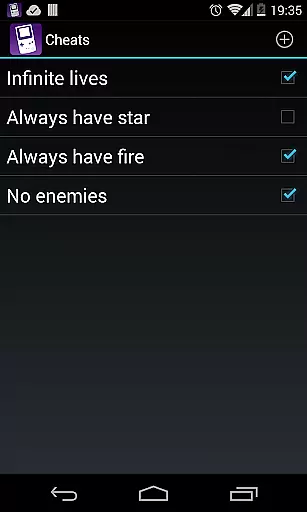
Special features include link cable functionality, rumble feedback, tilt sensor support, and customizable color palettes for monochrome games. With save states, fast-forward, and cheat code integration, My OldBoy! enhances classic gaming by offering modern conveniences while preserving nostalgic value.
Ideal for retro gamers, this emulator allows users to relive their favorite childhood titles with added functionalities like Bluetooth multiplayer and OpenGL rendering. Whether you're revisiting classics or discovering them for the first time, My OldBoy! delivers a polished and immersive experience.
My OldBoy! stands out with its robust feature set tailored for retro gaming enthusiasts. The emulator leverages ARM assembly code to deliver exceptional performance, achieving 60 FPS even on low-end devices without frame skips. Its compatibility with a vast library of games ensures most titles run smoothly.
Advanced functionalities include link cable emulation over Bluetooth or Wi-Fi, tilt sensor and rumble support via Android's hardware, and Game Boy Printer/Camera emulation. Users can apply custom palettes to enhance visuals, utilize save states with screenshots, and sync progress with Google Drive for convenience.
The app also supports external controllers, GLSL shaders for video filtering, and IPS/UPS ROM patching. A customizable on-screen layout editor and key-mapping profiles allow personalized control schemes. These features collectively create a versatile and user-friendly environment for enjoying classic games.
Arcade authenticity is a crucial aspect of any emulator application, ensuring that the gaming experience remains true to the original hardware. My OldBoy! delivers this by accurately emulating nearly every feature of the classic Game Boy and Game Boy Color systems. This includes support for unique functionalities such as the link cable, rumble effects, and tilt sensors, which are essential for reliving the authentic arcade experience.
The emulator goes beyond basic hardware replication by offering advanced features like custom palettes, which allow users to add color to their monochrome games, enhancing the nostalgic journey. With multilined cheat code support and IPS/UPS ROM patching, it caters to enthusiasts who wish to modify or enhance their gameplay while maintaining the original feel.
For users seeking to revisit the past, My OldBoy! provides an immersive experience by integrating real hardware features such as the Game Boy Camera and Printer emulation. These elements not only preserve the integrity of the arcade era but also enrich the overall experience, making it more interactive and engaging.
Ultimately, the dedication to replicating the original gaming environment offers significant value to users. By preserving the nuances of classic gaming, My OldBoy! ensures that players can enjoy an authentic arcade experience on modern Android devices, bridging the gap between past and present gaming technologies.
Control responsiveness is vital in delivering a seamless and enjoyable gaming experience. My OldBoy! addresses this by employing ARM assembly code to ensure fast emulation, achieving 60 FPS even on low-end devices without frame skips. This technical efficiency guarantees that user inputs are registered and executed with minimal latency, providing a fluid gaming session.
The emulator further enhances control precision through its powerful screen layout editor. Users can customize the position and size of on-screen controls, allowing for optimized touch interactions tailored to individual preferences. Additionally, shortcut buttons for functions like load/save contribute to a more intuitive and responsive interface.
Support for external controllers via Android's native input methods adds another layer of responsiveness. Gamers can connect their preferred controllers, ensuring that their interaction with the game remains as natural and immediate as possible. This flexibility caters to both casual players and hardcore enthusiasts who demand precision in their gaming experience.
By focusing on these aspects, My OldBoy! significantly elevates the standard for control responsiveness in mobile emulation. Players benefit from a finely-tuned interface that respects the immediacy and accuracy required for an optimal arcade gaming experience, making it a standout choice among similar applications.
High game compatibility
Excellent performance
Customizable controls
Save state functionality
Retro gaming focus
No included games
Complex setup
Battery intensive
Requires technical knowledge
Limited modern appeal

Monster Run its a game for relax.
 4.3
4.3
Try this unique restaurant sim and enjoy the fun of cooking in busy kitchens!
4.70
Catch ghosts, shoot monsters and defeat bosses in this RPG idle shooting game.
4.70
Granny keeps you locked in her house.
4.30
Stack the blocks as high as you can!
4.30
Suck the other’s blood and be the longest surviving mosquito!
4.40
NEOGEO's masterpiece game is now available in the app!
4.10
Outrun cops, ignite the thrill of a high-speed chase!
4.50
Thoughtful strategy and tactical thinking are required to win each battle!
4.30
Full featured version of Pizza Boy A (GBA emulator)
4.80
Master the skies in this epic airplane shooting game! Join the air force now!
4.80
Absorb, or be absorbed...
4.70
Jump and fly your way through danger in this rythm-based action platformer!
4.70
Master the hills in this extreme downhill racing game!
4.60
Play all your favorite Playstation games in your android device!!
4.50
Three awesome new levels for The Impossible Game.
4.30
Running game: dance in a twerk battle and become the twerk hero in our fun race!
4.30
Fast reflexes, glowing obstacles, endless action.
4.1
A fluid, action-packed arcade space shootout!
4.1


User Reviews