
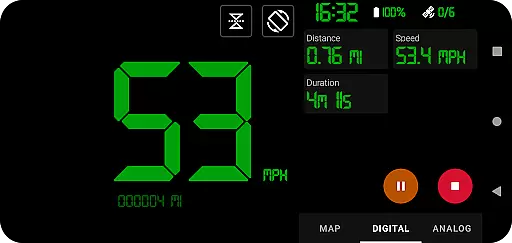
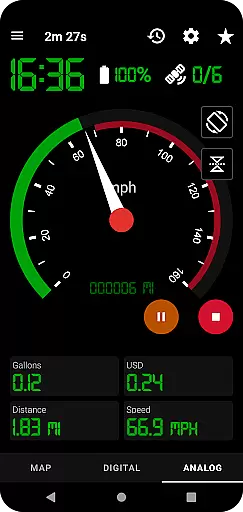
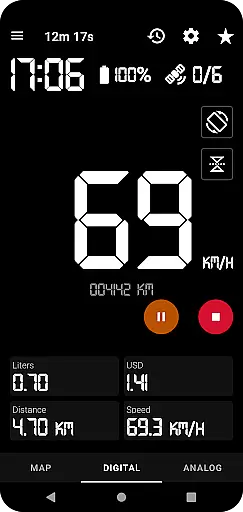
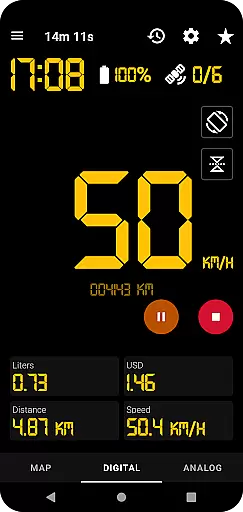
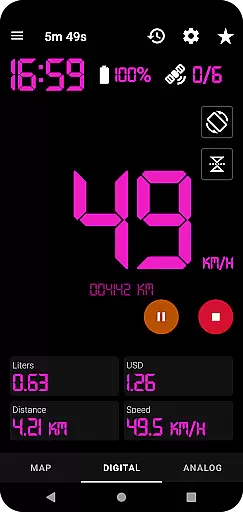
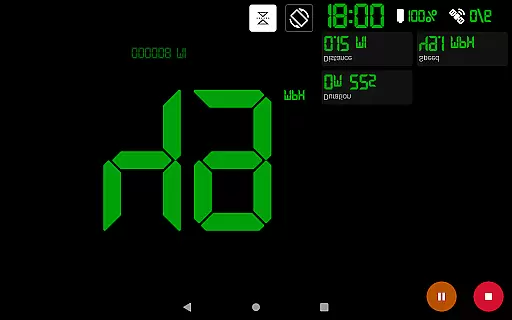
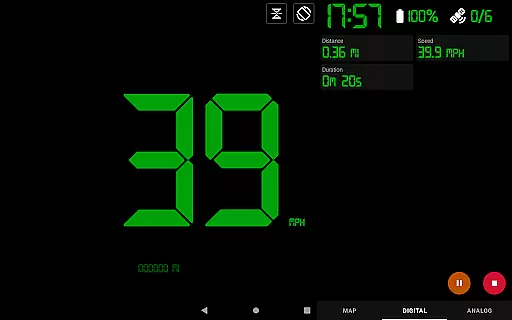
GPS Speedometer Pro is a comprehensive navigation and tracking application designed to monitor your movement activities such as driving, running, walking, or cycling. Utilizing your phone's built-in GPS, it provides accurate speed and route information while allowing you to switch between analog and digital speedometer displays. The app operates seamlessly in the background, enabling multitasking without interrupting your tracking session.
One of its standout features is the ability to pause, stop, and resume tracking at any time, ensuring flexibility during use. With functionalities like fuel cost estimation, over-speed alerts, and HUD mode, this app caters to both casual users and professionals who need reliable tracking tools. Whether you're monitoring daily commutes or analyzing past routes with GPX file downloads, GPS Speedometer Pro offers practical solutions for all your navigation needs.
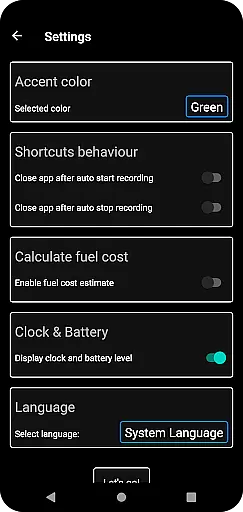
GPS Speedometer Pro stands out with its rich feature set tailored for diverse tracking requirements. The app supports multiple speedometer views including analog, digital, and head-up display (HUD) modes, providing users with customizable options to suit their preferences. Additionally, the odometer and fuel cost estimation features offer valuable insights into travel expenses and distance covered.
For those who require detailed tracking, the app allows users to download recorded routes in .gpx format, making it compatible with third-party software for further analysis. The inclusion of shortcuts for one-tap start/stop functionality enhances user convenience. Moreover, the app ensures privacy by not requiring sign-ins and avoiding the collection of personally identifiable information, thus prioritizing user security while delivering top-notch navigation capabilities.
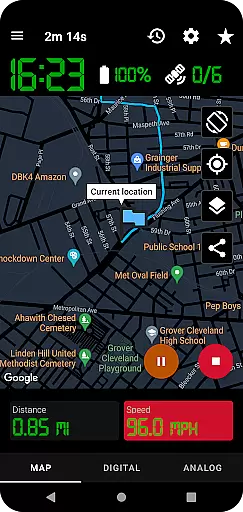
Map accuracy is crucial for any navigation app, and GPS Speedometer Pro excels in this area. The application leverages your phone's built-in GPS to meticulously track your routes, whether you're driving, running, walking, or cycling. This ensures that the paths displayed on the map are precise and reliable.
The app offers various features that enhance map accuracy. For instance, it allows users to switch between different map types such as light, dark, or terrain views. This flexibility not only caters to personal preferences but also provides clearer visuals under different lighting conditions, ensuring that users can always rely on the map display.
Moreover, GPS Speedometer Pro supports real-time tracking with options to pause, stop, and resume at any time. This functionality helps conserve battery life while maintaining accurate location data. Users can trust that their tracked routes will be accurately recorded and available for future reference, making it an invaluable tool for both casual and professional navigational needs.
Effective route planning is essential for optimizing travel time and ensuring a smooth journey. GPS Speedometer Pro offers robust features that facilitate comprehensive route planning. With capabilities to record and save tracks, users can review past routes and analyze different paths to determine the most efficient course for future trips.
The app includes an innovative feature that allows users to download their routes in .gpx file format. This enables integration with third-party software for more detailed analysis and route customization. Additionally, the ability to replay saved routes within the app provides insights into recorded speeds and conditions, further aiding in meticulous route planning.
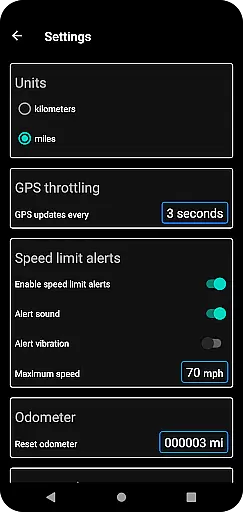
Furthermore, GPS Speedometer Pro offers over-speed alerts, even when the app runs in the background. By setting maximum speed limits, users receive notifications if they exceed these thresholds, promoting safer and more controlled navigation. These features collectively empower users to plan their journeys effectively, ensuring optimal performance and safety during each trip.
User-friendly interface
Accurate GPS tracking
Customizable speedometer
Background operation
Privacy-focused design
Limited offline maps
Occasional GPS lag
No voice guidance
Premium features locked
High battery usage

Compass is an accurate compass and a great tool for any outdoor activities
 4.4
4.4
GPX Viewer PRO shows tracks, routes and waypoints from gpx and kml files.
4.60
All of NHSA's trail information at your fingertips for the 2025-2026 season
4.0
LIRR and Metro-North tickets and trips
4.80
Navigate via GPS Maps of GPS Voice Navigation, driving directions to find routes
3.60
Truck Safe GPS Navigation & Maps: Parking, Fuel, Diesel, Weight Station
4.80
Gas Station & Fuel Rewards Points
3.70
Navigate seamlessly with Real-Time Traffic, Offline Maps, and Voice Navigation.
4.10
Get matched with a nearby driver — you’ll be on your way in minutes.
4.30
Find EV & Tesla charging stations with PlugShare
4.70
Navigate with your watch and keep the phone in your pocket!
4.60
Plan routes, share locations, and set custom alert zones
4.40
Find radar maps, GPS coordinates, altitude, offline maps, location, travel route
4.40
GPS navigation offers route finder, compass, translator, currency converter, etc
4.30
Lets explore the world's famous places by using Live Cams, GPS & Satellite View.
4.20
GPS phone tracker, family locator, secure location sharing app
4.20
Use GPS Maps and GPS Voice Navigation to find your way and get directions
4.10
Get route, find shortest path, near by places and weather update
3.90
Explore Live Earth Map with 3D World Map & locate cites, mountains real time.
3.80


User Reviews