
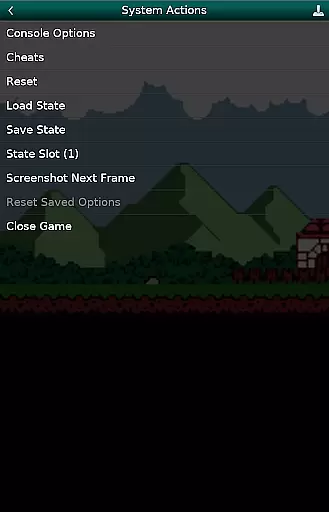
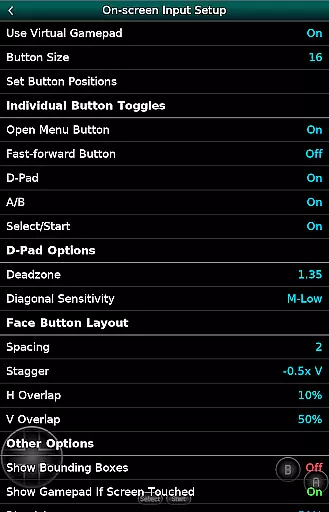
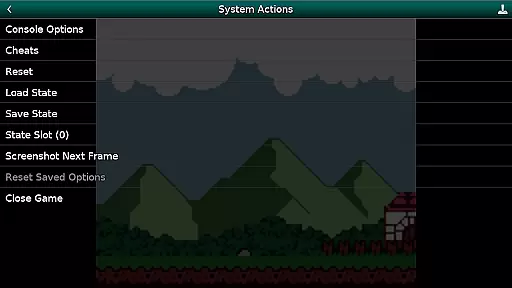
GBC.emu is an advanced open-source Gameboy emulator that offers a minimalist UI with a focus on low audio and video latency. It supports a wide range of devices, from the original Xperia Play to modern devices like the Nvidia Shield and Pixel phones. The app provides multiple color palettes for original GB games, cheat codes in Game Genie & Gameshark formats, and supports .gb and .gbc file formats, optionally compressed with ZIP, RAR, or 7Z.
With configurable on-screen controls and Bluetooth/USB gamepad & keyboard support, GBC.emu ensures compatibility with any HID device recognized by the OS, such as Xbox and PS controllers. No ROMs are included, and users must supply their own. The app supports Android's storage access framework for opening files on both internal and external storage.
GBC.emu stands out with its multiple color palettes for original GB games, allowing users to customize their gaming experience. The inclusion of cheat codes in Game Genie & Gameshark formats adds an extra layer of fun and challenge. Supporting .gb and .gbc file formats, optionally compressed with ZIP, RAR, or 7Z, ensures that users can enjoy a vast library of games without worrying about compatibility issues.
The app's configurable on-screen controls and Bluetooth/USB gamepad & keyboard support make it versatile and user-friendly. Compatible with any HID device recognized by the OS, including Xbox and PS controllers, GBC.emu caters to a broad audience. Its focus on low audio/video latency enhances the overall gaming experience, making it a top choice for Gameboy enthusiasts.
Arcade authenticity and nostalgia are crucial elements for any gaming emulator, as they ensure the original experience is faithfully recreated. GBC.emu (Gameboy Emulator) excels in this area by offering multiple color palettes for original GB games, allowing users to relive the classic gaming era with enhanced visuals while maintaining the nostalgic feel.
The emulator supports both .gb and .gbc file formats, optionally compressed with ZIP, RAR, or 7Z, ensuring that a wide range of games can be played without compatibility issues. This broad support helps preserve the integrity of the original gaming library, providing an authentic arcade experience on modern devices.
With configurable on-screen controls and support for Bluetooth/USB gamepads, including Xbox and PS controllers, GBC.emu offers a tactile connection to the past. These features not only enhance gameplay but also recreate the physical interaction gamers had with their original Game Boy consoles.
Control responsiveness is vital for an immersive gaming experience, especially in arcade-style games where precision and timing are key. GBC.emu (Gameboy Emulator) ensures tight control responsiveness through its support for various input methods, including on-screen controls, Bluetooth, and USB gamepads.
The emulator's compatibility with HID devices recognized by the OS means that users can enjoy low-latency input, which is essential for fast-paced games. Whether using touch controls or a physical controller, players will experience immediate feedback, enhancing their overall gaming experience.
GBC.emu focuses on low audio/video latency, which complements the responsive controls by ensuring that visual and auditory cues are perfectly synchronized with player inputs. This combination creates a seamless and engaging gameplay session that captures the essence of arcade gaming.
Low audio/video latency
Wide device compatibility
Multiple color palettes
Cheat code support
Configurable controls
No ROMs included
Limited to GB/GBC games
Requires manual updates
Complex setup for beginners
Occasional crashes

Catch ghosts, shoot monsters and defeat bosses in this RPG idle shooting game.
 4.70
4.70
Motorcycle racing games! Prove your paperboy can win in the bike race 3D!
4.50
M64Pro FZX Classic Emulator for Android
4.4
Mine & Craft Block Mini World! Survival Crafting and Building & Creative Online.
4.30
Suck the other’s blood and be the longest surviving mosquito!
4.40
A fast, full-featured GB/GBC emulator with link cable emulation.
3.80
This is an emulator for a certain 64 bit console with online cloud backup.
4.80
Jump and fly your way through danger in this rythm-based action platformer!
4.50
You control the ball! Dribble, shoot and score against eleven soccer players!
4.60
Master the skies in this epic airplane shooting game! Join the air force now!
4.80
Bomb the communists back to 1916!
4.70
Play fun multiplayer games with friends on one device! Two, Three, Four players!
4.60
Master the hills in this extreme downhill racing game!
4.60
Relax and catch fish for your aquarium while earning rewards in these tank games
4.40
Sit back and relax! Tap to move the black hole, and swallow weapons to win.
4.20
NEOGEO's masterpiece game is now available in the app!
4.10
Protect the balloon! Only 1% of players can reach lvl 100 with all the balloons!
3.70
Welcome back to Vice City. Welcome back to the 1980s.
3.30
Infinite Arcade
4.5


User Reviews