
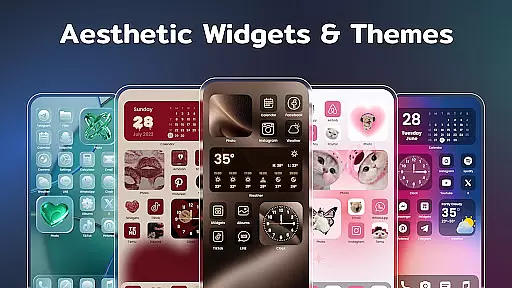
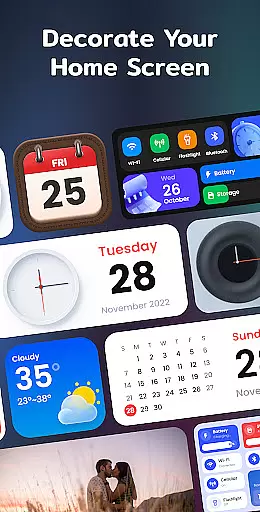
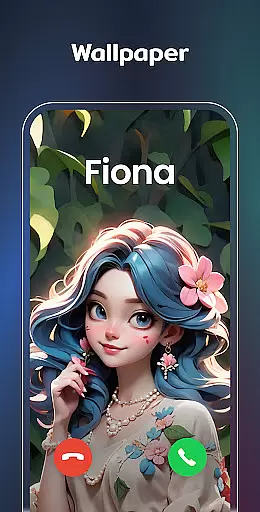
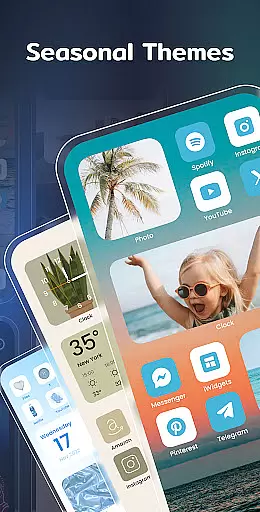
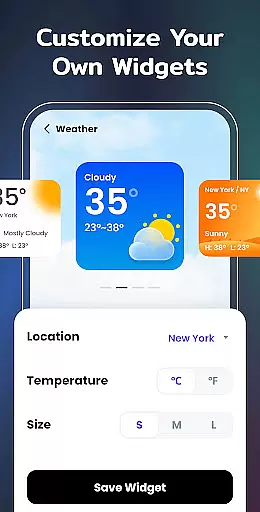
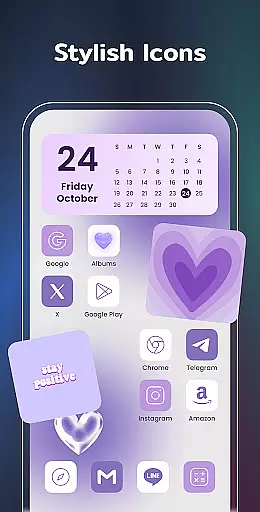
Color Widgets, Theme is a feature-rich lifestyle app designed to help users personalize their Android devices with a wide array of customizable widgets and themes. The app offers various widget types including clock, photo, X-panel, calendar, weather, battery level, Bluetooth status, and event timers, available in multiple sizes to suit different user needs.
With its extensive collection of stylish themes, custom icons, and practical widgets, this app allows users to design a perfect home screen that reflects their personal style. Key features include one-click widget addition, free icon customization, and creating unique countdowns for important events. Whether you want to display cherished photos, monitor phone status, or track local weather conditions, Color Widgets, Theme provides the tools to make your device truly unique.
This app is particularly useful for users who value both aesthetics and functionality in their mobile experience. By combining visually appealing designs with practical utility, it helps users maintain an organized and personalized digital environment that enhances their daily life.
Color Widgets, Theme stands out through its diverse range of innovative features that cater to various personalization needs. The X-Panel widget serves as a centralized dashboard displaying crucial information such as date, time, network connection, Bluetooth status, and battery level while providing quick access to essential functions like flashlight and Wi-Fi control.
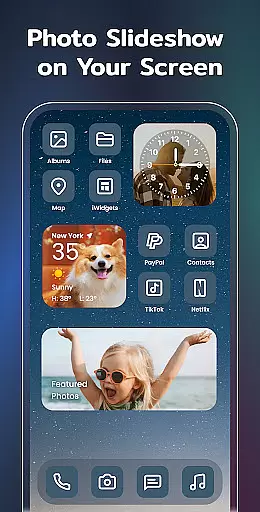
The app's photo widget enables users to decorate their home screen with cherished memories, supporting slideshow functionality for a dynamic display of favorite moments. Its clock widget offers both analog and digital options in multiple aesthetic styles, while the weather widget provides real-time local weather information with an elegant interface. The calendar widget allows flexible date display options with creative vintage styles to choose from.
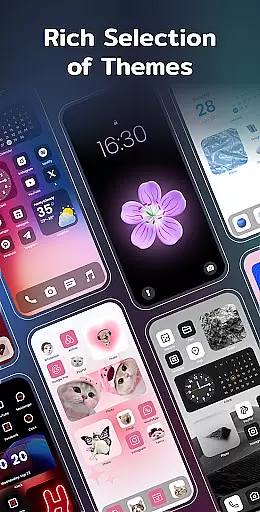
Additional notable features include exquisite preset themes across different styles (anime, neon, aesthetic), custom app icon redesign, and event timer functionality for important occasions. The upcoming to-do list and notes widgets promise enhanced productivity features. These comprehensive customization options, combined with storage optimization capabilities, make Color Widgets, Theme a powerful tool for complete home screen personalization.
Color Widgets, Theme offers an extensive range of widgets and themes that cater to various lifestyle needs, ensuring users can find the perfect match for their daily activities.
The app provides a multitude of widget types including clock, photo, X-panel, calendar, weather, and battery level widgets, each designed to enhance different aspects of your digital life.
With support for multiple sizes and styles, users can customize their home screens to reflect personal tastes and requirements, making it a comprehensive tool for lifestyle management.
This variety ensures that whether you're tracking important events with the Event Timer or decorating your screen with cherished photos, the app's broad lifestyle category coverage has something valuable for every user.
The content within Color Widgets, Theme is crafted with authenticity in mind, offering users reliable and expertly designed widgets and themes.
Each element, from aesthetic themes to functional widgets like weather and calendar, is created to ensure accurate and meaningful representation, enhancing the user's interaction with their device.
Users can trust the app's dedication to quality, as evidenced by features such as real-time weather updates and practical event timers that are both visually appealing and functionally precise.
This commitment to credible and authentic content guarantees that users not only personalize their screens but do so with tools that respect their need for accuracy and reliability in everyday tasks.
User-friendly interface
Wide widget selection
Theme variety
Customization freedom
Regular updates
Storage permission required
Location access needed
Notification permission
Premium features cost
Learning curve

Pay your rent, submit work orders and much more with the RentCafe Resident App.
 4.70
4.70
Duo Watch Face (animated)
4.1
Unique Dual Colors with 6 Custom Complications for Wear OS watches!
3.40
Big bold hybrid watch face with 30 colors, 5 fonts & 5 complications.
4.4
A uniquely designed isometric digital watch face made for Wear OS
4.5
Do you want to communicate with spirits?
3.80
Discover your Nationality, Family Origin, and Ancestry from one selfie
4.50
Get the news, events and savings that matter to you with AARP Now.
4.80
Celebrate the holidays with Advent Calendar: daily surprises and festive fun!
4.3
Crochet made easy: step-by-step tutorials, beginner patterns & projects
4.60
Retro animated weather with hourly forecast Watch Face for Wear OS
4.60
This app is intended to support professional EMDR therapy.
4.50
Chat, meet genuine singles in your area. Real connections start with being real.
4.30
This minimalist yet classic board design brings a futuristic twist to your wrist
4.20
Digital watch face design. Modern looking, hi-res & battery friendly.
4.00
What is my face shape? Find out your face shape from picture, see fitting frames
3.90
Your home in your hand
3.80
Falling Fruit is a massive collaborative map of food in our cities.
3.20
Turn your watch into a key fob for your Tesla
2.90


User Reviews