
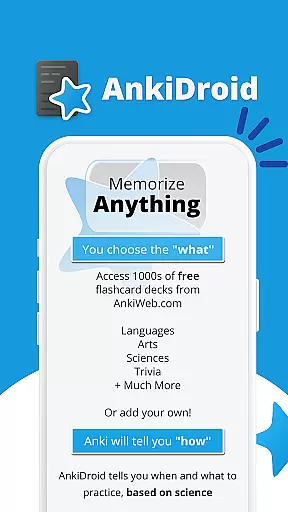
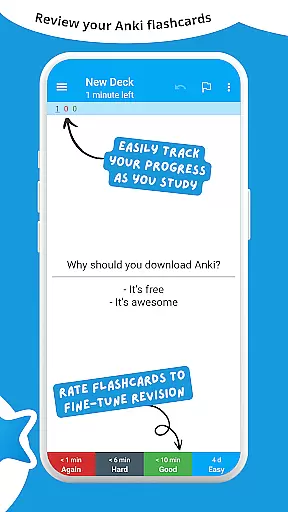
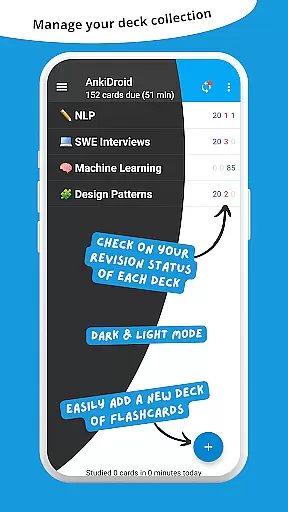
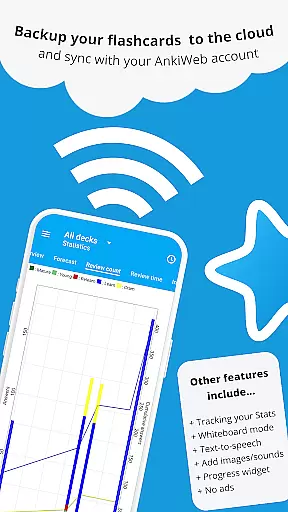
AnkiDroid Flashcards is a powerful educational tool designed to help users memorize and retain information effectively. This app utilizes the scientifically-backed spaced repetition method, ensuring that flashcards are shown to users at optimal intervals before they are likely to forget the content.
With full compatibility and synchronization capabilities with Anki desktop software across various platforms including Windows, Mac, Linux, ChromeOS, and iOS, AnkiDroid provides seamless integration for learners on-the-go. Whether you're studying languages, preparing for exams, or expanding your knowledge in any field, AnkiDroid supports diverse learning materials such as text, images, sounds, and even mathematical formulas through MathJax.
The application's versatility allows students to create personalized flashcard decks or choose from thousands of pre-made options available online. AnkiDroid optimizes study sessions by enabling users to take advantage of idle times throughout their day, making it an invaluable resource for efficient learning anytime, anywhere.
AnkiDroid Flashcards offers a comprehensive set of features tailored to enhance the learning experience. One standout feature is its support for multimedia-rich flashcards containing text, images, audio clips, and mathematical expressions rendered via MathJax. This flexibility caters to different learning styles and subject matters.
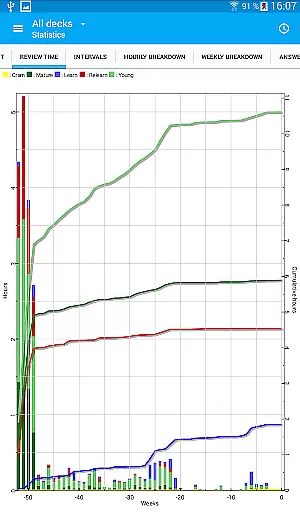
In addition to multimedia support, AnkiDroid integrates advanced functionalities like text-to-speech technology, providing auditory reinforcement during study sessions. The app also includes detailed statistics tracking and a progress widget, empowering users to monitor their learning journey closely. Furthermore, synchronization with AnkiWeb ensures that all devices remain up-to-date with the latest study materials.
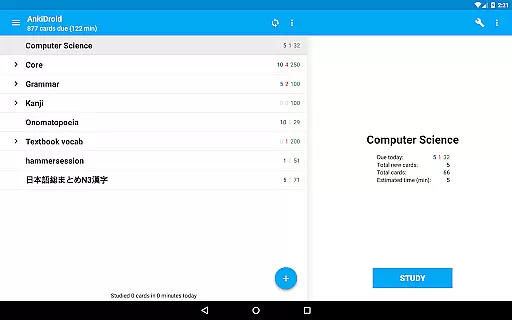
Customization options abound within AnkiDroid; users can write answers directly on virtual whiteboards, browse cards effortlessly using intuitive navigation controls, and personalize layouts according to individual preferences. With over 100 localizations available, this open-source platform fosters global accessibility while maintaining robust security protocols through regular backups and dynamic deck management tools.
AnkiDroid Flashcards ensures content accuracy and authority by leveraging the power of user-generated decks. Thousands of premade flashcard decks are available, compiled for numerous languages and topics. These decks are created by an active community of learners and educators who have utilized Anki's spaced repetition software to enhance their own learning experiences.
The application supports diverse flashcard contents including text, images, sounds, and even mathematical equations through MathJax integration. This diversity allows users to create rich, multimedia learning materials that cater to different learning styles and preferences. The ability to add material directly from dictionaries further enhances the authenticity and relevance of the content.
Users benefit from AnkiDroid's seamless synchronization with AnkiWeb, ensuring that their study materials remain up-to-date across all devices. This synchronization feature also enables users to access a vast library of shared decks, which have been reviewed and rated by the community, providing an additional layer of quality control.
The app's commitment to education is further demonstrated by its open-source nature, allowing educators and developers to contribute to its development. This collaborative approach ensures that AnkiDroid remains a trusted tool for accurate and authoritative learning content.
AnkiDroid Flashcards offers personalized learning paths through its implementation of the SuperMemo 2 algorithm for spaced repetition. This scientifically-backed method optimizes the timing of flashcard reviews, presenting cards just before the user is likely to forget them. As a result, learners can efficiently memorize and retain information over longer periods.
The app provides detailed statistics and a progress widget, enabling users to track their learning journey and identify areas for improvement. These analytics help learners understand their strengths and weaknesses, allowing them to adjust their study strategies accordingly. The whiteboard feature and optional write-in answers further enhance personalization by accommodating different learning preferences.
With full customization options, users can tailor their flashcard decks to suit individual learning goals. From custom fonts to dynamic deck handling, AnkiDroid empowers learners to create a study environment that works best for them. The app's support for 100+ localizations makes it accessible to a global audience, ensuring that language barriers do not hinder personalized learning.
By integrating text-to-speech functionality and supporting multimedia content, AnkiDroid creates engaging learning experiences that adapt to each user's pace and style. This comprehensive approach to personalization makes AnkiDroid an invaluable tool for anyone seeking to optimize their learning process.
User-friendly interface
Extensive customization options
Powerful spaced repetition algorithm
Wide range of supported content types
Active community support
Steep learning curve for beginners
Limited offline functionality
Occasional sync issues reported
Requires manual updates for some features
Premium version needed for advanced tools

Watch and Play Elmo's World!
 4.00
4.00
Childcare Management App: Daily sheets, sign in-out, billing and learning tools
4.70
Learn and joke with the Silly Turkey!
4.3
Learning the ancient Viking language made simple
4.70
Gain new skills in 10 minutes
4.70
The Only Official DVSA Theory Test Kit App
4.50
The official CCM Glossary app, including 700+ terms and definitions.
2.90
Experience the sky, planet earth and the solar system like never before
4.90
School Communication
4.30
Learn Japanese in an immersive educational game set in Japan!
4.90
Short Lessons for Better Finances, Health, Skills, Jobs & Relationships.
4.80
A realistic sky map to observe stars, planets, satellites and constellations!
4.80
AI Language tutor: Speak fluently with Lucy’s personalized coaching
4.70
Engage in learning science and math with the award-winning PhET simulations!
4.70
Ignite curiosity, spark learning: All babybus videos &games
4.30
Learn to make peaceful contact with extraterrestrial civilizations
4.10
Our most popular app series returns, better than ever!
3.90
THE MOST COMPREHENSIVE JUMPMASTER STUDY RESOURCE AVAILABLE.
3.40
scanner body part for fun Prank friends realistic scan effects
3.00


User Reviews