
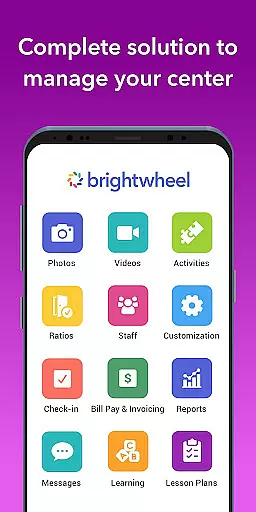
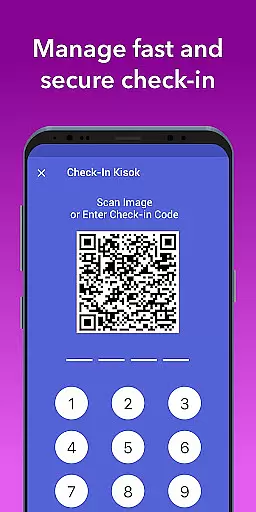
Brightwheel is a comprehensive childcare management software designed to streamline operations for early education providers. This all-in-one platform combines essential tools like billing, attendance tracking, family communication, and lesson planning into a single, user-friendly interface.
The application's standout feature is its ability to significantly reduce administrative workload. With automated billing, real-time family communication, and digital lesson planning capabilities, educators can focus more on child development activities. The app also includes robust security measures and maintains an impressive 99% uptime, ensuring reliable access when needed most.
Particularly beneficial for daycare centers and preschools, brightwheel strengthens the connection between educators and families while maintaining operational efficiency. Its intuitive design and dedicated support system make it accessible even for those with minimal technical expertise.
Brightwheel distinguishes itself through its extensive feature set tailored specifically for early childhood education providers. The platform's core strength lies in its seamless integration of multiple functions including billing, attendance tracking, and curriculum management within a single interface.
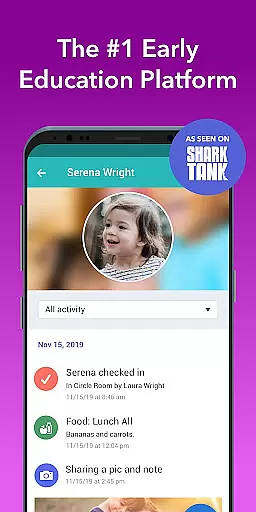
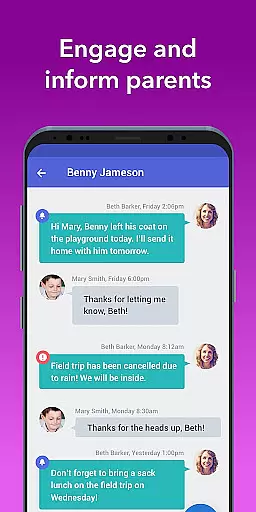
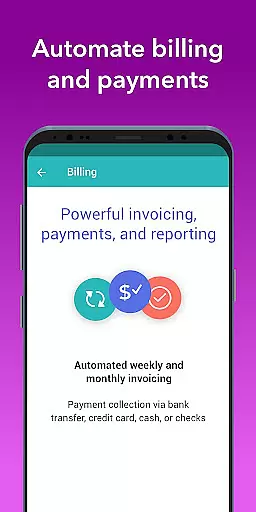
One of the most notable features is its automated billing system, which handles tuition payments, fee calculations, and financial reporting with precision. The application also excels in family engagement through its real-time communication tools, photo sharing capabilities, and daily activity reports that keep parents informed about their child's progress throughout the day.
For educators, brightwheel provides sophisticated lesson planning tools, assessment tracking, and staff management features. The inclusion of DRDP assessment tools and state standard alignments helps maintain educational quality while simplifying compliance documentation. Additionally, its cross-device real-time syncing ensures that all information remains current across desktop and mobile platforms.
In the realm of early education, content accuracy and authority are paramount. Brightwheel stands out by offering a comprehensive platform that ensures all educational materials align with state standards and DRDP tools. This guarantees that educators can rely on the integrity of the content they use for lesson planning and assessments.
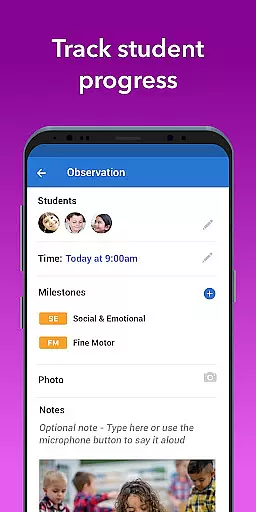
The app provides pre-loaded state standards and assessment tools, which serve as authoritative references for tracking student progress. Teachers can make note of achievements and activities, ensuring that every step of the learning journey is documented with precision and backed by recognized educational benchmarks.
Furthermore, brightwheel's dedication to accuracy extends to its billing and financial reports. Customizable billing features allow for detailed and precise financial management, empowering administrators to maintain transparency and accountability in their operations.
By integrating these authoritative tools and maintaining high standards of data protection and uptime reliability, brightwheel not only supports educators but also builds trust with families, knowing that their children's developmental milestones are recorded accurately and securely.
Brightwheel excels in creating personalized learning paths, an essential feature for catering to individual student needs. The platform allows teachers to customize lesson plans and integrate hands-on learning materials, ensuring each child receives an education tailored to their unique pace and style of learning.
With the ability to add, modify, and share lesson plans, educators can easily adapt teaching strategies based on observations and progress notes. This flexibility enables them to craft a curriculum that evolves with the students, promoting a more engaging and effective educational experience.
Moreover, brightwheel enhances personalization through real-time family communication tools. Parents receive daily summaries and personalized feeds, keeping them informed about their childu2019s specific activities and progress. This strengthens the partnership between home and school, fostering an environment where learning is continuously supported and nurtured.
By leveraging digital lessons from Experience Curriculum, brightwheel not only simplifies administrative tasks but also enriches the educational journey, making personalized learning paths a reality for every child.
User-friendly interface
Comprehensive feature set
Reliable performance
Dedicated support team
Affordable pricing options
Limited advanced accounting features
Occasional syncing delays
Steep learning curve for some
Premium features can be costly
Mobile app occasionally crashes

FAR/AIM, FAR for Flight Crew and FAR for Aviation Maintenance Technicians
 3.80
3.80
Turn scrolling hours into improving your knowledge, communication, intelligence
4.50
Your guide to thousands of satellites and spacecraft in orbit around Earth!
3.90
Dinosaurs coloring book game. Drawing and painting dinos.
4.50
Pass your FAA written with flying colors - Study Buddy can help.
4.30
Visit Daniel's house & make believe. Play doctor, make music, & feed fish.
3.20
SkyView®, an augmented reality space app, brings stargazing to everyone!
4.40
Cool math games & learn to read activities- loved by kids, approved by teachers.
4.50
Your Arts+Culture Guide
4.00
Guitar chord finder, analyzer, smartly visualized theory, progressions, quizzes.
4.70
Stack the States makes learning about the 50 states fun!
4.70
A fast and fun way to learn guitar - works with any guitar.
4.60
The "Go To" app for Airmen studying for promotion to SSgt and TSgt
4.30
Nighty Night Circus - Bedtime story for kids
4.10
Break Language Barriers with AI—Learn Language Anytime, Anywhere!
4.00
An aviator’s preparation, study and test tool for FAA Knowledge Exams.
3.90
An aviator’s preparation, study and test tool for FAA Knowledge Exams.
3.80
MONOPOLY JUNIOR brings Hasbro's classic the board game to life.
3.00
Learn and joke with the Silly Turkey!
4.5


User Reviews