
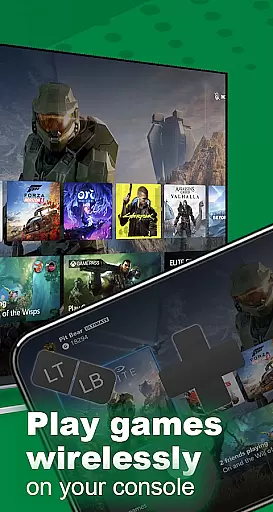
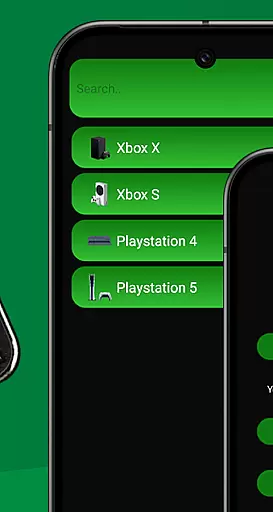
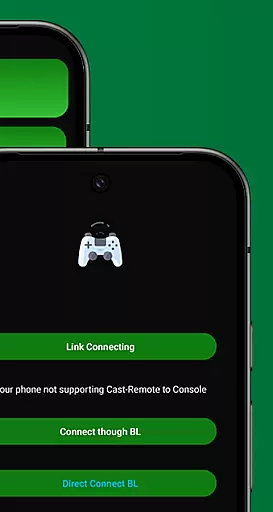
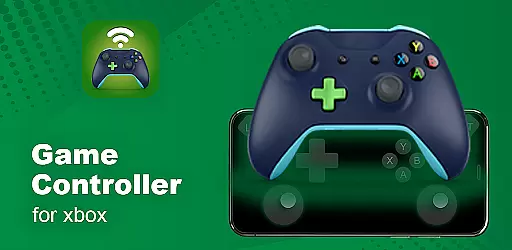
XB Game Controller is a powerful mobile application that transforms your smartphone into a versatile wireless Xbox remote. Designed for gamers who demand flexibility and performance, this app allows you to seamlessly control your Xbox Series X/S or Xbox One console directly from your phone. With its cutting-edge streaming technology, users can enjoy ultra-low latency gameplay, making it perfect for both casual and competitive gaming sessions.
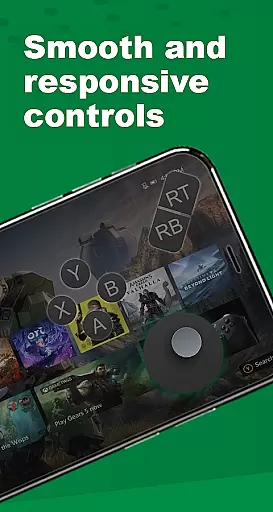
The app supports two primary modes of operation: Remote Play and Gamepad Mode. In Remote Play, you can stream your Xbox games in real-time over Wi-Fi or mobile data, while Gamepad Mode converts your phone's touchscreen into a fully functional Xbox controller. Additionally, XB Game Controller offers multiplayer support, enabling friends to join gaming sessions using their own phones as controllers. This feature makes it ideal for local co-op or party games, enhancing the social gaming experience.
Beyond gaming, the app provides integrated audio and chat support, allowing users to communicate via their phone’s microphone without interrupting gameplay. Its quick setup process ensures that even novice users can get started within minutes. Simply connect your devices to the same Wi-Fi network, log in to your Xbox account, and begin streaming or controlling your console effortlessly. Whether at home or on the go, XB Game Controller delivers an optimized, intuitive solution for managing your Xbox ecosystem.
XB Game Controller stands out with its comprehensive set of features tailored for modern gamers. One of its most notable capabilities is the ability to stream Xbox games in stunning 1080p resolution with minimal latency. This ensures a smooth and responsive gaming experience, comparable to using a physical controller. The app also includes customizable button layouts in Gamepad Mode, empowering users to personalize their controls based on individual preferences and playstyles.
Another key highlight is its multiplayer functionality. By supporting multiple devices simultaneously, XB Game Controller fosters collaborative gaming experiences. Friends can easily connect their smartphones and participate in local co-op or party games, creating a dynamic and interactive environment. Furthermore, the app integrates seamlessly with Bluetooth peripherals such as keyboards and headsets, expanding its utility beyond basic game control.
XB Game Controller also excels in user convenience. Its intuitive interface simplifies navigation, while the quick setup process eliminates unnecessary complexity. Users can switch between Remote Play and Gamepad Mode effortlessly, adapting to different gaming scenarios. With additional features like background music control and voice chat support, this app redefines how gamers interact with their consoles, offering unparalleled versatility and ease of use.
Functionality completeness refers to the extent to which an application provides features that cover all necessary use cases for its intended purpose. For XB Game Controller, this means offering a comprehensive set of tools that allow users to fully interact with their Xbox consoles remotely.
The app excels in delivering a complete remote play solution by enabling users to stream and control their Xbox Series X/S or Xbox One from their smartphones. It includes every essential feature such as gamepad layout with customizable buttons, smooth 1080p streaming with low latency, and multiplayer support over Wi-Fi.
Users benefit from the ability to navigate menus, play games, and control their console from anywhere using just their phone. This level of functionality ensures that gamers have a seamless experience without needing physical controllers or being tied down to specific locations.
By transforming smartphones into responsive Xbox controllers, XB Game Controller demonstrates its commitment to providing extensive coverage of user needs, making it an invaluable tool for modern gaming enthusiasts who value flexibility and performance.
Usability is a critical factor in determining how easily users can interact with an application, while operational smoothness ensures that these interactions are free from interruptions or delays. For XB Game Controller, usability is enhanced through its intuitive design and straightforward setup process.
Upon launching the app, users are guided through simple steps to connect their Xbox and phone to the same Wi-Fi network, log in to their Xbox account, and start streaming. The choice between Remote Play or Gamepad Mode further enhances user convenience, catering to different preferences and scenarios.
Operational smoothness is evident in the app's ability to deliver ultra-low latency and smooth gameplay, optimized for the best remote gaming performance. Whether playing solo or engaging in multiplayer sessions, users experience consistent responsiveness and reliability.
This combination of ease-of-use and operational efficiency makes XB Game Controller a standout option for gamers seeking a hassle-free way to enjoy their favorite titles on the go, reinforcing its reputation as a faster, lighter, and easier alternative to official apps.
User-friendly interface
Low-latency streaming
Customizable controls
Multiplayer support
Bluetooth integration
Requires stable Wi-Fi
Limited offline use
Premium subscription
Device compatibility
Third-party app

Collection of Maps and Mods for Dmod
 3.30
3.30
You can remote control and play much easier.
4.10
TV USB connector app provides you a seamless cast option from your phone to tv.
4.70
Zlink Carplay Android a mirror link app with a Carplay interface style
4.3
Explore The Holy Quran Majeed for Muslim. Listen to MP3 Quran & Al Quran Kareem.
4.80
Al QURAN-القرأن الكريم app to read Quran offline just like an actual Quran book
4.30
Mobile Connect To TV - HDMI USB & WiFi Screen Mirroring
3.70
Expo is a free & open source platform to build apps using JavaScript and React.
4.70
Unlock the hidden menus of your phone with our mobile secret codes app.
4.20
Block and secure the microphone and protect from secret listening and recording.
4.50
MirrorLink for connecting your Android phone to your car’s infotainment screen.
4.50
Barcode scanning made simple!
4.40
Enjoy Minecraft Mod Scary Neighbor Granny for Minecraft PE.
4.30
Wireless reverse charging using phone now is possible
4.30
Sad ringtones full of feeling, sad music ringtones
3.90
Mobs maker Minecraft help MCPE creators make their own mob by using Blockbench
3.50
Simulator of real black light
3.50
Connect and Find your smart tag via our app.our app is compatible with smarttag.
3.30
Collection of high-quality, trendy skins and outfits!
4.0


User Reviews