
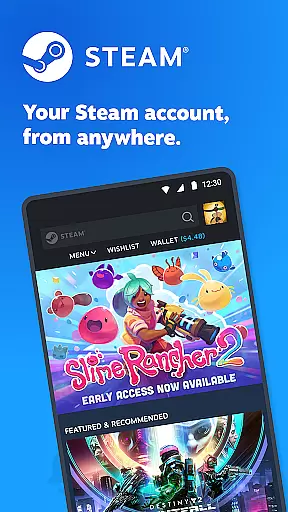
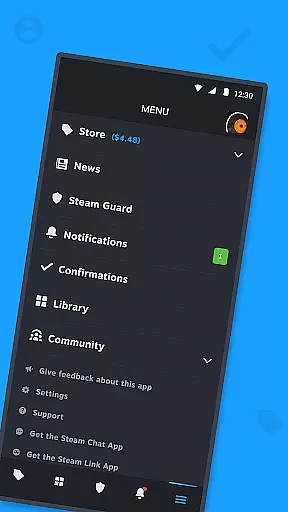
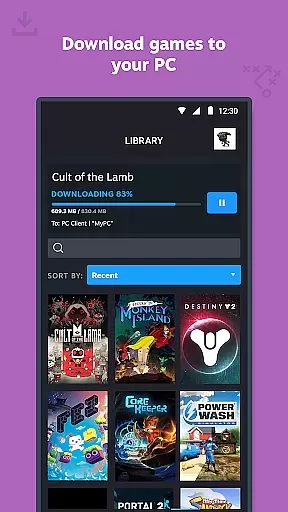
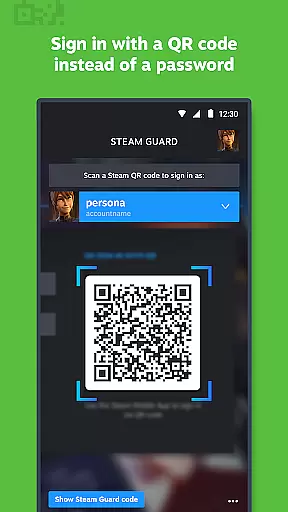



Steam Mobile is an essential companion for Steam users, providing a comprehensive suite of features to manage your gaming experience on the go. The app allows you to shop for PC games, protect your account with advanced security features like Steam Guard, and stay updated with personalized news feeds. With remote library management, you can control game downloads and updates directly from your mobile device.
The application also facilitates trade confirmations and market transactions, making it easier to manage in-game items. Whether you're looking to secure your account, keep up with the latest gaming news, or remotely manage your gaming library, Steam Mobile delivers a robust solution that enhances your Steam experience wherever you are.
Steam Mobile offers a rich set of features designed to enhance your interaction with the Steam platform. The integrated Steam Guard functionality provides two-factor authentication and QR code sign-in options, ensuring top-level security for your account. This feature not only protects your data but also streamlines the login process.
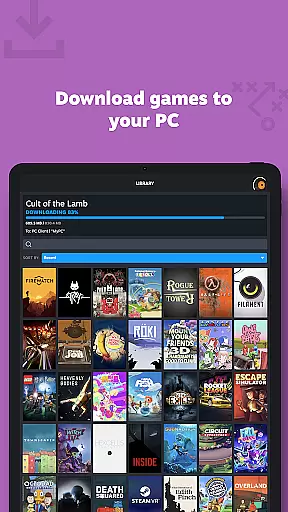
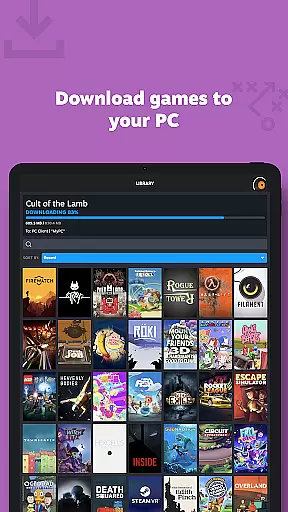
The Library & Remote Downloads section allows you to view detailed game information and manage downloads to your PC remotely. Trade and Market Confirmations enable quick processing of item trades and sales through mobile confirmations. Additionally, the app delivers personalized news feeds based on your game library and offers customizable notifications for various activities such as sales and friend requests, keeping you connected to the Steam community at all times.
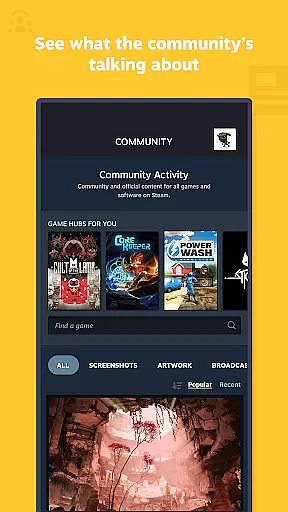
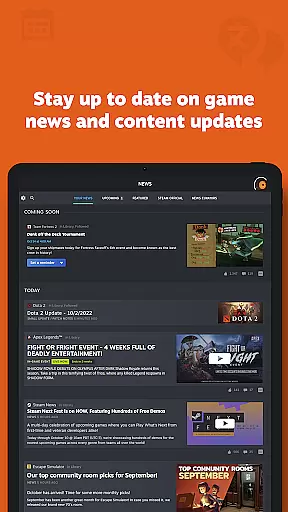
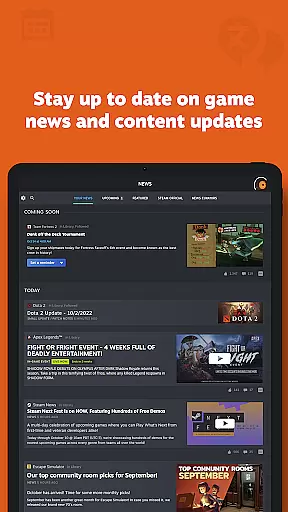
Steam Mobile App offers an extensive range of content that caters to diverse gaming interests. The personalized News feed keeps users updated with the latest news, events, and content updates from publishers and developers based on their game library.
The app provides access to the entire Steam Community, including discussions, groups, guides, Market, Workshop, broadcasts, and more. This comprehensive integration ensures that users have a fresh and continuous stream of content at their fingertips.
With customizable notifications for wishlist updates, sales, comments, trades, and discussions, users can tailor their content experience to match their preferences. This level of personalization enhances user engagement by delivering relevant and timely information.
The Steam Mobile App is designed to maximize user engagement through its multifaceted features. By allowing users to manage game downloads and updates remotely, it encourages longer interaction with their gaming library, thus increasing the time spent within the app.
Trade and Market Confirmations enable users to quickly confirm item trades and sales, streamlining the process and keeping users actively involved in the Steam economy. This convenience factor plays a significant role in retaining users.
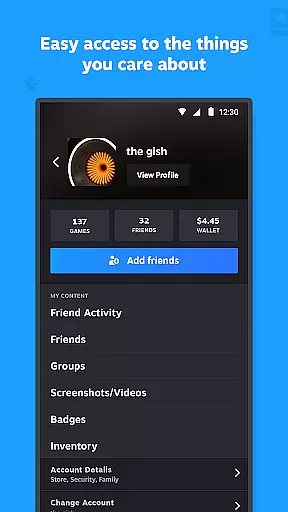
Additionally, features like friend activity tracking, inventory management, wallet access, and support for multiple accounts contribute to a sticky user experience. These elements collectively enhance user retention by providing compelling reasons to return to the app regularly.
User-friendly interface
Advanced security features
Remote library management
Personalized news feed
Comprehensive community access
Limited mobile gameplay
Occasional sync issues
Heavy battery usage
Requires constant internet
Complex setup for beginners

Journey to the world’s oldest rainforest and meet its Indigenous Custodians.
 4.3
4.3
Classic dynamic pixel art from Mark Ferrari.
4.70
Stories that spark in seconds.
4.80
Wodfix Air aggregates popular online content for you.
4.80
Series,Películas y Telenovelas
4.50
Just play games to earn gift cards. Keep playing, keep earning.
4.50
Build and Share AI
4.20
Realistic Baby Simulator App
4.00
An app made just for kids
4.20
Hand-drawn, cartoon OC creator - original character creator
4.70
Watch Reels, Drama Shorts & TV Series Anytime. Download DramaWave Now!
4.70
Unleash Your AI Imagination
4.60
Create melty bead designs by numbers, photos or your imagination
4.40
Fool your friends & Family with Fake ultrasound test report
3.60
Binaural Brainwave Doses for Every Imaginable Mood
3.60
NFL, NBA, NHL, MLB, local sports coverage, shows, movies & news!
3.20
Air Horn - Siren Sounds Prank, Fun way to wake up your Friends and Family
4.5
Control your AWTRIX 3 easily
4.0
The classic game of rock, paper, scissors
4.4


User Reviews