
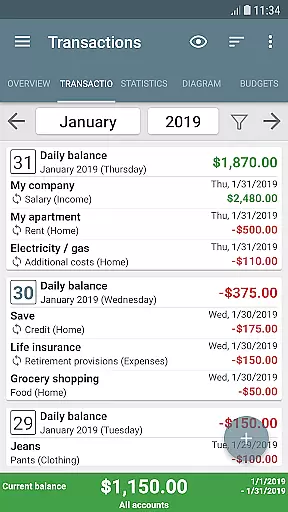
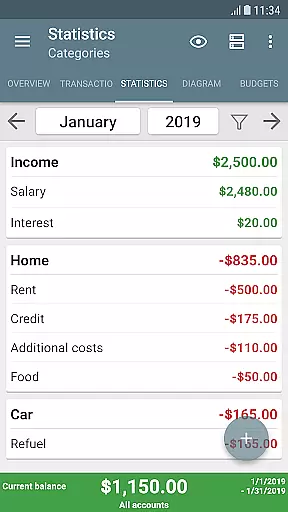
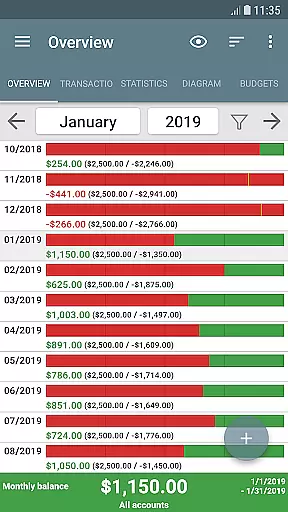
My Budget Book is a comprehensive financial management application designed to help users effectively track and manage their income and expenses. The app offers features for recording both individual and recurring transactions, enabling users to monitor their balances and forecast future financial positions.
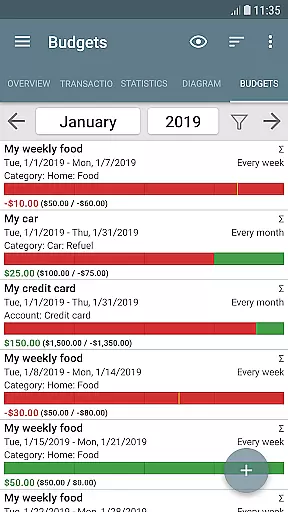
One of the standout capabilities of My Budget Book is its budgeting functionality. Users can set personalized spending limits or savings goals over custom time periods. Whether it's controlling clothing expenses with a monthly cap or saving for a vacation with bi-weekly targets, the app provides flexible tools to manage finances according to individual needs.
The app also emphasizes privacy and security by operating offline without requiring internet permissions. It includes robust data visualization options, multi-account management, transaction categorization, and secure data protection through passwords or fingerprint authentication. These features make My Budget Book an ideal tool for anyone seeking better control over their personal finances while maintaining data privacy.
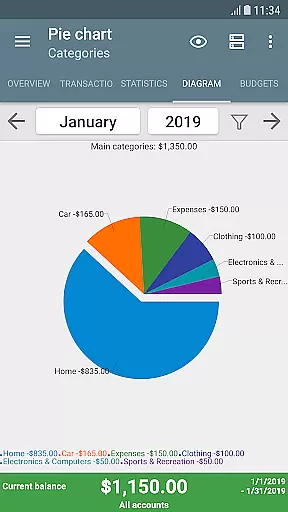
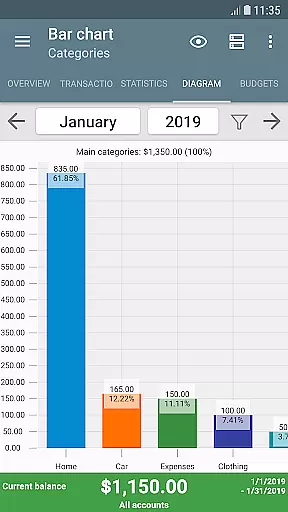
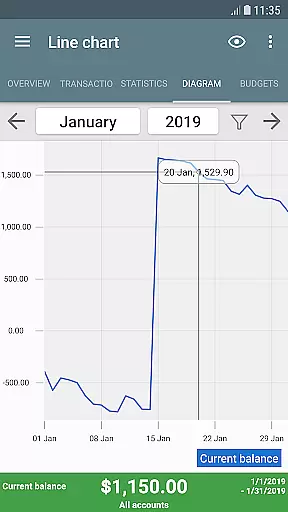
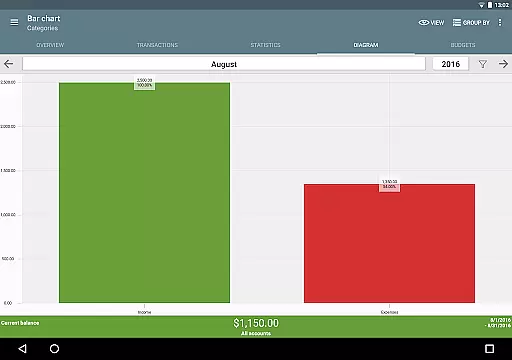
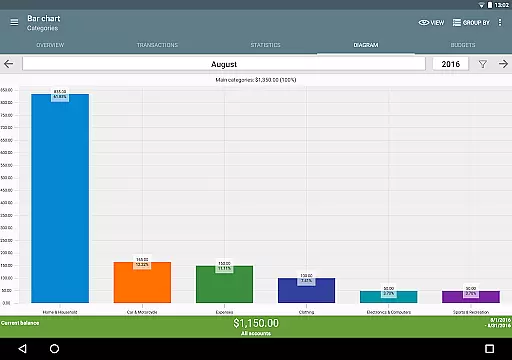
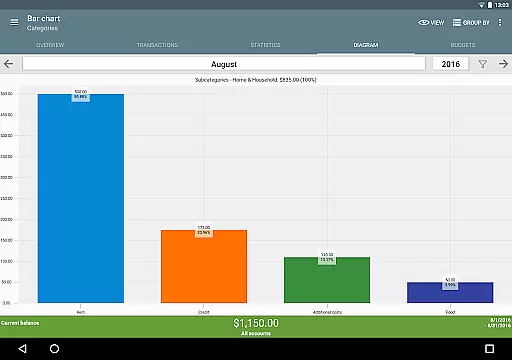
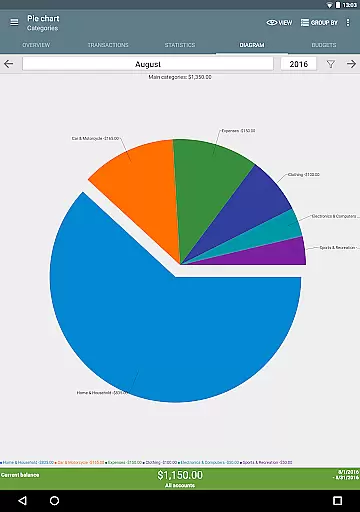
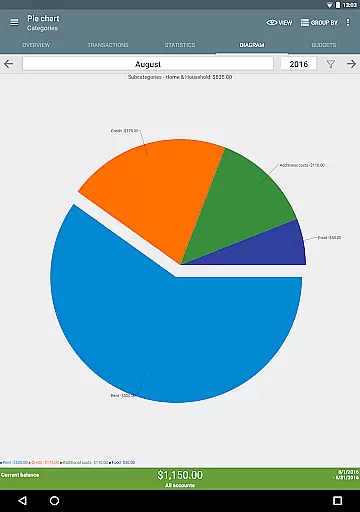
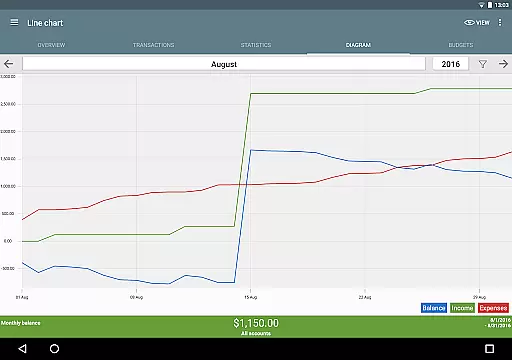
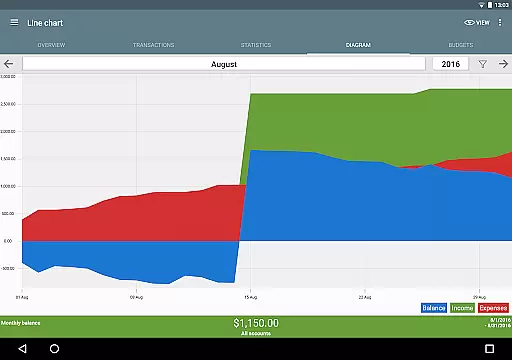
My Budget Book stands out with its diverse range of features tailored to simplify personal finance management. One key feature is the ability to visualize financial data using dynamic charts and graphs. This allows users to gain deeper insights into their spending patterns and overall financial health in an easily digestible format.
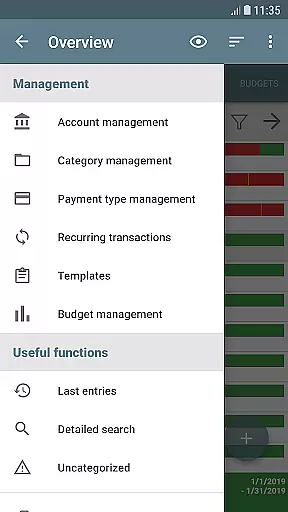
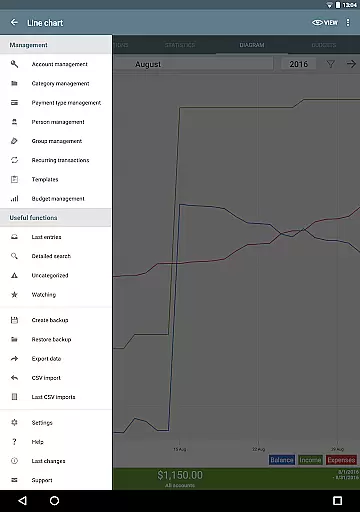
The app supports advanced customization options, including personalized categories, subcategories, and sorting preferences. Users can tailor the interface to reflect their unique financial situations, making record-keeping more intuitive. Additionally, the app facilitates managing multiple accounts and enables easy transfers between them, streamlining the process of tracking funds across different sources.
Another notable feature is the inclusion of budgeting tools that allow users to define spending caps and savings goals. With options like rollover budgets and customizable timeframes, users have the flexibility to create budgets that align with their specific financial objectives. Overall, these features collectively enhance the user experience by providing powerful yet accessible tools for effective money management.
Account and fund security is a critical aspect of any financial management application. My Budget Book ensures your sensitive data remains protected through multiple layers of security.
The app offers optional password protection and fingerprint authentication, providing users with peace of mind when managing their financial information. This feature prevents unauthorized access to your budgeting data, ensuring only you can view and modify your income, expenses, and account balances.
In addition to local security measures, the app operates offline without requiring internet permission. This design choice protects your privacy by keeping all financial data on your device unless you choose to create a backup. Even then, synchronization occurs only through secure methods detailed in the integrated manual.
Furthermore, automatic local backups ensure you never lose important financial records while maintaining complete control over where your data is stored. These security features collectively create a safe environment for managing personal finances effectively.
A seamless transaction experience is essential for effective financial management. My Budget Book excels in this area by offering intuitive tools for recording both individual and recurring transactions.
Users can easily track their balances using the app's comprehensive transaction features. The ability to forecast future balances based on scheduled transactions helps individuals plan their finances more effectively. This functionality extends to various payment types, including credit card accounts and other payment methods.
The app's interface simplifies transaction entry through customizable templates and convenient sorting options. Users can organize transactions by categories, subcategories, payment types, or even specific groups of people, making it easier to maintain an organized financial record.
Additionally, visual aids such as dynamic charts and graphs help users understand their spending patterns at a glance. These visualization tools transform raw transaction data into meaningful insights, empowering users to make informed financial decisions and better manage their money.
User-friendly interface
Comprehensive budgeting tools
Strong privacy protection
Flexible customization options
Offline functionality
Limited cloud integration
No automatic transaction import
Manual data entry required
Basic reporting features
Occasional sync issues

Manage your account, make a payment, and redeem your rewards on the go.
 4.50
4.50
Currency Converter supports all currencies of the world.
5.00
Pay rent on your schedule.
4.70
View BSC Transactions for multiple accounts
3.90
Registration of your debts and Mdionatk and assembled, as well as a significant reports
4.30
Real-time tracking: Stocks, Indices, Futures, Commodities, ETF, & Funds prices.
4.60
The US Debt Clock .org App gives you a Real-Time glimpse of US Financial Stats
4.60
Venmo is the fun and easy way to pay and get paid.
4.10
Send money and bitcoin easily. Invest, bank and do more with your money
4.70
Easy budgeting planning on a calendar!
4.80
PayMe helps you claim money from settlements on companies that harmed you.
4.80
No credit check, no interest, no worries.
4.70
Over 180 currencies conversion rates with live exchange rates and offline mode.
4.60
Get a cash advance instantly. File taxes & cover unexpected bills in minutes.
4.60
Easily invest, save, and plan—all in one app.
4.60
The simplest way to budget, bank, save and invest.
4.50
Car Insurance Made For You.
4.50
Get up to 500, get paid early, earn interest and find work with no hidden fees.
4.40
The PayPal app is the secure way to send and receive money, shop and pay in 4.
4.20


User Reviews